Shipping features without telling anyone is like fixing a pothole at midnight, the work gets done, but nobody notices or appreciates it. Release notes close that gap. They show users what changed, why it matters, and that their feedback actually led somewhere. Finding the right notion release notes template can make the difference between a changelog people actually read and one that collects dust.
But here's the thing: release notes are only one piece of the communication puzzle. At Koala Feedback, we help teams collect user feedback, prioritize what to build, and share public roadmaps, so when you do publish a changelog, it connects back to what your users actually asked for. That full loop is what turns passive users into engaged ones.
In this article, you'll find 11 Notion templates designed for tracking and publishing release notes, changelogs, and software updates. Each pick is broken down by what it does well, who it's best for, and how it fits into your workflow, so you can pick the one that matches your team's process and start shipping updates people care about.
This notion release notes template, built by Aleks Vangjelofski, stands out in the Notion gallery because it focuses on clarity and structure rather than complexity. It's designed for product teams who want to document releases without building a custom system from scratch. The layout is clean, the logic is easy to follow, and it gives you a solid foundation to build on as your release process matures.
The core of the template is a Notion database with multiple pre-built views: a table view for internal team use, a gallery view for a more visual summary, and a filtered view that surfaces only the most recent releases. Each release entry includes fields for version number, release date, and update type (bug fix, new feature, or improvement), plus a status tag. When you open an individual entry, you get a full-page canvas to write the actual release notes in whatever format fits your product. The structure keeps everything consistent across releases, so new team members can follow the history without needing someone to walk them through it.
If you've been dropping release updates into a Slack message or a flat shared doc, this template alone will immediately sharpen how your team tracks and communicates what's shipped.
You duplicate the template from the Notion gallery into your workspace in one click. From there, swap out the placeholder entries with your real release history and update the category tags to match your product's terminology. The database properties are fully editable, so you can add new fields like "linked tickets," "release owner," or "affected users" without breaking the existing structure. If you already have a product wiki in Notion, you can embed this database there using a linked database view to keep everything connected.
This template fits internal product and engineering teams that want a shared, organized record of what's been released and when. It works especially well if your team already uses Notion for specs, sprint planning, or meeting notes, since everything stays in one place. For teams that need a polished public changelog that external users can actually read and follow, you'll want to either publish the Notion page publicly or pull the content into a dedicated changelog tool.
The template is completely free to duplicate from the Notion gallery. No payment or premium account is required to access or use it. That said, some Notion features that make the template more powerful, such as automated workflows and advanced permission controls, require a paid Notion plan, which starts at $10 per member per month.
The Release Manager template is built for teams juggling multiple concurrent releases at once. Unlike a basic notion release notes template focused purely on documentation, this one layers project coordination on top of changelog tracking, so your team can monitor each release from planning through deployment without switching tools.
The template centers on a release database with linked sub-pages for each version. Each entry captures the release owner, target date, current status, and a pre-built task checklist. You also get a summary view that displays all active, scheduled, and completed releases side by side, which makes spotting bottlenecks and conflicting timelines straightforward. Key fields include:
Duplicate the template into your workspace and update the status labels to match your actual release stages. You can then link release entries to your existing task database using Notion's relation property, pulling in relevant tickets without duplicating work. Assign a release owner to each entry from day one so accountability is never ambiguous.
This structure works best when one person owns the release process end to end, since the checklist and status fields are designed around clear single-owner responsibility.
This template suits engineering and product teams that ship on a regular cadence and need to coordinate across QA, design review, and stakeholder sign-off. If your releases move through multiple approval stages before going live, the built-in checklist keeps every step visible and trackable for the whole team.
The Release Manager template is free to duplicate from the Notion template gallery. Advanced Notion features like automated reminders and detailed permission settings require a paid Notion plan, starting at $10 per member per month.
The Changelog by lahiru takes a minimal, content-first approach to release tracking. This notion release notes template strips away the project management overhead and keeps the focus on documenting updates clearly and consistently, making it a strong fit for solo builders and small product teams that want something simple and ready to use right away.
You get a clean database structure with one entry per release. Each record includes the version number, release date, a category tag for the type of change, and a long-form text field where you write the actual notes. The design favors readability over complexity, so there's no multi-level nesting or linked databases to untangle before you can start adding real content.
If your team spends more time fighting your tracking system than writing actual notes, this template's simplicity is its biggest strength.
Duplicate the template directly into your Notion workspace, then rename the placeholder entries to match your first real release. The category tags are fully editable, so you can swap in your own labels like "performance," "security," or "UI change" within a few minutes. No formulas or automations are required to get it working immediately.
This template works best for independent developers and early-stage teams that ship frequently but don't yet need a full release coordination system. If your main goal is keeping a clean, searchable record of what changed and when, without managing approvals or multi-step workflows, this template covers that need well.
The template is free to access from the Notion gallery. A free Notion account is enough to use all of its core features without requiring a paid plan.
The Notion releases page style format takes inspiration from how product-led companies structure their own public changelogs: a scrollable, date-ordered page where each entry is concise and scannable. This notion release notes template replicates that approach inside your own workspace, giving your team a familiar, easy-to-maintain structure without needing any external tools or complex database setups.
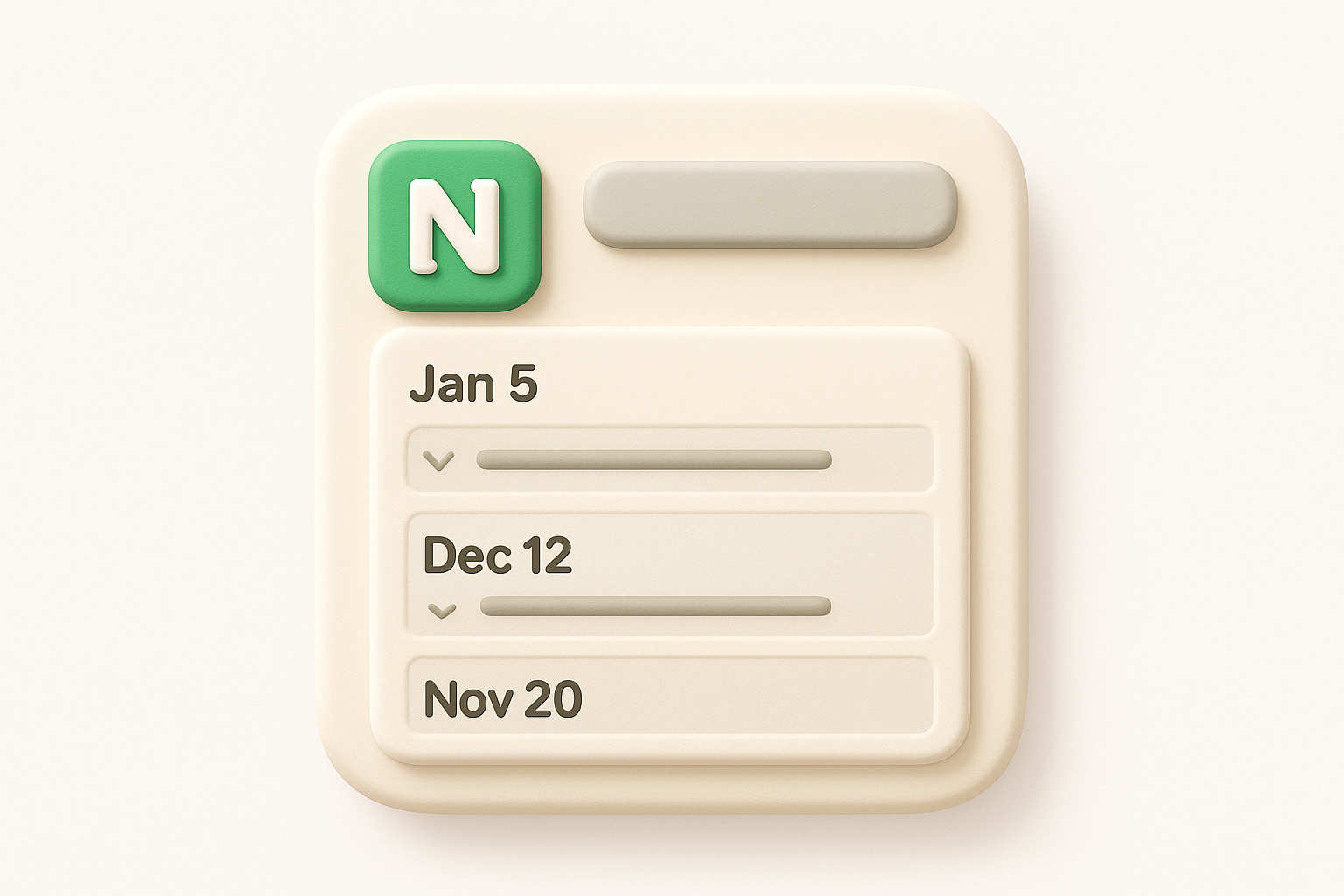
This template gives you a single Notion page built around toggle blocks and date headers, one per release. Each toggle opens to reveal the full notes for that version, keeping the main page clean while still making individual updates accessible in one click. You'll find placeholder entries for new features, improvements, and bug fixes organized under each date header.
This layout is especially effective when you want a format that feels polished for external readers without requiring any design work on your end.
Duplicate the page into your workspace and replace the sample entries with your own release dates and notes. Since the format relies on native Notion toggle blocks, there are no databases or relation properties to configure. You can start adding real content within five minutes of duplicating it, which makes it one of the faster templates to get off the ground.
This template suits small teams and solo founders who want a lightweight public changelog they can share via a Notion public link. It works particularly well when your releases are infrequent enough that a simple, scrollable page covers everything without needing filters, database views, or status tags.
This format is completely free to build or duplicate in Notion. A free Notion account covers everything you need to use toggle-based page layouts without any paid features required.
The Released.so notion release notes template was built by the team behind a dedicated changelog product, which means it carries practical knowledge of what actually makes release notes useful to end users. The template is structured around communicating value clearly, not just logging version numbers, so it pushes you to write updates the way your users will actually read them.
This template gives you a database with entries organized by release date and category, including fields for the release title, type of update, status, and a summary written in plain language. Each entry opens into a full-page layout with sections for what changed, why it matters, and any known limitations or follow-up items. The emphasis throughout is on writing notes that a non-technical user could understand.
If your users have ever complained that your changelogs feel too technical or hard to follow, this template's structure actively pushes you toward clearer, more user-focused writing.
Duplicate the template into your Notion workspace and replace the sample entries with your own release history. The category tags and status fields are editable, so you can align them with your internal terminology in under ten minutes. You can also publish the Notion page publicly if you want external users to follow your releases without needing a Notion account.
This template works best for SaaS teams and product managers who want their changelog to serve as a customer-facing communication tool rather than an internal log. If you care about how users perceive each update, not just whether the update is documented, this template's writing-forward structure suits that goal well.
The template is free to duplicate from the Released.so website. Using it only requires a free Notion account, with no paid tier needed to access the full layout.
The Software Release Tracker takes a more technical angle than a typical notion release notes template, focusing on tracking releases across environments rather than just documenting what changed for users. It's built for development teams that need to know exactly where each build sits in the deployment pipeline at any given moment.
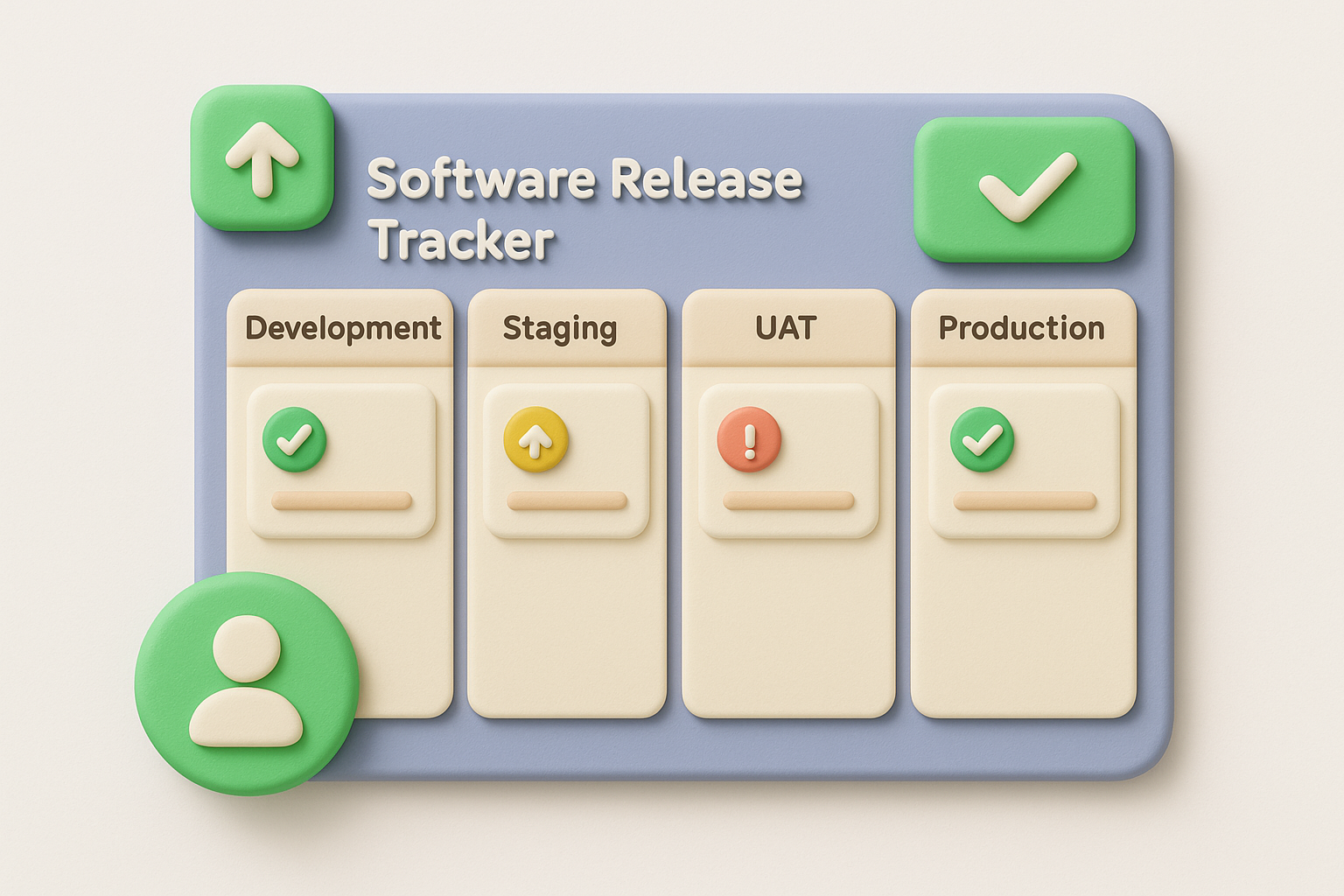
This template centers on a release tracking database where each entry logs the version, build number, target environment, and deployment status. You get a kanban-style board view that maps each release across stages like development, staging, UAT, and production, so nothing slips through the gaps between environments. Fields for release owner and expected deployment date keep each entry anchored to a real person and a real deadline.
If your team has ever shipped to staging and then forgotten to promote to production, this board view makes that kind of oversight much harder to repeat.
Duplicate the template into your workspace and update the environment columns to match your actual deployment stages. From there, assign an owner to each release card and set the target dates. You can also link individual entries to bug reports or spec documents already stored in Notion using relation properties, which keeps all relevant context one click away without duplicating information across multiple pages.
This template suits engineering-heavy teams that manage multiple deployment environments and need clear visibility into where each release currently sits. It works especially well when QA and engineering collaborate closely and both need real-time status updates without relying on verbal check-ins or scattered Slack threads.
The Software Release Tracker is free to duplicate from the Notion template gallery. A free Notion account covers everything you need to run the template without upgrading to a paid plan.
The Release Go No-Go Checklist shifts focus from documentation to decision-making. Rather than functioning as a standard notion release notes template for logging what shipped, this template gives your team a structured process for deciding whether a release is actually ready to go out in the first place, catching problems before they reach users.
This template is built around a pre-release checklist database where each row represents a specific condition your release must meet before it goes live. Categories cover areas like QA sign-off, stakeholder approval, documentation readiness, and rollback plan confirmation. You also get a status field that locks the release decision into one of three outcomes: go, no-go, or conditional.
Running a structured go/no-go process before each release prevents the kind of rushed decision-making that leads to incidents your team spends the next week cleaning up.
Duplicate the template and customize the checklist rows to reflect your team's actual release criteria. You can add rows for items specific to your stack, such as feature flag verification or load test results, without disrupting the existing structure. Link each checklist entry to a release database entry using a relation property to keep the decision record tied directly to the release it covers.
This template works best for teams that operate in regulated environments or ship high-stakes updates where a failed release has real consequences for users. If your team moves fast and frequently skips formal pre-release reviews, this checklist adds just enough structure to catch overlooked steps without slowing your cadence significantly.
The template is free to access and duplicate from the Notion gallery. All core checklist functionality runs on a free Notion account with no paid tier required.
The Release Planning Board takes a step back from the changelog itself and focuses on organizing and visualizing what's coming before anything ships. While most notion release notes template options focus on documenting completed releases, this template helps you plan and sequence upcoming work so your team enters each release period with clarity on scope, timing, and ownership.
This template gives you a database built around planned releases, with each entry capturing the release name, target date, assigned team, and a priority level. You also get a timeline view that maps upcoming releases against a calendar, making it easy to spot scheduling conflicts before they become problems. Each entry links to a detail page where you can outline scope, list known risks, and track pre-release dependencies.
Planning your releases visually before execution catches timeline collisions and scope creep far earlier than most teams expect.
Duplicate the template into your workspace and populate the first few entries with your actual upcoming releases. Update the team and priority fields to reflect your real structure, then switch to the timeline view to confirm your planned dates don't stack up in ways that stretch your team too thin. You can connect each planning entry to your release tracker or changelog database using a relation property to keep planning and execution in one connected system.
This template suits product managers and team leads who need a shared planning surface that the whole team can reference without digging through meeting notes or scattered documents. It works especially well when your team ships on a defined schedule and needs to balance multiple releases running in parallel.
The Release Planning Board is free to duplicate from the Notion gallery, and a free Notion account gives you full access to all features it uses.
The Notion Engineering Dashboard is built for engineering teams that need more than a standard notion release notes template. It combines release tracking with broader engineering operations visibility, pulling sprint progress, incident logs, and deployment activity into one shared workspace so your whole engineering org can stay aligned without attending another status meeting.

This template gives you a multi-database setup where releases, sprints, and incidents each live in their own linked database but surface together in a central dashboard view. Each release entry captures the version, release owner, deployment environment, and status. You also get a summary panel at the top of the dashboard that pulls key metrics, like active releases and open incidents, into a single glance-friendly view. The structure makes it easy to see how your release activity connects to the broader state of your engineering system at any point in the month.
If your engineering team currently splits release context across three or four separate documents, this dashboard consolidates that into one place that everyone actually uses.
Duplicate the template into your workspace and connect the three core databases by updating the relation properties to point at each other correctly. Then populate your first release entry, assign an owner, and set the initial status. The linked database views update automatically as you add new entries, so the dashboard reflects current reality without any manual refreshing or reformatting.
This template works best for mid-sized engineering teams that ship regularly and need their release data to sit alongside sprint and incident context. If your team leads review engineering health weekly, this dashboard gives them one reliable source to pull from instead of aggregating information before every sync.
The template is free to duplicate from the Notion gallery, and a free Notion account covers all the core features it relies on.
The Development Project Report template approaches release documentation from a project management perspective rather than a pure changelog angle. Where a typical notion release notes template logs what shipped, this one captures the full arc of a development effort, from initial scope through delivery, giving stakeholders a complete picture of each project's outcome.
This template gives you a structured report page for each development project, with sections covering project goals, team members involved, delivery timeline, and a summary of what shipped. You also get a status tracker that marks each project as in progress, completed, or on hold, plus a section for lessons learned and known issues identified after launch. The report format is designed to be read by non-technical stakeholders without any additional explanation.
If your leadership team regularly asks for post-release summaries, this template turns that recurring ask into a consistent, reusable process your team can complete in minutes.
Duplicate the template into your Notion workspace and assign a new report page to each completed or in-progress project. Fill in the goal and team fields first, then work backward to populate the timeline and delivery sections as the project wraps. You can link each report to a shared project database using a relation property to keep all reports organized and searchable from a single index.
This template suits teams that report upward to non-technical stakeholders who need context around each release beyond a simple list of changes. It works well in agency or consultancy settings where each release represents a discreet client deliverable that needs its own documented summary.
The Development Project Report template is free to duplicate from the Notion gallery, and a free Notion account is all you need to use it fully.
This notion release notes template takes a personal, creator-driven approach to changelog documentation. Built by an independent Notion creator known in the community as Ben Something, the template keeps things direct and practical, giving you a ready-made structure for logging product updates without unnecessary overhead. It reads less like a corporate tool and more like something a real builder put together for their own workflow.
The template gives you a simple database layout where each entry captures the release version, date, and a categorized summary of changes. You get pre-formatted sections for features added, bugs fixed, and improvements made, all separated cleanly within each entry's page so readers can scan the update at a glance without reading through dense paragraphs.
Duplicate the template into your workspace and replace the sample entries with your actual release history. The category structure is built around standard Notion select properties, so you can relabel or expand the tags to fit your product's terminology in under five minutes. No linked databases or complex relation properties are involved, which keeps the setup quick.
If you've been putting off building a changelog because every template felt too complicated to configure, this one removes that barrier entirely.
This template suits independent developers and small startup teams that ship regularly and need a clean internal record without the overhead of a full release coordination system. It works especially well when your team is small enough that one person manages both writing and publishing the notes without needing formal approval steps built into the workflow.
The template is free to access and duplicate. A free Notion account gives you everything you need to run it without upgrading to a paid plan.
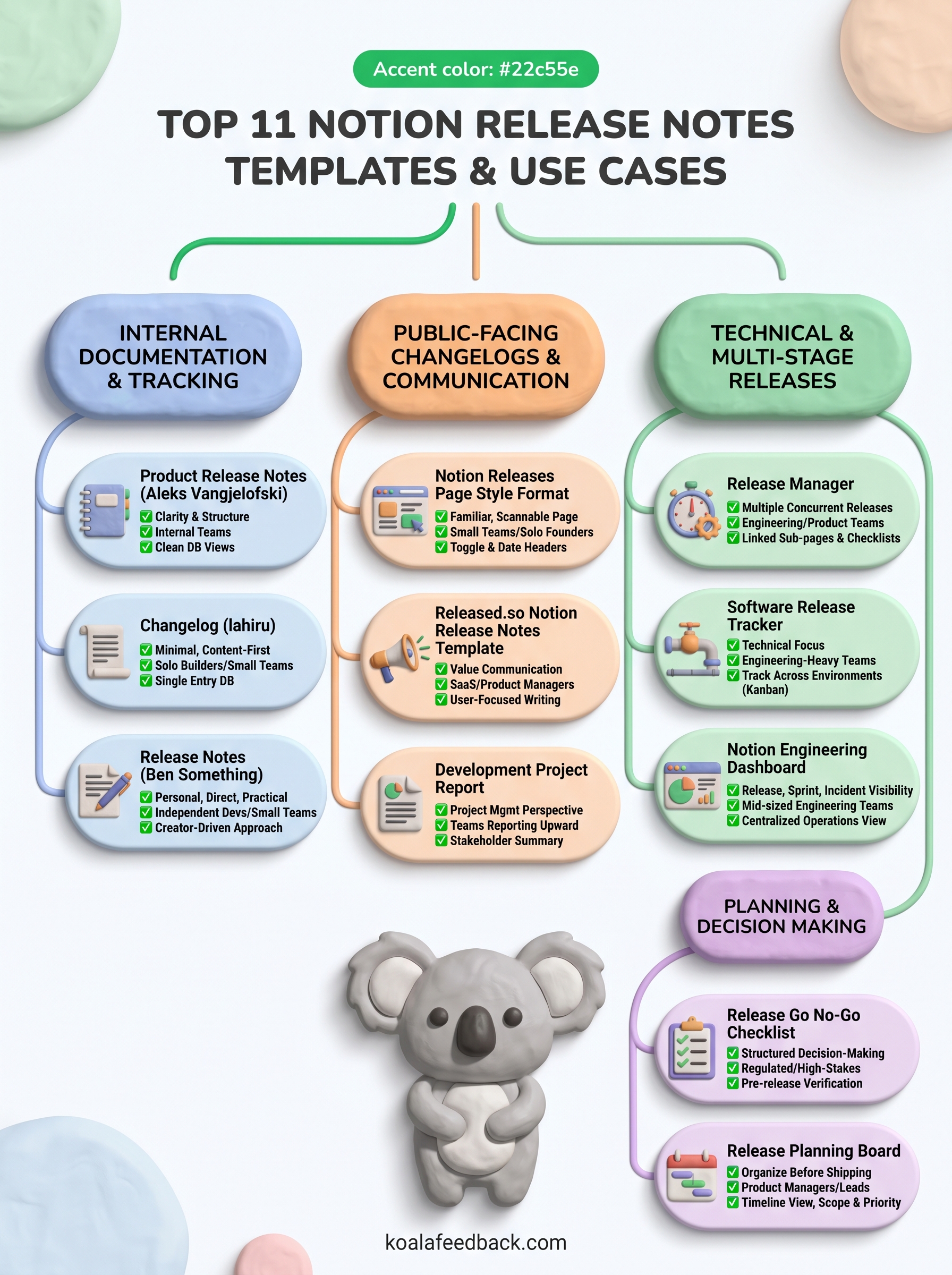
Every notion release notes template on this list solves a real documentation problem, but the right pick depends on your team's size, release cadence, and how technical your audience is. If you ship frequently and need a lightweight record, simpler options like the Changelog by lahiru or Ben Something's template get you started fast. If your team coordinates across environments and multiple stakeholders, the Release Manager or Software Release Tracker gives you the structure to match that complexity.
The bigger opportunity, though, goes beyond documentation. When your release notes connect directly to feedback your users actually submitted, every changelog entry reinforces that you're building the right things. That connection is what keeps users engaged long after the update ships. If you want to close that loop between feedback, prioritization, and public updates, explore how Koala Feedback helps your team do exactly that and give your changelogs something meaningful to point back to.

Start today and have your feedback portal up and running in minutes.

