Product roadmaps keep teams aligned and stakeholders informed, but building one from scratch can feel like reinventing the wheel. If your team already uses Atlassian's wiki tool, a Confluence product roadmap template offers a practical starting point to visualize priorities, plan features, and track progress without starting from zero.
The challenge? Confluence wasn't built specifically for roadmap management. Templates help, but they often require manual updates and lack interactive features like voting or feedback collection. That's where understanding your options becomes valuable, whether you stick with Confluence or explore dedicated tools like Koala Feedback that combine roadmap sharing with built-in user feedback prioritization.
This guide walks you through creating a product roadmap in Confluence, from choosing the right template to customizing it for your workflow. You'll also learn when a Confluence-based approach works well and when a purpose-built solution might serve your team better.
Before you create your first Confluence product roadmap template, gather the essential materials and permissions that will make the process smoother. You need editor access to your Confluence space, along with approval to create pages that stakeholders will view regularly. Without proper permissions, you'll hit roadblocks when trying to publish or share your roadmap with broader teams.
Your roadmap needs content to display, so compile a list of features, initiatives, or projects you plan to prioritize. This doesn't require perfect detail, but you should have enough information to categorize items by quarter, priority level, or development stage. Pull from existing sources like Jira tickets, user feedback repositories, or meeting notes to build this initial list.
A well-organized backlog transforms your roadmap from a vague timeline into a decision-making tool.
Determine who will view this roadmap and what they need from it. Executives might want high-level strategic themes, while engineering teams need specific deliverables with estimated timeframes. Your Confluence product roadmap template should adapt to serve these different audiences, which means understanding their questions before you design the layout.
Consider these key stakeholder groups:
Map out what success looks like for your roadmap. Does it need to reduce status update meetings? Help prioritize competing requests? Communicate delays more effectively? Clear goals shape how you structure information and what details you emphasize in each section of your template.
Your Confluence product roadmap template should reflect how your stakeholders think about product development. Start by selecting a format that matches your team's planning cycle and the level of detail your audience expects. This decision shapes every other choice you make in building your roadmap.
Timeline-based roadmaps organize features by specific quarters or months, showing when teams plan to deliver particular items. This approach works well when you have predictable release cycles and stakeholders who need concrete dates for planning purposes. Sales teams and marketing departments often prefer this format because it helps them coordinate campaigns and customer communications.
The right roadmap format reduces questions rather than creating them.
Theme-based roadmaps group features around strategic objectives or problem areas rather than exact dates. You might organize sections like "Improve onboarding experience" or "Enterprise security features" without committing to specific timeframes. This format provides flexibility when priorities shift and helps stakeholders understand the reasoning behind your product decisions without overcommitting to dates that might change.
Your primary audience determines which roadmap style serves you best. Executive stakeholders typically want high-level themes with quarterly milestones, while engineering teams need more granular timelines with dependencies marked clearly. Consider creating separate views of the same roadmap if you need to serve multiple audiences with different information needs within your Confluence space.
A well-structured Confluence product roadmap template starts with clear visual organization that lets stakeholders find information quickly. Create a new page in your chosen Confluence space and establish distinct sections that separate high-level strategy from detailed feature descriptions. This prevents your roadmap from becoming a wall of text that nobody wants to read.
Begin with a basic table layout that displays your features in rows with relevant details in columns. In Confluence, you can insert a table by typing /table and selecting your preferred column count. Your initial structure should include these essential columns:
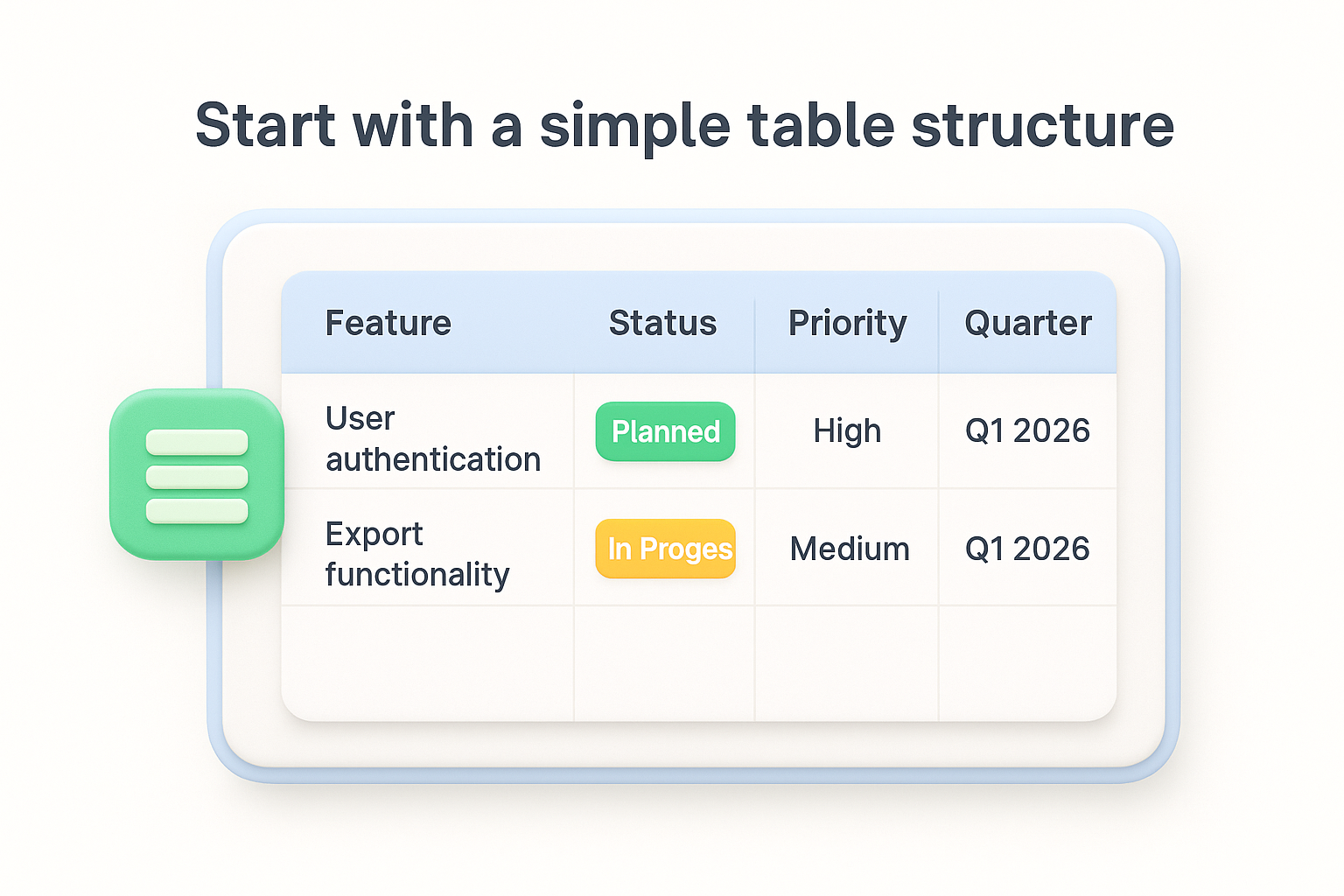
| Feature | Status | Priority | Quarter | Owner |
|---|---|---|---|---|
| User authentication | Planned | High | Q1 2026 | Security Team |
| Export functionality | In Progress | Medium | Q1 2026 | Platform Team |
This format provides immediate clarity about what you're building and when stakeholders can expect it. You can add or remove columns based on your team's needs, but avoid cramming too many details into one view.
A simple table beats a complex diagram when stakeholders need quick status updates.
Use Confluence's heading levels and colored labels to create scannable sections within your roadmap. Break your table into quarters or themes using H3 headings, and apply status labels like "Planned," "In Progress," or "Completed" with distinct colors. This visual differentiation helps readers process information faster without reading every line.
Timelines transform your Confluence product roadmap template from static lists into visual schedules that stakeholders can process at a glance. Confluence offers multiple approaches to display project timelines, from built-in macros to custom table formats. Your choice depends on how much detail you need and whether your team has access to premium Confluence features.
The Timeline macro provides native timeline visualization within Confluence Cloud and Data Center versions. Type /timeline in your page editor to insert this macro, which displays dates and milestones along a horizontal axis. You can manually add events by clicking "Add Event" and entering the feature name, start date, and end date for each roadmap item.
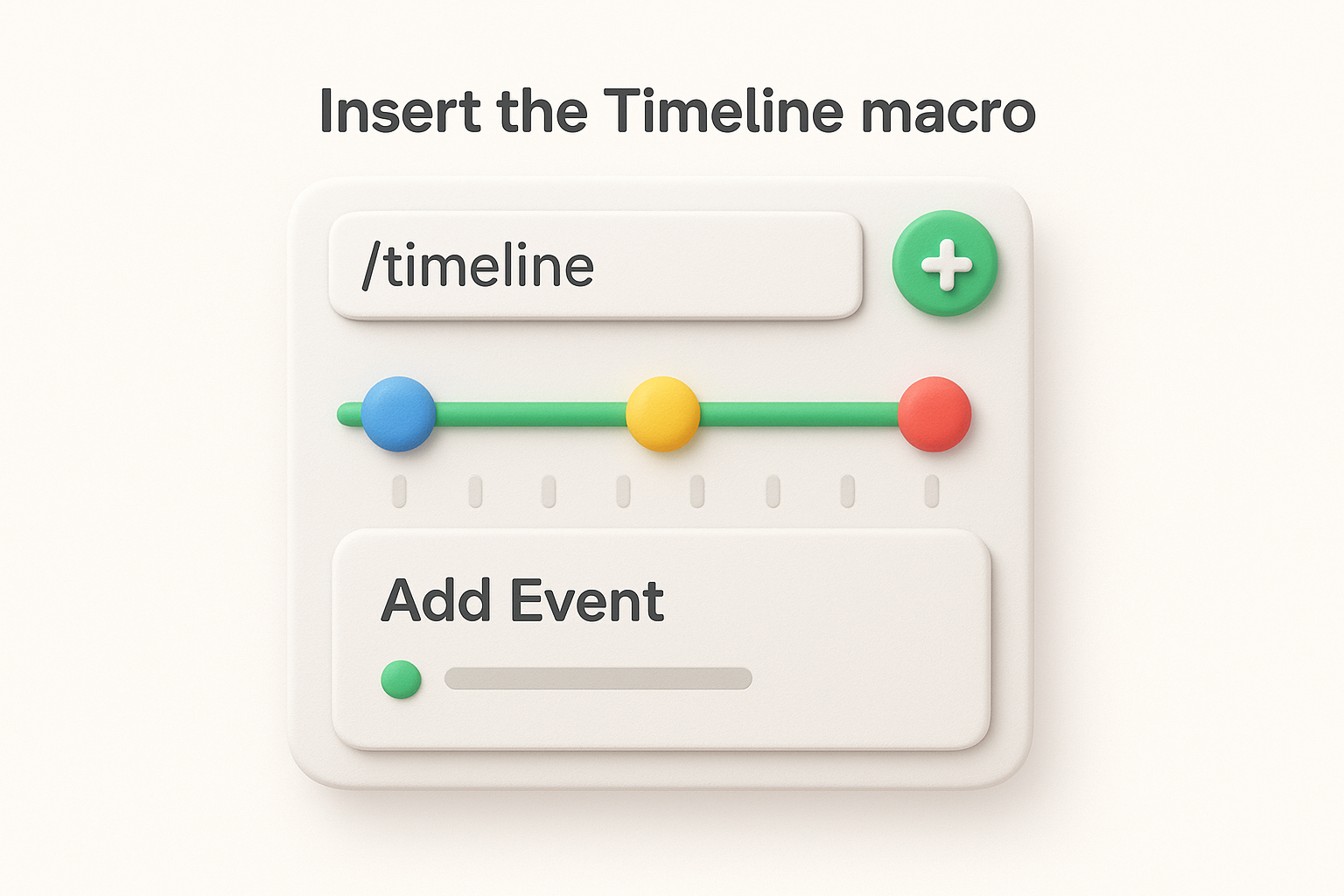
This macro works best for high-level quarterly planning where you want to show initiative durations without excessive detail. Link timeline events to related Confluence pages or Jira issues by pasting URLs directly into the event configuration panel.
A visual timeline eliminates confusion about project overlap and resource conflicts.
If you lack access to the Timeline macro, build a manual timeline using tables and color coding. Create columns for each quarter and rows for different product areas, then fill cells with feature names using colored status labels to indicate progress stages. This approach gives you complete control over formatting and works across all Confluence versions without requiring premium features.
Your Confluence product roadmap template loses value when outdated information sits on the page for weeks. Establish a regular update schedule that keeps stakeholders informed without creating excessive maintenance burden. A well-maintained roadmap builds trust with your audience and reduces the number of status check meetings your team needs to attend.
Update your roadmap bi-weekly or monthly depending on your release cycle and how frequently priorities shift. Add a "Last Updated" date at the top of your Confluence page so viewers know when they're looking at current information. You can insert this automatically using Confluence's /date macro, or manually type the date after each review session.
Block calendar time for these updates rather than treating them as tasks you'll handle when free. This dedicated time ensures roadmap maintenance happens consistently rather than only when stakeholders ask for updates.
When features slip or priorities change, update status labels immediately and add brief explanations in a notes column. This transparency prevents surprises during stakeholder meetings and shows you're actively managing the roadmap rather than letting it drift.
Clear communication about delays builds more trust than hiding problems until launch dates pass.
Include a changelog section at the bottom of your confluence product roadmap template that lists recent priority shifts or timeline adjustments. This gives stakeholders context for decisions without requiring them to compare versions or ask what changed since their last review.
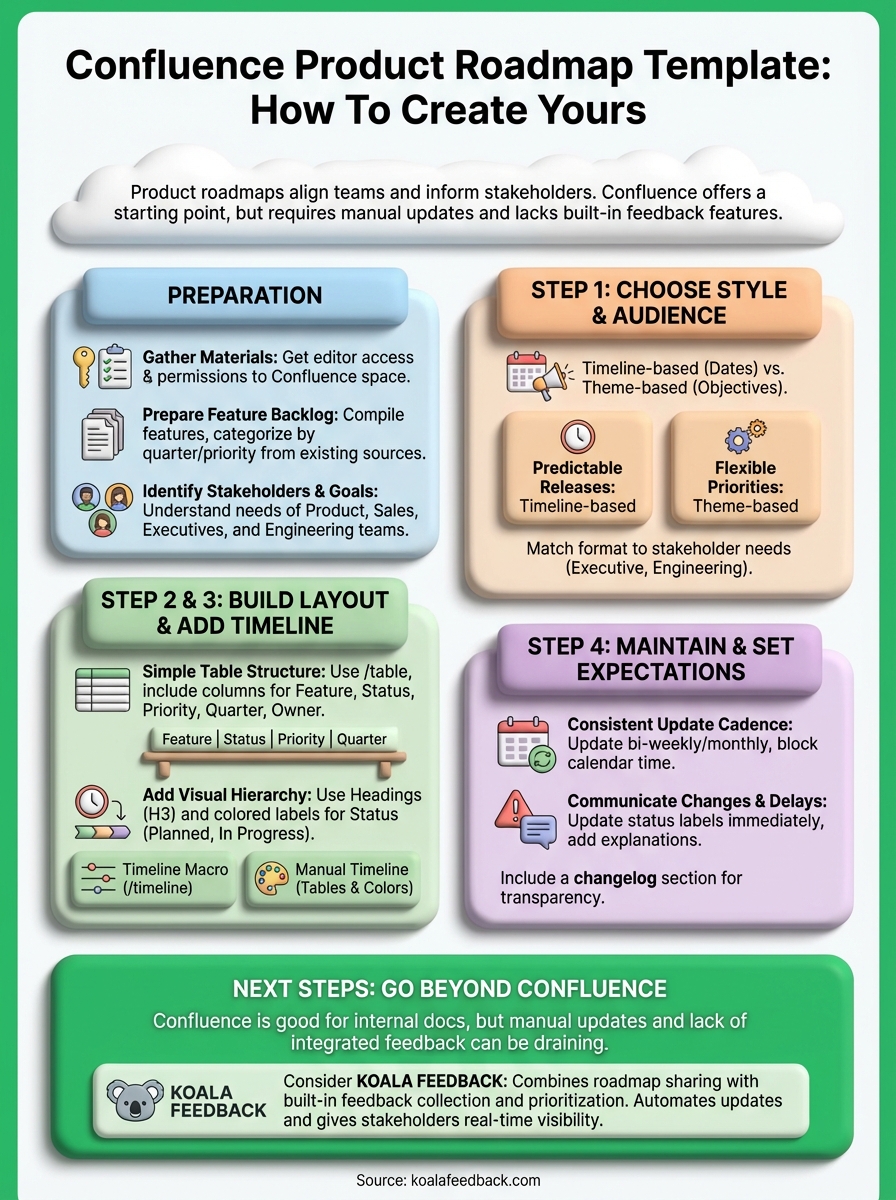
You now have the framework to build and maintain a confluence product roadmap template that keeps your team aligned on priorities and timelines. Start by choosing your roadmap format, build your initial page layout with clear sections, and establish a consistent update schedule that prevents your roadmap from becoming outdated noise.
Confluence works well for internal documentation and basic roadmap sharing, but it wasn't designed specifically for product roadmap management. You'll spend time manually updating tables, tracking feedback in separate tools, and copying status updates across multiple pages. This approach can drain hours each week that you could spend on actual product decisions.
Koala Feedback combines roadmap sharing with built-in feedback collection and prioritization. Your users vote on features they want most, you track everything in one place, and your roadmap updates automatically as you change feature statuses. This eliminates the manual maintenance overhead while giving stakeholders real-time visibility into your product direction.

Start today and have your feedback portal up and running in minutes.

