Every time you ship a new feature or squash a critical bug, your users deserve to know about it. A well-structured Confluence release notes template saves you from rewriting the same format every sprint and keeps your entire team aligned on what gets communicated. But getting the format, automation, and workflow right inside Confluence takes some deliberate setup.
This guide walks you through creating a reusable release notes template in Confluence, from leveraging built-in blueprints to setting up automation that pulls data straight from Jira. You'll also get practical tips for formatting notes that users actually want to read.
At Koala Feedback, we help product teams collect user feedback and share public roadmaps. Release notes are the natural next step: once you've built what users asked for, you need a reliable way to tell them about it. Let's get your Confluence setup right.
A Confluence release notes template works when every person on your team knows exactly what to fill in and where to find the output. Without that structure, release notes become inconsistent across versions: one sprint gets a detailed breakdown, the next gets three bullet points and a version number. Consistency builds reader trust, and a clear template is what makes that consistency repeatable across every release you ship.
A release note that confuses your team internally will always confuse your users externally.
Your template should answer four questions for every release: what changed, why it matters, who it affects, and where to learn more. Each field you include should earn its place by helping either your internal team or your end users understand the update. Padding a template with fields nobody reads just slows down the person writing it. Here is a table of the core fields to include:
| Field | Purpose |
|---|---|
| Version / Release number | Identifies the specific release for reference |
| Release date | Anchors the update in time |
| Summary | One-sentence description of the release |
| New features | Describes additions with user-facing context |
| Bug fixes | Lists resolved issues with ticket references |
| Known issues | Sets expectations for outstanding problems |
| Affected components | Flags which parts of the product changed |
| Related Jira issues | Links directly to source tickets |
Many teams overcomplicate their notes by including internal engineering details that users do not need, such as commit hashes, branch names, or deployment pipeline steps. Keep those in your internal runbooks. Your release notes should focus on user-facing impact: what changed and what it means for the person using your product. If a change required ten backend updates but produces one visible improvement, document the improvement, not the ten updates. That discipline keeps your notes readable and actionable for everyone outside your engineering team.
Before you build your first confluence release notes template, you need a dedicated home for it. Creating a separate Confluence space, or a clearly labeled section within your product space, keeps your release notes organized and easy to find. Without a clear location, notes end up scattered across multiple spaces and become difficult to maintain over time.
You have two practical options: a dedicated "Release Notes" space or a structured section inside your existing product documentation space. For most small teams, a dedicated section works well. For larger organizations shipping multiple products, a standalone space gives you cleaner permissions control and easier navigation across versions.
A consistent location means your users always know where to look, and your team always knows where to publish.
Consistent naming prevents duplicates and makes Confluence's search actually useful. Use a format like [Product Name] - Release Notes - vX.Y.Z - YYYY-MM-DD. This structure sorts chronologically in the page tree and includes the version number for quick reference. Here are two examples:
Koala Feedback - Release Notes - v2.4.0 - 2026-05-12Koala Feedback - Release Notes - v2.3.1 - 2026-04-28Apply this convention across every release so your archive stays predictable as it grows.
Confluence lets you save a custom page template directly in your space, so anyone on your team can create a new release note in seconds without hunting for last sprint's page to copy. Go to your release notes space, open Space Settings, click "Templates," and select "Create new template." Name it "Release Notes Template" so it appears clearly in the content creation menu.
Inside the template editor, build out the standard sections your team fills in every release. Use Confluence headings to separate each section, and add placeholder text in italics to guide whoever is writing. Here is a ready-to-paste structure:
## Release Notes - vX.Y.Z - YYYY-MM-DD

**Release date:** YYYY-MM-DD
**Summary:** _One sentence describing this release._

## New Features
- _Feature name:_ Description of what changed and why it matters.

## Bug Fixes
- _Issue reference:_ What was broken and what now works.

## Known Issues
- _Issue reference:_ What is still outstanding and any workaround.

## Affected Components
- _List product areas impacted._
Placeholder text removes guesswork and cuts the time your team spends writing each release note.
This confluence release notes template keeps every published page consistent without requiring anyone to remember the format from scratch.
Manually copying Jira tickets into Confluence wastes time and introduces errors. Confluence's Jira Issues macro connects your page directly to Jira, so your release notes reflect ticket data without any copy-pasting. This step turns your confluence release notes template from a static document into a live, accurate record of every release.
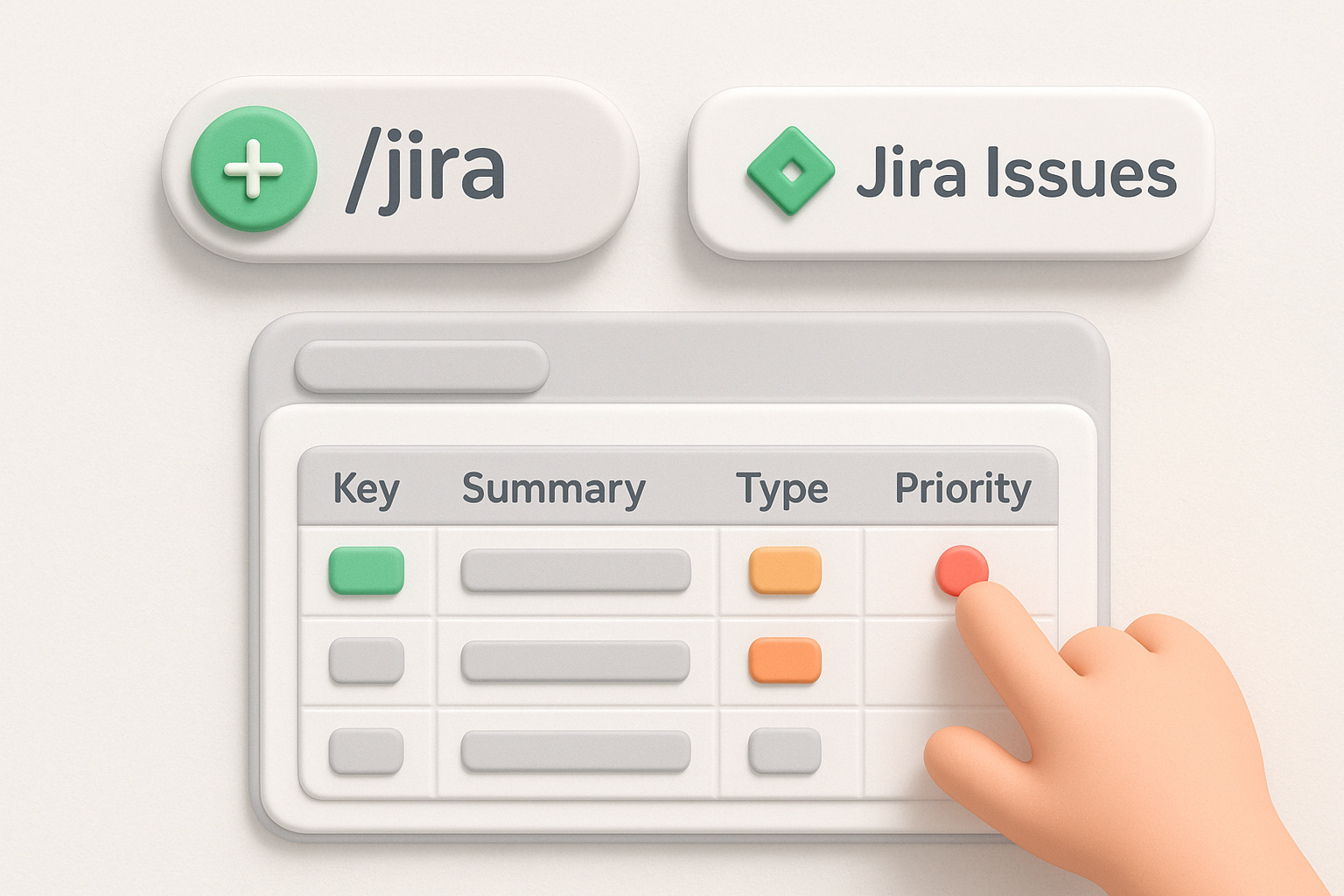
Insert the macro by typing /jira in the Confluence editor and selecting "Jira Issues." From there, paste a JQL query to pull exactly the tickets that belong in that release. Use a query like this to pull completed issues for a specific fix version:
project = "YOUR_PROJECT" AND fixVersion = "v2.4.0" AND status = "Done"
This query filters by fix version and status, so only finished tickets for that release appear on the page.
The columns you display shape how useful your release notes are to both internal teams and end users.
Once you add the macro, select the columns that matter: issue key, summary, issue type, and priority cover most release notes. Hide fields like assignee or sprint that add noise without helping readers understand what actually changed in the product.
Once your Jira macro is configured, you are ready to publish. Before you click publish, take two minutes to confirm that the right people can see the page. Getting permissions wrong means either users see unfinished drafts or internal teams lose access to notes they need after a release ships.
Your Confluence space permissions control who can view and edit release notes. In Confluence Cloud, navigate to Space Settings > Permissions and apply role-based access before your first publish. Use this structure as a starting point:
Locking edit access after publishing protects the integrity of your release record.
Sometimes a published release note needs a correction after it goes live. Instead of editing the page silently, add a clearly labeled "Update" section at the top with the date and a short description of what changed.
Confluence's built-in page history tracks every edit automatically, so you always have a full audit trail. This approach keeps your confluence release notes template accurate while staying transparent with anyone who already read the original version, which matters especially when a correction involves a bug fix or a feature behavior change.
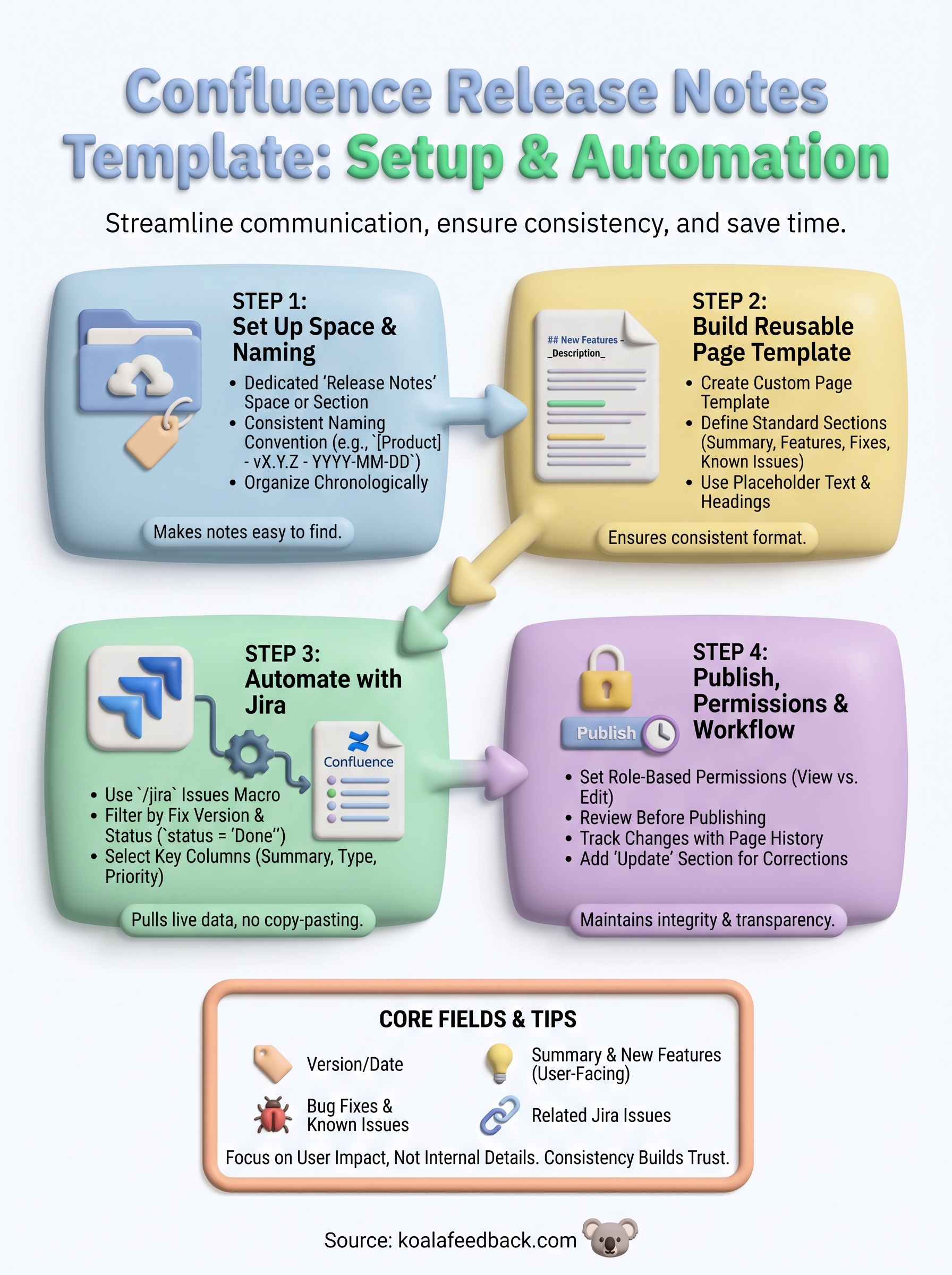
You now have everything you need to build a confluence release notes template that your whole team will actually use. From setting up your space and naming convention to automating Jira data and managing permissions, each step in this guide reduces the manual work behind every release you ship.
The next move is to open Confluence today and create your template. Start with the structure from Step 2, add the Jira macro from Step 3, and publish your first release note using that format. Consistency across two or three releases will show you quickly what fields your team uses and which ones to cut.
Release notes tell users what changed, but they work best when paired with a way for users to tell you what they need next. Koala Feedback gives your users a dedicated place to submit ideas, vote on features, and track your roadmap, closing the loop between what you ship and what they want.

Start today and have your feedback portal up and running in minutes.

