You shipped a new feature, fixed a critical bug, or rolled out a major update, but if your users don't know about it, did it really happen? That's where release notes software comes in. These tools give product teams a structured way to document, publish, and distribute product changes so users actually see what's new and why it matters.
Without a dedicated system, release notes tend to scatter across Slack threads, Git commits, and internal docs that never reach the people who need them most: your users. A good release notes tool pulls that information together and turns it into clear, branded updates your audience can follow. At Koala Feedback, we see this firsthand, teams that collect user feedback and maintain a public roadmap still need a reliable way to close the loop and tell users when requested features go live.
This guide breaks down what release notes software actually is, compares the top tools available right now, and covers best practices for writing release notes that people will read. Whether you're evaluating your first tool or replacing a clunky workflow, you'll walk away with a clear framework for choosing and using the right solution.
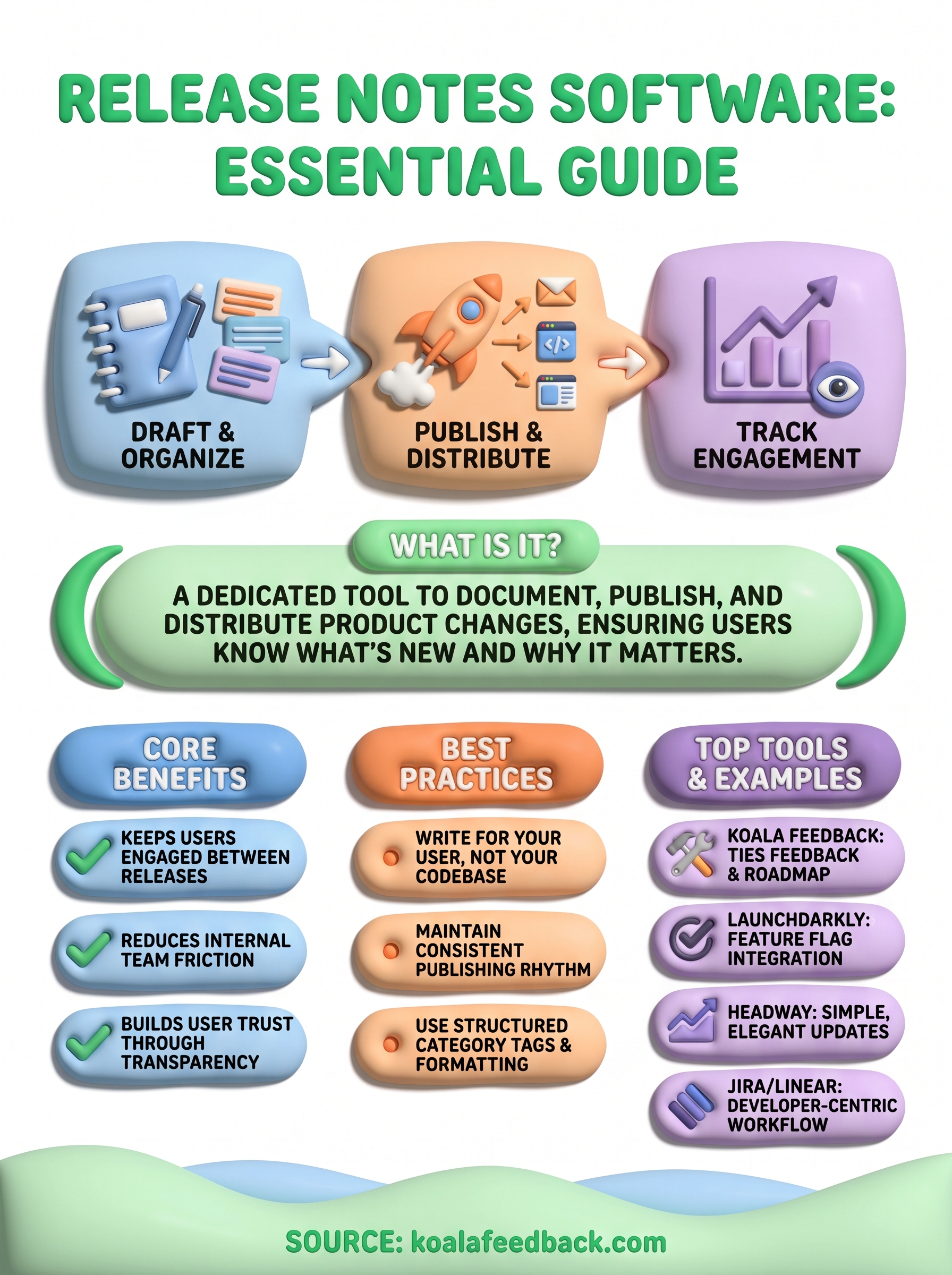
Release notes software is a dedicated tool that helps product teams create, organize, and publish updates about product changes to their users. Unlike a shared document or a quick Slack message, these tools give you a structured workflow: you draft the update, format it to match your brand, and push it to a public or gated page where users can find it on their own or get notified automatically. The result is a consistent, professional record of everything your product has shipped.
When users can see a clear history of changes, they trust your product more and feel invested in its direction.
At its most basic level, release notes software exists to answer one question for your users: what changed, and why does it matter to them? Most tools in this category give you a text editor, a publishing workflow, and a way to notify your audience via email or in-app widget. Some go further by letting you tag updates by category, such as bug fix, new feature, or improvement, so users can filter for what they care about most.
The publishing workflow is where these tools earn their value. Rather than copying text into four different places, you write once and the software handles distribution. Your changelog page updates automatically, your subscribers get an email, and the in-app widget shows a badge the next time a user logs in. That consistency is difficult to replicate with manual processes, especially as your team scales.
Product managers are the most common users of these tools because they own the communication layer between engineering and customers. They pull information from sprint reviews, bug trackers, and roadmaps, then translate it into language users can understand. Developers also use these tools directly on smaller teams where there is no dedicated product manager and the engineer who built the feature writes the note before moving on.
Customer success and support teams benefit too. When a user asks whether you fixed a reported issue, a well-maintained release notes page gives your support team a direct link to share instead of a lengthy explanation. Some teams also give marketing access so they can highlight major releases in newsletters, pulling directly from the approved release notes rather than writing something new from scratch.
Release notes software is not a project management tool and it is not a customer support platform. It sits at the intersection of product communication and transparency, and it works best when it connects to the rest of your product shipping workflow. If you treat it as a standalone task rather than a regular part of how you ship, the notes become inconsistent and users stop checking.
These tools are also not a replacement for direct user communication. Release notes work well for discoverable, reference-style updates, but if you ship something that fundamentally changes how a core workflow operates, you still need to reach affected users personally. Think of release notes as the written record that supports all your other communication channels, not the only channel you rely on to keep users informed.
These three terms get used interchangeably, but they serve different purposes and different audiences. Release notes document specific shipped changes with context written for end users, changelogs tend to be technical logs aimed at developers, and in-app updates are real-time notifications that surface inside your product. Knowing the difference helps you decide which format to use, when to use it, and how release notes software fits into your overall communication strategy.
Release notes and changelogs share a common goal: recording what changed in your product. The key difference is audience and intent. A changelog is typically a raw, chronological list of changes, often maintained in a version control system like Git or published as a plain CHANGELOG.md file. It's designed for developers who want a precise record of commits, version numbers, and breaking changes without editorial framing.
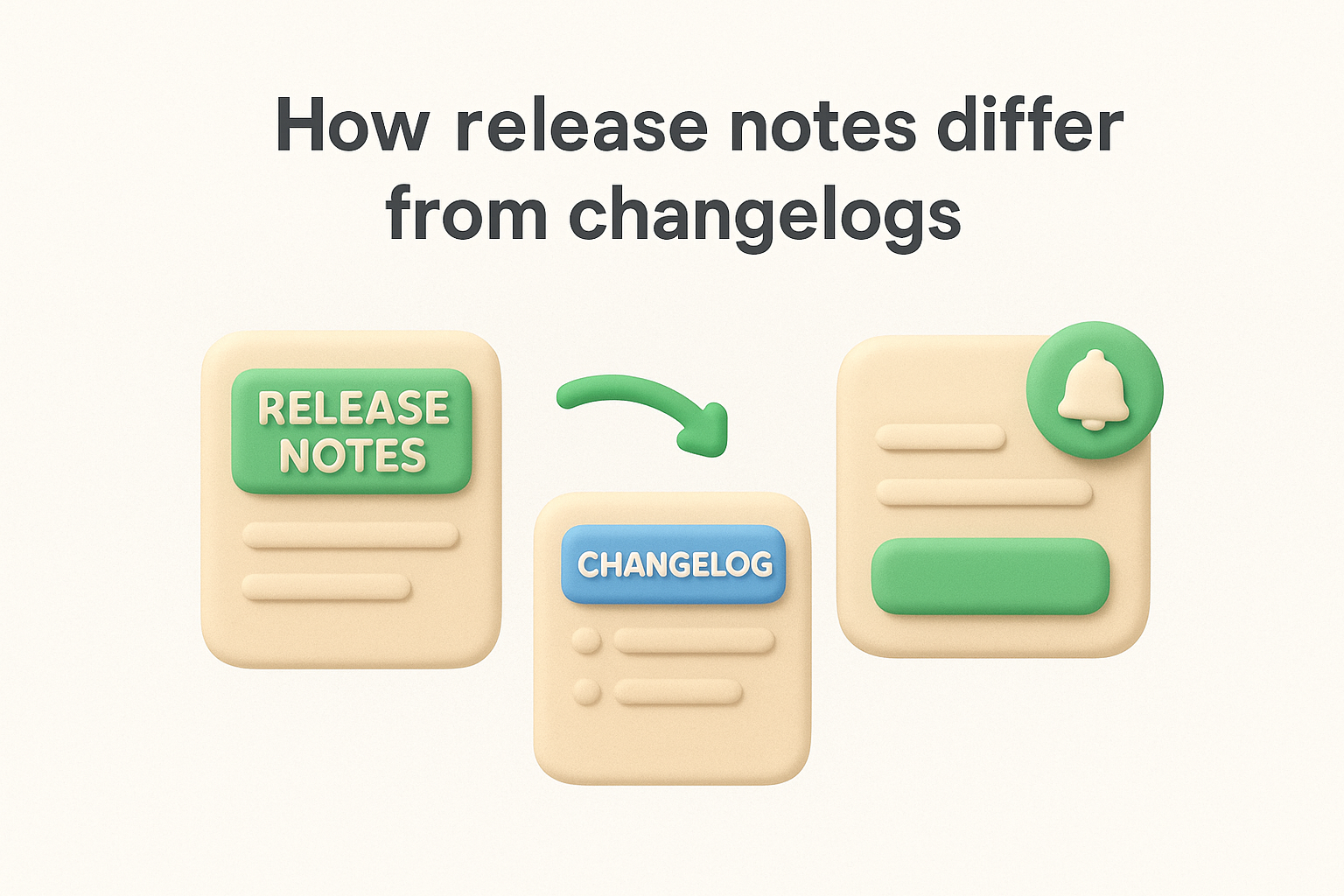
Release notes, by contrast, are written for your actual users: the people using your product to get work done every day. They explain not just what changed but why it matters to the person reading. A good release note might say "You can now filter your feedback board by tag" instead of "Implemented tag-filter query parameter on feedback index endpoint." That translation from technical fact to user-facing benefit is what separates a release note from a raw changelog entry, and it's the skill that makes your updates worth reading.
The audience determines the format: write changelogs for developers and release notes for users, and you'll never confuse the two again.
In-app updates are the delivery mechanism, not the content itself. They appear as a widget, banner, or notification inside your product when a user logs in, prompting them to read about the latest changes. The actual content those widgets display is typically your release notes pulled from a central publishing tool, which means the content layer and the delivery layer are separate concerns.
This distinction matters because many teams treat in-app updates as a separate project when they are really just one channel for distributing the same release notes you already wrote. Using release notes software that includes a built-in widget or integrates with your product's notification system means you write the update once and it appears both on your public changelog page and inside the app automatically. That eliminates the duplicate work most teams don't realize they're doing until inconsistent messaging reaches users and damages trust.
SaaS products ship constantly, and every update is an opportunity to reinforce the value your product delivers to the people paying for it. Without a reliable process for communicating those changes, users miss features they would have used, report bugs you already fixed, and eventually wonder whether your product is actively improving. Release notes software gives your team a repeatable system to close that gap every time you ship.
Most users don't log in to explore what's new; they log in to complete a task. That means minor improvements and bug fixes go unnoticed unless you surface them directly. A consistent release notes cadence gives users a reason to stay curious about your product. When they see regular, clear updates, they feel like active participants in your product's growth rather than passive customers waiting for the next big announcement.
Users who know you're actively improving the product are far less likely to start evaluating alternatives.
Churn often starts not with a bad experience but with the feeling that nothing is changing. Teams that publish regular release notes find that users bring up recent updates in support conversations, sales calls, and renewal discussions, because they actually read them. That visibility pays off in ways a product dashboard alone cannot deliver.
Publishing release notes consistently also solves a real internal problem: different teams sending different messages about the same update. When your support, sales, and marketing teams all pull from one central source of truth, the information users receive stays consistent regardless of which channel they come through. Support tickets drop when users can self-serve answers from your changelog. Sales teams can reference specific shipped features in deal cycles without chasing down product managers for confirmation.
Coordination costs are real, and they compound as your team grows. A single tool that handles drafting, publishing, and notification means fewer back-and-forth threads, fewer "is this live yet?" questions, and less time spent explaining context that should already be documented. Your team moves faster when the communication layer runs on its own system rather than on individual effort and manual handoffs.
Understanding the workflow helps you get the most out of these tools from day one. Most release notes software follows a three-stage process: draft, publish, and distribute. Each stage handles a distinct part of moving information from your internal team to the users who need it, and each one removes a step that would otherwise require manual effort.
The process starts when someone on your team, usually a product manager or developer, opens the editor inside the tool and writes the update. Most tools give you a rich text editor with formatting options, category tags, and version fields. You write the title, describe what changed in plain language, and assign a category like "new feature," "improvement," or "bug fix." Good release notes software also lets you save drafts and stage updates for a future publish date, so your team can prepare several notes at once and schedule them around a release.
Writing the update in one central tool rather than across multiple documents is what keeps your release history consistent and searchable.
Some tools let you pull data directly from connected sources like Jira, Linear, or GitHub, so you can reference the original issue or pull request without switching tabs. That connection saves time and keeps the technical record tied to the user-facing update.
Once your update is ready, you hit publish and the tool handles distribution automatically. Your public changelog page updates instantly, any subscribers on your email list receive a notification, and the in-app widget shows a badge the next time a user opens your product. You control which channels fire and when, so a minor bug fix might only update the changelog, while a major feature triggers all three channels at the same time.
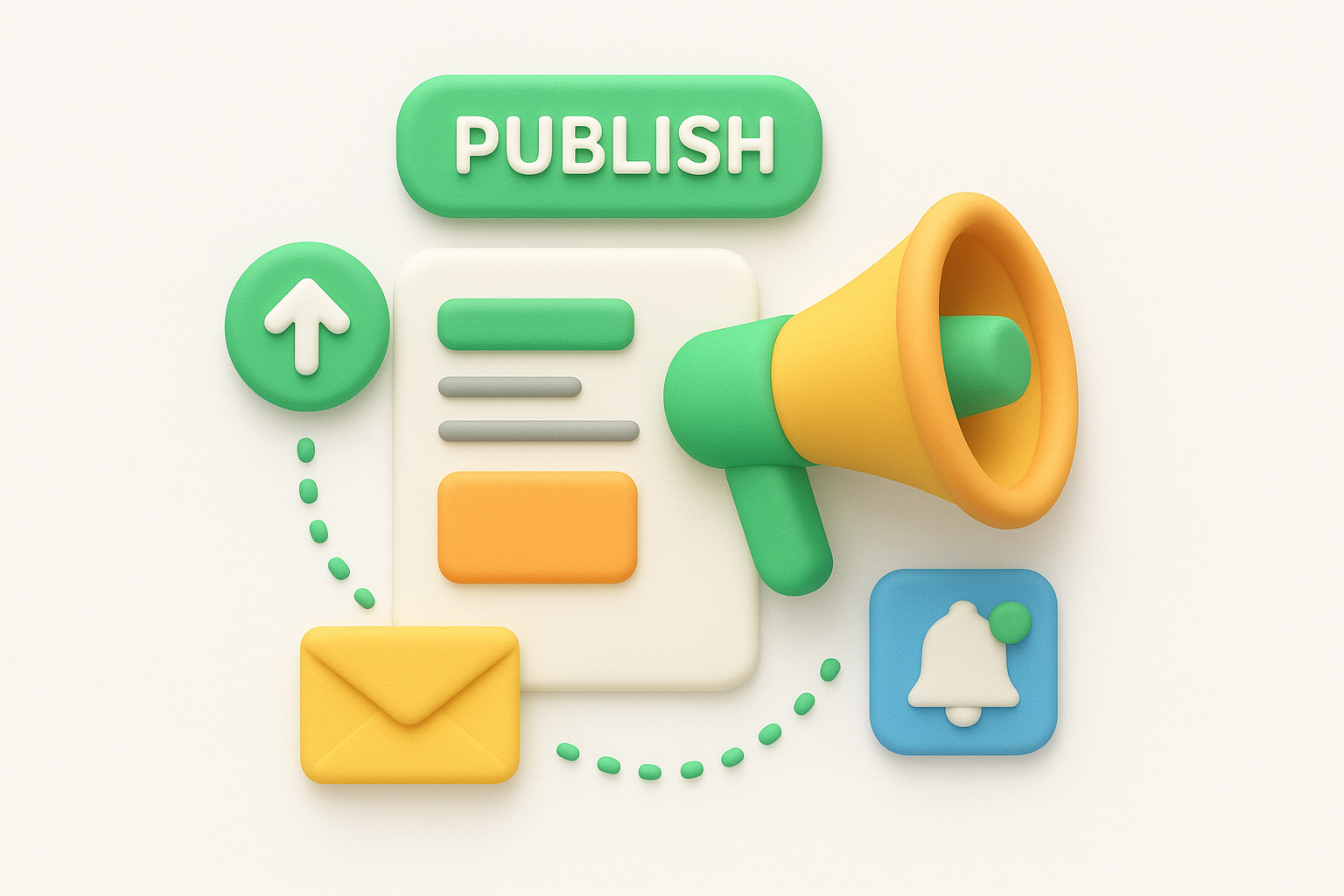
This publish-once approach is the core efficiency gain. Without it, your team would update the changelog manually, write a separate email, and configure the in-app notification independently, three tasks that each introduce room for inconsistency.
Most tools give you basic engagement data after publishing: open rates on notification emails, page views on individual release notes, and click-through counts if you include links. Reviewing that data regularly tells you which types of updates your users actually read, so you can write more of what resonates and cut what consistently gets ignored.
Not every release notes software handles the same tasks equally well. Before you commit to a tool, identify which features your team will actually use on a regular basis versus which ones sound appealing but rarely get touched. The right feature set depends on your team size, shipping cadence, and the technical diversity of your user base.
The editor is where your team spends most of its time, so it needs to work without friction. Look for a tool that gives you a rich text editor, support for images or video embeds, and structured metadata fields like version number, publish date, and category tags. Those fields make your changelog consistent and readable across every update you post.
A messy editor makes release notes feel like a chore instead of a normal part of shipping, and that attitude shows in the output.
Those fields also make your changelog searchable over time. Teams that skip structured metadata end up with a disorganized archive that nobody can navigate quickly when they need to reference a specific update during a support call or sales conversation.
A good tool pushes your updates through multiple channels automatically: email digests, in-app widgets, and a public changelog page. The fewer external tools you need to connect, the less room there is for one channel to fall out of sync with the rest of your distribution.
Check whether the tool lets you control which channels fire for each update. A minor bug fix does not need the same distribution footprint as a major feature launch, and that flexibility keeps you from overwhelming users on small changes while still giving major updates full visibility.
Your release notes page is a public-facing product surface, which means it should look like it belongs to your brand and not a generic third-party platform. Look for tools that let you set a custom domain, upload your logo, and match your brand colors throughout the page.
When the changelog page looks polished and on-brand, users associate that with a product that receives consistent care and attention. A generic-looking page undercuts the credibility of even the best update you've ever shipped.
Publishing without measuring is guessing. Your tool should provide basic engagement metrics like page views, email open rates, and widget click-throughs so you can see which updates your users actually read and which ones they skip entirely.
That data lets you refine your writing style and adjust your publishing cadence based on real behavior rather than assumptions about what your audience wants to know.
Picking the right release notes software comes down to understanding three things about your team before you open a single product demo: how often you ship, who will own the publishing workflow, and how much you expect your process to grow in the next year. Tools that look identical on a feature comparison page often behave very differently under real team conditions, so matching the tool to your actual workflow matters more than chasing the longest feature list.
Your release frequency determines how much automation and workflow support you actually need. If your team ships daily or on a continuous deployment cycle, you want a tool that integrates with your issue tracker so release notes are not a separate manual task after every merge. If you ship on a weekly or monthly schedule, a simpler tool with a clean editor and built-in email notifications will cover everything you need without unnecessary complexity.
A tool built for daily shipping will frustrate a team that releases monthly, and vice versa, so be honest about your actual cadence before you evaluate anything.
Teams that ship slowly often overbuy. They sign up for a platform loaded with API hooks and automation rules they will never configure, then abandon the tool because setup felt overwhelming relative to how rarely they use it.
Some tools assume a technical user who is comfortable setting up webhooks and managing integrations. Others prioritize a simple editor that a non-technical product manager can use without help from engineering. Look honestly at who will write and publish your release notes week to week and choose a tool that matches their skill level, not the most advanced person on your team.
Most release notes tools charge based on the number of users or monthly tracked visitors. Run the math on where you expect to be in 12 months, not just today. A free tier looks attractive when you have 200 users, but if your product is growing fast, you want to know the exact pricing tier you will hit before you build your entire release workflow around a tool you might need to replace.
How you write your release notes shapes whether users read them or ignore them. The goal is simple: give users the information they need to understand what changed and how it affects their work, without burying them in technical detail or forcing them to read between the lines. Your release notes software is only as useful as the content you put into it, so the writing habits you build around the tool matter just as much as the tool itself.
Every release note should start from the user's perspective, not the engineer's. Instead of documenting what your system did, explain what your user can now do. A note like "resolved null pointer exception in export handler" tells a developer something useful but means nothing to the product manager or business owner using your app. Reframe it as "fixed a crash that occurred when exporting reports with empty fields" and suddenly your user understands exactly what broke and that you fixed it.
The clearest test for a release note: if your least technical user can read it and understand what changed, it passes.
Keep your titles specific and your descriptions short. One to three sentences per update is usually enough. If a feature genuinely requires more explanation, link to a help article rather than turning your changelog into a tutorial.
Consistency matters more than volume when it comes to building a habit among your users. A team that publishes once a week on the same day trains users to check for updates regularly. A team that publishes in unpredictable bursts trains users to stop checking altogether.
Pick a cadence that matches how often you ship and stick to it. If that means batching several smaller fixes into one weekly update, that is completely fine. Users respond well to a steady signal, and grouping updates into a single well-written post often reads better than five sparse individual notes scattered throughout the week.
Use your category tags and formatting consistently too. If you label something a "bug fix" in one post and a "fix" in the next, your changelog becomes harder to scan over time. Standardizing your labels from the first post you publish makes your release history easier to navigate and search as it grows.
You now have a complete picture of what release notes software does, how the leading tools compare, and what good release notes actually look like in practice. The next move is straightforward: audit how your team currently communicates product changes and identify the single biggest gap in that process. If users miss updates, a dedicated tool with built-in notifications closes that gap fast. If your internal workflow is the bottleneck, look for a tool that connects to your issue tracker and reduces the manual steps between shipping and publishing.
Release notes work best when they connect to a broader system of user feedback and product transparency. When users can submit ideas, track what you are building, and then see the moment their requested feature goes live, the loop is complete. If you want to build that kind of transparency into your product workflow, explore Koala Feedback and see how it ties feedback collection, roadmap sharing, and product updates together in one place.

Start today and have your feedback portal up and running in minutes.

