A well-structured Figma product roadmap template makes it easier to align your team, communicate priorities, and plan development cycles visually. Whether you're mapping out quarterly goals or presenting your product direction to stakeholders, having a ready-to-use template saves hours of design work.
At Koala Feedback, we help product teams collect user feedback and turn it into actionable roadmaps. We've seen firsthand how the right visual format can make roadmap communication far more effective, both internally and with your users. That's why we put together this guide to help you find the best templates and set them up quickly in FigJam.
In this article, you'll get access to practical Figma and FigJam roadmap templates, see real examples in action, and learn how to customize them for your workflow. Let's get your product roadmap looking sharp and ready to share.
A solid figma product roadmap template gives you pre-built frames that organize your product strategy into clear, visual sections. You'll find timeline views, theme categories, and status indicators already laid out, so you can drop in your own content without starting from scratch. Most templates include sections for quarterly or monthly planning, feature descriptions, and owner assignments, saving you hours of setup work.
Every effective template starts with temporal organization (quarters, months, or sprints) and swim lanes that separate product areas or teams. You'll see dedicated spaces for feature titles, brief descriptions, and status tags like "planned," "in progress," or "shipped." These components work together to create a scannable view of your product direction.
The best roadmap templates balance detail with clarity, giving stakeholders just enough information to understand direction without overwhelming them.
Here's what you should expect to find:
Templates worth using let you duplicate sections easily and adjust timeframes without breaking the layout. Look for designs that use FigJam's sticky notes or cards, which you can move around as priorities shift. The best templates also include legend sections that explain your color coding and status definitions, keeping everyone on the same page when you share the roadmap externally or present it in meetings.
FigJam offers multiple layout options when you create a new roadmap from their template library. You'll want to choose based on how far out you're planning and who will view the roadmap. Open FigJam, hit the "Templates" button in the top toolbar, and search for "product roadmap" to see the available options. Each template provides a different structure, so spend a minute reviewing them before committing.
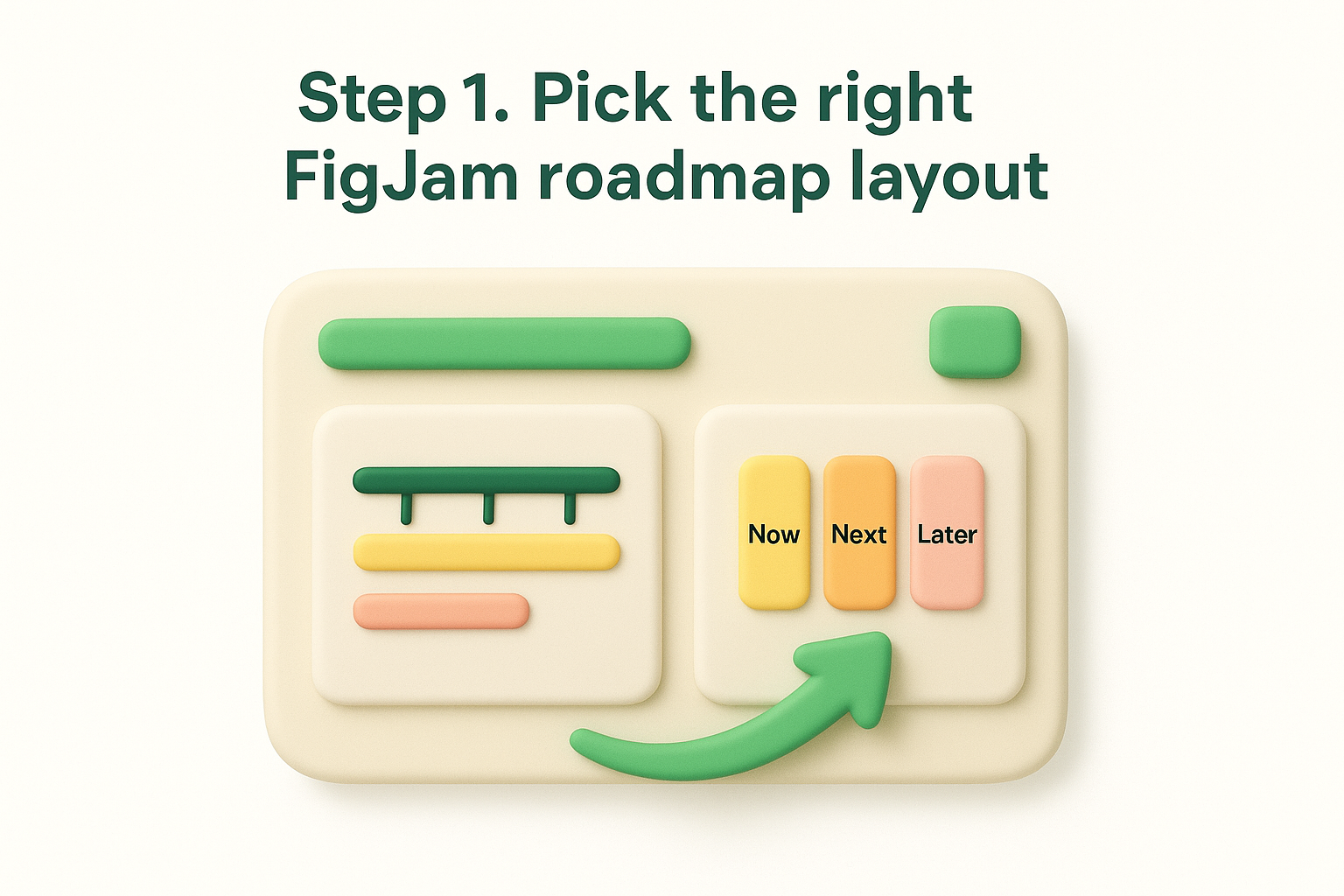
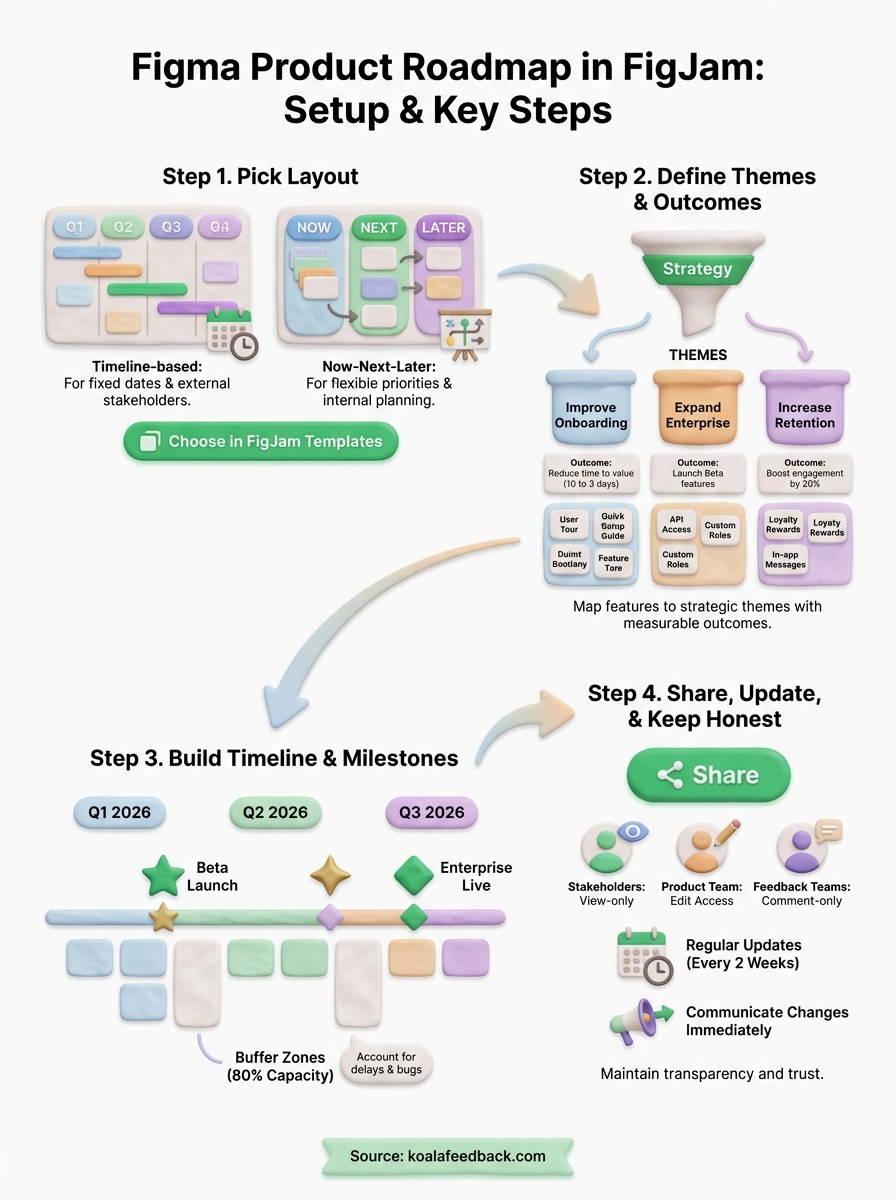
Timeline-based templates work best when you have fixed delivery dates or work in clear quarterly cycles. These layouts display months or quarters across the top, making it easy to show when features will ship. You'll see columns for Q1, Q2, Q3, and Q4, with swim lanes below for different product areas or teams.
Pick timeline layouts when stakeholders ask "when will this ship?" instead of "what are we building next?"
Now-next-later templates give you more flexibility if priorities shift frequently. These use three columns (Now, Next, Later) without specific dates, letting you communicate direction without locking into a schedule. This layout works better for early-stage products or when you're managing a figma product roadmap template that needs constant reprioritization based on user feedback.
Choose timeline layouts for external stakeholders and sales teams who need concrete dates. Choose now-next-later for internal planning and agile workflows where you want to avoid creating false expectations about exact shipping dates.
Your roadmap needs strategic themes that connect individual features to bigger business goals. Start by identifying three to five major initiatives your team will pursue this year, such as "improve onboarding," "expand enterprise features," or "increase retention." These themes become the swim lanes or categories in your figma product roadmap template, giving every feature a clear purpose.
Before adding features, write down what success looks like for each theme. Instead of saying "improve onboarding," specify "reduce time to first value from 10 days to 3 days." Your outcomes should be measurable and time-bound, so everyone knows when you've achieved the goal. Place these outcome statements at the top of each swim lane in your FigJam board.
Themes without measurable outcomes turn roadmaps into wish lists instead of strategic tools.
Drag existing feature cards into the appropriate theme row. Each feature should directly support one theme and move you closer to the outcome you defined. If a feature doesn't fit any theme, either create a new strategic theme or question whether the feature belongs on the roadmap at all. This filtering step keeps your roadmap focused on what actually matters to your product strategy.
Start by adding time markers across the top of your figma product roadmap template, using either specific dates or relative timeframes. Click the text tool in FigJam and label each column with quarters (Q1 2026, Q2 2026) or months (March, April, May) based on how granular your planning needs to be. Space the columns evenly so each time period gets equal visual weight on your board.
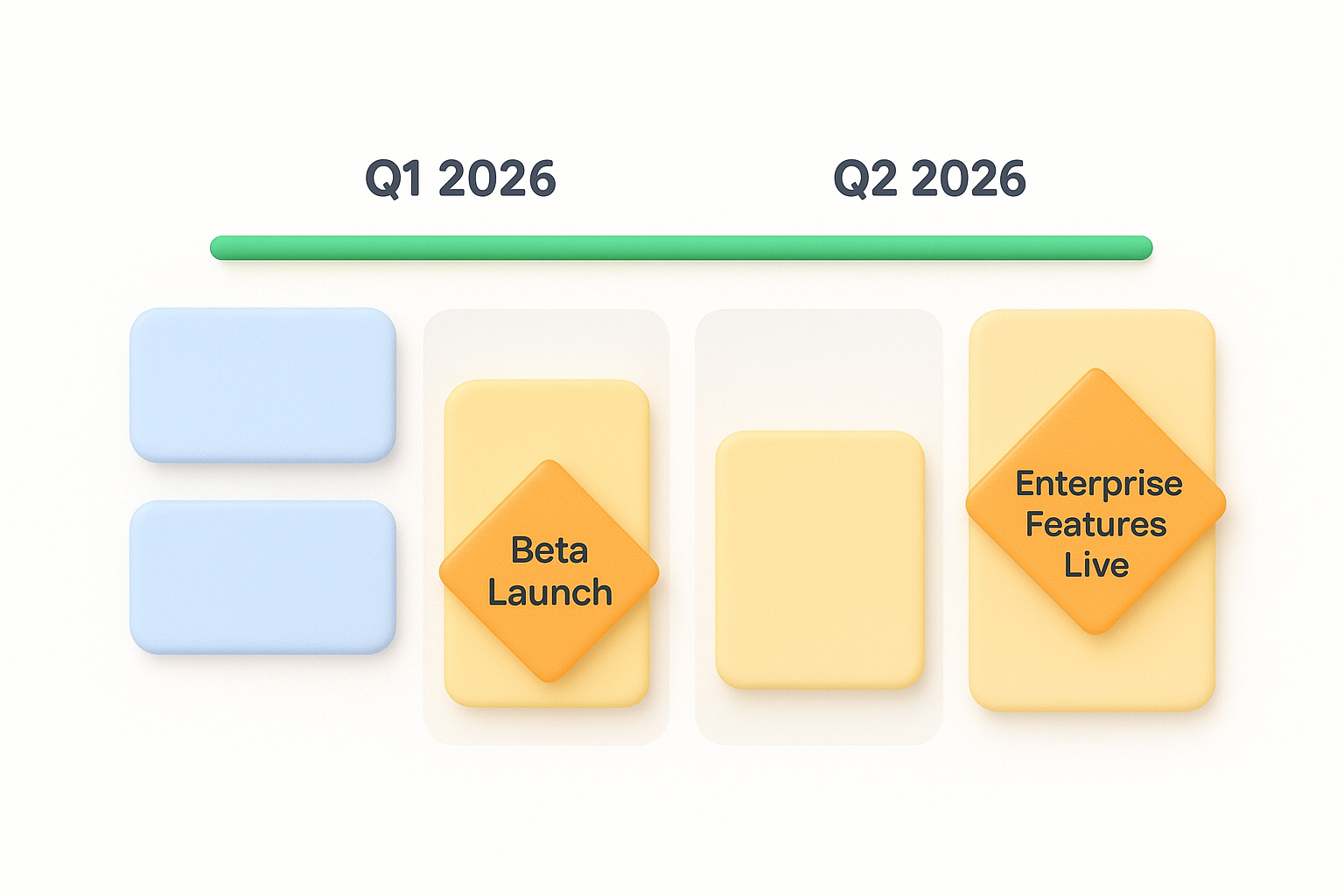
Place milestone cards at critical points where major features ship or strategic goals complete. Use FigJam's shape tool to create diamond or star shapes that stand out from regular feature cards. Label each milestone with a clear achievement like "Beta Launch" or "Enterprise Features Live," and position it in the column where you expect to hit that target.
Milestones give stakeholders checkpoints to track progress and understand when the product reaches major capability shifts.
Leave empty space between packed quarters to account for delays and unexpected work. Your roadmap should show 80% capacity, not 100%, because you'll always encounter bugs, technical debt, and urgent customer requests. Build this buffer directly into your timeline by spreading features across more quarters than you think necessary, creating breathing room that keeps your commitments realistic.
Your figma product roadmap template becomes valuable only when the right people see it regularly. Click the "Share" button in FigJam's top toolbar and set permissions based on who needs access. Give stakeholders view-only access, keep edit rights limited to your product team, and generate a public link if you want to share the roadmap with customers or your wider organization.
Create different access levels for different audiences. Your executive team needs view access to track strategic alignment, while your development team needs edit access to update feature status. Use FigJam's comment-only permission for stakeholders who should provide feedback without changing the roadmap structure. This keeps your board organized while still gathering valuable input from sales, marketing, and customer success teams.
Block 30 minutes every two weeks to review and update your roadmap status indicators. Move cards between columns as features progress, update completion percentages, and adjust timelines when delays occur. Communicate changes immediately rather than letting stakeholders discover shifts during your next quarterly review meeting. When you need to push a feature back, add a sticky note explaining why and what changed, keeping your roadmap transparent and credible.
Roadmaps lose trust faster than they build it when you hide delays or avoid updating status honestly.
Your figma product roadmap template becomes useful only when you act on it consistently. Use your completed roadmap in sprint planning sessions, stakeholder meetings, and customer check-ins to keep everyone aligned on product direction. Update the board as priorities shift, features ship, or user feedback changes your strategy. Share it regularly with your entire team and revisit it at least weekly to ensure you're still building what matters most to your users and your business goals.
The real power of roadmapping comes from connecting plans to actual user input. Koala Feedback helps you collect feedback, prioritize features based on real user demand, and share public roadmaps that keep customers informed about what you're building next. This creates a continuous feedback loop where your roadmap reflects what users actually need, not just internal assumptions about what to build next quarter.

Start today and have your feedback portal up and running in minutes.

