Every time you ship a feature, fix a bug, or introduce a breaking change, your users deserve to know about it. The keep a changelog format gives you a standardized, human-readable way to document those changes, so nothing gets lost in a messy commit history or a vague "various improvements" note.
Based on the open-source project at keepachangelog.com, this format follows a clear set of structural rules written in Markdown. It groups changes by version and type (Added, Changed, Deprecated, Removed, Fixed, Security), making it easy for developers, product managers, and end users to scan what actually happened between releases.
At Koala Feedback, we help teams collect user feedback, prioritize features, and share public roadmaps. A well-maintained changelog is the natural next step in that loop, it closes the circle by telling users exactly what you built and why. Without it, all that prioritization work stays invisible.
This guide breaks down the official structure, formatting rules, and real examples of the Keep a Changelog format so you can start documenting your releases the right way.
The keep a changelog format is a defined convention for writing a CHANGELOG.md file that documents every notable change your software goes through, version by version. Instead of leaving users to dig through commit histories or GitHub diffs, this format organizes changes into a predictable structure that anyone can read in under a minute. The result is a single, plain-text file that lives in your project root and grows with every release, giving both your team and your users a reliable record of what happened and when.
The format was created by Olivier Lacan and published at keepachangelog.com as an open-source standard. The project started because developers were tired of inconsistent, machine-readable release notes that served automation tools rather than actual humans. Lacan set out to define a format with one clear goal: make it easy for people, not just scripts, to see what changed between versions.
The guiding principle behind the format is direct: "Don't let your friends dump git logs into changelogs."
This rule explains why the format insists on human-written, categorized entries rather than auto-generated commit messages. A raw git log might say "fix typo in auth module" or "merge pull request #412," which tells a reader almost nothing about what actually changed from a product or user perspective. The format pushes you to translate that technical noise into something meaningful.
Release notes are often written for marketing or announcement purposes. Commit logs are written for developers working inside the codebase. The keep a changelog format sits in the middle: it is technical enough to describe what changed but readable enough that a product manager or a power user can follow it without needing a code review.
Your commit log captures every micro-change in the repository. A changelog, by contrast, only captures notable changes that affect how users interact with the product. You decide what makes the cut. Minor internal refactors, test file updates, and documentation typos typically stay out. Anything that changes behavior, adds a capability, removes functionality, or introduces a security fix belongs in. That editorial judgment is what separates a useful changelog from a machine dump.
Another key difference is audience intentionality. When you write a commit message, you are writing for the next developer who reads the code. When you write a changelog entry, you are writing for someone who just received an update notification and wants to understand what changed before they open the app again. Those are very different mental models, and the format is designed around the second one.
The format serves two audiences at the same time. Developers on your team get a clear record of what shipped in each version, which helps with debugging, onboarding, and understanding the history of decisions made over time. End users and customers get a plain-language account of what changed so they can decide whether to upgrade, what to expect after an update, and whether a specific bug they reported finally got resolved.
This dual focus makes the format especially practical for SaaS teams. You are not writing two separate documents for two different audiences. One well-structured CHANGELOG.md file handles both needs at once. Each version entry becomes a self-contained summary that stands on its own, with all relevant changes grouped by type so neither audience has to scan through noise to find what matters to them.
For product teams that already collect user feedback and manage public roadmaps, the changelog is the final link in the communication chain. It confirms that the work happened, describes what it looks like in practice, and gives users something concrete to reference when they want to verify that their request was addressed.
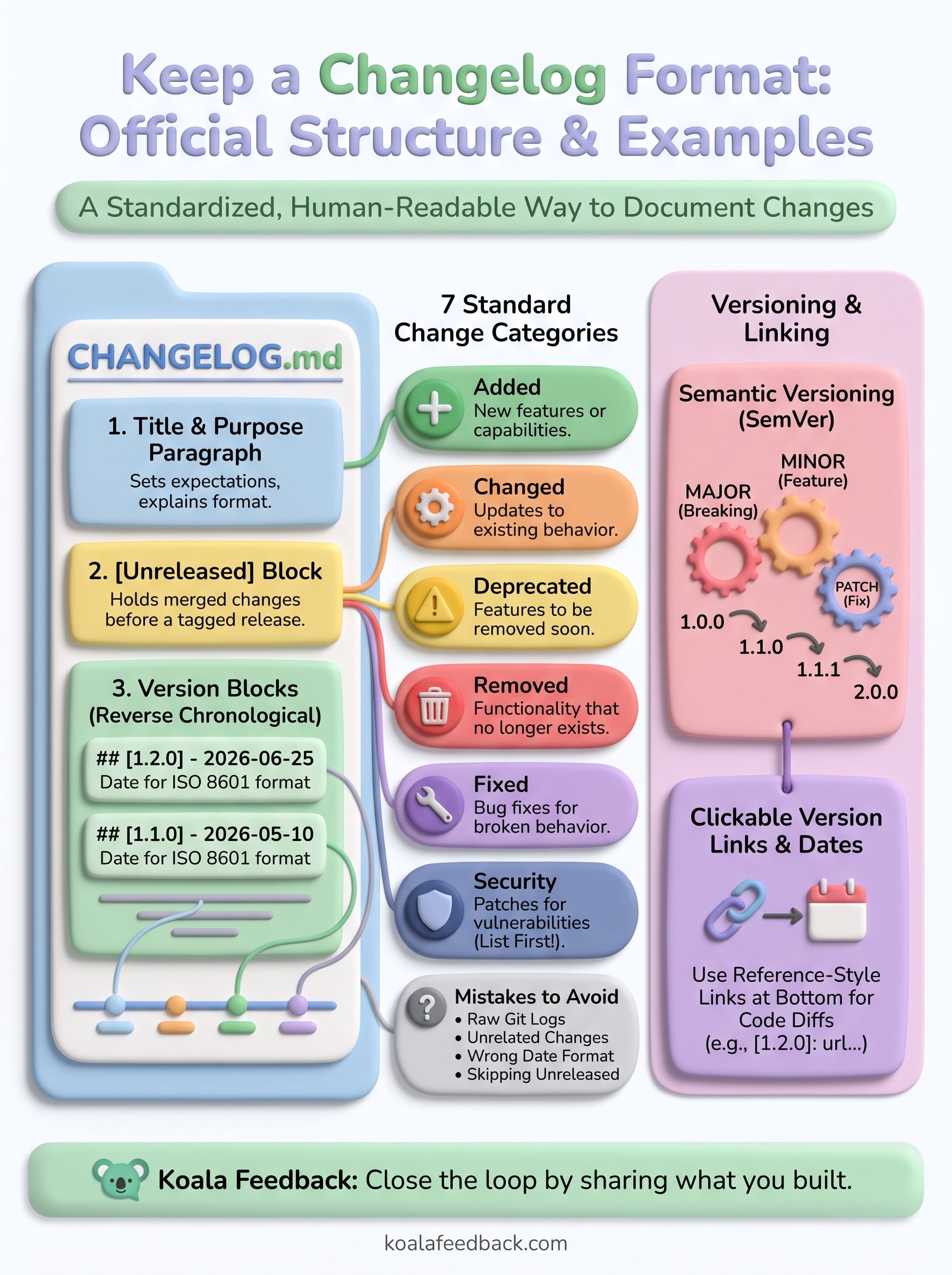
The keep a changelog format follows a specific file structure that every project applies consistently. Your CHANGELOG.md file lives in the root of your repository and opens with a title, then lists every release in reverse chronological order, with the newest version at the top. This ordering reflects how readers actually use the file: they open it looking for what just changed, not what changed in version 0.1.0 from four years ago.
Your changelog opens with a top-level Markdown heading (# Changelog) followed by a short paragraph that states the purpose of the document and ideally references the format standard you are following. This paragraph does not need to be long. Its job is to orient anyone who opens the file for the first time, whether that is a new team member, a contributor, or an automated parser. A clean header signals that the file was written with intention, not just tacked on as an afterthought.
A single sentence explaining that the file follows the Keep a Changelog format is enough to set expectations for every reader who opens it.
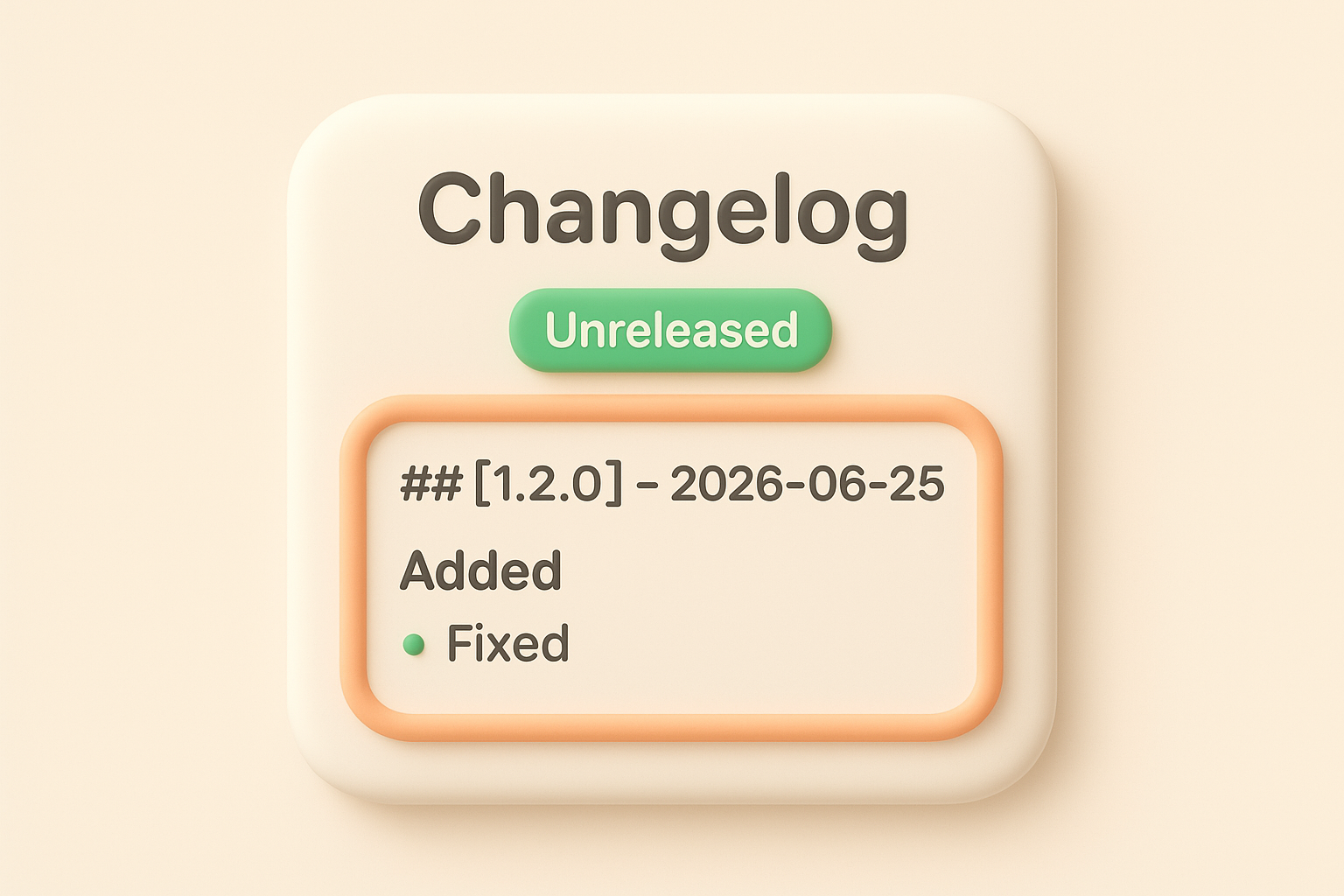
Each release gets its own version block, and that block follows a strict pattern. You start with a second-level heading that combines the version number and release date, formatted as ## [1.2.0] - 2026-06-25. Beneath that heading, you list changes grouped under third-level category headings like ### Added or ### Fixed. Each change appears as a bullet point under the appropriate category, and you skip any categories that have nothing to report for that release.
Below the version blocks, your file includes a links section at the bottom that makes each version number clickable. These links typically point to a diff or comparison view in your version control host, so readers can jump directly to the code changes behind any release. This section is technically optional, but it gives technical readers a direct path from the changelog entry to the actual code without any extra searching.
The format also reserves a special block labeled [Unreleased], placed at the very top of the version list, above all numbered releases. This block holds changes that are committed or merged but not yet tagged as an official release. Keeping unreleased changes in a dedicated block prevents them from getting mixed into a finalized version entry and gives your team a running list of what will ship next.
The keep a changelog format defines seven standard categories that cover every type of change a software project can produce. Each category signals a specific kind of update, so readers can immediately understand the impact without reading every line. You assign each change to the category that best describes what the update does to the product from the user's perspective, not from the code's perspective.
Every version block in your changelog can include any combination of these seven categories, and you only include the ones that apply to a given release. This keeps entries lean and prevents readers from scanning empty sections looking for information that does not exist.
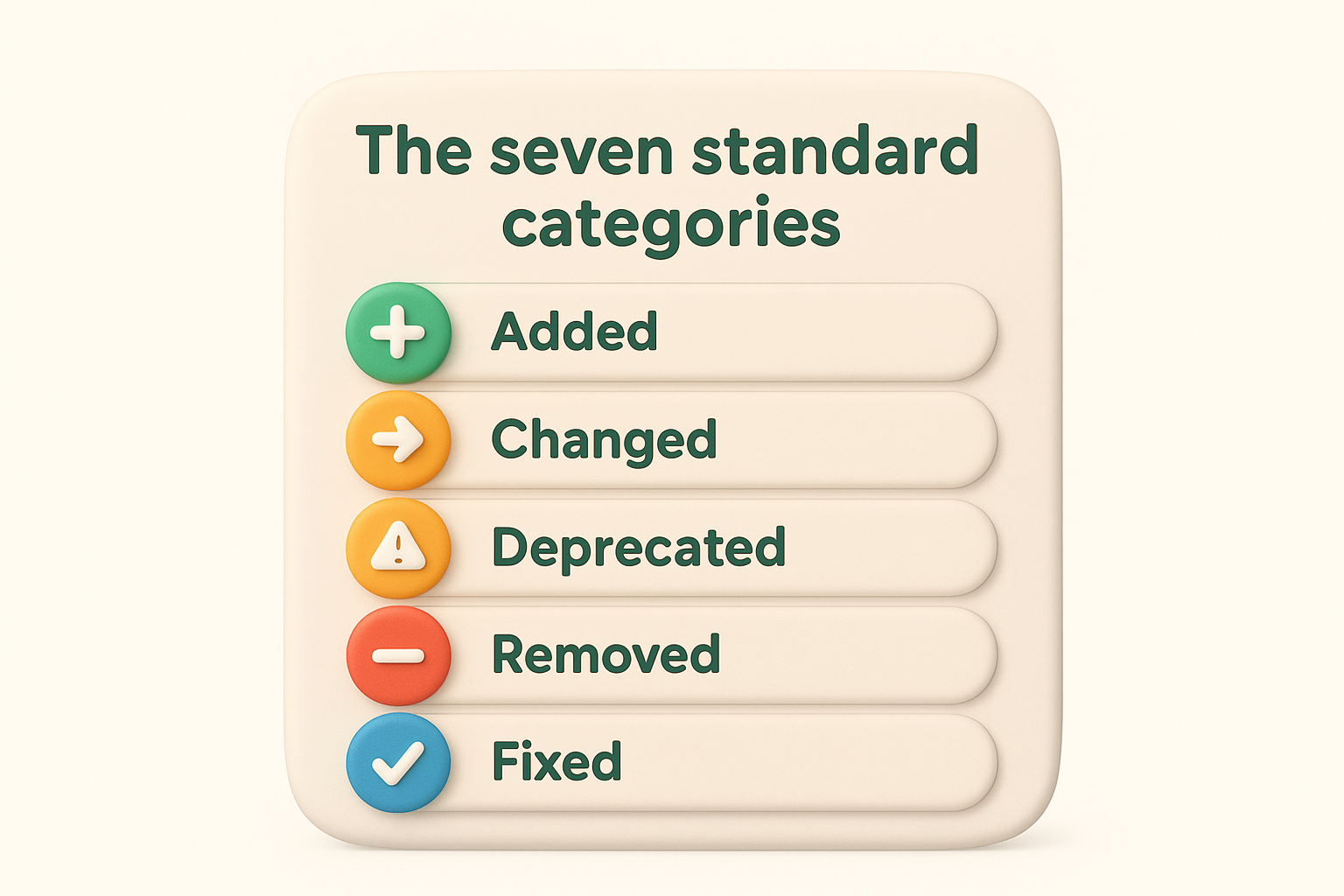
| Category | What it covers |
|---|---|
| Added | New features or capabilities introduced in this release |
| Changed | Updates to existing behavior that users will notice |
| Deprecated | Features that still work but will be removed in a future release |
| Removed | Features or functionality that no longer exist |
| Fixed | Bug fixes that resolve incorrect or broken behavior |
| Security | Patches that address vulnerabilities, regardless of severity |
Security entries deserve special attention because users often need to act on them quickly, so always list them first within a version block when they exist.
Deprecated is the category most teams skip or misuse. Use it as a formal heads-up to users that a feature is on its way out. It gives them time to adjust before Removed appears in a later release and the functionality is gone entirely.
Each bullet point you write under a category should describe what changed and what it means for the user, not how you implemented it in code. "Refactored authentication middleware to use async handlers" is a commit message. "Login now completes faster on slow connections" is a changelog entry. The distinction matters because your readers are not reviewing your architecture; they are deciding how the update affects their workflow.
You also need to keep each entry to a single, specific change. Combining two fixes into one bullet point forces readers to guess which part of the sentence applies to their situation. Write one bullet per change, keep the language direct, and start each line with a verb in the past tense: Added, Fixed, Removed, Updated. This parallel structure makes the entire entry block faster to scan and easier to parse at a glance.
The keep a changelog format does not invent its own versioning system. Instead, it pairs naturally with Semantic Versioning (SemVer), which gives every release a three-part number in the form MAJOR.MINOR.PATCH. Each number communicates a specific level of change, so your users can judge the weight of an update from the version number alone, before they read a single entry.
Semantic Versioning uses three numbers to signal what kind of changes a release contains. You increment PATCH (1.0.x) for backward-compatible bug fixes, MINOR (1.x.0) for new backward-compatible features, and MAJOR (x.0.0) for changes that break backward compatibility. This structure aligns directly with the change categories in your changelog: Fixed entries typically drive patch increments, Added entries drive minor increments, and Removed or Changed entries that break existing behavior drive major increments.
Treat your version number as a summary of the changelog entry itself - if your only change is a bug fix, a major version bump sends the wrong signal to your users.
When you add a Deprecated section, that is a signal to users that a future major version is on the way. Your version number stays the same until the breaking removal actually ships, but the changelog entry alerts them to plan ahead rather than get caught off guard.
Every version block requires an ISO 8601 date in the format YYYY-MM-DD, placed directly after the version number in the heading: ## [2.1.0] - 2026-06-25. This format is unambiguous across every locale and timezone. Writing "June 25, 2026" or "25/06/26" introduces regional ambiguity that breaks the consistency the format depends on, and it makes automated parsing harder if your tooling ever needs to sort or filter releases by date.
Use the date the release was tagged, not the date you started writing the entry or the date the code was merged. The tag date is the moment the version became official, and that is the reference point your users expect.
At the bottom of your CHANGELOG.md, you add reference-style Markdown links that turn each bracketed version number into a clickable comparison. A typical link points to a diff between two tags in your repository: [2.1.0]: https://github.com/your-org/your-repo/compare/v2.0.0...v2.1.0. This gives technical readers a direct path to the code changes behind each release without interrupting the readable flow of the changelog itself.
Your [Unreleased] block also gets a link, and it compares your latest tag against the current HEAD of your main branch, so readers can see exactly what has merged since the last official release.
Seeing the keep a changelog format applied to real content makes the rules click faster than reading through the spec alone. The template below and the list of common mistakes that follow give you a concrete starting point so you can open a blank CHANGELOG.md and fill it in correctly without second-guessing the structure.
Your changelog file does not need to be elaborate to be useful. A single well-structured release block is enough to establish the pattern your team will follow for every version that comes after it.
# Changelog

All notable changes to this project are documented here.
Format follows [Keep a Changelog](https://keepachangelog.com).

## [Unreleased]

### Added
- Option to export feedback reports as CSV

## [1.3.0] - 2026-06-25

### Added
- Public roadmap visibility toggle per board

### Fixed
- Vote counts not updating after user logout

### Security
- Patched session token exposure on shared devices

## [1.2.0] - 2026-05-10

### Changed
- Feedback portal loads custom domain settings on first visit instead of on page refresh

### Deprecated
- Legacy webhook endpoint `/v1/hooks` will be removed in version 2.0.0

[Unreleased]: https://github.com/your-org/your-repo/compare/v1.3.0...HEAD
[1.3.0]: https://github.com/your-org/your-repo/compare/v1.2.0...v1.3.0
[1.2.0]: https://github.com/your-org/your-repo/compare/v1.1.0...v1.2.0
Copy this template directly into your project root, replace the placeholder content with your actual releases, and you have a valid changelog from day one.
Most teams pick up the structure quickly but still trip over a handful of recurring errors that reduce the changelog's usefulness over time. Knowing what to watch for before you start saves you from having to clean up inconsistent entries later.
2026-06-25, which introduces locale ambiguity[Unreleased] block and letting merged but untagged changes go undocumented until after a releaseAudit your existing CHANGELOG.md against this list before your next release. Fixing these issues once prevents them from compounding across every version you publish going forward.
The keep a changelog format gives you a structured, consistent way to document every release so your users always know what changed and why it matters to them. Following the official structure, using the seven standard categories, writing dates in ISO 8601, and linking every version to its diff turns a plain Markdown file into a reliable communication tool your whole team can maintain without confusion.
Your changelog is the final step in a larger feedback loop. You collect user requests, prioritize what to build, ship the work, and then tell people it happened. Skipping that last step leaves users guessing. A well-maintained changelog closes that gap and builds trust over time.
If you want to strengthen the earlier steps in that loop, Koala Feedback helps you capture user requests, organize them by priority, and share your public roadmap so the work you document in your changelog is exactly what your users asked for.

Start today and have your feedback portal up and running in minutes.

