If your team juggles ten different tools that don't talk to each other, you already know the cost: duplicate data entry, missed updates, and feedback that gets lost between systems. Learning how to integrate SaaS applications is the fix, and it's become a core skill for anyone running a modern product or business stack.
At its core, SaaS integration means connecting two or more cloud applications so they share data and trigger actions automatically, without someone copying information by hand. You can do this through native integrations, third-party platforms like Zapier or Make, or direct API connections when you need more control. Each approach trades off setup time against flexibility, and picking the right one depends on your team's technical resources and how deeply the tools need to interact.
In this article, you'll get a practical breakdown of the main integration strategies, the tools worth considering at each skill level, and the best practices that keep connected systems reliable instead of fragile. We'll also touch on where feedback and roadmap tools fit into your broader integration plan, since keeping product decisions connected to real user input matters just as much as connecting your calendar to your CRM.
Every SaaS app you add to your stack promises to make one job easier, but stack ten of them without integration and you've built a maintenance headache instead. Manual data entry between your CRM, support desk, and billing platform eats hours every week, and each manual step is a chance for someone to enter the wrong number or forget to update a record. When your support team can't see billing history and your product team can't see support tickets, everyone works from an incomplete picture, and decisions suffer because of it.
Disconnected apps don't just waste time, they quietly erode trust across your organization. Sales reps stop trusting the CRM because it's missing fields that live somewhere else. Support agents stop trusting the ticket queue because customer context sits in three other tools. Once people stop trusting their systems, they build workarounds, spreadsheets, sticky notes, side Slack channels, and those workarounds become their own maintenance burden. Integration removes the guesswork by making sure the right data shows up in the right tool automatically, so nobody has to hunt for context before they can do their job.
Disconnected tools don't just cost time, they cost trust in the systems your team relies on every day.
Speed matters just as much as accuracy. When a new signup in your billing platform automatically creates a record in your CRM and triggers a welcome sequence in your email tool, your team reacts in minutes instead of hours. That speed compounds across a business: support tickets route to the right person instantly, churn risks get flagged before a renewal date slips by, and marketing campaigns launch off real user behavior instead of a weekly export. Real-time data flow between apps turns your software stack into something closer to a single system, even though you're still running separate tools underneath.
Here's a quick look at what changes when teams move from manual processes to integrated ones:
| Task | Without integration | With integration |
|---|---|---|
| New customer signup | Manually added to CRM and email tool | Auto-synced across systems in seconds |
| Support ticket routing | Agent checks multiple tools for context | Ticket arrives with full customer history attached |
| Feature request tracking | Feedback scattered across email and Slack | Centralized in a feedback portal, tied to roadmap items |
| Reporting | Exported and merged by hand weekly | Live dashboards pulling from connected sources |
Product teams face a version of this same problem with user feedback. Requests arrive through support tickets, sales calls, in-app surveys, and social media, and without a system to pull them together, valuable input gets lost or duplicated. This is exactly the gap a feedback portal like Koala Feedback closes: it centralizes submissions, lets users vote on what matters most, and connects that prioritization directly to a public roadmap. Once that portal talks to the rest of your stack, say, syncing status updates to Slack or pulling support ticket volume into your prioritization boards, feedback stops being a side project and becomes part of your core decision-making loop.
Ultimately, integration isn't about chasing a trend or adding more software for its own sake. It's about making sure the tools you already pay for actually work together, so your team spends less time reconciling data and more time acting on it. Businesses that treat integration as infrastructure, not an afterthought, end up with faster teams, cleaner data, and fewer surprises when something breaks downstream.
Before you connect a single app, get clear on what you're actually trying to fix. Most teams jump straight to picking a tool, then realize halfway through setup that they never defined what success looks like. A clear integration plan saves you from rebuilding the same workflow three times because the first version didn't match what your team actually needed.
Skipping the planning step is the fastest way to end up with a fragile integration that breaks the moment one app updates.
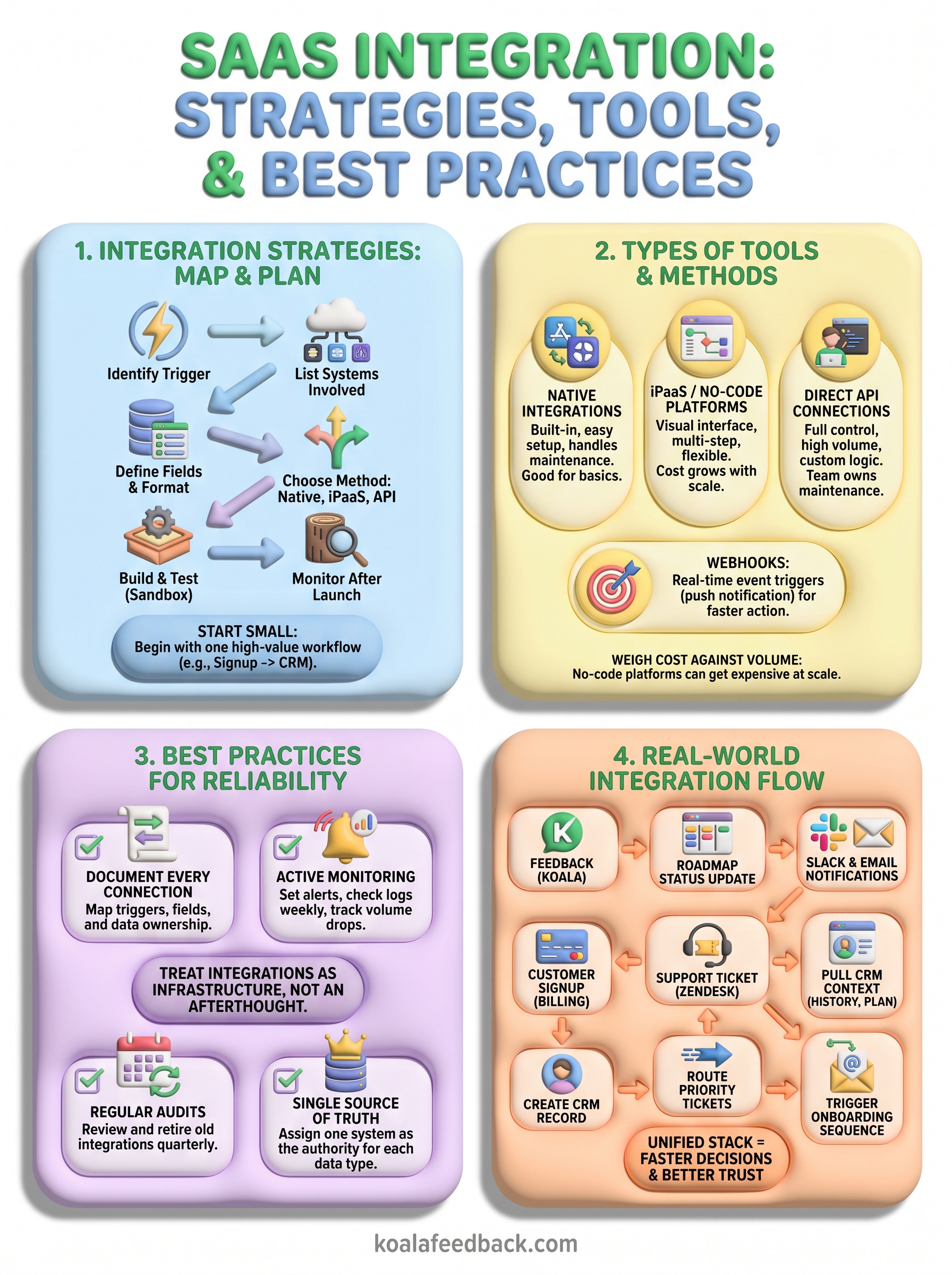
Start by listing every app that touches the process you want to automate, then trace where the data actually lives. If you're syncing new signups from your billing tool to your CRM, you need to know which fields matter (email, plan tier, signup date) and which system owns each one. Mapping data flow upfront prevents the classic problem of two tools fighting over which record is correct.
Here's the sequence that keeps this manageable:
Once you've mapped one workflow, resist the urge to connect everything at once. Starting with a single, high-value workflow (like syncing new customer signups or routing feedback submissions to your roadmap board) gives you a working template you can trust before you scale up. If that first integration breaks, you're debugging one connection instead of ten.
After it's stable, expand outward using the same process: map the data, pick the method, test, then launch. Teams that follow this pattern build integrated stacks incrementally, which means each new connection is easier to troubleshoot because the foundation underneath it already works. Teams that skip straight to connecting everything usually end up tearing half of it out within a few months, because nobody documented what depended on what.
Once you know what workflow you're building, the next decision is how the apps will actually talk to each other. Each method comes with a different mix of setup time, flexibility, and long-term maintenance, and picking the wrong one for your situation is how teams end up rebuilding integrations six months later. Understanding the tradeoffs upfront saves you from choosing based on whatever tool your team happens to have heard of first.
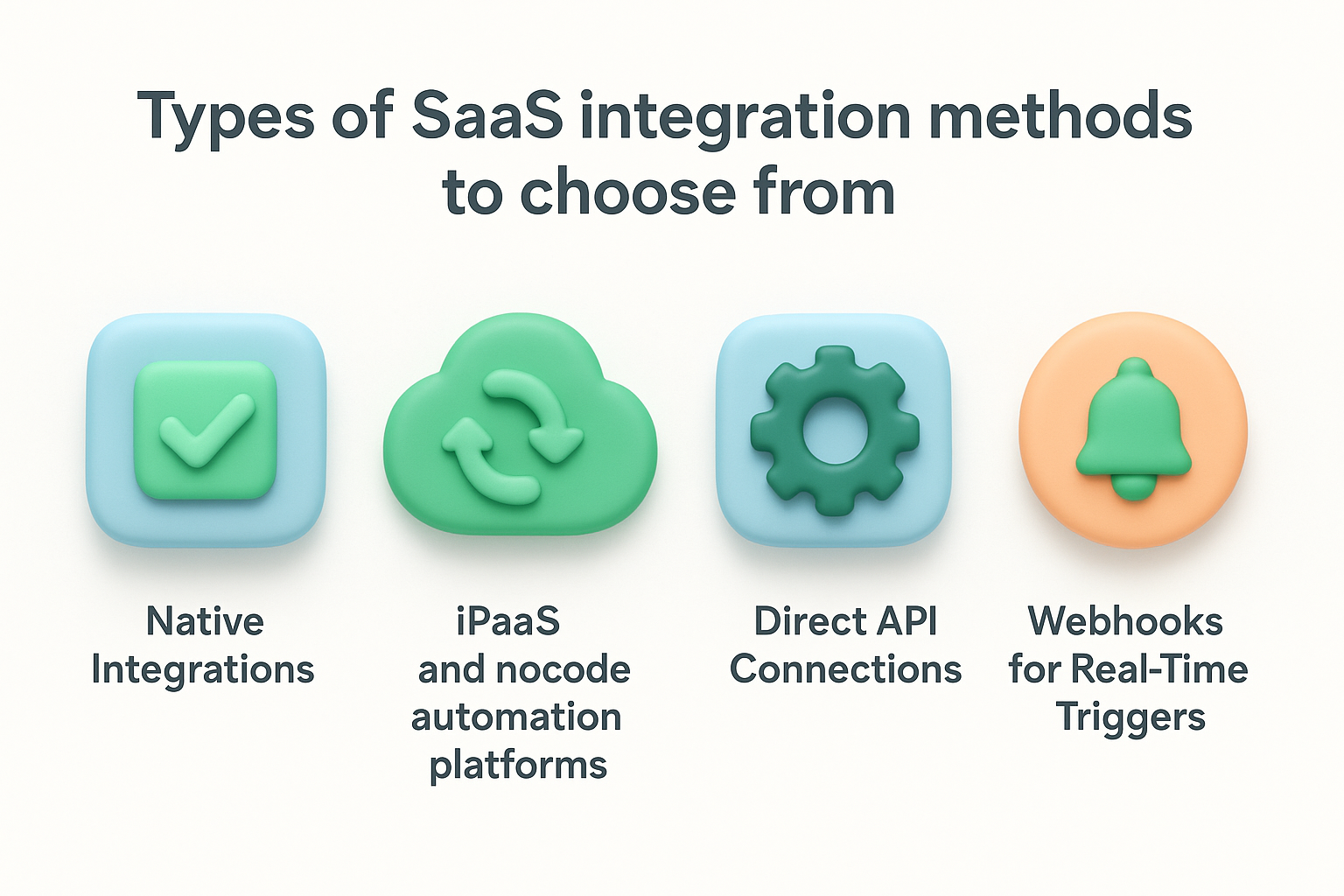
Most SaaS platforms ship with a handful of native integrations already built, think Slack connecting to your project management tool, or your CRM syncing with your email platform out of the box. These require little to no setup, usually just an authorization click, and the vendor handles maintenance when APIs change on either end. The catch is that native integrations only cover the most common use cases, so if your workflow needs a custom field or a conditional trigger, you'll hit a wall fast.
When native options fall short, integration platforms like Zapier, Make, or Workato fill the gap by connecting apps that don't have a direct integration with each other. These no-code tools let you build multi-step workflows with conditional logic, delays, and filters, all through a visual interface. They're the middle ground: more flexible than native integrations, far faster to set up than custom code. The tradeoff is cost at scale, since most of these platforms charge per task or per zap, and heavy automation volume can get expensive quickly.
The right integration method isn't the most powerful one, it's the one that matches your team's technical capacity and how deeply the workflow actually needs to run.
For teams with development resources, building directly against an app's API gives you the most control. You decide exactly what data moves, when, and under what conditions, without depending on a third-party platform's limitations or pricing tiers. This route makes sense when you're integrating high-volume data, need custom logic that no-code tools can't express, or you're connecting an internal tool that has no pre-built connector at all. It also means your team owns the maintenance burden: when an API version changes, someone has to update the code.
Webhooks deserve their own mention because they solve a specific problem: getting data to move the instant something happens, rather than waiting for a scheduled sync. Instead of one app repeatedly checking another for updates, the source app pushes a notification the moment an event occurs, like a new form submission or a status change on a roadmap item. Webhooks pair well with both iPaaS platforms and custom API work, making them less a standalone method and more a building block you'll use inside whichever approach you pick.
With four integration methods on the table, picking the right one comes down to matching the tool to your team's actual capacity, not the flashiest option on a review site. Choosing an integration tool without considering who maintains it long-term is how teams end up with a workflow nobody understands six months after the person who built it leaves. Start by asking what you can realistically support, not what looks impressive in a demo.
If nobody on your team writes code, ruling out direct API work saves you from a project that stalls halfway through. Teams without developers do best sticking to native integrations for the basics and a no-code platform like Zapier or Make for anything more custom. Technical skill level should drive this decision more than price or feature count, because a powerful tool your team can't maintain is worse than a simple one that actually gets used.
Pick the tool your team can actually maintain, not the one with the longest feature list.
No-code platforms charge per task or per workflow run, and that pricing model looks cheap right up until your volume grows. A company syncing 200 signups a month pays a fraction of what a company syncing 20,000 does on the same plan. Cost at scale is the single most overlooked factor when teams pick an integration tool, since most demos and free tiers hide what happens once real usage kicks in.
Here's a quick comparison to help frame the decision:
| Factor | Native integration | No-code platform | Direct API |
|---|---|---|---|
| Setup time | Minutes | Hours | Days to weeks |
| Technical skill needed | None | Low | Developer required |
| Flexibility | Low | Medium to high | Highest |
| Maintenance owner | Vendor | Vendor (mostly) | Your team |
| Cost at scale | Included | Grows with usage | Fixed dev cost |
Before committing to any platform, confirm it has a solid connector for every app in your workflow, not just the popular ones. Connector availability varies a lot between iPaaS tools, and a platform that handles Salesforce beautifully might only offer a bare-bones connector for your ticketing system. Search each platform's app directory for your specific tools before you sign up, and test the connection with real data during any trial period rather than trusting the marketing page.
Finally, think about where the tool needs to plug into your product decisions, not just your back-office tasks. If you're routing customer feedback into a prioritization workflow, you want a platform, or a feedback tool with built-in integrations, that connects cleanly to Slack, your CRM, and your roadmap without three layers of workaround automation in between.
Even a well-planned integration runs into friction once real data starts flowing through it. Common integration problems tend to fall into a handful of predictable categories, and knowing what to expect ahead of time means you fix them in minutes instead of losing a day chasing a mystery bug.

Apps rarely define fields the same way. One tool might store a customer's name as a single field, while another splits it into first and last name, and that mismatch alone can silently break a sync. Duplicate records show up constantly when two systems both try to create an entry for the same event, like a signup that fires twice because a webhook retried after a timeout. Fix this by mapping fields explicitly during setup rather than trusting auto-matching, and set a unique identifier, like an email address or customer ID, that every connected system checks before creating a new record.
Most sync failures trace back to two systems disagreeing on what a single field is supposed to contain.
APIs change. A vendor renames a field, deprecates an endpoint, or shifts to a new authentication method, and any integration depending on the old version breaks without warning. This hits direct API integrations hardest, since your team owns that maintenance, but even native and no-code connections can quietly stop working until someone notices data has stopped flowing. Read the changelog: Google's own API design guidance is a good example of how vendors document breaking changes, and most major platforms publish something similar. Subscribing to your key vendors' developer changelogs catches these updates before they catch you.
Integrations often fail quietly because a token expired, a user's access level changed, or an admin revoked a permission without realizing three workflows depended on it. Permission errors are especially common on platforms with role-based access, where the account that authorized the integration months ago no longer has the same privileges. Keep a dedicated service account for integrations instead of tying them to one person's login, and review access levels quarterly so a routine offboarding doesn't take down a workflow nobody remembers exists.
Every API caps how many requests you can make in a given window, and high-volume workflows hit that ceiling faster than teams expect. When you exceed the limit, requests start failing or queuing, which looks like a broken integration even though the connection itself is fine. Build in retry logic with delays, batch requests where the API allows it, and check each vendor's documented rate limits before you scale a workflow that was only tested at low volume.
Theory only gets you so far, so let's walk through how these integration methods actually show up in a working stack. Real-world integration examples make the abstract stuff concrete: you can see exactly which trigger fires, which tool receives the data, and what happens next.
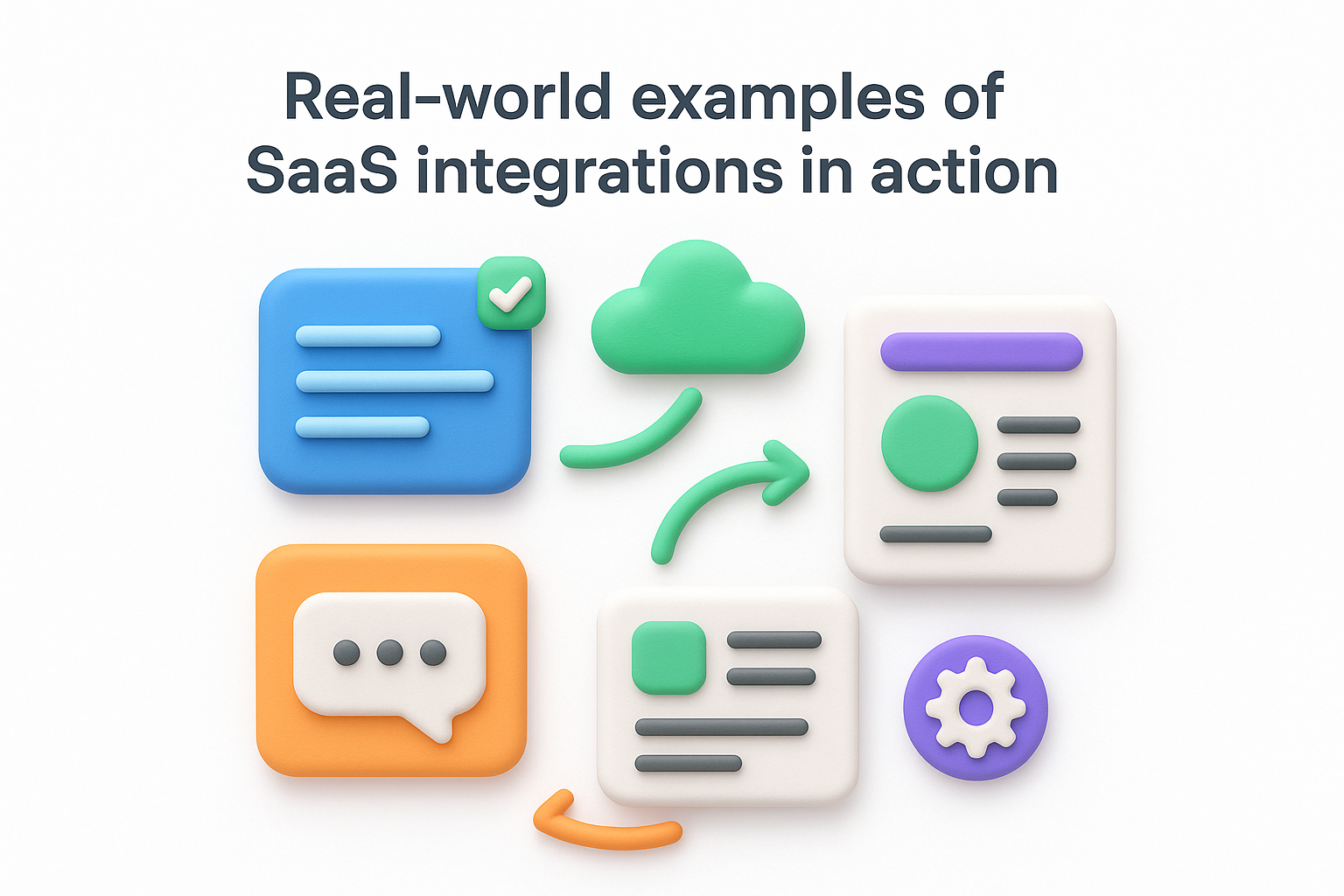
A product team using Koala Feedback often wants status updates on the roadmap to reach users without anyone manually posting in five different places. When a feature moves from "planned" to "in progress," a webhook can fire into Slack so the whole team sees it instantly, and a parallel connection through Zapier can post the same update to a public changelog or email digest. Feedback-to-roadmap syncing like this keeps users informed without adding a manual task to anyone's weekly checklist, and it means the roadmap stays the single source of truth instead of a doc that goes stale.
The best integrations disappear into the background, so the update just shows up where people already look.
Support teams live this integration daily. A ticket comes into Zendesk or Help Scout, and a native or no-code connection pulls the customer's plan tier, signup date, and recent billing activity from the CRM directly into the ticket view. Support-to-CRM integration cuts the minutes an agent would otherwise spend searching three tools before responding, and it means every agent sees the same context regardless of who picks up the ticket. Some teams take this further and route high-value customers to a priority queue automatically, based on a plan field pulled straight from billing.
A new signup in a billing platform like Stripe can trigger a chain reaction across a stack in seconds: a new CRM record gets created, a welcome email fires from the email platform, and a Slack notification alerts the sales team to a new account worth watching. Signup-triggered workflows replace what used to be a manual checklist someone ran through by hand, and they run the same way every time, so nothing gets skipped when the team is busy.
Product teams increasingly connect usage analytics tools to their feedback platform, so feature requests carry weight based on actual behavior, not just vote counts. If a feature request in Koala Feedback ties back to a workflow that pulls in how many accounts already use a related feature, prioritization decisions get grounded in data instead of guesswork. Usage-informed prioritization turns a feedback board from a suggestion box into a decision-making tool that reflects what customers actually do, not just what they say.
Building an integration is the easy part. Keeping it working six months later, after three API updates and a staff change, is where most teams struggle. Ongoing reliability comes down to a handful of habits that cost little upfront but save you from firefighting later.
Without documentation, every integration becomes a black box that only makes sense to the person who built it. Write down what triggers each workflow, which fields map where, and which tool owns the source data. Documented workflows mean a new hire, or you six months from now, can troubleshoot a broken sync without reverse-engineering the whole setup from scratch.
An undocumented integration is a liability waiting for the one person who understands it to leave.
Most teams find out an integration broke when a customer complains that their data is missing, which means it's already been broken for days. Active monitoring flips that around: set up alerts for failed syncs, check error logs weekly, and track how many records move through each workflow so a sudden drop is obvious. Here's a simple checklist worth running on any integration you consider critical:
Stacks change faster than integration maps get updated. A workflow built for a tool you swapped out last year might still be running, quietly failing, or worse, still working but pulling stale logic nobody remembers approving. Regular audits every quarter catch these before they cause real damage, and they're also the moment to ask whether a workflow still matches how the team actually operates.
When two systems both think they own a customer's email address or plan tier, conflicts are inevitable. Assign one system as the authority for each data type, whether that's your CRM for contact details or your billing platform for subscription status, and make every other integration read from that source instead of writing its own version. A single source of truth eliminates the guessing game of which record is correct when two tools disagree, and it's the same principle that makes a centralized feedback portal more useful than scattered requests across email and Slack: one place everyone trusts, instead of five places nobody fully believes.
Getting your tools to work together isn't a one-time project, it's an ongoing habit. Integration success comes from starting small, documenting what you build, and treating every connection as something that needs regular maintenance, not a set-it-and-forget-it fix. The teams that get this right spend less time reconciling spreadsheets and more time acting on data that actually reflects what's happening across their business.
Feedback deserves the same treatment as your CRM or billing data. If user requests are still scattered across email threads and Slack messages, you're missing the same context problem this whole article has been about. Centralizing that feedback and connecting it to the rest of your stack turns scattered opinions into a real roadmap your team and your users can both trust.
If you're ready to bring that piece of your stack into the fold, start with Koala Feedback and see how a connected feedback portal fits into the systems you already run.

Start today and have your feedback portal up and running in minutes.

