Most SaaS companies lose the majority of their trial users before those users ever experience the product's core value. The culprit is almost always a broken or nonexistent SaaS customer onboarding process. When new users don't quickly understand how your product solves their problem, they leave, and they rarely come back. Getting onboarding right isn't optional; it's the single biggest lever you have for activation and long-term retention.
The good news: onboarding doesn't have to be guesswork. The best teams build their onboarding flows around real user feedback, what's confusing, what's missing, what clicked. That's exactly why we built Koala Feedback: to give product teams a direct line to their users so they can prioritize what actually matters at every stage, including those critical first interactions.
This guide breaks down how to design, implement, and refine a SaaS customer onboarding process step by step. You'll find actionable frameworks, best practices, and examples you can apply right away, whether you're building onboarding from scratch or fixing a flow that's leaking users at every stage.
A strong SaaS customer onboarding process isn't just a welcome email and a tooltip tour. It's a deliberate system that moves new users from signup to genuine value as quickly as possible, then keeps them progressing until the product becomes part of their daily workflow. Every piece has a purpose, and every gap is a place where users drop off.
A strong onboarding process is designed around the user's goal, not your product's feature list.
Before you build an onboarding flow, you need to know exactly what "successful onboarding" means for your product. Activation is the specific moment when a user first experiences the core value you deliver. For a project management tool, that might be creating and assigning a task. For Koala Feedback, it's the moment a user publishes their first feedback board and receives their first submission.
Your entire onboarding flow should point toward that single milestone. When you define it clearly, you can measure whether users are reaching it, spot exactly where they drop off, and make targeted improvements instead of guessing at what's wrong.
Strong onboarding teaches users how to succeed with your product, not just how to use its features. The difference matters. Feature-focused onboarding tells users what buttons do. Outcome-focused onboarding shows users how to accomplish the thing they came to do.
Contextual education means delivering the right instruction at the right moment: a short tooltip when a user reaches a complex setting, an in-app prompt when they've been idle for a few minutes, a how-to video linked from the step where users most often get stuck. Front-loading your full knowledge base on day one is one of the fastest ways to overwhelm new users into leaving.
Not every user starts from the same place. A solo founder signing up for your tool has different goals and technical comfort than an enterprise team lead. Strong onboarding accounts for this by routing users into different flows based on their role, team size, use case, or goals, usually captured during signup with a short question or two.
Personalization doesn't have to be complex. Even a single segmentation question during account creation, such as "What best describes your role?", lets you tailor the next few steps so users see examples and prompts that match their reality. That relevance alone reduces early churn significantly.
Onboarding is never finished. User behavior shifts, your product evolves, and what worked six months ago may be causing drop-off today. Strong onboarding includes a mechanism to capture where users struggle, what they ask help with, and what they wish existed.
Teams that build continuous feedback collection into their onboarding flows can catch problems before they become churn. That means setting up in-app surveys at key moments, reviewing support tickets tied to specific onboarding steps, and giving users a clear channel to flag what's confusing. That feedback then feeds directly into your prioritization process, so you fix the things that are actually costing you users rather than the things you assume are problems.
Every effective saas customer onboarding process starts with a single question: what does success look like for a new user at the end of onboarding? Before you write a single email or build an in-app tooltip, you need a concrete, measurable definition of the outcome you're driving toward. Without that definition, your onboarding has no direction, your team has no shared target, and you can't tell the difference between a flow that works and one that's quietly losing users at every step.
Your activation milestone is the specific moment when a new user first experiences the core value of your product. It needs to be observable and precise, not vague. "User explores the dashboard" doesn't qualify. Something like "user publishes a feedback board and receives their first submission" or "user creates and assigns their first task" does. One clear sentence should be all it takes to describe it.
If you can't describe your activation milestone in one specific sentence, your onboarding has no north star to point users toward.
To find the right milestone, compare your retained users to churned users and identify what retained users did in their first session that churned users didn't. That behavioral difference is almost always your activation event. Most teams find it sitting in their product analytics, they just haven't specifically gone looking for it yet.
Once you know the destination, list every step a new user takes to get there. Then mark each one as either genuinely necessary or a holdover that exists only because nobody removed it. Cut anything that doesn't move the user directly toward your activation milestone.
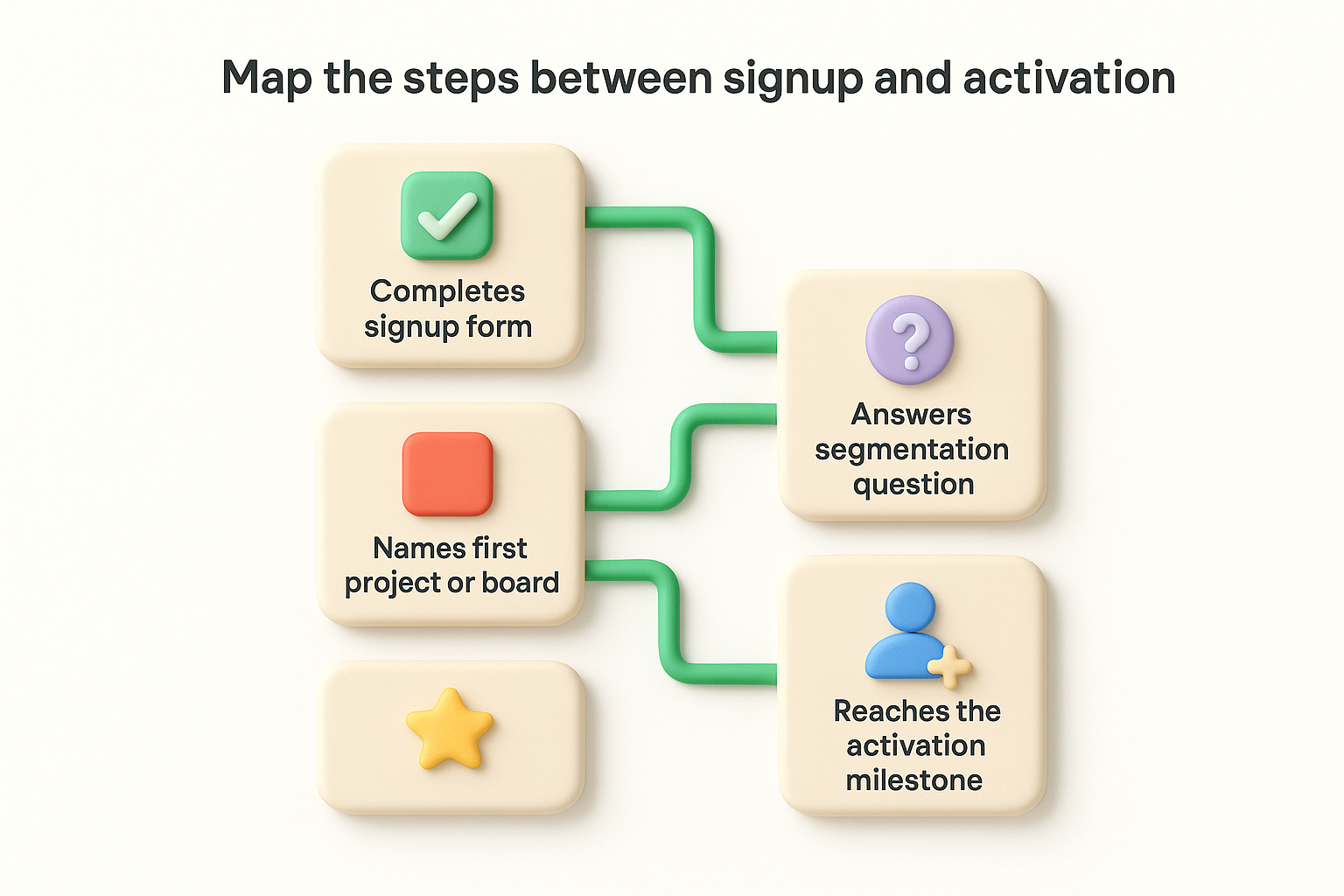
Use a simple journey map template like this to document and review the flow:
| Step | User Action | Goal |
|---|---|---|
| 1 | Completes signup form | Creates account |
| 2 | Answers segmentation question | Enters relevant onboarding flow |
| 3 | Names first project or board | Establishes working context |
| 4 | Invites a teammate or configures a key setting | Deepens product commitment |
| 5 | Reaches the activation milestone | Experiences core product value |
Review this map against real session recordings or analytics data to confirm it matches how users actually move through your product. You'll often find that users skip steps you assumed were mandatory, or stall somewhere you thought was seamless. Those gaps are exactly where your biggest onboarding gains are waiting.
When a deal closes, the customer's experience doesn't reset to zero. Everything they discussed with your sales team, their goals, frustrations, timeline, and expected outcomes, needs to travel with them into onboarding. A broken handoff from sales to customer success is one of the most common failure points in any saas customer onboarding process, and it almost always shows up the same way: the customer has to repeat themselves, feels like they're starting over, and immediately loses confidence in your team.
A customer who has to re-explain their situation after signing is already questioning whether they made the right choice.
The handoff isn't complete when the contract is signed. It's complete when the person running onboarding knows exactly what the customer was promised, what they're trying to achieve, and what a successful first 30 days looks like for them. That means sales needs to document specific details before handing off, not just mark the opportunity as "closed won" and move on.
Tell your sales team to fill out a short internal handoff document for every new customer. Keep it to five fields so it actually gets used:
A handoff process only works if your team follows it consistently. Build the template directly into your CRM as a required field or a closing checklist so it can't be skipped. Below is a simple format you can copy into whatever system your team uses:
| Field | Example |
|---|---|
| Primary goal | Centralize feature requests from three support channels |
| Main contact | Jamie Lee, Product Manager |
| Commitments made | CSV import from Intercom, custom domain setup |
| Timeline | Live before Q3 planning cycle (6 weeks) |
| Known risks | Engineering team has limited bandwidth for integrations |
Once the handoff document is complete, schedule a brief internal sync between sales and the onboarding lead before the first customer call. Even 15 minutes eliminates the gaps that make customers feel like a number instead of a priority.
The signup form is the first real interaction a new user has with your product, and most SaaS companies overload it. Every extra field you add is another reason for someone to close the tab. Reducing friction at this stage is one of the fastest ways to improve activation rates across your entire saas customer onboarding process, because users who never finish creating an account never reach your value moment at all.
The best signup flow collects just enough to get the user started, and nothing more.
Most signup forms ask for information your product doesn't actually need at that moment. Company size, phone number, how you heard about us: these questions serve your marketing team, not your new user. Strip your form down to the absolute minimum: name, email, and password, or better yet, offer single sign-on options like "Sign in with Google" to cut even those steps.
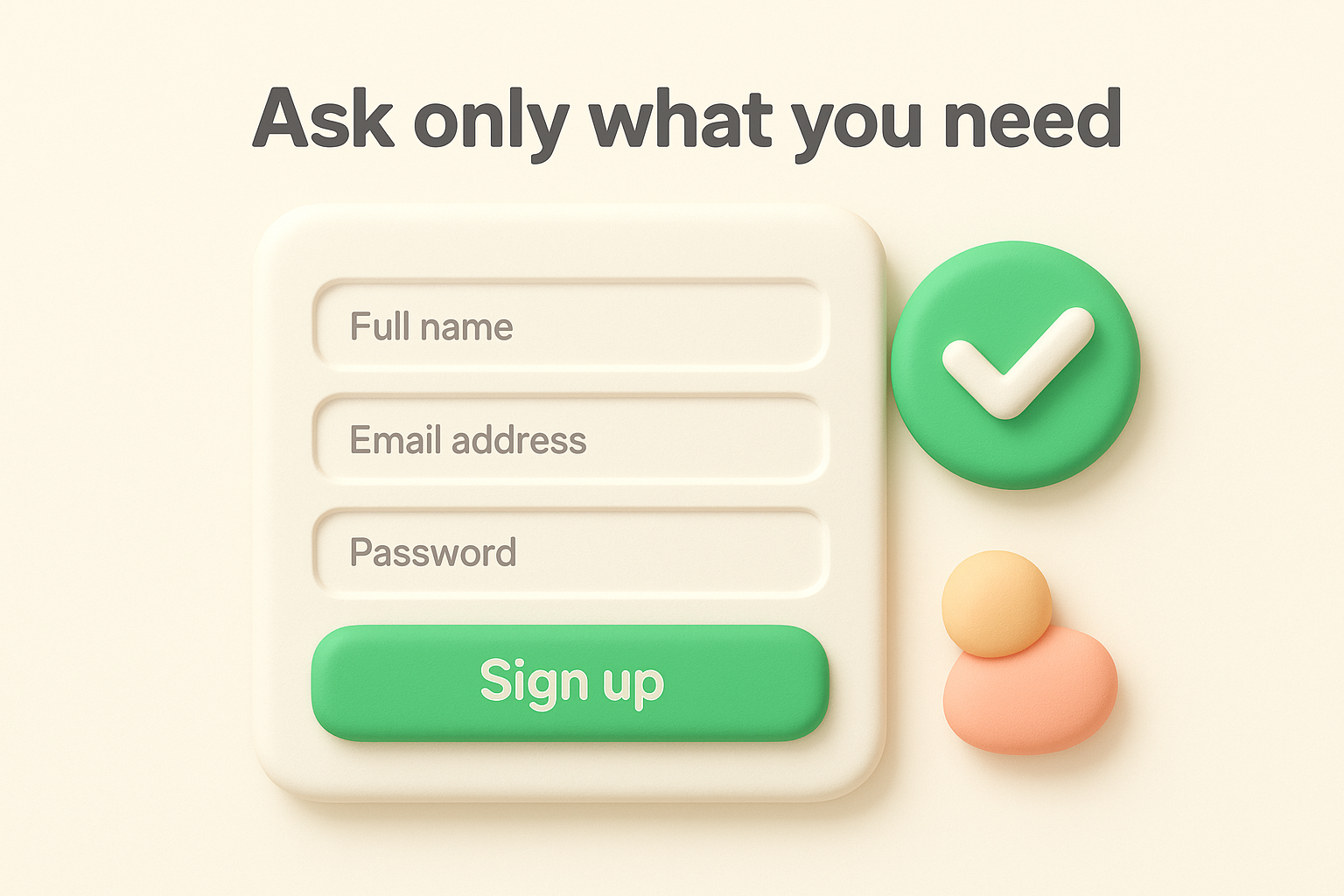
If you need to segment users into different onboarding flows, add one targeted question after account creation, not before. That way, the user is already inside your product when you ask, and the context makes the question feel relevant rather than intrusive. Here's a simple rule: if you can't explain how you'll use a form field within the first 24 hours, remove it.
| Remove These Fields | Keep These Fields |
|---|---|
| Phone number | Email address |
| Company size | Full name (optional) |
| How did you hear about us | Password or SSO option |
| Job title | Segmentation question (post-signup) |
Email confirmation is one of the most common activation killers in SaaS. When a user signs up and immediately hits a "check your inbox" wall, a large portion of them never come back. Where regulations allow, let users access a limited version of your product right away and verify their email in the background so they can keep moving.
For products that do require email confirmation, send the verification email instantly and keep the message short. Include one clear button that takes the user directly back into the product. Don't use that email to walk through every feature; save education for after the user is inside and oriented. Speed at this step directly translates to more users reaching your activation milestone.
The first value moment is the point in your saas customer onboarding process where a new user stops thinking "this looks promising" and starts thinking "this is exactly what I needed." Getting them there quickly is the difference between a user who comes back tomorrow and one who never opens your product again. Every minute between signup and that moment is time for doubt to creep in.
The longer it takes a user to experience real value, the less likely they are to ever reach it.
Your job is to remove every step that doesn't directly move the user toward their first win. Count the actions a new user must take before they reach your activation milestone. If the number is higher than five, you have work to do. Each extra click, decision, or screen is friction that costs you users who would have otherwise stayed.
Walk through your own onboarding as a first-time user with fresh eyes, or better yet, watch a session recording of a real new user navigating it for the first time. You'll spot steps that feel obvious to your team but stop actual users cold. Remove optional configuration steps from the critical path and offer them later, after the user has already experienced value once and has a reason to invest more time.
Empty states are one of the most underused tools in SaaS onboarding. When a new user lands in a blank dashboard, they face a decision: figure out what to do next or leave. Most leave. A well-designed empty state turns that blank screen into a direct instruction.
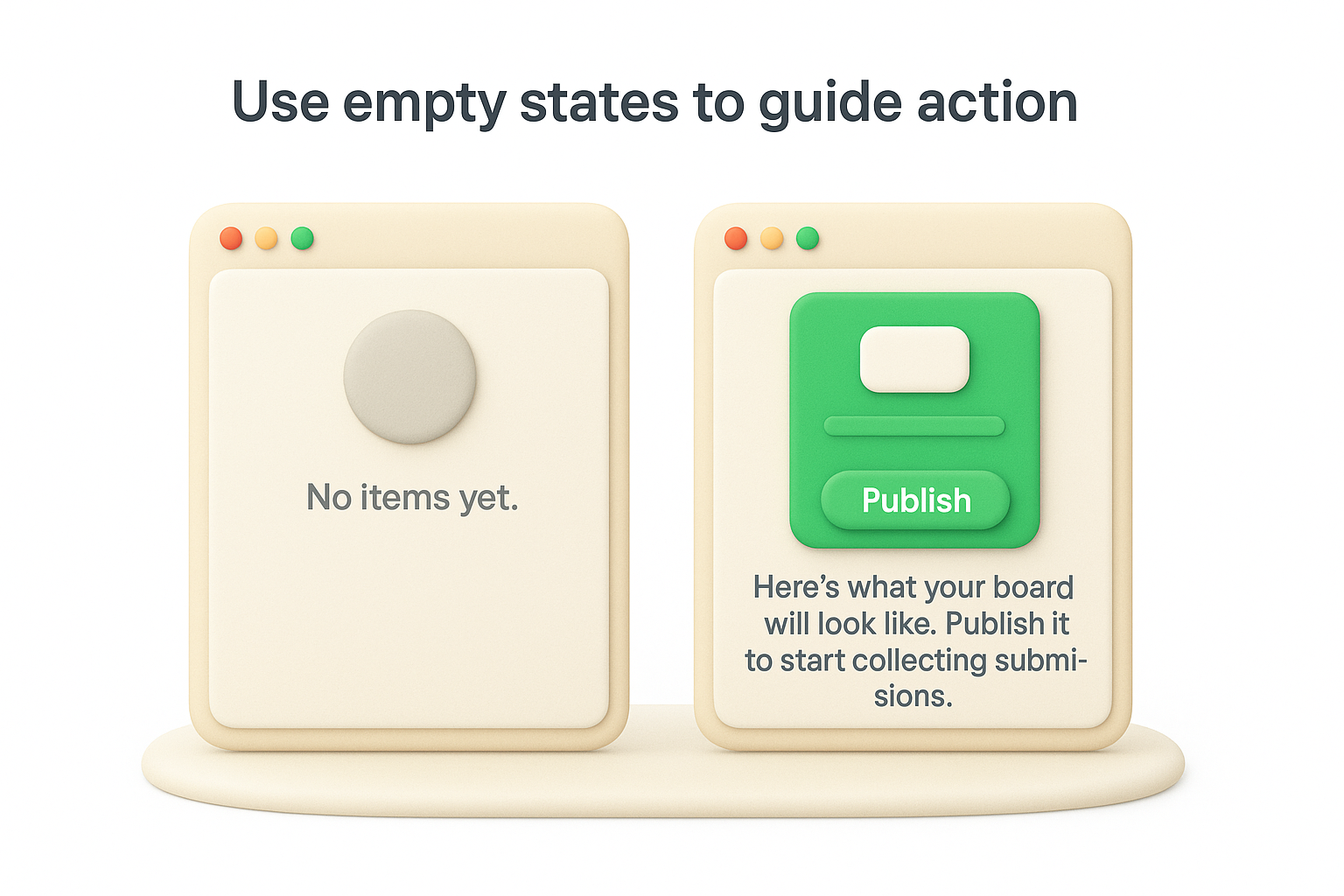
Instead of showing an empty board with a faint "No items yet" message, show a pre-filled example or a single prominent call-to-action that mirrors the exact step the user needs to take. For a feedback tool, that might look like a sample board with placeholder submissions and a button labeled "Publish your board and get your first submission." The example makes the outcome tangible, and the button makes the next action obvious.
| Weak Empty State | Strong Empty State |
|---|---|
| "No feedback yet." | "Here's what your board will look like. Publish it to start collecting submissions." |
| "No projects created." | "Create your first project in 30 seconds. [Start here]" |
| "Nothing to show." | "Add your first item to see your roadmap come to life. [Add item]" |
After a user experiences their first value moment, the next challenge in your saas customer onboarding process is getting their real data and tools connected. Setup tasks, data imports, and integrations are where many users stall because these steps require more effort than clicking through a pre-loaded demo. Your job is to make each task feel manageable and to deliver clear instructions at the exact moment users need them, before they open a new tab to search for help.
Don't hand users a configuration checklist with 20 items and expect them to know where to start. Rank your setup steps by impact and present them in that order, with the most critical ones first. A user who completes the top three setup tasks is far more likely to finish the rest than one who feels paralyzed by the full list from the start.
Use a progress checklist inside your product that visually tracks completion. Here's a simple structure that works:
| Priority | Task | Why It Matters |
|---|---|---|
| 1 | Connect your primary data source | Populates the product with real data |
| 2 | Invite your team | Increases product stickiness immediately |
| 3 | Set up your first integration | Fits the product into existing workflows |
| 4 | Customize branding or settings | Builds ownership and long-term commitment |
Users who complete setup tasks with real data are significantly more likely to retain than those who only interact with demo or placeholder content.
Blank products don't retain users. When people see their own data inside your tool, the product immediately feels relevant and worth the time investment. Provide a downloadable import template they can fill in without guessing at formatting or column names.
For a feedback tool, that template might look like this:
feedback_title, description, category, submitter_name, date_submitted
"Faster CSV export", "Exports take too long for large boards", "Performance", "Alex R.", "2026-04-15"
"Dark mode support", "Would reduce eye strain for daily users", "UI", "Morgan K.", "2026-04-20"
Walk users through the import with step-by-step inline instructions rather than sending them to a help article. Guidance placed at the exact moment a user attempts a task removes the need to search elsewhere and keeps momentum moving forward instead of stalling out mid-setup.
Education is one of the most common places a saas customer onboarding process breaks down. Teams build thorough knowledge bases, record detailed video walkthroughs, and send welcome emails packed with links, then wonder why users stop engaging after day one. Too much information at once doesn't help users learn faster; it convinces them the product is too complex to bother with. The fix is straightforward: deliver the right education at the right moment, in small enough pieces that users can act on each one before the next arrives.
Front-loading your full feature set into onboarding is the fastest way to lose users who would have otherwise stayed.
Don't send everything you know on day one. Map your educational content to the stages a user moves through during onboarding, then release it on a schedule that matches their progress. A user who just published their first feedback board doesn't need to know about advanced reporting settings yet. They need to know the one next step that builds on what they just did.
Here's a simple sequence structure you can adapt for your product:
| Day | Topic | Format |
|---|---|---|
| 0 (signup) | How to reach your first win | In-app prompt |
| 1 | Completing your core setup | Short email with one action |
| 3 | Inviting teammates or connecting integrations | In-app tip at the right screen |
| 5 | Reading and acting on early data | Email with a specific example |
| 7 | What power users do in week two | Email with a single next step |
Each touchpoint should contain one action, not a summary of everything your product can do. When users complete that action, they build momentum instead of feeling buried.
Simple tasks deserve simple guidance: a one-line tooltip or a short inline prompt is enough. Complex tasks, like setting up a data import or configuring a multi-step integration, warrant a short video or a step-by-step walkthrough embedded directly in the product at that screen. Sending users to a separate help center for every question breaks momentum and signals that your product requires too much outside effort to use.
Track which help content users actually engage with by monitoring click rates on tooltips, video play rates, and help article views tied to specific onboarding steps. That data tells you exactly where users need more support and where your current education is working.
Manual follow-ups don't scale, and users who go quiet after signup rarely come back on their own. Automating the right touchpoints in your saas customer onboarding process keeps users moving forward without requiring your team to watch every account individually. The goal isn't to flood inboxes but to send the exact message a user needs at the exact moment they need it, based on what they've done or failed to do inside your product.
Behavior-triggered emails outperform time-based drip sequences because they respond to what a user actually did rather than how long ago they signed up. A user who completed setup on day one doesn't need the same nudge as someone who hasn't logged in since signup. Connecting your email tool to product events lets you send messages that feel relevant instead of generic.
Triggered emails tied to specific user actions consistently outperform generic welcome sequences because relevance drives clicks, not volume.
Here is a basic trigger-based sequence you can adapt to your own product:
| Trigger | Timing | Message Goal |
|---|---|---|
| Signup completed, no activation | 2 hours after signup | Prompt toward first action |
| Activation milestone reached | Immediately after event | Celebrate progress, show next step |
| No login after activation | 3 days of inactivity | Remind user of value, offer help |
| Invite teammate step skipped | Day 4 | Explain team benefits, show how |
| Setup checklist stalled at 50% | Day 5 | Surface the specific incomplete step |
Each email should contain one clear call-to-action that points back to the exact screen inside your product where the user needs to take their next step. Avoid linking to your homepage or a generic dashboard.
Not every struggling user will email support, which means you need to detect the signal before they churn. Set up alerts in your product analytics that notify your team when a user crosses a risk threshold, such as no login in four days or a setup step left incomplete past a certain deadline.
When an at-risk user is flagged, send a short personal-looking email from a real team member, not a marketing alias. Keep it to two or three sentences, acknowledge where they are, and offer a specific way to help, whether that's a quick call, a setup guide, or a direct answer to a common sticking point at that stage.
Improving your saas customer onboarding process without measuring it is guesswork. Gut feelings about where users struggle rarely match what the data shows, and the gaps between your assumptions and reality are exactly where users are quietly churning. Measurement turns onboarding from a one-time build into a system you actively improve over time.
Onboarding that isn't measured is just a set of assumptions wearing a product's clothes.
Activation rate and time-to-activate are the two numbers that matter most in onboarding. Activation rate tells you the percentage of new users who reach your activation milestone within a given window. Time-to-activate tells you how long it takes them to get there. Both numbers give you a clear baseline to measure improvements against.
Beyond those two, track the following metrics to build a complete picture of where your onboarding succeeds and where it loses users:
| Metric | What It Measures | Why It Matters |
|---|---|---|
| Activation rate | % of users who hit your milestone | Shows if your core flow is working |
| Time-to-activate | Hours or days to first value moment | Flags unnecessary friction |
| Step completion rate | % of users completing each onboarding step | Pinpoints exact drop-off points |
| Day 7 retention | % of users active one week after signup | Indicates onboarding quality |
| Support ticket volume by step | Tickets tied to specific onboarding stages | Reveals where users get confused |
Review each of these metrics weekly, not monthly. Problems that show up in weekly data can be fixed before they compound into serious churn.
Set aside 30 minutes every week for your team to review onboarding data together. Keep the session focused with a simple repeating agenda rather than an open discussion that drifts off topic. Here is a template you can copy directly into your meeting notes:
Weekly Onboarding Review
------------------------
Date: [YYYY-MM-DD]
1. Activation rate this week vs. last week:
2. Step with the highest drop-off rate:
3. One user session recording reviewed:
4. Top support topic tied to onboarding:
5. One change to test this week:
Commit to one specific improvement per session, not a list of five things you might eventually test. A single targeted change, measured against a clear baseline, tells you far more than five simultaneous tweaks ever will.
Consistency is what separates an onboarding process that scales from one that breaks the moment your team gets busy. When every new customer moves through the same documented steps in the same order, your team spends less time reinventing the flow and more time improving it. The two assets below give you a ready-to-use starting point for your saas customer onboarding process that you can adapt to fit your product and team right away.
Standardized onboarding doesn't limit your team; it frees them to focus on the conversations that actually move customers forward.
Use this checklist at the start of every new account. Assign each item to a specific owner and attach a target completion date so nothing falls through the gap between teams.
New Customer Onboarding Checklist
----------------------------------
[ ] Sales-to-success handoff doc completed
[ ] Kickoff call scheduled within 48 hours of signup
[ ] Customer's primary goal documented
[ ] Account configured with customer's branding/settings
[ ] Segmentation question answered, correct flow assigned
[ ] Data import template sent and import confirmed
[ ] Key integrations connected and tested
[ ] Team members invited by customer
[ ] Activation milestone reached (confirm in product analytics)
[ ] Day 7 check-in email sent
[ ] Week 2 goal set with customer
Review this checklist after every 10 new customers and remove any step that doesn't directly contribute to activation. Keep it short enough that your team actually uses it every time.
Your first seven days of communication set the tone for the entire customer relationship. Copy this sequence into your email tool and connect each send to the relevant product trigger described in the trigger column.
| Day | Trigger | Subject | Key Message |
|---|---|---|---|
| 0 | Signup complete | "Here's your first step" | One action toward activation |
| 1 | No activation yet | "Quick win waiting for you" | Remove one specific blocker |
| 3 | Activation reached | "You're set up. Here's what's next." | Celebrate progress, show next step |
| 5 | Inactivity detected | "Can we help you move forward?" | Offer a call or direct support |
| 7 | Always sends | "Your week-one recap" | Summarize progress, set week-two goal |
Replace the subject lines and key messages with language that matches your product's tone, but keep the one-action-per-email rule intact. Each email should point to a single screen inside your product, not your homepage.
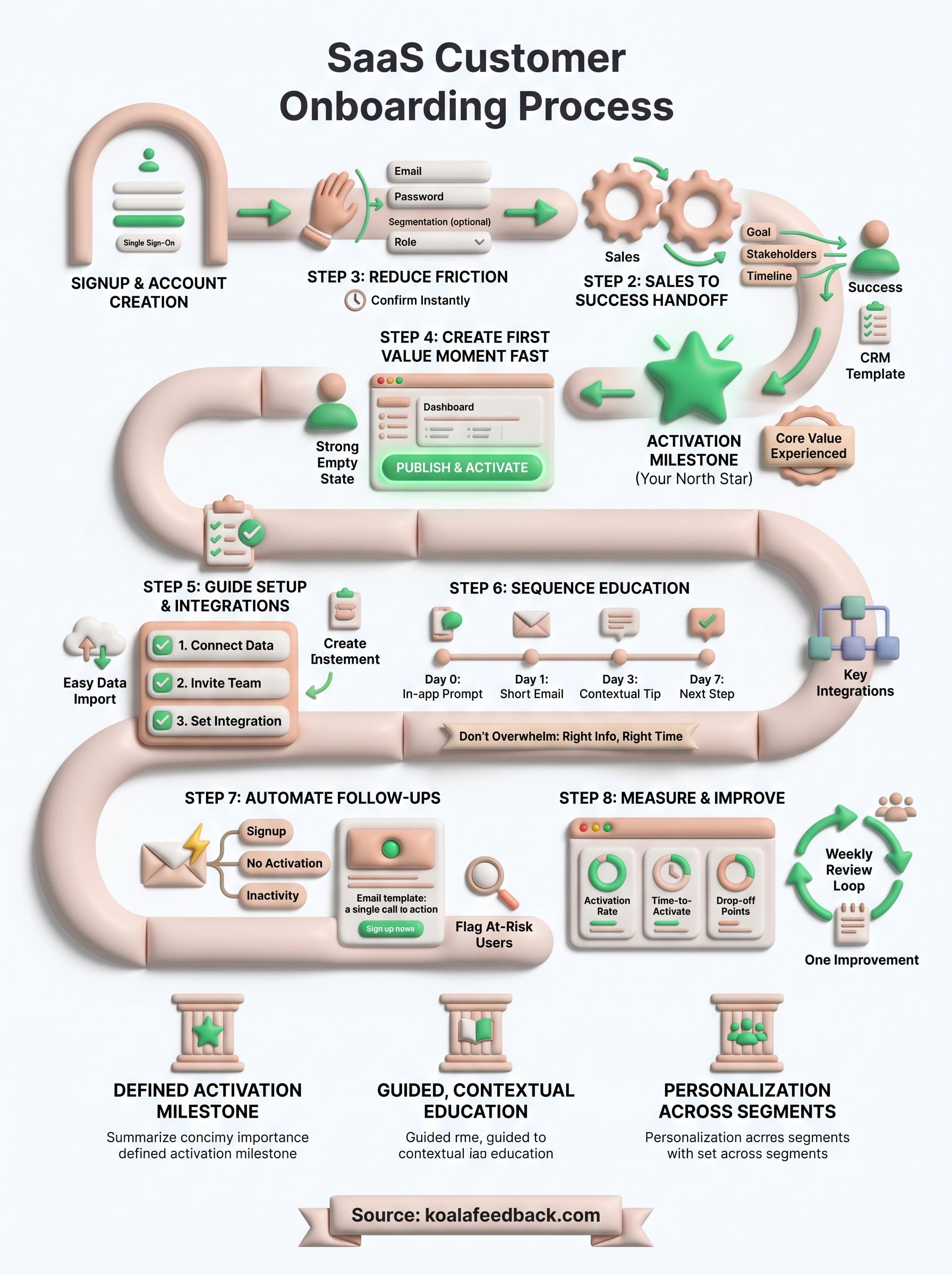
A well-built saas customer onboarding process is the clearest competitive advantage you can develop in SaaS. Every step in this guide, from defining your activation milestone to automating follow-ups and measuring weekly, works together to move users from skeptical to committed faster than any marketing campaign will. The teams that win at onboarding treat it as a living system, not a one-time build they hand off and forget.
Your next move is simple: pick the step where your current onboarding is weakest and fix that one thing first. You don't need a complete rebuild to see results. Small, targeted improvements compound quickly when you measure them consistently and act on what users actually tell you. If you want a direct line to what your users find confusing, what they need more of, and what they love, start collecting structured user feedback with Koala Feedback so every onboarding decision you make is grounded in real data.

Start today and have your feedback portal up and running in minutes.

