Automation platforms have become essential for product teams that want to move fast without drowning in manual busywork. Pipedream integrations connect over 2,400 apps and APIs, letting you build workflows that pass data between tools automatically, no dedicated engineering resources required. For teams managing user feedback, feature requests, and product roadmaps, that kind of connectivity changes how quickly you can act on what users are telling you.
At Koala Feedback, we built our platform to help you collect, prioritize, and share user feedback in one place. But feedback doesn't live in a vacuum. It touches your project management tools, notification channels, CRMs, and analytics dashboards. That's exactly where a platform like Pipedream fits in, it bridges the gap between your feedback workflow and the rest of your stack.
This article breaks down what Pipedream integrates with, how its API connectivity actually works, and specific use cases worth considering. Whether you're evaluating Pipedream for the first time or looking for new ways to automate around your existing tools, you'll find practical detail here rather than surface-level overviews.
A Pipedream integration is a pre-built connection between Pipedream's workflow engine and an external app or API. When you set up an integration, you're giving Pipedream authorized access to read from or write to another service on your behalf. Think of it as a handshake between two systems: once that handshake is in place, you can build automated workflows that move data, trigger actions, and react to events across every connected tool.
Pipedream hosts more than 2,400 of these integrations, covering categories from communication tools like Slack and Gmail to developer platforms like GitHub and AWS. Each integration ships with pre-built components, so you don't have to write boilerplate authentication code or parse raw API responses from scratch. You pick the app, connect your account, and Pipedream handles credential storage and token refresh automatically.
Every Pipedream workflow runs on a straightforward model: a source that fires an event and one or more steps that respond to it. An integration lives inside that model as either the source, listening for events from an app, or a step that sends data to an app. When you connect a CRM to Pipedream, you're not just pointing at an endpoint. You're installing a component that already understands that app's authentication flow and data format.
The connection itself is stored securely at the account level, which means you can reuse it across multiple workflows without re-authenticating each time.
Here's a quick breakdown of how the connection layer works:
Within any given integration, triggers and actions serve different purposes. A trigger is an event that starts a workflow. For example, a trigger might fire when a new row is added to a Google Sheet, when a form submission arrives, or when a support ticket changes status. An action is a step that does something downstream, like creating a record, sending a message, or updating a field.
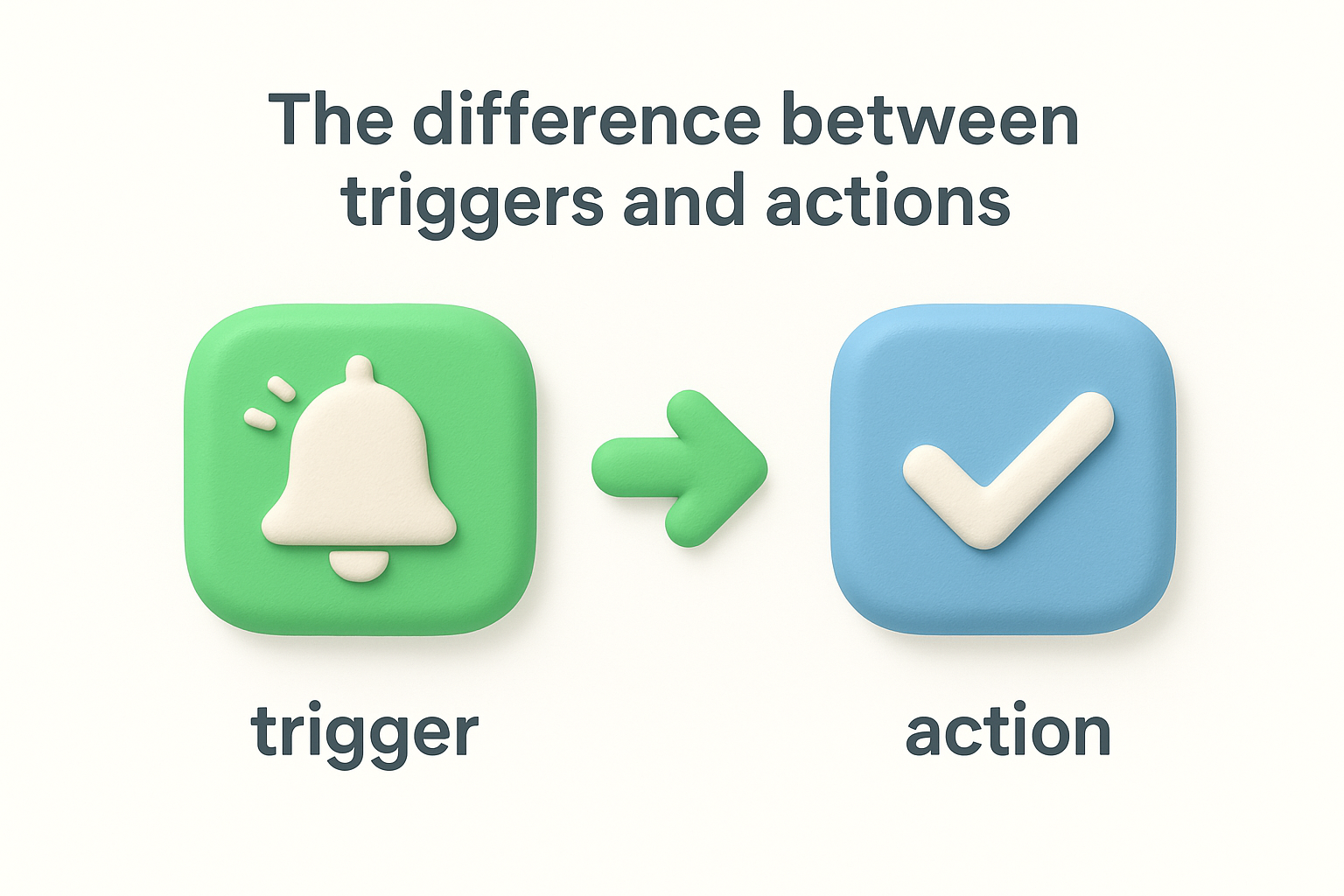
Pipedream integrations include both triggers and actions for most supported apps, which gives you flexibility in how you structure a workflow. You can use one app as the trigger and a completely different app as the action destination, or chain multiple actions together so data flows through several tools in one automated sequence. This two-part model is what makes Pipedream useful for real operational workflows rather than simple one-step notifications.
Knowing which part of an integration you need, the trigger or the action, helps you plan a workflow before you build it. Most product and operations teams find that the majority of their automations follow a read-then-write pattern: something happens in one system, and that event creates or updates a record somewhere else. Mapping that pattern out before you open the Pipedream editor saves you a significant amount of rework later.
Product teams waste significant time moving data by hand. When a user submits feedback, that information often needs to land in a project management tool, notify a Slack channel, update a spreadsheet, and log in a CRM, all at the same time. Without automation, someone on your team handles each of those steps manually, and those steps add up fast. Pipedream integrations remove that burden by letting your tools talk to each other automatically, so your team can focus on decisions rather than data entry.
The time between a user submitting feedback and your team acting on it matters. Slow handoffs between tools create blind spots where valuable input gets lost or delayed. When your feedback platform connects to your project tracker or communication tool through an automated workflow, that gap closes. Your team sees new submissions immediately in context, without switching tabs or checking another inbox.
The faster you process incoming feedback, the better your read on what users actually need, and the more credible your roadmap becomes.
Here's a practical example: a user submits a feature request through your feedback portal. An automated workflow tags it by category, adds it to your backlog, and posts a summary to your product channel. That entire sequence happens in seconds, with no manual input required.
Manually routing data between tools introduces inconsistency. One team member might log feedback differently than another, or skip a step when they're under pressure. Automated integrations enforce a consistent process every time, regardless of who is on the team or what else is happening that day. That consistency matters when you're trying to make data-driven prioritization decisions, because the quality of those decisions depends on the reliability of the data coming in.
Standardized workflows also reduce onboarding friction. When a new team member joins, they don't need to learn a dozen manual steps for how feedback gets routed. The workflow handles it, and the new hire can focus on understanding the product rather than managing process overhead. That kind of operational clarity pays off over time, especially as your team scales and the volume of incoming signals grows.
Understanding the mechanics helps you build better workflows from the start. When you open Pipedream and create a new workflow, the first thing you do is select a trigger, which defines what event starts the sequence. Once that trigger fires, Pipedream executes each subsequent step in order, passing data between steps through a shared data object that any step can read or modify. That sequential structure is the foundation every workflow runs on, and knowing it upfront saves you time when something doesn't behave as expected.
Connecting an app for the first time takes a few minutes. You select the app from the integration library, click Connect Account, and complete whatever authentication flow that app requires, typically OAuth or an API key entry. Pipedream stores the credentials at the account level, so every workflow you build shares access to that connection without you re-entering anything.
Once your account is connected, you can drop that app into any workflow as a trigger or action step, which means the setup work you do once pays off across every automation you build afterward.
After the connection is active, you configure the specific trigger or action for your use case. For a trigger, you'll usually set a polling interval or register a webhook endpoint depending on how the source app delivers events. For an action step, you map the data fields from earlier steps into the inputs the destination app expects, using either a point-and-click field mapper or a short code expression.
Before you activate a workflow, Pipedream lets you test each step individually using real event data from your connected accounts. That testing layer is practical because it shows you exactly what data passes between steps and where field mappings might break before they cause a real problem. You can inspect the output object from every step, which makes troubleshooting direct rather than a guessing exercise.
Once you deploy a workflow, Pipedream logs every execution in an event history panel. You can see which runs succeeded, which failed, and what the payload looked like at each step. That visibility matters for pipedream integrations handling business-critical data, because a clear audit trail helps you trace issues back to their source and fix them quickly without disrupting the rest of your stack.
Pipedream's library spans more than 2,400 apps, which means most tools your team already uses are likely covered without any custom API work. The integrations are organized into categories based on app type and function, making it easier to browse when you know the general area you want to automate but haven't settled on the exact app yet. Understanding which categories exist helps you spot automation opportunities you might not have considered yet.
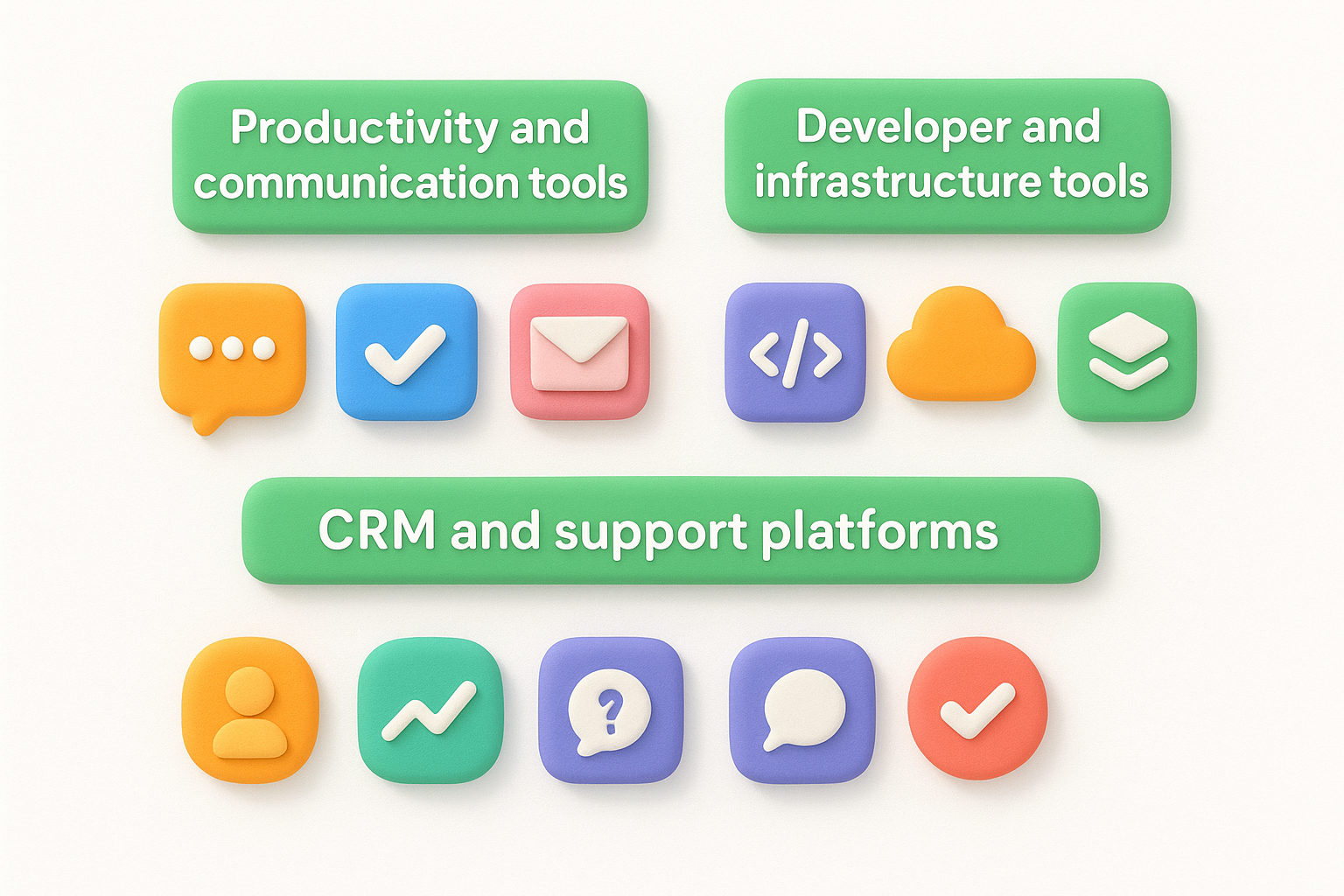
The breadth of the library means you can typically connect every layer of your stack, from the tools users interact with to the internal systems your team relies on daily.
This category covers the apps teams use most frequently for coordination and messaging. Slack, Microsoft Teams, Gmail, and Google Workspace all have deep integrations with triggers and actions for common tasks like sending messages, creating calendar events, and managing files. These integrations handle a large share of real-world pipedream integrations use cases because notification and documentation workflows are among the most common automation targets for product teams.
Tools like Notion, Airtable, and Google Sheets also fall here, giving you options for logging structured data from other apps or feeding information into dashboards that stakeholders already check regularly. Each of these integrations includes multiple action types, so you can insert rows, update records, or search for existing entries depending on what your workflow needs to do.
For teams with engineering involvement, Pipedream connects to GitHub, GitLab, AWS, and Google Cloud, among others. These integrations let you trigger workflows from repository events, manage cloud resources, or push data into logging and monitoring services. Combining a developer tool trigger with a communication action is a straightforward way to keep non-technical team members informed about deployments or incident status without requiring them to access engineering dashboards directly.
Sales and support tools like Salesforce, HubSpot, Zendesk, and Intercom are well-represented, with integrations covering contact management, ticket creation, deal updates, and customer messaging. These connections are particularly useful when your feedback workflow touches customer relationship data, because they let you link product feedback directly to specific accounts or customer segments without duplicating data entry across systems.
The pre-built library covers thousands of apps, but not every tool you use will have a dedicated integration. Pipedream addresses that gap with flexible options for connecting any API that accepts HTTP requests, which in practice means almost any modern web service. Knowing these options gives you full reach over your stack, not just the tools that happen to have official support.
Pipedream includes a built-in HTTP / Fetch action that lets you make raw HTTP requests to any endpoint without writing a line of code. You configure the method, URL, headers, and request body using a form interface, then map dynamic values from earlier workflow steps into the request. The response comes back as a structured object that subsequent steps can reference, so you can chain the result directly into another action.
This step works for any REST API that accepts standard HTTP methods, which means you can connect internal tools, niche SaaS products, or custom-built services that will never appear in the Pipedream integrations library.
Authentication still matters here. For APIs that require tokens, you can store credentials as environment variables in your Pipedream project settings and reference them in your request headers without hardcoding sensitive values into the workflow itself. That approach keeps credentials out of your workflow configuration and makes rotation straightforward.
When you need logic beyond what form-based steps offer, Pipedream lets you write Node.js or Python code directly inside a workflow step. You have access to npm packages and Python libraries from within those code steps, which means you can import an SDK, parse a non-standard response format, or transform data in a way no pre-built action supports. This makes Pipedream practical for teams with developers who want full programmatic control alongside the convenience of pre-built integrations.
Custom code steps use the same data-passing model as every other step. They receive the output from previous steps and return a result object that downstream steps can consume. You can also publish reusable custom components to your team's private registry, so a solution one developer builds is available across every workflow the team creates, without duplicating code or effort.
Knowing what's possible helps you identify which workflows to build first. Pipedream integrations cover a wide range of automation patterns, but product and operations teams tend to cluster around a handful of high-value use cases. The examples below reflect real workflow structures that reduce manual work and keep your tools in sync without requiring custom engineering.
When a user submits feedback through your portal, that input usually needs to reach your backlog immediately. You can build a workflow where a new submission event triggers Pipedream to create a task in Linear, Jira, or Trello, populated with the submission title, description, and category. That means your team sees new requests in the tool they already work in, without anyone copying data by hand.

Connecting your feedback source directly to your project tracker closes the gap between user input and team action, which keeps your backlog accurate and current.
You can extend this further by adding a conditional step that checks the submission category and routes it to different boards based on the product area. Feature requests go to one board, bug reports to another, and general questions somewhere else entirely. That kind of automatic sorting removes a recurring triage task from your team's plate.
Speed matters when users submit high-priority feedback. A workflow that posts a formatted summary to a Slack channel or Microsoft Teams thread the moment a submission arrives keeps your whole team informed without requiring anyone to monitor a separate inbox. You control which fields appear in the notification, so you can include the submission title, the user's name, and a direct link back to the original entry.
Combining a notification step with a logging step means you can simultaneously alert your team and write a record to a Google Sheet or Airtable base for tracking purposes. That dual-output pattern is one of the most practical structures in any product workflow because it handles both the real-time alert and the historical record in a single automated sequence.
When a feature moves from planned to shipped, the users who requested it deserve to know. A workflow triggered by a status change event can look up the relevant contacts in your CRM and send a personalized email or in-app message confirming the update. That closes the loop with users automatically and reinforces the credibility of your public roadmap.
Before you build workflows at scale, you need a clear picture of where Pipedream's constraints apply. Every automation platform has boundaries, and running into them mid-production creates problems that are harder to fix than they are to anticipate. Understanding the limits upfront lets you design your pipedream integrations in a way that stays within those boundaries from the start.
Pipedream enforces execution limits based on your plan tier, which controls both the number of workflow invocations per month and the maximum duration any single workflow can run. Free plans carry lower caps on both dimensions, while paid plans extend those limits significantly. If your workflows process high-frequency events, like real-time feedback submissions or webhook bursts from a busy API, you should verify your plan's invocation allowance before relying on those workflows for anything business-critical.
Source apps also impose their own rate limits independent of Pipedream, so even a workflow that stays within Pipedream's execution budget can fail if the downstream API throttles the requests you're sending.
Rate limits vary widely across services like Slack, GitHub, and Salesforce, and each applies its own thresholds. Exceeding those per-app limits causes steps to return errors that Pipedream logs but cannot automatically resolve on your behalf.
Pipedream stores OAuth tokens and API keys at the account level using encryption at rest. You never expose raw credentials inside your workflow configuration, which reduces the risk of accidental exposure through shared workflow templates or exported code. For sensitive values beyond OAuth tokens, Pipedream provides environment variables you can reference in code steps without hardcoding credentials into the workflow itself.
You control which accounts connect to Pipedream and can revoke access at any time through the connected accounts panel. That control matters for teams where offboarding and access reviews are part of standard security operations, because removing a former team member's connected accounts is straightforward and immediate.
Pipedream logs every workflow execution, including failures, with a full event payload for each run. That logging gives you a direct audit trail when something breaks. You can configure automatic retries on specific steps, which reduces the impact of transient API errors without requiring manual intervention. For workflows that handle critical data, pairing retries with a dedicated error notification step means your team hears about failures immediately rather than discovering them after the fact.
Good pipedream integrations start on paper, not inside the editor. Before you touch a single configuration field, you need a clear picture of what event starts your workflow, what data that event carries, and where that data needs to go. Skipping this step leads to half-built workflows that need constant revision because the logic was never mapped out clearly to begin with.
Start by writing out the trigger event in plain language. Identify the source app, the specific action that fires the event, and every data field you expect that event to carry. Then list each downstream step in order, noting which fields each step consumes and what output it produces for the next step. That document does not need to be formal; even a simple numbered list gives you a reference that keeps you oriented when the workflow gets complex.
Mapping your data flow first means you catch field mismatches and logic gaps before they become runtime errors in a live workflow.
Once you have the map, check whether each app in your sequence uses OAuth or API key authentication, because that affects how long the initial setup takes and what credentials you need to gather before you start. Collecting those access details upfront means you can move through the connection process without stopping to track down keys mid-build.
Add one step at a time and test each step with real data before moving to the next. Pipedream shows you the full output object after each test run, so you can confirm that the fields you need are present and formatted the way the next step expects. Building and testing incrementally is faster than assembling the entire workflow and debugging a chain of failures at the end.
Activate your workflow only after every step passes a real test run. Once it's live, check the execution logs after the first few real events to confirm the workflow behaves exactly as you planned. Set up an error notification step before you deploy so that any failures surface to your team immediately rather than sitting undetected in the event history. That final safeguard turns your deployment from a risk into a controlled rollout.
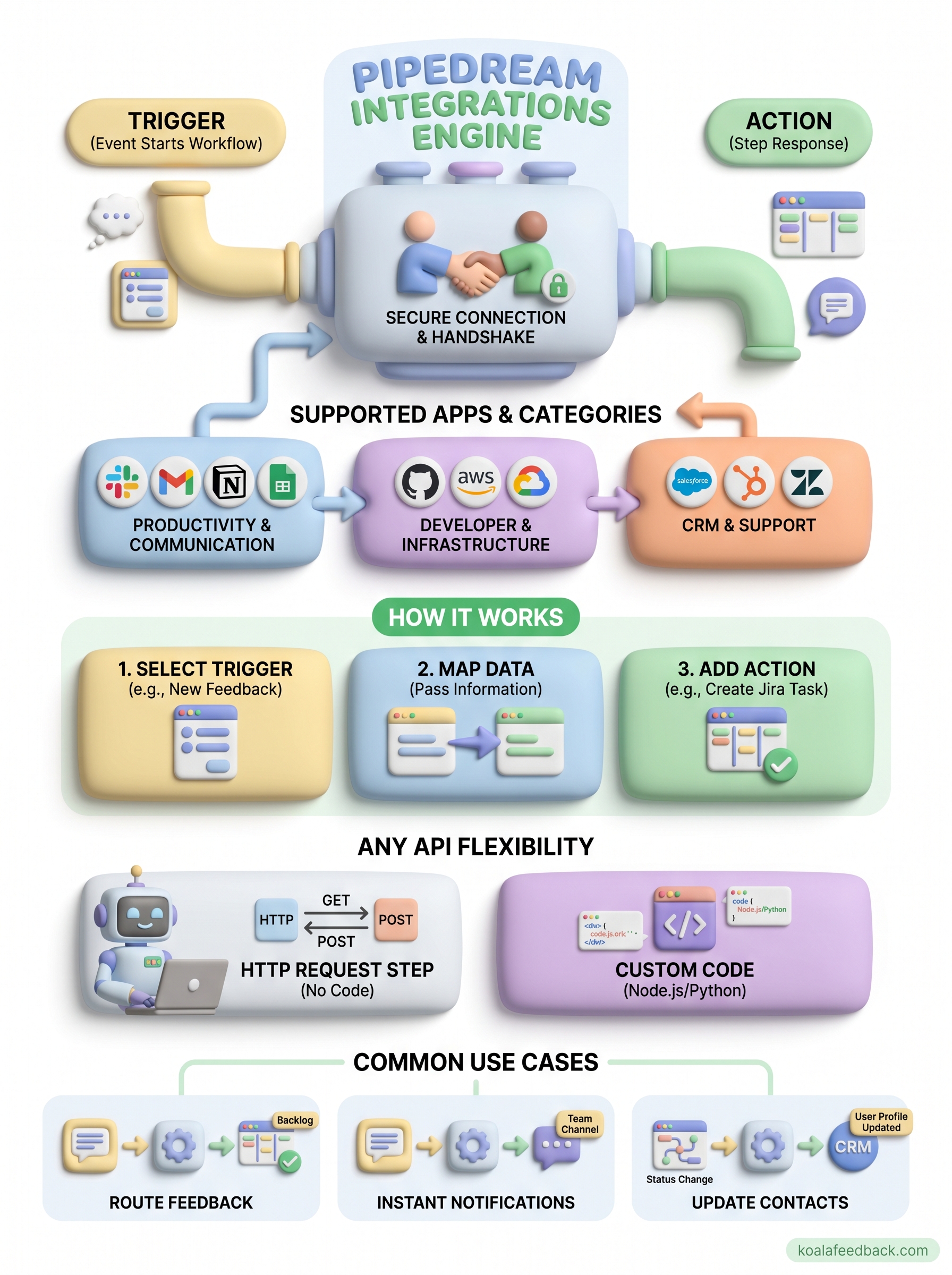
You now have a complete picture of how pipedream integrations work, what apps they support, and where to apply them across a real product workflow. The clearest next step is to pick one manual process your team repeats every week and map it against what you've read here. Identify the trigger, the destination, and the data fields that need to move between them, then build that first workflow before expanding further.
Feedback routing is one of the highest-return workflows to start with, because it connects directly to how your team discovers and acts on what users want. If you need a better foundation for collecting and prioritizing that feedback before you automate around it, Koala Feedback gives you a dedicated portal, voting tools, and a public roadmap in one place. Build the feedback loop first, then use Pipedream to connect it to the rest of your stack.

Start today and have your feedback portal up and running in minutes.

