Staring at a blank page trying to figure out how to structure a customer feedback survey wastes time you don't have. Most teams either copy a generic customer satisfaction survey format from a random blog post or spend hours debating question wording before sending anything at all. Neither approach gets you clean data you can actually act on, and every day without a survey live is a day of missed feedback from users who would have told you exactly what to fix.
This article gives you ready-to-use customer satisfaction survey templates you can copy, adapt, and send today, whether you need a quick Word doc, a PDF handout, or an online form. Each format includes sample questions covering satisfaction scores, open-ended feedback, and Net Promoter Score, so you're not starting from zero. You'll see exactly how to structure a survey form for customer satisfaction so responses stay easy to compare and analyze.
Below, you'll find a breakdown of common formats, downloadable templates, and guidance on which structure fits your product or service. We'll also cover how tools like Koala Feedback turn one-off survey responses into an organized, prioritized backlog your team can actually build from, instead of a spreadsheet nobody revisits.
A sloppy survey format costs you responses before a single question gets answered. Response rate drops fast when people hit a wall of text, unclear rating scales, or a form that takes five minutes instead of thirty seconds. The right customer satisfaction survey format removes friction: it tells the respondent exactly what to expect, how long it will take, and why their answer matters. Get this wrong and you don't just lose a few data points, you lose the ability to trust the data you do collect, because only your most frustrated or most delighted customers will bother finishing a clunky survey.
A survey nobody finishes is worse than no survey at all, because it skews your data toward extremes.
Beyond completion rates, format shapes the quality and comparability of what comes back. Mixing question types without structure, say, a 1-10 scale next to a yes/no next to an open text box with no clear grouping, makes it hard to spot patterns across responses. When you standardize on a template of customer satisfaction survey questions, you can run the same survey next quarter and compare results side by side. Consistency in format is what turns a single survey into a trend line. Without it, you're comparing apples to oranges every time you try to measure improvement.
Different situations call for different structures, and picking the wrong one wastes the opportunity, as these feedback form examples for every customer moment make clear. A quick post-support ticket survey should be one question, maybe two. A quarterly relationship survey can afford ten to fifteen questions across multiple sections. Here's how the common formats stack up:
| Format | Best for | Typical length | Response effort |
|---|---|---|---|
| Embedded widget (in-app or on-site) | Transactional moments, post-purchase, post-support | 1-3 questions | Very low |
| Email survey link | Periodic check-ins, NPS tracking | 3-8 questions | Low to medium |
| Standalone form (Word/PDF) | In-person events, printed handouts, offline collection | 5-15 questions | Medium |
| Structured online form with logic | Deep product feedback, onboarding reviews | 8-20 questions | Medium to high |
Matching the format to the moment keeps effort proportional to what you're asking for. Nobody wants to fill out a 15-question form after a two-minute support chat, and a single embedded rating widget won't capture the nuance you need after a major onboarding milestone.
Formatting also signals professionalism, whether you intend it to or not. Respondents notice when questions are inconsistent, when a scale flips from 1-being-best to 1-being-worst halfway through, or when the survey asks for information you already have on file. Inconsistent survey forms damage the same trust you're trying to build with the survey in the first place. Sticking to a clean, repeatable customer satisfaction survey questions template signals that you respect the customer's time, and that respect shows up in both response rates and response honesty.
Survey format ultimately determines whether you end up with usable data or a pile of half-finished forms and contradictory answers. Every choice, from scale direction to question order to which channel you send it through, either makes analysis easier later or adds friction now. The templates in the next sections give you a structure that avoids these traps from the start, so you're not troubleshooting bad data after the fact.
A well-built survey follows a predictable arc: it opens easy, gets specific in the middle, and closes with room for the customer's own words. Skipping this order confuses respondents and inflates drop-off, especially on longer forms, which is why CSAT survey design best practices insist on a fixed sequence. The survey structure below works whether you're building a printed handout or an online form, and it maps directly onto the templates in the next section.
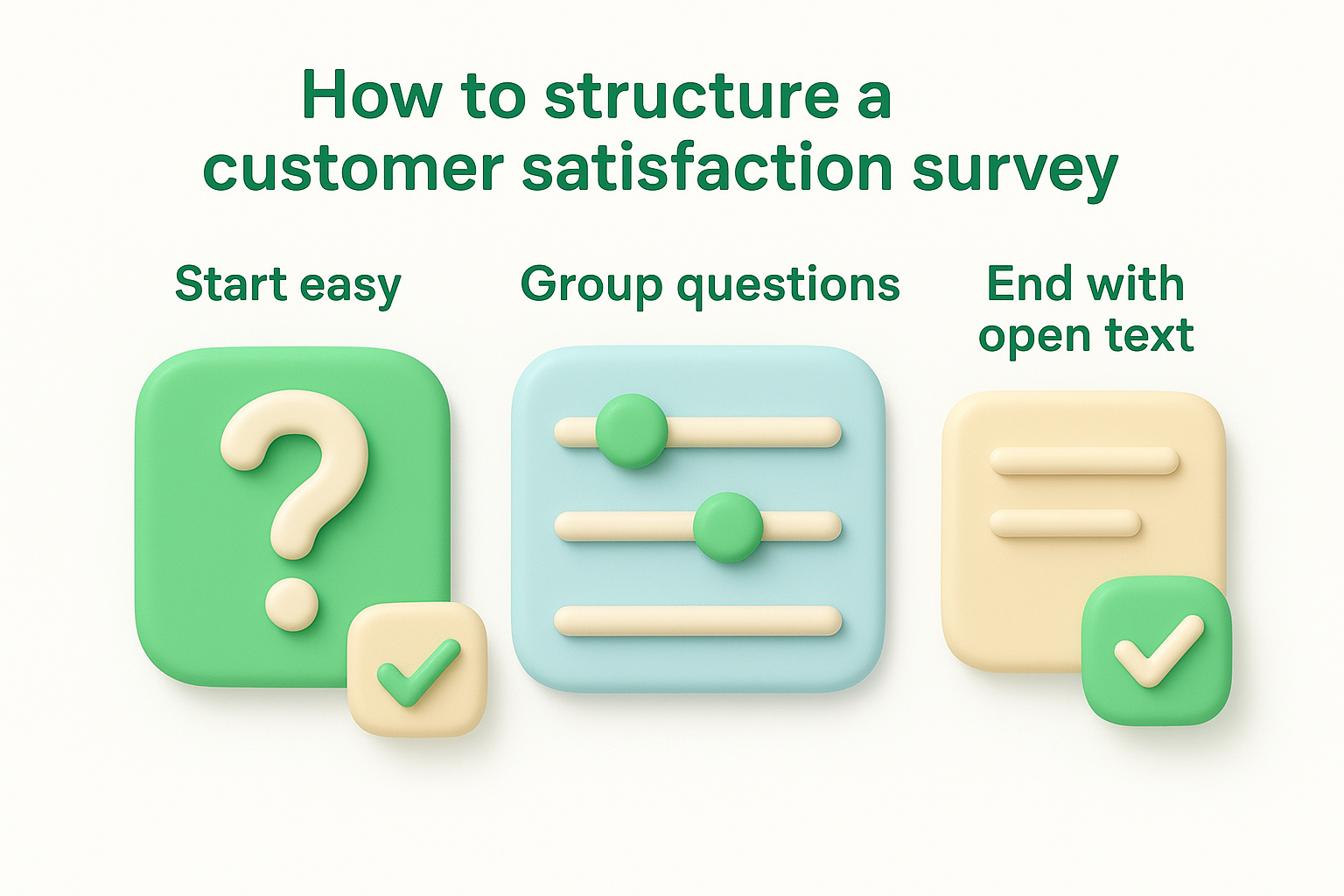
Open with something a customer can answer in two seconds, usually an overall satisfaction rating or a single NPS-style question. This warms them up and confirms the survey is worth their time before you ask for anything harder. A customer satisfaction survey form that leads with an open text box instead of a quick rating scale will lose people before they've invested any effort at all.
Ask the easiest question first, or you won't get a chance to ask the harder ones.
After the opener, cluster your scaled questions by topic, product quality, support experience, ease of use, rather than scattering them randomly. Keep the scale direction consistent throughout (always 1-low to 5-high, never flipping) so respondents don't misread a question halfway through. A typical mid-section order looks like this:
Close with one or two open text fields, what could we improve, is there anything else you'd like to share, so customers can explain the reasoning behind their scores. This is where the most actionable detail usually shows up, even though it's the section people fill in least often. Finish with a short thank-you line and, if appropriate, a note on what happens next with their answer.
Demographic or account-identifying questions (plan type, company size, tenure) belong at the very end or, better, pulled automatically from your existing records instead of asked again. Placing them upfront makes the survey feel like a form rather than a conversation, and it delays the questions you actually care about. Once your structure is locked, feeding these responses into a tool like Koala Feedback's feedback management platform lets you tag and route open-ended answers without manual sorting.
Picking the right file format matters as much as the questions inside it. A template customer satisfaction survey you can hand out at a trade show needs to work on paper, while one you're emailing to 10,000 customers needs to live online with automatic scoring, the way a Google Forms feedback survey does. Below are three ready-to-use starting points, each suited to a different collection method, so you can grab one and start editing instead of building from scratch, and you can pull extra wording from these customer feedback form samples.
The best survey template is the one that matches how you'll actually collect responses, not the one that looks fanciest.
A Word document works well when you need something editable that non-technical team members can tweak without touching code. Use it for customer satisfaction survey forms attached to an email or handed out after an in-person event. Structure it like this:
Customer Satisfaction Survey

1. Overall, how satisfied are you with [Product/Service]? (1-5)
2. How would you rate the following? (1-5 each)
   - Product quality
   - Customer support
   - Ease of use
3. How likely are you to recommend us to a colleague? (0-10)
4. What could we do better?
5. Anything else you'd like to share?

Thank you for your feedback!
Convert the same structure to PDF when you need a locked, non-editable version for printing or for customers who can't open Word files. PDFs render consistently across devices, which matters if you're distributing at a physical location or including the survey as an email attachment. Keep the layout simple: one question per line, clear checkboxes for scale answers, and enough white space that handwritten responses stay legible.
An Excel version earns its keep once responses start coming in, because it doubles as your analysis sheet. Set up one column per question and one row per respondent, then add a simple average formula at the bottom of each rating column so you can watch scores shift quarter over quarter.
| Sheet | Purpose |
|---|---|
| Raw Responses | One row per submission, one column per question |
| Summary | Averages, NPS calculation, response count |
| Comments Log | All open-ended answers in one searchable list |
Exporting from an online form directly into this structure saves you from retyping data by hand.
Good questions do most of the work a survey template can't. You can nail the format, the scale direction, and the length, but if the wording is vague or leading, you'll still get answers you can't act on. Below are proven question types organized by what they measure, so you can pull directly from a customer satisfaction survey questions template instead of writing from scratch.
Begin with a broad measure of how the customer feels about the product or interaction as a whole, borrowing from these CSAT survey questions if you want more wording options. These questions anchor the rest of the survey and give you a single number to track over time.
Once you've got the overall score, break it into parts. Attribute questions tell you which specific piece, support, pricing, ease of use, is dragging the overall number down, which a single satisfaction score can never show on its own.
One overall score tells you something is wrong. Attribute questions tell you what.
NPS questions measure something different from satisfaction: whether the experience was good enough for a customer to stake their reputation on recommending it, and NPS is only one of several types of customer feedback surveys worth running. Pair the standard NPS question with a quick follow-up to capture the reasoning behind the number.
Numbers tell you where a problem exists; open text tells you why. Keep these questions few and specific so respondents don't feel like they're writing an essay.
Mix and match these across the structure covered earlier, and you'll have a full customer satisfaction survey format ready to send without staring at a blank page.
Collecting responses is only half the job. Once submissions start rolling in, you need a repeatable way to turn raw scores into the satisfaction metrics that matter to your team. Start by calculating the handful of metrics your customer satisfaction survey format was actually designed to produce, then layer in segmentation and theme-tagging before you draw conclusions from any single average.
Each question type has its own standard formula, and mixing them up leads to misleading reports, so double-check how to calculate a CSAT score before you publish numbers. Use this quick reference when your Excel summary sheet needs a formula check, and read customer effort score explained if CES is new to your team:
| Metric | Formula | What it tells you |
|---|---|---|
| CSAT | (Satisfied responses / Total responses) x 100 | Percentage happy with a specific interaction |
| NPS | % Promoters (9-10) minus % Detractors (0-6) | Loyalty and referral likelihood |
| CES | Average effort score across responses | How hard customers worked to get an answer |
A single average score hides more than it reveals; always check the distribution behind it.
A blended score across your whole customer base flattens real differences between groups. Break results down by plan tier, tenure, or support channel before presenting a headline number, since a 4.2 average CSAT might hide a segment of new users scoring 2.8. Segmentation is what turns a vague survey form for customer satisfaction into a diagnostic tool rather than a vanity metric.
Numbers point to a problem; comments explain it. Read through open-text responses and tag each one with a short theme label, slow loading, confusing pricing, missing integration, so patterns emerge instead of getting lost in a long comments log, which is the core of coding and theming qualitative feedback. Doing this by hand works for fifty responses; past that, you need a system that organizes user feedback with themes, tags, and priorities automatically, which is exactly where a dedicated feedback tool earns its keep over a spreadsheet.
Finally, decide who reviews results and how often before the first survey even goes out. Weekly for transactional surveys, quarterly for relationship surveys, works for most teams. Share the summary with product, support, and leadership on the same cadence so scores don't sit in one person's inbox. Koala Feedback's feedback management platform pulls this analysis and the raw comments into one prioritized view, so your team spends time acting on results instead of assembling them.
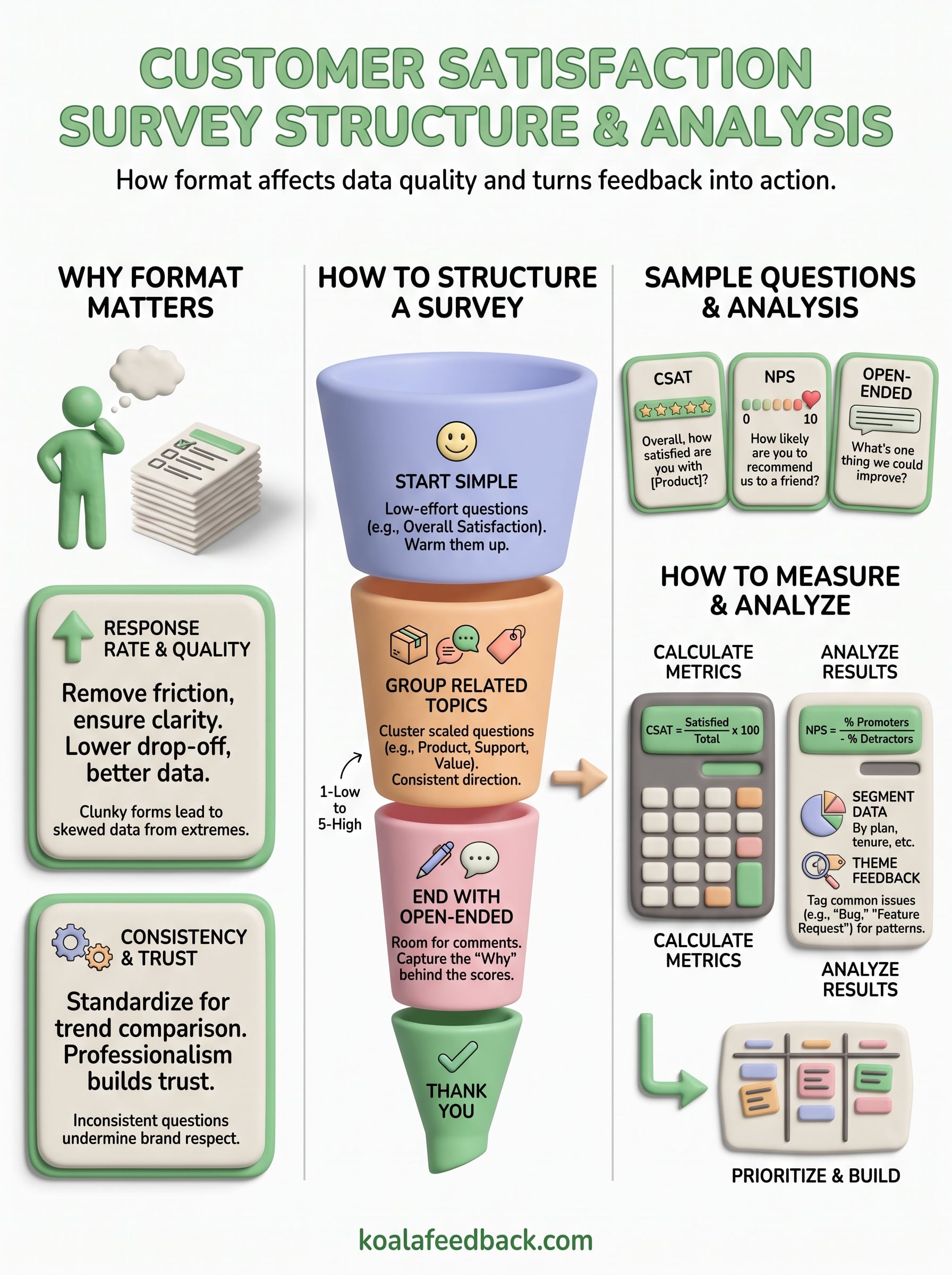
A solid customer satisfaction survey format only pays off once someone reads the results and changes something. Picking the right template, ordering your questions well, and calculating CSAT or NPS correctly all matter, but they're steps toward one goal: knowing what to build next. Scores and open comments sitting in a spreadsheet don't move your roadmap forward on their own.
Getting from raw responses to real decisions means tagging themes, spotting repeat requests, and ranking them against what your team can actually ship this quarter. Doing that by hand works for a handful of surveys, then it stops scaling the moment feedback volume grows.
That's the gap Koala Feedback closes. It takes your survey comments and feature requests, organizes them into a prioritized board, and shows your team exactly what customers want most. Collect and prioritize survey feedback with Koala Feedback and turn your next batch of answers into your next shipped feature.

Start today and have your feedback portal up and running in minutes.

