Most customer satisfaction surveys fail before a single response comes in. The questions are vague, the timing is off, or the survey is so long that people bail halfway through. Knowing the best practices for customer satisfaction surveys can be the difference between collecting data you can actually use and gathering noise that leads nowhere.
A well-designed CSAT survey does more than measure happiness, it tells you exactly where your product falls short and what users want next. At Koala Feedback, we help teams collect, organize, and prioritize user feedback so product decisions are grounded in real demand. Surveys are often the first step in that process, and how you structure them matters more than most teams realize.
This guide breaks down eight proven practices for building CSAT surveys that people actually complete, and that give you clear, actionable insights to work with. Whether you're running your first survey or reworking one that's underperforming, these tips will help you ask the right questions, at the right time, in the right way.
A CSAT survey tells you how a user feels at a single point in time. A Koala Feedback portal captures everything else: feature requests, bug reports, and ongoing opinions that surface between surveys. When you pair the two together, you stop treating feedback as a one-time event and start building a continuous signal that feeds directly into product decisions.
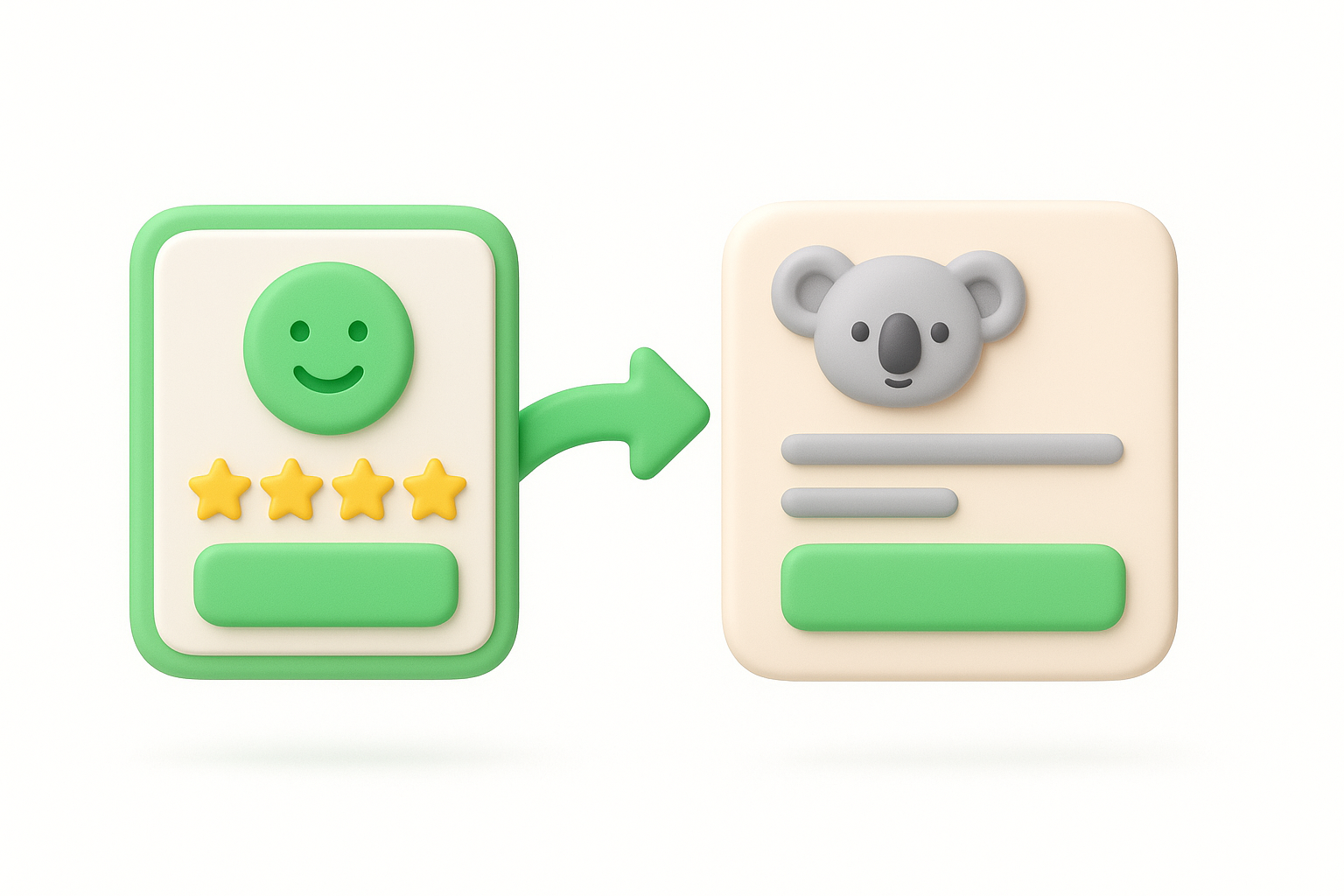
Connect your CSAT survey to a Koala Feedback portal so users who respond have a direct path to submit more detailed input. After a user rates their satisfaction, give them a link or button that takes them to your portal where they can vote on existing requests, add new ideas, or leave longer comments. This turns a short rating into an ongoing conversation.
CSAT scores give you a number, but numbers alone rarely tell you what to fix. When users can follow up with specific feedback through a portal, you get the context behind the score. A user who rates you 3 out of 5 is far more useful when they also tell you that the export feature is broken or that they want a mobile app.
The combination of a rating and a linked feedback channel transforms a passive data point into an actionable signal you can bring directly into your roadmap planning.
Set up your Koala Feedback portal with your brand colors, logo, and a custom domain so it feels like a natural extension of your product. Add the portal link to the final screen of your CSAT survey with a short prompt like "Tell us more about your experience." Keep the portal public so users can see what others have requested and vote on the ideas that matter most to them.
Avoid linking to a generic contact form or email address instead of a structured portal. Unstructured responses pile up fast and become impossible to prioritize. Also, avoid sending users to a portal that looks abandoned or outdated with no recent activity, because it signals that you don't actually read what people submit, and that kills trust quickly.
Before you write a single question, identify the exact decision this survey will inform. A CSAT survey without a clear purpose produces data that sits in a spreadsheet and never drives action. You need to know upfront what you will do differently based on what you find.
Write down the specific decision this survey needs to support before you open any survey tool. For example: "If satisfaction with onboarding drops below 4 out of 5, we redesign the welcome flow." That single sentence anchors every question you write and every design choice you make.
When you start with the decision, you automatically cut every question that don't serve it. This keeps your survey short and focused, which directly improves completion rates. Your team also already knows what a low or high score means, so acting on results becomes straightforward rather than a debate.
Surveys without a predefined decision attached tend to produce interesting data but zero action.
Write a one-sentence goal statement before you build the survey: "This survey will tell us [X] so we can decide [Y]." Share it with your team so everyone agrees on what a meaningful result looks like before responses come in.
Avoid running a survey just because it feels like standard practice. If you cannot name the decision the results will drive, pause and define it first before sending anything out.
One of the core best practices for customer satisfaction surveys is leading with your main satisfaction question rather than burying it after several setup questions. Users arrive with fresh context about their experience, and that's exactly when you want to capture their unfiltered rating.
Place your single overall satisfaction question at the top of the survey, before anything else. Something like "How satisfied are you with your experience today?" on a 1-to-5 scale works well. Follow-up questions come after, not before.
Users who see detailed questions first often shift their thinking before they even reach the rating question, which skews your score. When the overall question leads, you capture the gut reaction that reflects their true experience. Follow-up questions then explain the score rather than contaminate it.
Asking the rating question first locks in an honest signal before your other questions nudge users toward a particular framing.
Write your satisfaction question as the first item in your survey builder, then add follow-up questions in order of specificity. Start broad, then get narrow. Keep the flow logical so users feel the survey follows their thought process rather than jumping around without structure.
Avoid opening with demographic or account questions. Those feel cold and administrative, and they reduce the emotional immediacy you need for an accurate satisfaction rating right out of the gate.
Survey length is one of the biggest reasons people drop off before submitting. Three to five questions is the sweet spot for most CSAT surveys. More than that, and you start losing respondents before they reach the most important questions.
Limit your survey to five questions at most, and make sure every single one earns its place by connecting back to the goal you defined in step two. Run your survey on a real mobile device before you send it. Buttons, text size, and spacing all need to work on a small screen, not just on a desktop.
More than half of emails and in-app messages are opened on mobile devices. If your survey breaks on a phone or takes too long to complete, users abandon it and you lose the data. Short surveys on well-formatted pages consistently outperform longer ones in both completion rate and data quality.
A survey that takes under two minutes to complete will always collect more responses than one that feels like a form submission.
Use a survey tool that auto-scales for mobile and test every question type, especially rating scales and dropdowns, on both iOS and Android before launch. Remove any question that feels redundant when you read the survey back as a sequence.
Avoid adding questions late in the process just because a stakeholder requested them. Each added question lowers your completion rate, and that tradeoff needs to be weighed deliberately every time.
The rating scale you choose shapes how useful your data actually becomes. One of the most overlooked best practices for customer satisfaction surveys is keeping your scale both clear and consistent across every survey you run so that scores stay comparable over time.
Pick one scale and stick with it, either 1 to 5 or 1 to 3, and label every point clearly. "1 = Very Dissatisfied" and "5 = Very Satisfied" leaves no room for confusion. Avoid mixing scale types across surveys, like using a 1-to-5 in one survey and a 1-to-10 in the next, because that makes trend tracking impossible.
When users see clearly labeled anchors on both ends of a scale, they know exactly what each number means without guessing. Ambiguous scales produce inconsistent responses, which inflates or deflates your scores and makes it harder to identify real changes in satisfaction.
A labeled scale removes interpretation from the equation and gives you scores that actually mean the same thing across respondents.
Add descriptive text labels at every point on your scale, not just the endpoints. Most survey tools let you attach a label to each number, so use that feature every single time you build a new survey.
Avoid using emoji or color-only indicators without text labels. Visual-only scales create ambiguity across different cultures and accessibility needs, which skews your results in ways that are difficult to detect after the fact.
Leading questions and internal terminology quietly corrupt your survey data before you analyze a single response. One of the most important best practices for customer satisfaction surveys is to write questions that carry no built-in assumptions about how users should feel or what they experienced.
Review every question for loaded language and replace it with neutral phrasing. Also remove any internal product terms your users would not recognize. Here are two direct swaps to guide you:
When questions are neutral, users answer based on their actual experience rather than the framing you accidentally introduced. Loaded questions push respondents toward positive or negative answers regardless of how they truly feel, which makes your satisfaction scores unreliable and difficult to act on.
Biased questions produce data that confirms what you already believe rather than what users actually experience.
Read each question aloud and ask whether it assumes a positive outcome. Then check your product terminology against the language users use in support tickets or chat logs, and replace any mismatches with their words, not yours.
Avoid packing multiple topics into a single question, like "How satisfied were you with the speed and accuracy of our support?" That structure forces users to rate two separate things at once, which splits their answer and makes both scores meaningless.
Rating scales tell you how satisfied users are, but they can't tell you why. Adding one open-text question after your rating question is one of the most effective best practices for customer satisfaction surveys because it gives users a direct channel to explain their score in their own words.
Write a single, specific follow-up question that ties directly back to the rating they just gave. "What's the main reason for your score?" works well because it stays broad enough for any answer but focused enough to avoid rambling responses.
When you leave space for users to speak freely, they surface issues you never thought to ask about. A user who scores you a 2 might mention a bug you didn't know existed, while a user who scores you a 5 might highlight a feature that's worth promoting more aggressively.
One well-placed open-text question consistently outperforms five closed-ended questions in terms of the quality and specificity of insights you can act on.
Make the field optional, not required. Mandatory open-text questions drive abandonment. Place it immediately after the rating question and keep the prompt short so users know exactly what kind of answer you want from them.
Avoid adding multiple open-text fields to a single survey. Each additional text box raises the effort required to complete the survey and directly lowers your submission rate.
Collecting scores is only half the work. One of the most overlooked best practices for customer satisfaction surveys is what you do after the data comes in. Users who submit feedback and never hear back quickly stop submitting, which means your response rate drops and your data becomes less representative over time.
Follow up with respondents, especially those who gave low scores or left detailed comments. Send a short acknowledgment that confirms you read their response and summarize what you plan to change based on what they said. Also, run your CSAT survey on the same schedule every quarter so scores stay directly comparable across time periods.
When users see that their feedback influenced a real decision, they trust your survey process and engage more honestly the next time. Consistent timing removes seasonal and contextual noise from your data, so you can spot genuine trends rather than reacting to a single bad week.
Scores only tell a useful story when they are measured the same way, at the same intervals, with the same scale.
Build a simple follow-up template that your team sends within 48 hours of a survey closing. Keep the message under three sentences and reference the specific feedback category you are acting on.
Avoid changing your rating scale or question wording between survey rounds without documenting it. Silent changes break your trend line and make historical comparisons unreliable.
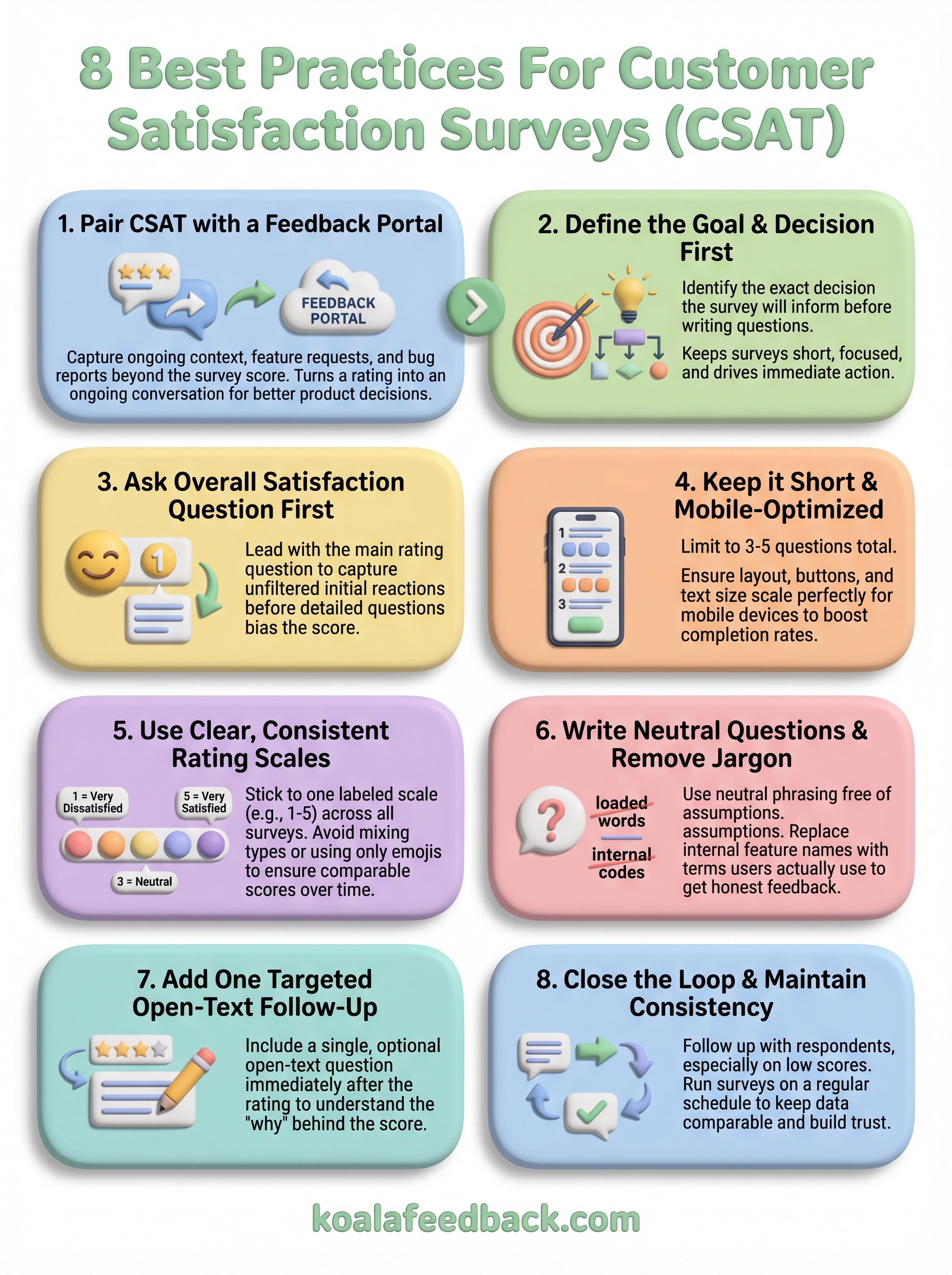
These best practices for customer satisfaction surveys work best when you treat them as a system, not a checklist. Start by defining your goal, build a short and neutral survey around it, and make sure your rating scale stays consistent so your data stays comparable. Every practice in this guide connects to the same outcome: feedback that drives real decisions rather than sitting unused in a report.
Surveys give you a snapshot, but they only capture part of what your users think. Between survey rounds, users encounter bugs, form new opinions, and develop feature requests they have no place to share. A dedicated feedback portal fills that gap by giving users a permanent channel to submit ideas, vote on requests, and stay connected to your roadmap.
Start collecting structured user feedback with Koala Feedback and turn your CSAT data into a continuous loop that keeps your product moving in the right direction.

Start today and have your feedback portal up and running in minutes.

