Numbers tell you what's happening. Words tell you why. When users describe their frustrations, suggest improvements, or explain what they love about your product, that text holds insights no survey score can capture. Qualitative feedback analysis transforms these unstructured comments into actionable patterns you can actually use.
The challenge? Open-ended responses don't fit neatly into spreadsheets. You can't average a feature request or calculate the mean of a complaint. Without a systematic approach, valuable feedback gets buried in support tickets, scattered across tools, or simply ignored because no one has time to read through hundreds of comments.
This guide breaks down exactly how to analyze qualitative feedback, from organizing raw data to identifying themes and presenting findings your team can act on. At Koala Feedback, we help product teams collect and centralize user feedback so nothing falls through the cracks. But gathering feedback is only half the equation. What follows covers the methods and techniques you need to turn that feedback into product decisions that matter.
Your analytics dashboard might show that 40% of users abandon your checkout process, but it won't explain why they leave. Qualitative feedback fills that gap. When you analyze what users actually say, you discover the friction points, misunderstandings, and missing features that metrics alone can't reveal. This type of analysis gives you the reasoning behind user behavior, not just the behavior itself.
Quantitative data tells you where users drop off. Qualitative feedback tells you they couldn't find the coupon code field, got confused by unexpected shipping costs, or wanted to save their cart for later. These specific details transform vague problem areas into concrete issues you can address. Without understanding the why, you're left guessing which solution might work.
Product teams that skip qualitative feedback analysis often build features nobody asked for or fix the wrong problems. You might optimize page load speed when users actually struggle with unclear button labels. Context prevents wasted effort by directing your resources toward changes that actually matter to your users.
Users rarely contact support to suggest improvements. Most of them work around problems or quietly switch to a competitor. When you systematically analyze feedback, you catch these hidden issues before they cost you customers. A single comment about a confusing workflow might represent dozens of silent users facing the same frustration.
Qualitative feedback analysis turns scattered observations into patterns you can measure and prioritize.
Recurring themes emerge when you examine feedback across multiple sources. Three users mention difficulty exporting reports, five complain about mobile navigation, and eight request bulk editing. These patterns guide your roadmap far more effectively than isolated feature requests. You start seeing which problems affect the most users and which solutions would deliver the greatest impact.
When you analyze and act on qualitative feedback, users notice. They see their specific suggestions reflected in product updates. This validation encourages more users to share detailed feedback because they know someone is actually listening. You create a feedback loop where engaged users become your best source of product intelligence.
Teams that ignore qualitative data miss opportunities to build trust with their user base. Users who take time to write thoughtful feedback expect acknowledgment, even if you can't implement every suggestion. Analyzing their input systematically ensures you can respond meaningfully and explain how their feedback shapes your decisions. This transparency turns casual users into advocates who feel invested in your product's success.
Product development without qualitative feedback analysis is like driving with your windshield covered. You might move forward, but you can't see what's actually in front of you. The insights you gain from analyzing user comments, support tickets, and survey responses directly inform which features to build, which bugs to prioritize, and how to improve the overall user experience. Numbers show you metrics. Words show you opportunities.
Qualitative feedback includes any non-numerical input that describes user experiences, opinions, or suggestions in their own words. This encompasses everything from detailed support ticket conversations to brief comments on social media posts. Unlike quantitative data that measures how many or how often, qualitative feedback captures the nuanced explanations and context that numbers can't express.
Survey responses with open-ended questions form the most common type of qualitative feedback. When you ask "What feature would improve your workflow?" or "Why did you choose this rating?", the written answers provide rich detail about user needs and frustrations. These responses vary in length and depth, but even short comments can reveal important insights when analyzed alongside similar feedback.
Support tickets and help desk conversations represent another valuable source. Users explain their problems in detail when they need assistance, often describing exactly where they got stuck and what they tried before contacting support. Chat transcripts, email exchanges, and support forum posts all contain this type of feedback. The beauty of support conversations lies in the specific details users provide when they're actively trying to solve a problem.
Customer interviews and user testing sessions generate qualitative feedback through direct conversation. You hear users think aloud as they navigate your product, revealing confusion points and workflow gaps they might never report otherwise. Phone calls, video conferences, and in-person sessions all produce verbal feedback that you can transcribe and analyze.
Social media mentions, app store reviews, and community forum discussions contain unsolicited feedback that shows how users really feel about your product.
Product review sites and community platforms host discussions where users share detailed experiences without prompting. These sources often surface issues that users wouldn't directly report to you but freely discuss with other users. Comments on feature announcements, blog posts, and product updates also qualify as qualitative feedback, especially when users explain why they're excited or concerned about changes.
Qualitative feedback analysis applies to all these text-based sources, regardless of where the feedback originates or how formally users structure their input.
Analyzing qualitative feedback requires a structured process that transforms scattered comments into organized insights. Without clear steps, you risk missing important patterns or letting your own assumptions influence what you find. This systematic approach ensures you extract meaningful conclusions from hundreds or thousands of user comments.
Start by gathering feedback from all your input channels into one place. Pull comments from support tickets, survey responses, app reviews, social media mentions, and any other source where users share their thoughts. Centralizing this data makes it possible to spot patterns that might not be obvious when feedback lives in separate tools. Export everything into a spreadsheet or use a platform that aggregates feedback automatically.
Tag each piece of feedback with basic metadata like date, source, user segment, and account type. This context becomes crucial when you need to understand whether a problem affects all users or just a specific group. Free trial users might report different issues than enterprise customers.
Read through your feedback and assign descriptive codes to each comment. Codes are short labels that capture the main topic or theme, like "login issues," "pricing concerns," or "feature request: bulk editing." You don't need fancy software for this. Start simple with a spreadsheet column where you add your codes. Multiple codes can apply to a single comment if it covers several topics.
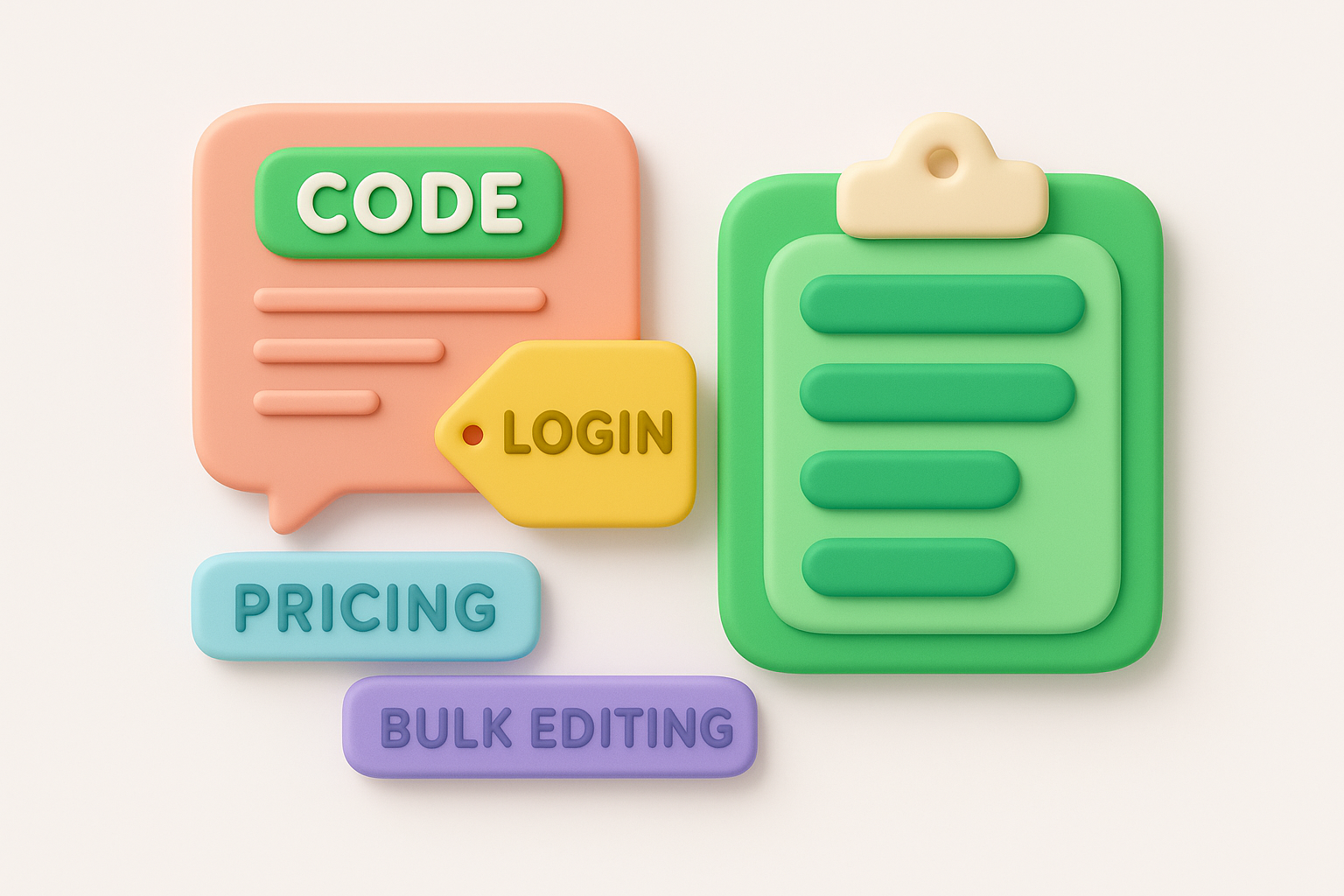
The goal of coding isn't perfection on the first pass. You'll refine your categories as patterns emerge.
Group related codes into broader categories once you've coded a substantial portion of your feedback. "Login issues," "password reset problems," and "authentication errors" might all roll up into an "Access and Security" category. These higher-level groupings help you see which areas generate the most feedback without getting lost in dozens of individual codes. This step in qualitative feedback analysis transforms raw comments into organized themes you can measure and prioritize.
Several established techniques help you extract patterns from unstructured feedback. Each method offers different strengths depending on your team size, feedback volume, and how much detail you need. You don't need formal training to apply these approaches, but understanding when to use each one makes your qualitative feedback analysis more effective.
Thematic analysis identifies recurring patterns across your feedback by grouping similar comments into themes. You read through responses, note repeated ideas, and organize these observations into meaningful categories. This method works particularly well when you want to understand the main concerns or priority topics that users care about most.
Start by reading a sample of feedback without trying to categorize anything. Let the prominent themes emerge naturally rather than forcing comments into predetermined buckets. After this initial reading, create a list of themes you noticed and go back through all your feedback to tag each comment with relevant themes. A single comment might relate to multiple themes, which is perfectly normal.
Thematic analysis reveals what matters most to users by showing which topics appear repeatedly across different feedback sources.
Content analysis takes a more systematic approach by counting how often specific words, phrases, or concepts appear in your feedback. This method adds quantitative rigor to qualitative data by measuring the frequency of different topics. You create a coding scheme, apply it consistently across all feedback, and then count occurrences to identify which issues affect the most users.
Define your codes before you start analyzing. If you're looking at feature requests, your codes might include "integration," "reporting," "mobile," and "automation." Go through each piece of feedback and mark which codes apply. Track these in a spreadsheet where you can sort and filter by code to see distribution patterns. This structured approach works well for large feedback volumes where purely interpretive methods become overwhelming.
Affinity mapping brings a visual element to organizing feedback. Write each comment or key quote on a sticky note (physical or digital), then group related notes together on a board. You move notes around, create clusters, and label each cluster with a descriptive heading. This collaborative method works exceptionally well when multiple team members need to participate in analysis.

The physical act of moving and grouping helps teams spot connections they might miss in a spreadsheet. Teams often discover unexpected relationships between different types of feedback when they can see everything laid out spatially.
Analyzing feedback means nothing if those insights never influence what you build. The gap between understanding user needs and actually shipping solutions kills most feedback initiatives. You need a clear process that converts your qualitative feedback analysis findings into prioritized actions your team can execute. This transition from insight to decision separates teams that listen from teams that respond.
Not every insight deserves immediate action. Count how many users mention each theme you identified during your coding process. A problem mentioned by 50 users demands more attention than one raised by three. Weight these frequencies against the severity of impact. Five users blocked from completing purchases outweigh 30 users requesting a cosmetic improvement.
Prioritization becomes straightforward when you combine frequency data with business impact metrics.
Create a simple scoring system that considers both volume and consequence. Assign points for how many users report an issue and additional points for factors like revenue risk, user retention, or competitive disadvantage. This quantified approach removes subjective arguments about what matters most. Your insights now have rankings you can defend with data.
Translate each prioritized insight into specific tasks with clear owners. Instead of noting "users want better reporting," write "add export to CSV function in analytics dashboard" and "redesign report filter interface." These actionable specifications tell your team exactly what to build. Vague insights produce vague results.
Link each action item back to the original feedback that inspired it. When developers understand the user problem they're solving, they make better implementation choices. Include representative quotes from users in your task descriptions. Context prevents your team from building a technically correct solution that misses the actual user need.
Present your insights in a format that matches how different team members make decisions. Executives need high-level themes and business impact. Product managers need detailed feature specifications. Developers need technical requirements and user context. Create multiple views of the same qualitative feedback analysis to serve each audience.
Schedule regular reviews where you share new insights and track progress on previous findings. Show which user problems you've addressed and measure whether complaints about those issues decreased. This feedback loop demonstrates the value of systematic analysis and ensures insights actually drive product evolution rather than sitting in a report nobody reads.
Seeing the analysis process in action clarifies how abstract methods produce concrete results. These examples demonstrate how different teams applied qualitative feedback analysis to solve real product problems, showing the progression from raw comments to actionable insights.
A project management tool collected feedback from users who signed up but never created their first project. Support tickets revealed comments like "I don't know where to start" and "Too many options on the first screen." Survey responses echoed this confusion with statements such as "The dashboard felt overwhelming" and "I needed a tutorial or guide."
The team coded 200 comments and found three dominant themes: unclear starting point (mentioned by 78 users), overwhelming interface (62 users), and missing guidance (54 users). They prioritized based on frequency and created a simplified onboarding flow with a guided setup wizard. Post-launch feedback dropped confusion-related comments by 64%, and first project creation rates increased by 41%.
An online retailer analyzed exit survey responses from users who abandoned their carts. Comments included "Shipping costs were too high," "I wanted to compare prices elsewhere," and "The site wouldn't accept my discount code." Through content analysis, they tagged each response with reason codes and quantified the distribution.
Raw feedback transforms into product direction when you systematically identify which problems affect the most users.
Shipping cost complaints appeared in 38% of responses, making it the clear priority. The team implemented free shipping thresholds and added a shipping calculator on product pages. Cart abandonment decreased by 23% within three months, validating that addressing the most frequent complaint delivered measurable results.
A fitness tracking app received app store reviews mentioning navigation difficulties. Users wrote "Can't find where to log meals" and "The workout history is buried somewhere." The product team extracted 150 navigation complaints and grouped them by feature area.
The analysis revealed that meal logging generated the most confusion (42 mentions), followed by workout history access (31 mentions). They redesigned the bottom navigation to surface these high-priority features and reduced navigation-related support tickets by 55% in the following month.
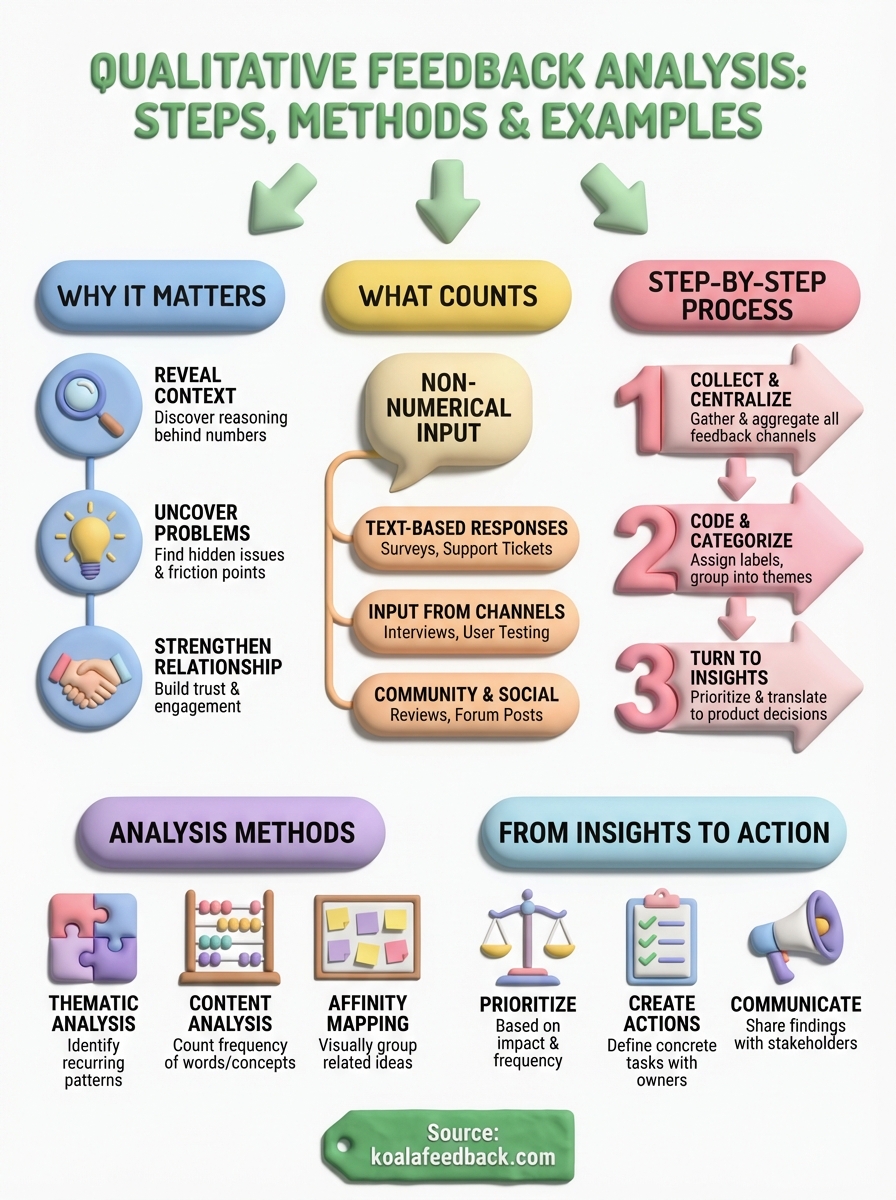
Qualitative feedback analysis transforms scattered user comments into actionable patterns that drive product decisions. You've learned how to collect and centralize feedback, code responses into themes, apply methods like thematic analysis and content analysis, and prioritize insights based on frequency and impact. The examples showed how real teams reduced cart abandonment, improved onboarding, and fixed navigation problems by systematically analyzing what users actually said.
Start with the feedback you already have. Pull comments from your support tickets, surveys, and reviews into one place. Code 50-100 responses to identify your most common themes, then count how often each theme appears. Focus on the top three issues that affect the most users and create specific action items your team can execute this month.
Koala Feedback helps you centralize user feedback, organize feature requests, and prioritize what to build next based on real user needs. Your users are already telling you what they need. Now you have the framework to listen effectively.

Start today and have your feedback portal up and running in minutes.

