You know customers are telling you what they want, scattered across support tickets, sales calls, reviews, and random Slack messages. The problem is turning that mess into something your team can actually act on. That's exactly what a voice of the customer template solves: a structured way to capture, organize, and analyze what customers say so it drives real product decisions instead of getting lost in a spreadsheet nobody opens twice.
In this article, you'll get a clear answer to what a voice of customer template actually contains, whether you're picturing a downloadable Excel sheet, a Word document, or a simple PDF framework. We'll break down the core sections every solid template needs, from feedback source and customer sentiment to priority level and status, so you can start using one immediately without reinventing the wheel.
We'll also walk through how to actually use these voice of the customer templates day to day, not just fill them out once and forget them. That includes tying feedback to prioritization decisions and roadmap updates, which is where a tool like Koala Feedback fits naturally into the process once your template outgrows a static spreadsheet.
Most teams don't have a feedback problem. They have a feedback organization problem. Support logs tickets in Zendesk, sales jots down objections in a CRM field nobody reviews, and product managers keep a running list in their own notes app. Without a shared voice of the customer template, every department captures feedback differently, uses different labels, and stores it somewhere only they can find. Six months later, nobody can answer a simple question like "how many customers asked for SSO login this quarter?" The data exists, but it's unusable.
Unstructured feedback doesn't just sit idle, it actively costs you time and credibility. Picture a product manager building a quarterly roadmap who has to manually scroll through three tools, a shared inbox, and a Slack channel to figure out what customers actually want. That's hours of work that a voice of customer template would cut down to minutes, because the data is already standardized in one place. Worse, when feedback isn't tracked consistently, teams start relying on gut feeling or the loudest customer in the room instead of actual demand, which is exactly why customer feedback matters only when it's captured properly. That's how you end up shipping a feature three people asked for while ignoring one that fifty customers requested but nobody logged properly.
A template turns scattered opinions into a dataset you can actually query, compare, and act on.
Consistency is what separates a collection of anecdotes from something you can call data. When every piece of feedback gets logged with the same fields, source, date, customer segment, sentiment, and category, you can start spotting patterns instead of just reacting to whoever emailed last. A well-structured voice of the customer templates approach lets you filter by customer tier, so you can tell the difference between a request from your biggest enterprise account and a one-off suggestion from a free trial user. That distinction matters enormously when you're deciding what to build next, and it's impossible to make quickly if your data lives in ten different formats across ten different tools.
Support, sales, product, and customer success all talk to customers, but they rarely talk to each other about what those customers said. A shared template fixes that by giving every team the same structure to log feedback into, which means a support agent's ticket about a missing export feature and a sales rep's note about the same request end up in the same bucket instead of two disconnected records. This is where voice of customer templates earn their keep as a communication tool, not just a data tool. Product teams stop guessing what sales is hearing in the field, and customer success stops feeling like their input into roadmap decisions disappears into a black hole. Everyone is literally looking at the same rows and columns.
Eventually, the real test of any template is whether it changes what gets built. A template that just accumulates rows without feeding into prioritization is busywork. The point is turning customer feedback into roadmap decisions, which means fields for priority score, business impact, and status aren't optional extras, they're the whole reason the template exists. Teams that do this well typically see a direct line from "customer said X in a support ticket" to "X shipped in Q3" and can point to it when a customer asks why a request took so long. That traceability builds trust, and it's a big part of why tools like Koala Feedback exist to take a template's structure and turn it into a living, votable, public roadmap rather than a static file that only one person updates.
Getting this right also protects you from a common trap: collecting feedback for the sake of collecting it. If your template doesn't tie back to a prioritization process, you're just building a bigger, better-organized junk drawer. The goal isn't more data, it's better decisions, faster, with less arguing about whose anecdote counts more.
Building a voice of the customer template from scratch feels daunting, but it's really a five-step process that mirrors any voice of customer framework: figure out your sources, pick a format, define your fields, test it on real feedback, and then roll it out to the whole team. Skip any of these steps and you end up with a document that looks organized but doesn't actually work when someone tries to use it under deadline pressure.
Before you touch a spreadsheet, list every place customers currently leave feedback: support tickets, sales call notes, app store reviews, NPS surveys, social media mentions, and direct emails. This matters because your voice of customer template has to accommodate the messiest source you have, not just the cleanest one. If you design fields around tidy survey data and then try to force a rambling support ticket into the same structure, you'll end up manually rewriting half of what comes in.
Your format decision depends on team size and how much automation you already have.
| Format | Best for | Limitation |
|---|---|---|
| Excel or Google Sheets | Small teams, quick setup | Manual entry, no live voting or public view |
| Word or PDF framework | One-off audits, stakeholder reports | Static, hard to update collaboratively |
| Dedicated feedback tool | Growing teams, ongoing collection | Requires setup time upfront |
The best format is the one your team will actually open every week, not the one that looks impressive in a demo.
Most teams start with a spreadsheet because it's free and familiar, then migrate to a dedicated voice of customer platform once the volume of feedback outpaces what rows and columns can handle.
Once you know your sources and format, lock in your fields. Doing this upfront prevents the frustrating cleanup work of retrofitting old entries once you realize you forgot a column. At minimum, plan for:
We'll go deeper on each of these in the next section, but sketching them out now saves you from a messy rebuild later.
Grab twenty real entries from last month and manually log them into your draft template. This step catches problems no amount of planning reveals on paper, like a category list that's missing an obvious option or a sentiment scale that's too coarse to be useful. Refining the template with actual data, rather than hypothetical examples, is what makes it usable on day one instead of day sixty. Once it holds up under real entries, you're ready to bring the rest of the team in and start standardizing how everyone logs what customers say.
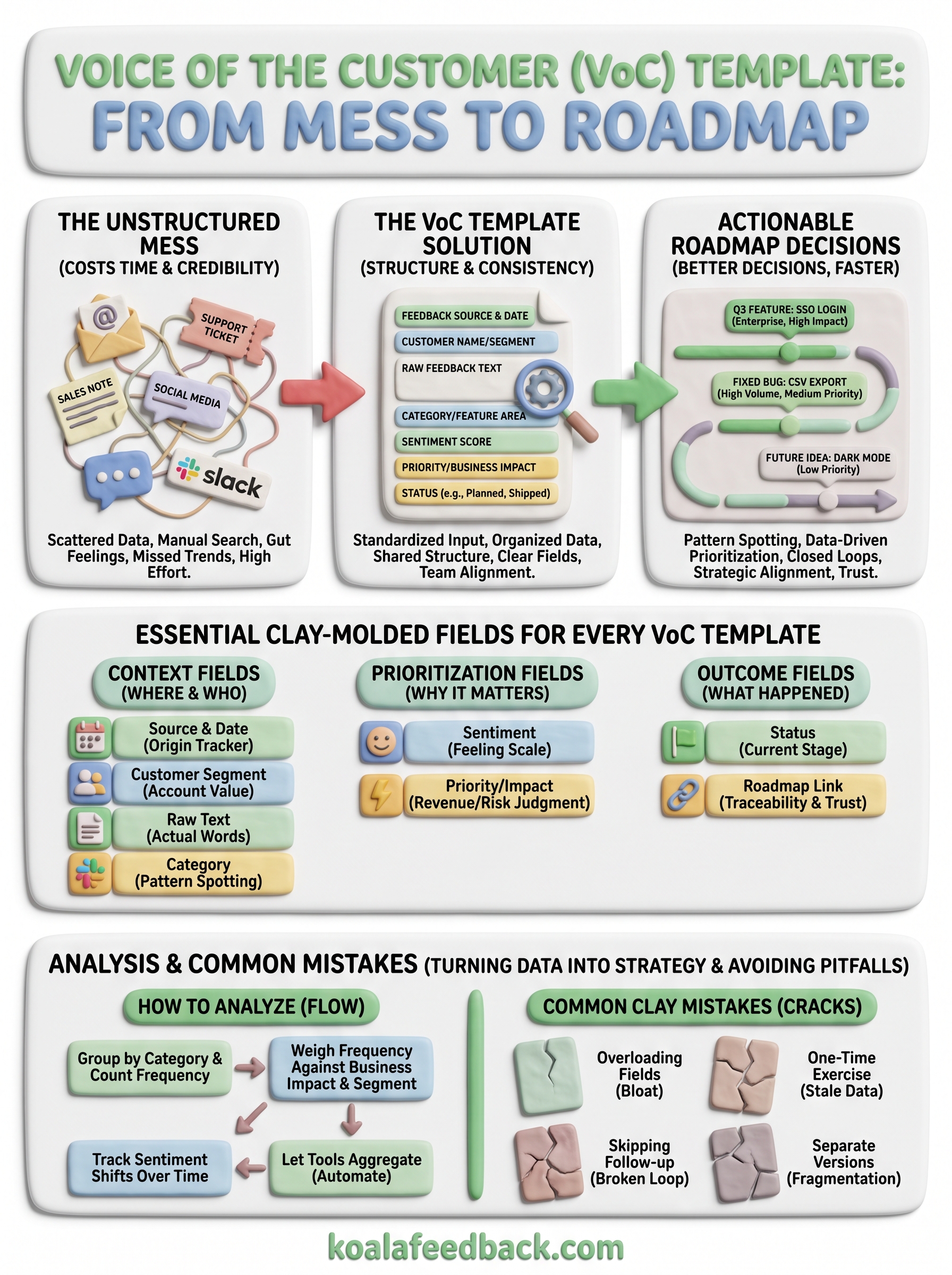
Every voice of the customer template needs a core set of fields that work no matter where the feedback originated. Skimping on these leaves you with a document that captures words but not context, which means you can't actually compare one entry against another six months later. Below is the baseline structure that should appear in any voice of customer template, whether it lives in a spreadsheet or inside a dedicated tool.
Context fields tell you where feedback came from and who said it, which matters more than most teams expect when they're building their first version. Skipping the segment field, for example, means you can't tell whether a request came from your highest-paying customer or someone who churned last month, and that distinction changes how you prioritize.
| Field | Why it matters |
|---|---|
| Source and date | Tracks where feedback originated and how recent it is |
| Customer name or segment | Lets you weigh requests by account value or tier |
| Raw feedback text | Preserves the customer's actual words, not a paraphrase |
| Category or feature area | Groups related requests for pattern spotting |
Grouping context isn't the finish line, prioritization fields are what actually push feedback toward a decision. Sentiment tells you how strongly a customer feels, whether it's a casual suggestion or a deal-breaking complaint, and scoring sentiment in customer feedback should use a simple scale, not a wall of text, so it stays fast to fill in. Priority or business impact fields force a judgment call, much like the Kano model's feature categories: is this a nice-to-have or something tied to revenue risk? Ranking those two together is where a plain list of complaints turns into an actual product decision.
A field only earns its place in the template if it changes what you decide to build next.
Outcome fields close the loop, and they're the ones teams most often forget when they first sketch out a voice of customer templates structure. A status column, using something as simple as "Under Review," "Planned," or "Shipped," lets you answer a customer months later without digging through old emails. Pairing that with a link back to the roadmap item keeps everyone honest about what actually happened to a piece of feedback after it was logged.
Together, these three groups (context, prioritization, and outcome) form a complete record instead of a partial one. Platforms like Koala Feedback's prioritization boards build these fields in natively, so instead of updating a status column by hand, the connection between feedback and roadmap progress happens automatically as items move through your pipeline.
A single voice of the customer template rarely fits every channel without small adjustments. As these real examples of customer feedback show, support tickets arrive with technical detail, survey responses come pre-scored, and sales notes are conversational and messy. Rather than forcing one rigid structure on all of them, adapt the core fields you already defined to match how feedback naturally shows up in each source, then merge everything into the same master sheet or tool.
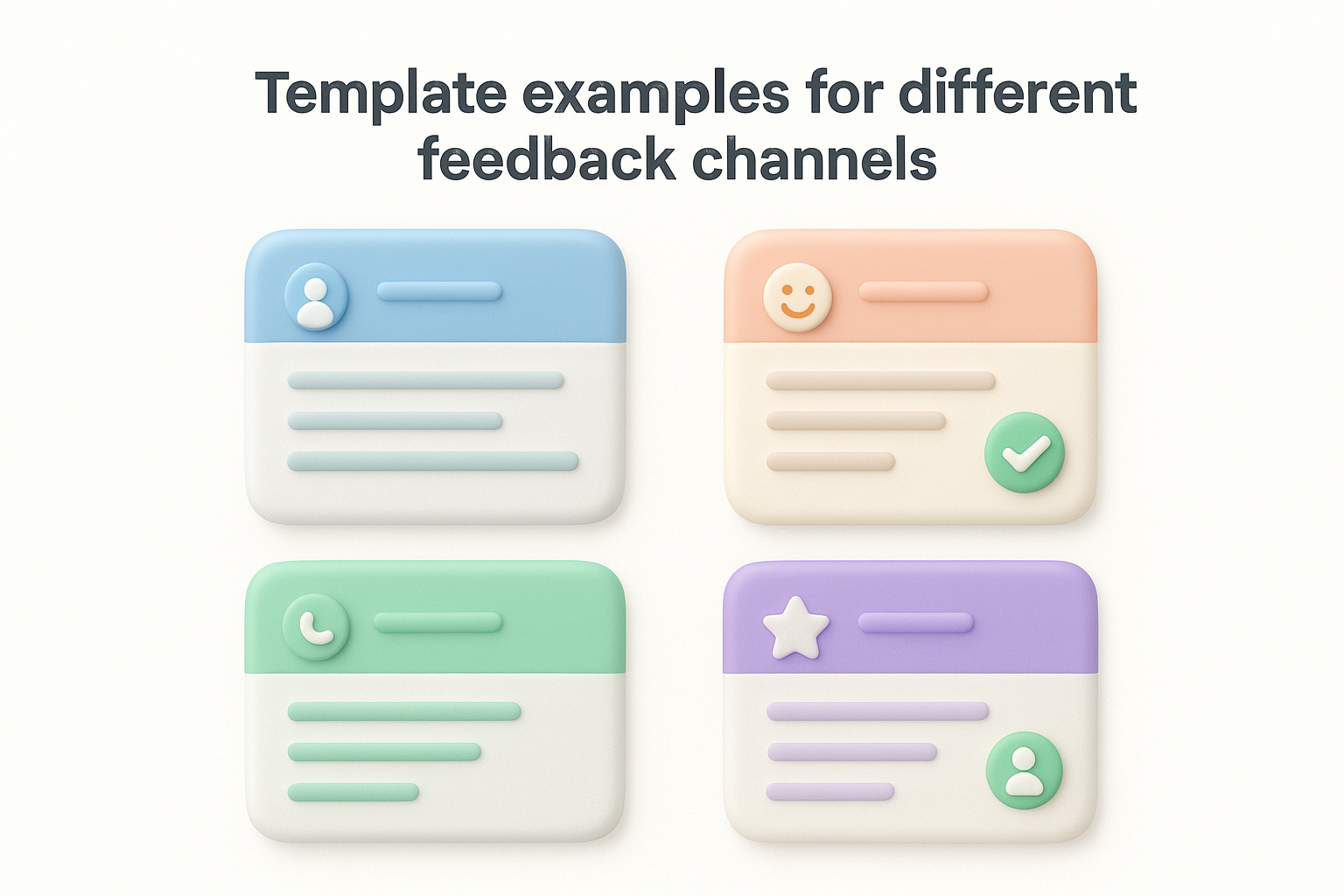
Support tickets usually already have a timestamp and customer email attached, so your template just needs to add the interpretive layer that surfaces the feature requests buried in Zendesk tickets: what the customer meant, not just what they typed. A minimal version looks like this:
Because support volume is high, keep this version lean. Anything that takes more than thirty seconds per ticket won't survive contact with a busy queue.
Survey data arrives structured, especially if you started from one of these customer satisfaction survey templates, which makes it tempting to just dump scores into a chart and skip the qualitative fields. Resist that urge, because the open-ended comment is usually where the real insight lives.
| Field | Example entry |
|---|---|
| NPS score | 6 |
| Comment | "Reporting is clunky, wish I could export to CSV" |
| Category | Reporting / export |
| Follow-up needed | Yes |
The number tells you how someone feels, but the comment tells you why, and why is what you act on.
Sales conversations and renewal calls surface some of the highest-stakes feedback you'll get, since it's often tied directly to a deal or a churn risk. Capture the deal or account value alongside the request itself, so a comment like "we need SSO to renew" doesn't get buried next to a casual suggestion from a small trial account. Tagging the source as "sales call" also helps later when you're comparing which channel tends to surface your highest-impact requests.
Public mentions on review sites or social platforms lack the direct customer relationship of a support ticket, so add a field for reach or visibility, since a complaint with ten thousand views deserves different handling than one seen by three people. Once you've logged the mention, route it into the same category and status fields as everything else. A tool built for this, like a customer feedback portal from Koala Feedback, lets you funnel all four of these channels into one place automatically, so you're not manually copying rows between four separate templates every week.
Filling out a voice of the customer template is only half the job. The real value shows up when you step back and look at what the accumulated rows are actually telling you, which requires a bit more structure than eyeballing a spreadsheet once a month. Analysis turns individual entries into trends, and trends are what justify a roadmap decision to skeptical stakeholders who want more than one customer's opinion as proof.

Start by sorting every entry into categories and priorities in your voice of customer template by feature area, then simply count how many times each one shows up. This step alone catches requests that feel loud in conversation but are actually rare, and surfaces quiet ones that keep repeating without anyone noticing. A request mentioned twice by vocal customers can feel more urgent than one mentioned twenty times across quiet support tickets, and frequency counts correct for that bias fast.
Counting requests tells you what customers want most; it's the step most teams skip because it feels too simple to matter.
Frequency alone isn't the whole story, so cross-reference it against the priority or business impact field you built into the template, one of several practical techniques for analyzing feedback. A feature ten customers mentioned matters less if none of them are paying customers, while a feature two enterprise accounts flagged as a renewal blocker might outrank everything else on the list. This is where a simple table helps clarify decisions:
| Request | Mentions | Segment | Priority |
|---|---|---|---|
| CSV export | 22 | Mixed | Medium |
| SSO login | 4 | Enterprise | High |
| Dark mode | 15 | Free trial | Low |
Reading it this way, the low-mention item can still outrank the high-mention one once segment and business impact enter the picture.
Beyond counting requests, watch how sentiment on a given category changes across weeks or months. A feature that generated neutral comments six months ago but now draws frustrated language signals a growing problem worth escalating, even if raw volume hasn't spiked yet. This kind of trend is nearly invisible in a static spreadsheet but becomes obvious once you're filtering by date and sentiment together.
Manually pivoting a spreadsheet works until your feedback volume grows past a few hundred rows, at which point the analysis itself starts eating the time you saved by standardizing collection in the first place. Koala Feedback's prioritization boards handle this aggregation for you, tallying votes and organizing requests by board so you can see patterns without building a pivot table from scratch every Friday afternoon.
Even a well-designed voice of the customer template falls apart if the team using it slips into a few predictable habits. These mistakes rarely show up on day one, they creep in over months as the template gets stretched, ignored, or duplicated across departments until nobody trusts the data it holds anymore.
Adding "just one more column" feels harmless in the moment, but a bloated voice of customer template slows down data entry until people start skipping fields or abandoning the process entirely. Every extra field needs to earn its place by changing a decision downstream. If a field never factors into prioritization or reporting, cut it, because a lean template that gets filled out consistently beats a comprehensive one that people avoid.
Filling out a template once during a feedback audit and then letting it go stale defeats the entire point. Voice of the customer work is ongoing, not a quarterly project you check off a list. Teams that revisit their template only when a stakeholder asks for a report end up with gaps in the data that make trend analysis unreliable, since months of feedback simply never got logged.
Collecting feedback without ever closing the loop is the fastest way to make customers stop bothering to give it. If a customer requested a feature, watched it ship, and never heard about it, that's a missed chance to build loyalty and prove the process works.
A template that never tells customers what happened to their feedback trains them to stop giving it.
Pairing your voice of the customer templates with a public-facing roadmap solves this directly by closing the loop on customer feedback, since status updates happen automatically instead of relying on someone remembering to send a follow-up email.
Support, sales, and product teams each tweaking their own version of the template might feel efficient in the short term, but it recreates the exact fragmentation the template was supposed to fix. Common signs this is happening include:
Standardizing on a single shared structure, ideally inside one customer feedback system rather than five spreadsheets, keeps the data trustworthy enough to actually drive roadmap conversations instead of departmental arguments about whose numbers are right.
A voice of the customer template only proves its worth once it changes what your team builds. You've now got the fields, the formats, and the analysis steps to turn scattered customer comments into a dataset that actually informs your roadmap. The hard part isn't designing the template, it's sticking with it long enough for patterns to show up and for customers to see their feedback matter.
Start small if you need to. A single shared spreadsheet beats five disconnected notebooks. But once volume grows past what rows and columns can handle, manually tallying votes and updating statuses stops being sustainable. That's the point where a dedicated system pays for itself.
If you're ready to move past static templates, centralize and prioritize customer feedback in one portal and see how a real feedback board and public roadmap work together without the spreadsheet maintenance.

Start today and have your feedback portal up and running in minutes.

