Your customers are already telling you what they think, through support tickets, feedback submissions, reviews, and survey responses. The challenge isn't collecting their opinions. It's understanding the emotion behind them at scale. That's exactly what voice of customer sentiment analysis does: it takes raw feedback data and identifies whether the underlying feeling is positive, negative, or neutral, giving you a structured way to act on what people actually feel about your product.
Sentiment analysis layers meaning on top of the feedback you're already gathering. Instead of manually reading through hundreds or thousands of responses, you get a clear signal of customer emotion across every touchpoint. For product teams and SaaS businesses using tools like Koala Feedback to centralize and prioritize user input, sentiment analysis adds a critical dimension, it helps you understand not just what users are requesting, but how strongly they feel about the problems they're facing.
This article breaks down how sentiment analysis works within Voice of the Customer programs, the methods and technologies behind it, and the practical ways product teams use it to make smarter decisions. You'll learn how it connects to feedback prioritization, what kinds of data it works best with, and how to apply it without overcomplicating your existing workflows. Whether you're running a startup or managing a mature product, understanding customer sentiment gives you a sharper lens on what to build next.
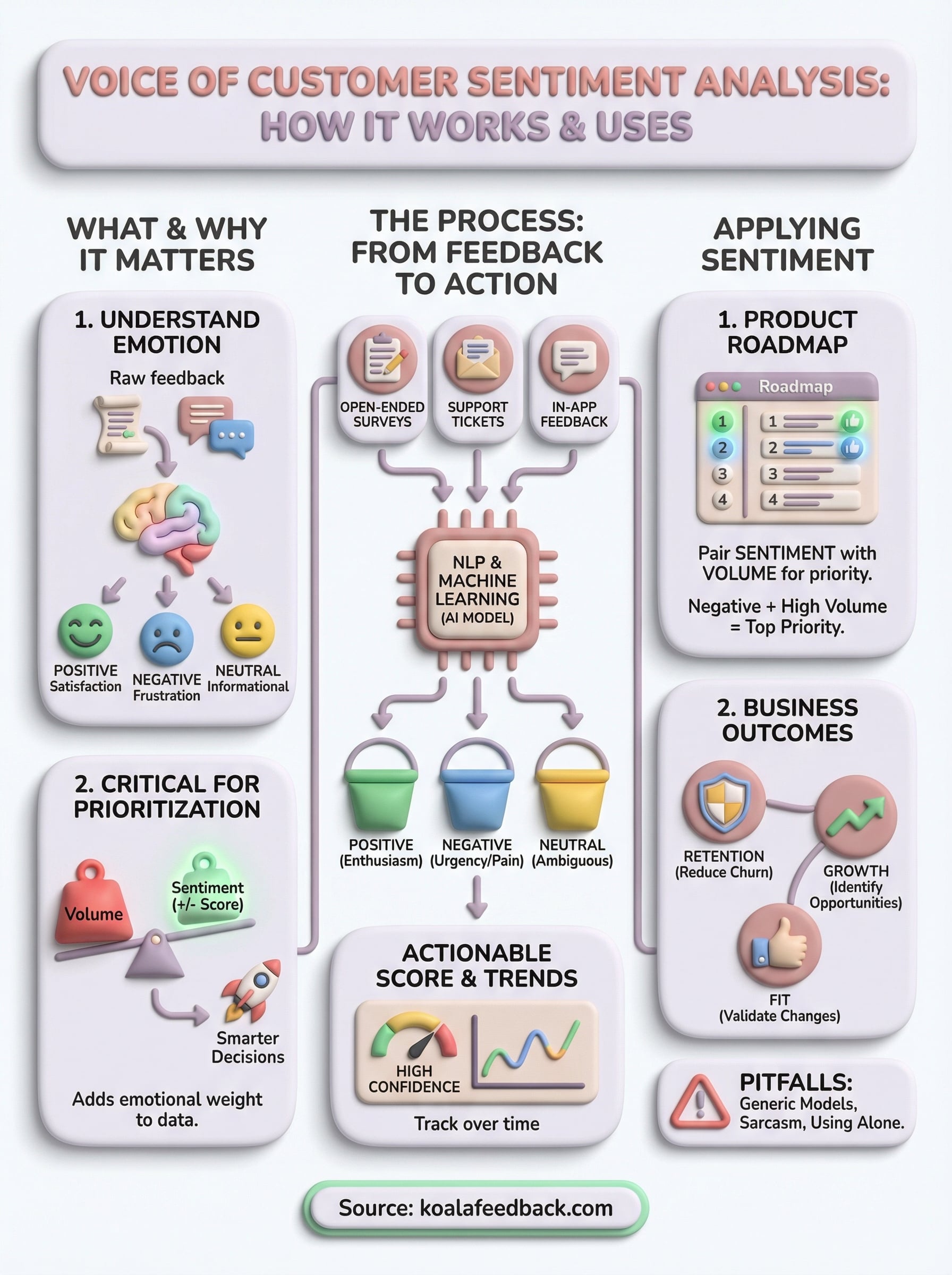
Voice of customer (VoC) programs capture what customers say about your product. Sentiment analysis takes that one step further by measuring how they feel while saying it. At its core, voice of customer sentiment analysis is the practice of applying natural language processing (NLP) and machine learning to customer feedback to classify the emotional tone behind each piece of text. Rather than leaving you to guess whether a comment signals frustration, enthusiasm, or indifference, the process returns a structured signal: positive, negative, or neutral. You get a quantifiable read on customer emotion across hundreds or thousands of responses without reading each one manually.
Sentiment analysis doesn't replace reading customer feedback; it makes reading it at scale actually possible.
The foundation of any sentiment model is the classification layer. Most systems sort feedback into three buckets: positive, negative, and neutral, though more advanced models can break this down into granular emotional states like anger, satisfaction, urgency, or delight. Knowing which bucket a piece of feedback falls into helps you quickly triage large volumes of data without drowning in individual responses.
Here's what each category typically looks like in practice:
| Category | What it signals | Example feedback |
|---|---|---|
| Positive | Satisfaction, enthusiasm, or appreciation | "The new dashboard is so much faster." |
| Negative | Frustration, disappointment, or unmet expectations | "I can't find the export button anywhere." |
| Neutral | Informational or ambiguous tone | "I submitted a request last Tuesday." |
These categories give you a working map of how your users feel. When you combine sentiment scores with feedback volume and topic frequency, patterns emerge that point directly at the features or experiences worth prioritizing. A spike in negative sentiment tied to a specific feature area tells you something is broken. A surge of positive sentiment after a release confirms you made the right call.
Standard feedback analysis treats responses as data points: how many people asked for a feature, how often a topic appears, or what percentage of users completed a survey. Sentiment analysis adds an emotional weight to each data point, so you know whether the people mentioning a specific area are excited about it or frustrated by its current state.
Consider two feature requests that each receive fifty votes on your feedback portal. Standard analysis treats them as equal priorities. Sentiment analysis reveals that one request is driven by enthusiastic, hopeful comments while the other is filled with urgent, frustrated language. That distinction matters when you're deciding what to build next, because urgent frustration often signals a problem that's actively eroding retention rather than a nice-to-have that users can live without.
Sentiment analysis also handles data formats that standard quantitative analysis struggles with. Open-ended survey responses, support tickets, and user reviews all contain unstructured text that's hard to count or compare directly. NLP models process this unstructured text and return a structured score, making feedback from entirely different sources comparable, trackable, and actionable within a single workflow. The result is a feedback system that captures not just what users want, but how badly they want or need it.
A VoC program without sentiment data gives you the what but not the how much it matters. You can see which features users request most often, but frequency alone doesn't tell you whether users are mildly curious or genuinely blocked. Adding sentiment to your VoC program turns a raw list of requests into a ranked signal of urgency and importance, helping you spend your development time where it actually moves the needle for users.
Raw feedback volume tells you how many people mentioned a topic. Sentiment tells you whether those mentions carry frustration, excitement, or indifference, and those three emotions lead to very different product decisions. A feature request mentioned fifty times in hopeful, enthusiastic language is a growth opportunity. The same volume of mentions written in angry, frustrated tones points to something that's actively hurting your retention.
When you combine topic frequency with sentiment score, you get a prioritization signal that's far more reliable than a simple vote count.
This distinction matters most when you're working with limited engineering resources and have to choose between competing roadmap items. Voice of customer sentiment analysis helps you surface which problems carry real emotional weight for users, rather than which problems simply got mentioned the most. That kind of signal is far more useful than a ranked list of feature requests sorted by count alone.
Customer sentiment is directly linked to behavior: users who feel frustrated churn faster, while users who feel heard and satisfied tend to expand their usage and refer others. When you track sentiment as part of your VoC program, you connect the feedback loop to the metrics that matter for your business. Instead of treating feedback as a support function, you treat it as a leading indicator of retention, growth, and product-market fit.
Tracking sentiment over time also shows you whether product changes are having the intended effect on how users feel. If negative sentiment drops after a release, you have concrete evidence the fix worked. If sentiment stays flat despite new feature additions, you know something else is still bothering your users and it deserves attention before your next sprint.
Voice of customer sentiment analysis runs on a combination of natural language processing (NLP) and machine learning models trained to recognize emotional tone in text. When a piece of feedback enters the system, whether it's a support ticket, a survey response, or a comment on your feedback portal, the model reads the text, breaks it into components, and assigns a sentiment score based on patterns learned from large datasets of labeled human language. The entire process happens automatically, which is what makes it practical at scale.
NLP models analyze text by breaking sentences into individual tokens, such as words and phrases, and then evaluating the relationships between them. Context matters as much as individual words: the word "slow" in "the onboarding is slow" signals frustration, while "slow" in "we're slowly getting the hang of it" reads as neutral or even positive. Modern models trained on transformer-based architectures handle this context sensitivity far better than older keyword-matching systems that simply counted positive or negative words.
Machine learning improves sentiment accuracy over time because the model adjusts based on new examples. If you feed it domain-specific feedback from your own product, it learns the particular language your users use, which reduces the misclassification rate on industry terms or product-specific phrases that general-purpose models sometimes get wrong.
The more domain-specific your training data, the more accurate your sentiment model becomes for your particular product context.
Once the model processes a feedback entry, it returns a sentiment classification and often a confidence score that tells you how certain the model is about its output. High-confidence negative signals are reliable enough to act on immediately. Low-confidence classifications flag entries that may need a manual review before you draw conclusions from them.
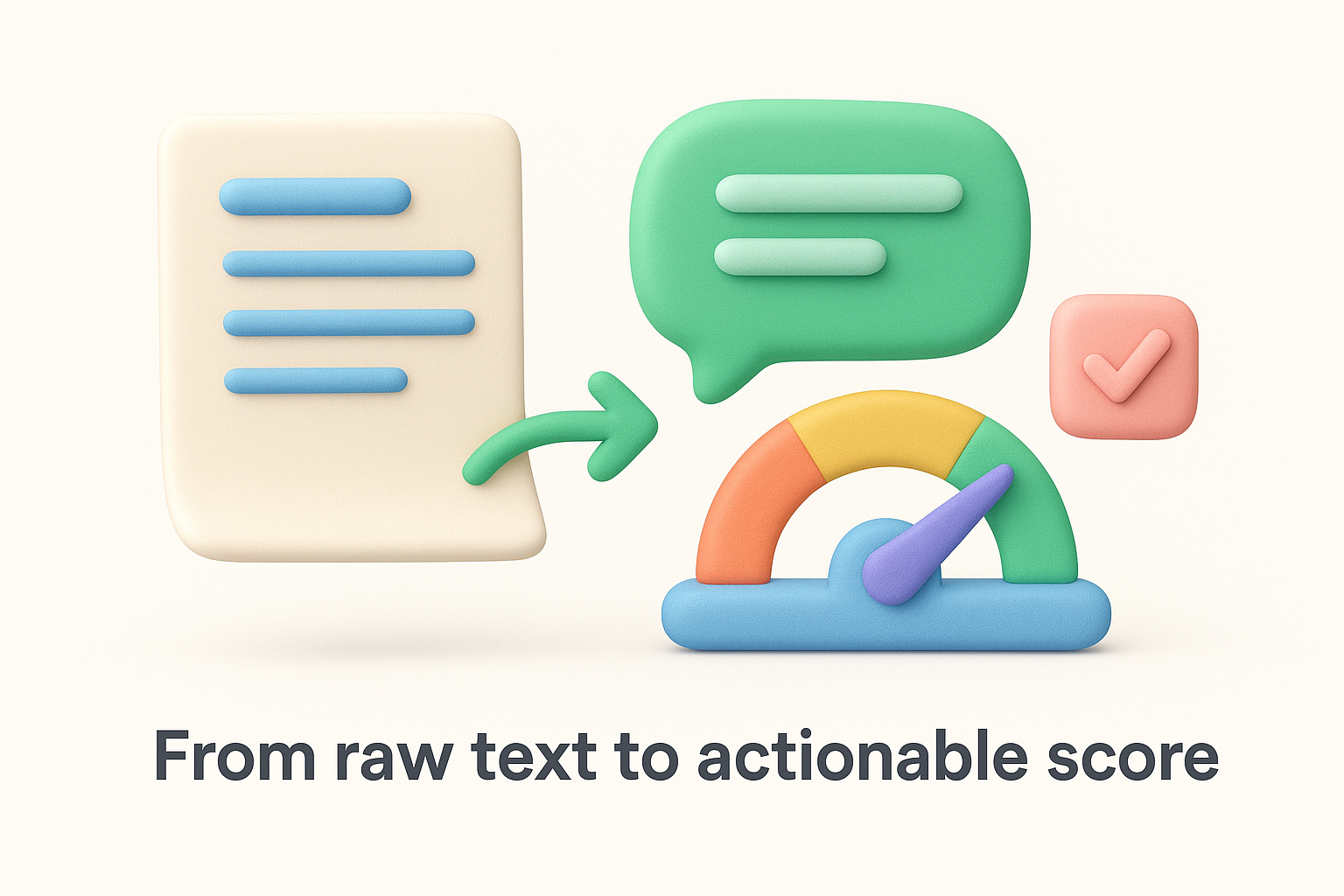
Most tools then aggregate these individual scores across all your feedback sources, giving you a sentiment trend over time and by topic area. This aggregation is where the real value lives: you stop reacting to individual comments and start responding to clear patterns that reflect how your entire user base actually feels.
Not all feedback sources carry equal weight in a sentiment analysis workflow. The richest sources are those where users write freely in their own words, because open-ended text gives the NLP model the most signal to work with. Structured inputs like star ratings or binary yes/no responses tell you something about satisfaction levels, but they don't carry the emotional texture that voice of customer sentiment analysis relies on to surface meaningful patterns across your user base.
Your best sentiment data comes from places where users express themselves without constraints. Open-ended survey responses, support tickets, and in-app feedback submissions all contain the kind of unstructured text that NLP models process most effectively. Public reviews and community forum threads are also viable sources, though they tend to require more filtering before you can draw reliable conclusions from them.
Here's a quick breakdown of which sources typically deliver the strongest signal:
| Source | Signal strength | Why it works |
|---|---|---|
| In-app feedback submissions | High | Users are engaged and specific |
| Support tickets | High | Problems are stated directly |
| Survey open-text fields | High | Users share detailed context |
| Public reviews | Medium | Volume is high but tone varies |
| Social media comments | Low-medium | Noisy but captures broad sentiment |
The most effective collection strategy keeps friction low for users while still capturing enough detail for sentiment analysis to work. Short, focused prompts inside your product tend to generate more responses than long surveys sent by email. When users can submit feedback directly within the workflow where they experienced a problem, their language is more specific and emotionally accurate because the experience is still fresh.
Centralizing your feedback in one place before running sentiment analysis makes it far easier to spot trends across sources.
Connecting multiple collection channels to a single platform gives you a unified dataset to analyze. Rather than comparing feedback scattered across separate tools, you get one consolidated view of how users feel across every touchpoint, which makes it significantly easier to identify the patterns worth acting on.
Collecting sentiment data is only useful if it actually changes what you build and when you build it. The goal of voice of customer sentiment analysis isn't to produce reports, it's to give your product team a clearer basis for deciding which problems to solve first. That means connecting sentiment scores directly to your prioritization process rather than reviewing them separately from your roadmap conversations.
Sentiment scores become actionable when you layer them on top of metrics you already track, such as feature request volume, churn rate, and support ticket frequency. A feature request that shows up fifty times in your feedback portal carries more urgency when those fifty mentions are overwhelmingly negative in tone. On the other hand, a request with similar volume but neutral or positive sentiment likely represents a nice-to-have rather than a pain point that's costing you users.
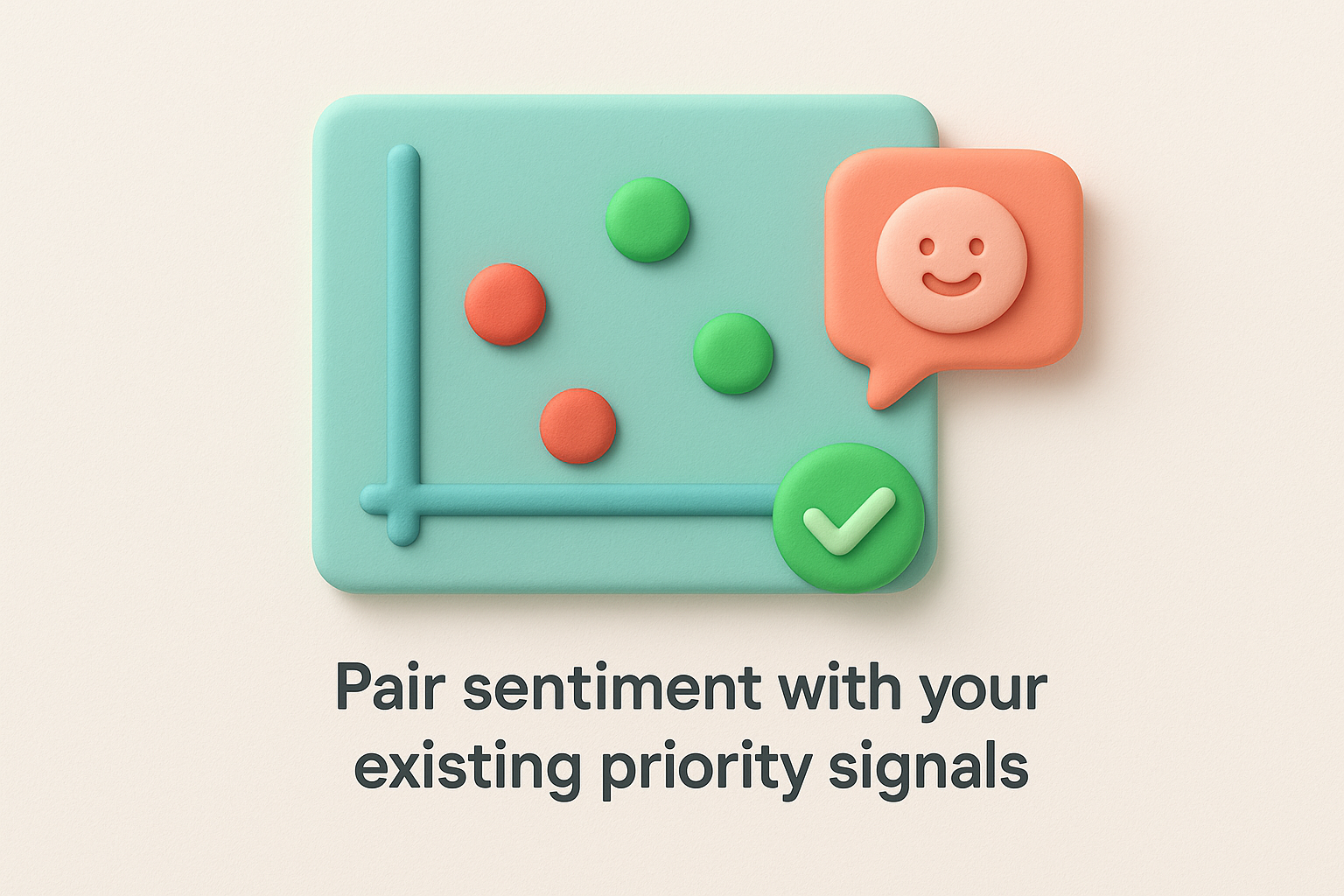
Combining sentiment with volume gives you a two-axis view of user pain: how often something comes up and how much it bothers people.
Use this combined view to rank your backlog. Items that score high on both volume and negative sentiment belong at the top of your roadmap. Items that score high on volume but carry positive or neutral sentiment can move lower without much risk to retention.
Your development team makes better tradeoff decisions when they understand the emotional context behind a request, not just its title or vote count. Before each planning session, share a short summary of the highest-sentiment issues from your feedback portal. This gives engineers and designers direct visibility into what users are experiencing rather than working from a stripped-down list of tasks.
Tracking sentiment after each release is equally important. If you ship a fix and negative sentiment around that topic drops in the following weeks, you have clear evidence the change worked. If sentiment stays flat, that signals the root issue wasn't fully addressed and deserves another look before you move on to the next item in your queue.
Running voice of customer sentiment analysis without understanding its limitations leads to bad prioritization decisions. Most pitfalls aren't caused by the technology itself; they come from how teams set up and interpret the results. Knowing where things go wrong lets you build a more reliable process from the start.
General-purpose sentiment models are trained on broad datasets that don't account for the specific language your users use. A term like "light" might signal simplicity in one context and a missing feature in another, and a generic model won't know the difference. The fix is straightforward: supply your model with labeled examples from your own feedback history so it learns the vocabulary your users actually use. Even a modest set of domain-specific examples improves classification accuracy in ways that matter when you're making real roadmap calls.
Domain-specific tuning is the single most effective step you can take to reduce misclassification in your sentiment workflow.
Sarcasm and mixed-tone comments are the hardest cases for any NLP model to handle correctly. A comment like "great, another bug" reads as positive to a basic classifier but signals clear frustration. Review low-confidence classifications manually rather than letting them flow directly into your prioritization reports. Setting a confidence threshold and flagging everything below it for a quick human check catches most of these edge cases before they skew your data and mislead your team.
Sentiment scores tell you how users feel, but they don't tell you how many users share that feeling or whether the underlying problem is something your team can address in the near term. Teams that optimize purely for negative sentiment reduction sometimes over-invest in issues voiced loudly by a small segment while missing widespread moderate frustration that's easier to fix and affects far more users. Use sentiment alongside volume data, churn signals, and your current capacity to make decisions that hold up when you're explaining them to stakeholders. Sentiment is a powerful lens, but it works best when it's one input in a broader decision-making process rather than the only thing driving your roadmap.
You don't need a data science team or a custom-built NLP pipeline to start using voice of customer sentiment analysis in your product workflow. The fastest path forward is to centralize your feedback first, because sentiment analysis only works well when you have a clean, consolidated dataset to run it against. Start by picking one feedback source, whether that's your in-app submission form or your support ticket queue, and focus on categorizing the emotional tone of the responses you're already receiving.
From there, bring sentiment into your weekly review process rather than treating it as a separate analytics project. Look at which topics are drawing the most negative responses and cross-reference them with your roadmap priorities. If you want a single place to collect, organize, and act on user feedback with built-in structure for prioritization, try Koala Feedback and start building a feedback workflow that gives your product decisions real emotional context.

Start today and have your feedback portal up and running in minutes.

