Building a survey from scratch every time you need customer feedback wastes hours you don't have. If you have ever stared at a blank survey builder wondering which questions actually get answered, you already know the problem. A solid customer satisfaction survey template fixes that by giving you tested questions and a structure that gets you real answers instead of half-finished responses.
This article gives you exactly that. Below you'll find 10 ready-to-use templates, covering everything from post-purchase check-ins to detailed customer service satisfaction survey formats, so you can pick the one that matches your situation and send it out today. Each template includes sample questions you can copy, tweak, or expand depending on what you're trying to learn from your customers.
We'll also cover when to use each survey template and how to word questions for customer feedback surveys so customers actually finish them. Once you've collected responses, tools like Koala Feedback help you turn that raw feedback into prioritized, actionable items your team can build a roadmap around, so the survey becomes the start of a process, not a one-off task.
When customers ask for specific features or tell you what's missing from your product, that feedback is gold if you capture it correctly. This feature request survey template is built for SaaS teams and product managers who need to know not just what customers want, but how badly they want it and why. Instead of letting requests pile up in support tickets or scattered Slack messages, this format gives you structured data you can actually prioritize against.
This template measures feature demand and impact, not just general happiness. You're trying to understand which missing capabilities are actually blocking customers from getting value, versus nice-to-have wishlist items. It also captures how customers currently work around the gap, which tells you how urgent the request really is. Good product feedback surveys separate loud requests from important ones.
The goal isn't to collect wishes, it's to find out which missing feature is actually costing you customers.
Send this survey after a customer has had enough time to hit the limits of your product, usually 60 to 90 days into their subscription. It also works well as an always-on feedback link embedded in your app or help center, so customers can submit ideas the moment they run into a gap. Avoid sending it during onboarding, since new users haven't used the product enough to know what's missing yet.
Add a free-text field asking customers to describe their use case in detail. A one-line request like "add dark mode" tells you far less than a paragraph explaining why a customer needs it. You should also tag responses by customer segment or plan tier, since a request from your biggest account carries different weight than one from a trial user.
Once responses start coming in, don't let them sit in a spreadsheet. Feed them into a feedback portal you can set up in an afternoon, where customers can vote on existing requests instead of submitting duplicates. Koala Feedback's feedback portal automatically groups similar requests and lets you build prioritization boards so your team can see which features have the most votes and impact before committing engineering time. That turns a one-time survey into an ongoing pipeline your roadmap actually reflects, rather than a document that goes stale the week after you send it.
Sometimes you just need a pulse check, not a deep dive into one feature or interaction. A general customer satisfaction survey template gives you a broad snapshot of how customers feel about your product overall, which is useful when you want a baseline you can track over time. This is the survey to run quarterly or after major releases, when you want one number and a few comments that tell you whether things are trending up or down.
This template measures overall satisfaction rather than any single touchpoint. It captures how customers feel about your product as a whole, including value for money, reliability, and whether it still fits their needs. Because it's broad, it works best as a recurring benchmark rather than a one-off diagnostic tool.
A general satisfaction score only matters if you send it the same way, at the same interval, every time.
Send this survey template on a fixed schedule, such as every quarter, so you can compare scores over time instead of reacting to a single snapshot. It also works well right after a major release, giving you a read on whether the update moved satisfaction up or down. Avoid sending it too often; customers tune out repeated general surveys faster than targeted ones.
Keep the core satisfaction survey questions identical every time you send it so your data stays comparable quarter over quarter. Add one rotating question tied to whatever you're currently focused on, like a recent feature or pricing change, without touching the baseline questions. Segment results by plan tier or tenure so you can spot whether satisfaction is slipping among your newest customers or your longest-tenured ones, which usually points to very different problems.
Every support ticket you close is a chance to learn whether your team actually solved the problem or just made it go away for now. A customer service satisfaction survey template, often called a CSAT survey, gets triggered right after a support interaction ends, while the experience is still fresh. Unlike the general satisfaction survey, this one zooms in on a single interaction instead of the whole relationship, which makes the feedback far easier to act on.
This template measures support quality and resolution speed for one specific interaction, not the product as a whole. You're checking whether the agent solved the issue, how long it took, and whether the customer walked away feeling helped or dismissed. Because it's tied to a single ticket, you can trace low scores directly back to a specific agent, channel, or issue type.
A support survey only earns its place if you can trace every low score back to a specific ticket, not just a mood.
Trigger this survey immediately after a ticket closes, ideally within minutes, since satisfaction ratings drop in accuracy the longer you wait. Automate it through your helpdesk tool so agents never have to remember to send it manually. Skip sending it for tickets that reopen right away; wait until the issue is genuinely closed.
Add a required field for ticket ID or agent name so low scores route straight to a manager instead of getting lost in aggregate reporting. Following the eight best practices for satisfaction surveys, keep this one to two or three questions maximum, since customers who just finished a support interaction won't tolerate a long form. Route flagged responses into your feedback portal so recurring complaints about a specific feature or bug turn into trackable items your product team can prioritize, rather than support tickets that get closed and forgotten.
Ask one question and you get a metric that's become the industry shorthand for loyalty. The net promoter score survey template, or NPS survey, asks customers how likely they are to recommend you to someone else, then sorts them into promoters, passives, and detractors based on the answer. It's not the most detailed survey on this list, but it's the one executives and boards tend to recognize instantly, which makes it useful for tracking trends over time.
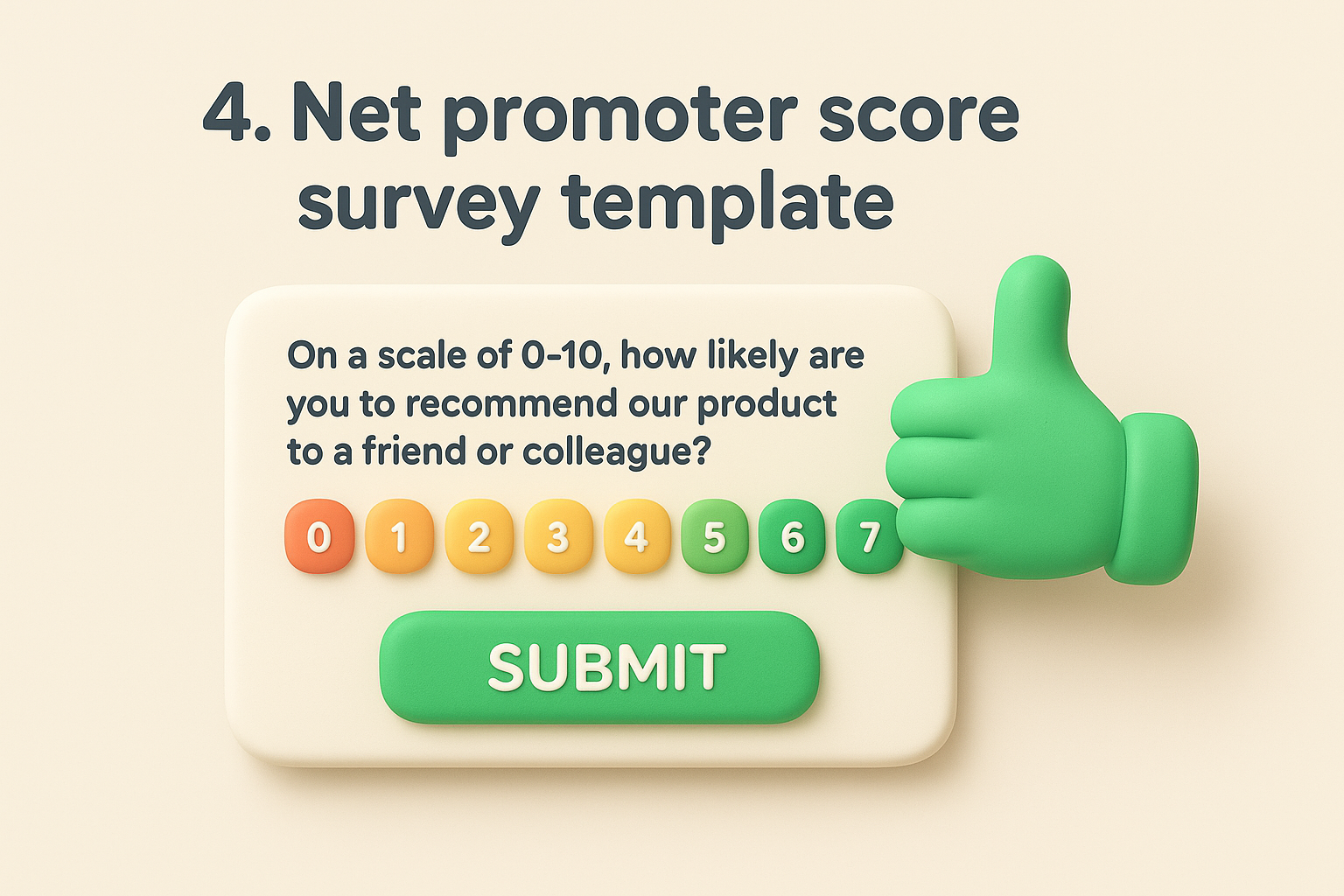
This template is about measuring customer loyalty and word-of-mouth potential, not day-to-day satisfaction with any single feature or interaction. A high NPS suggests customers trust you enough to put their own reputation behind a recommendation, while a low score flags customers who might churn quietly without ever filing a complaint. The score itself is a lagging indicator, so pair it with the follow-up question below to find out why customers answered the way they did.
A number without a reason attached is just a scoreboard, not a strategy.
Run this survey template on a recurring basis, typically every quarter or twice a year, and send it to the same customer segments each time so scores stay comparable. Wait until customers have had at least 30 days of real usage before including them, since brand-new users haven't formed an opinion worth measuring yet. Avoid sending it right after a support ticket or billing issue, since a bad recent experience can skew the score away from how the customer actually feels overall.
Segment your results by plan tier, industry, or customer age, since an average score hides which groups are actually dragging it down. Always route detractor responses to a real person on your team for direct follow-up within 48 hours, since a quick response can turn a detractor into a promoter faster than any feature release. Keep the 0-10 scale exactly as is, since altering it breaks compatibility with the standard NPS benchmarks companies use to compare themselves against competitors.
Some interactions don't need a loyalty check or a full CSAT breakdown, they just need to answer one question: was that easy? A customer effort score survey template, or CES survey, measures exactly that, and it helps to know how to measure and use CES before you send one. It's built on research showing that reducing friction predicts retention better than delighting customers does, since people rarely switch tools because a task was easy, but they switch fast when it's frustrating.
This template measures effort and friction, specifically how much work a customer had to put in to complete a task, resolve an issue, or find an answer. Unlike NPS, which looks at overall loyalty, CES zooms in on a single process, like canceling a plan, setting up an integration, or getting help from support, which is the difference between NPS, CSAT, and CES in practice. Low effort scores are one of the strongest early warning signs of churn, since customers who fight your product to get basic things done rarely stick around long enough to become detractors.
Customers don't leave because your product lacked features, they leave because using it felt like work.
Trigger this survey right after a specific task, such as completing checkout, finishing a setup flow, or closing a support ticket, while the friction is still fresh in the customer's mind. It works best as an automated, event-based trigger rather than a scheduled campaign, since effort is tied to a moment, not a time period. Sending it days later produces vague, unreliable answers because customers forget the small frustrations that mattered most.
Keep the scale simple, a 5 or 7-point "easy to difficult" range works better than a 0-10 number that customers have to interpret. Tie each response to the specific task or flow it followed, so low scores point your team straight to the page or step causing friction instead of a vague product-wide complaint.
Buying something and using it are two different experiences, and a lot of businesses only ever measure the first one. A post-purchase satisfaction survey template closes that gap by checking in right after a customer receives a product or completes a purchase, before the excitement fades and before small problems turn into refund requests. This format works for ecommerce, SaaS upgrades, or any transaction where the moment right after checkout tells you more than a quarterly survey ever will.
Here you're measuring purchase experience quality, from how smooth checkout felt to whether the product matched what was promised. Combined with the general customer satisfaction survey template you send later, this one catches problems at the exact point they happen, when a return, a bad review, or silent churn is still preventable. It also flags mismatches between marketing promises and what customers actually received.
The first 48 hours after a purchase tell you more about churn risk than any survey you send a month later.
Send this survey within 24 to 48 hours of purchase or delivery, while the details are still fresh and any confusion is still fixable. For physical products, wait until delivery is confirmed rather than sending it right at checkout. Skip sending it to customers who've already contacted support about an issue; route them to the support survey instead so you're not asking the same question twice.
Adjust the timing based on your product: software upgrades warrant a same-day survey, while shipped goods need a delivery-triggered one. Add a branching question that routes dissatisfied customers straight to a support link instead of just recording their frustration and moving on.
The first two weeks with a new tool decide whether a customer sticks around long enough to see real value. An onboarding satisfaction survey template checks in during that critical window, before a confused new user quietly churns instead of asking for help. Getting this format for customer satisfaction survey right early matters more than almost any other touchpoint, since a bad first impression is hard to undo later with a great feature release.
This template measures early experience and activation friction, meaning whether new customers understood how to get started and reached that first "aha" moment. You're checking if setup steps made sense, if documentation answered questions, and if the customer accomplished the task they signed up for in the first place. Weak onboarding scores, alongside the onboarding KPIs you should be tracking, almost always predict churn before a customer ever files a support ticket.
If a customer can't find value in the first two weeks, no feature you ship later will save the account.
Send this survey around day 7 and again around day 30, since the two checkpoints catch different problems: the first flags setup friction, the second flags whether the customer built a real habit. Trigger it automatically once a customer completes a key setup milestone rather than on a fixed calendar date. Avoid sending it before someone has actually logged in and tried the product.
Branch the survey based on which onboarding path a customer took, self-serve versus guided setup, since each group hits different friction points. Add a direct link to a support article or a feedback portal for any customer who reports confusion, so the moment doubles as a fix, not just a data point.
Sometimes the problem isn't your product, it's how hard your website or app makes people work to use it. A website and app usability survey template catches friction in navigation, layout, and design before it shows up as abandoned carts or dropped signups. This one lives right inside the experience itself, popping up on a specific page or screen rather than landing in someone's inbox days later.
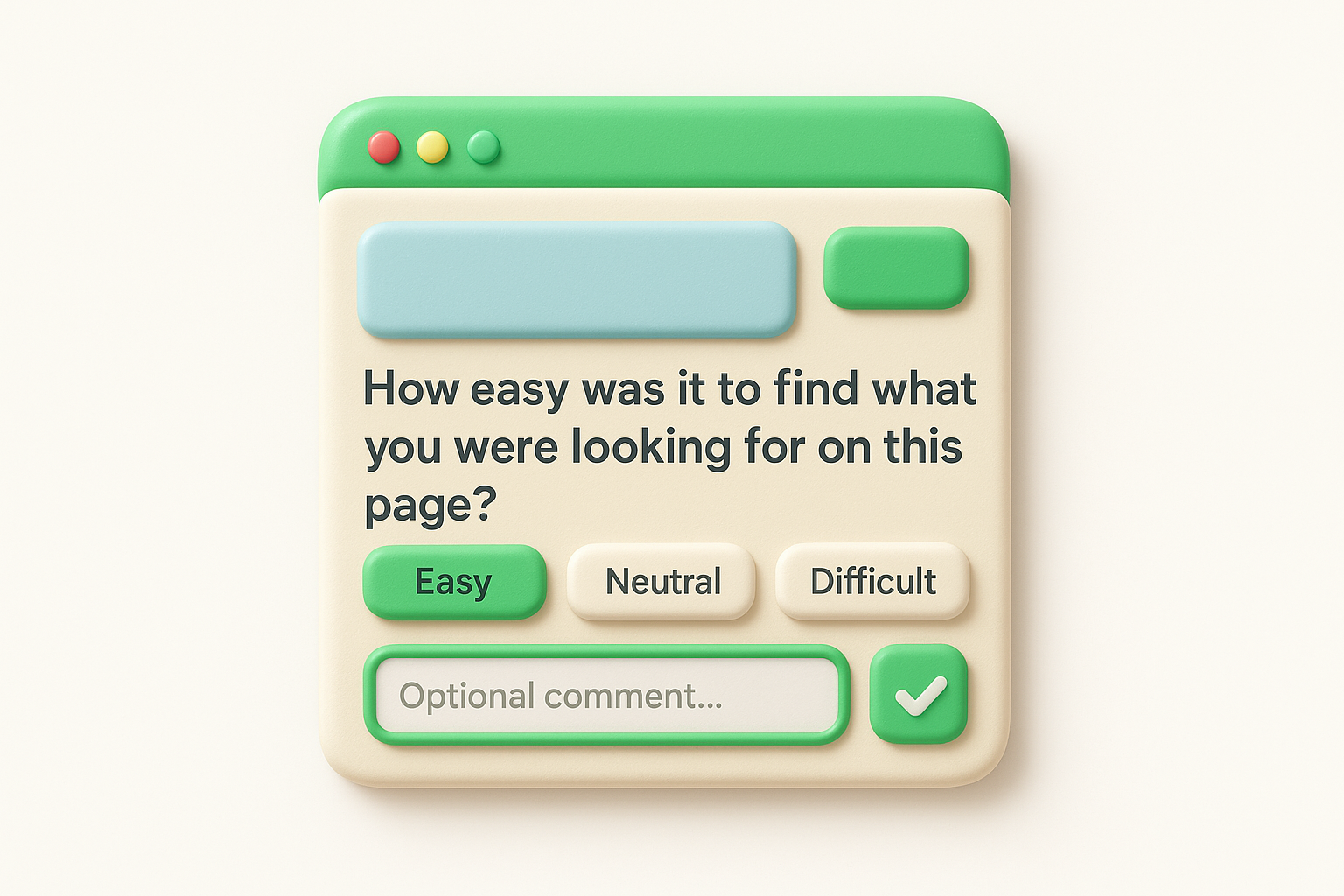
This template measures navigation and interface friction, meaning whether people can find what they're looking for, understand your layout, and complete tasks without getting stuck. It's narrower than a general customer satisfaction survey template because it targets a single screen, flow, or feature rather than the whole relationship. Recurring low scores on the same page almost always point to a design problem worth fixing before it drives more traffic away.
If customers can't find the thing they came for, nothing else about your product matters yet.
Trigger this survey as one of the best website feedback widgets for SaaS teams, right after someone completes or abandons a key action like a search, a checkout step, or a signup form. Target specific pages with high traffic or high drop-off rather than surveying your entire site at once. Skip sending it site-wide on a schedule, since usability feedback loses its value once it's disconnected from the exact page someone struggled with.
Keep it to one or two questions with an optional comment field, since intercepting someone mid-task demands brevity. Tag responses by device type, since mobile and desktop users often hit completely different friction points on the same page, and fixing one won't fix the other.
A renewal is where satisfaction turns into revenue, or doesn't. A renewal and relationship health survey template goes out before a contract comes up for renewal, giving you enough lead time to fix problems while a customer is still deciding whether to stay. This is less a template for customer satisfaction survey purposes and more an early warning system, since by the time a customer actually cancels, you've already lost the chance to change their mind.
Covering renewal risk and account health, this template looks at whether the customer still gets value, whether the right people on their team are engaged, and whether budget or leadership changes might threaten the account. Questions dig into usage patterns and stakeholder buy-in rather than a single interaction. Low scores here should trigger a call from customer success, not just a note in a spreadsheet, which is where customer success strategies for SaaS earn their keep.
Renewal surveys only work if you send them early enough to still do something about the answer.
Deploy this survey 60 to 90 days before the renewal date, giving your team time to act on any warning signs. Pair it with a direct outreach from your account manager rather than relying on the survey alone. Never wait until the renewal notice goes out, since by then the decision is often already made.
Segment questions by account size, since enterprise accounts need multi-stakeholder questions that a small business account doesn't. Flag any response below a set threshold for immediate follow-up, and connect recurring complaints to your feedback portal so the product team sees the same risk signals customer success does.
Structured questions are great for tracking numbers, but they can't catch the problem you didn't think to ask about. An open-ended customer feedback survey template hands the floor to the customer with a blank text box instead of a rating scale, which surfaces the specific complaints, ideas, and praise that multiple-choice questions tend to flatten out. Use this as a companion to the more structured survey template customer satisfaction formats above, not a replacement for them, since open text is harder to quantify but often richer in detail.
This format measures unstructured sentiment and unexpected issues, meaning whatever is actually on a customer's mind rather than whatever you assumed to ask about. It catches the recurring phrase that shows up across dozens of responses, the frustration nobody flagged in a support ticket, and the compliment that tells you what to double down on. Because there's no scale to average, you'll need a step-by-step way to analyze feedback, reading and tagging responses manually or running them through text analysis.
The best insights often hide in the one question with no rating scale attached.
Attach this survey as a final open field on any other survey in this list, or send it standalone once or twice a year to your most engaged customers. Timing matters less here than sample size, since you need enough responses to spot patterns rather than react to a single loud opinion.
Keep the field optional so it doesn't slow down customers who'd rather skip it, but place it last so it doesn't scare off people filling out the rest. Route every response into your feedback portal so recurring themes turn into trackable, votable items instead of getting buried in a spreadsheet nobody reopens.
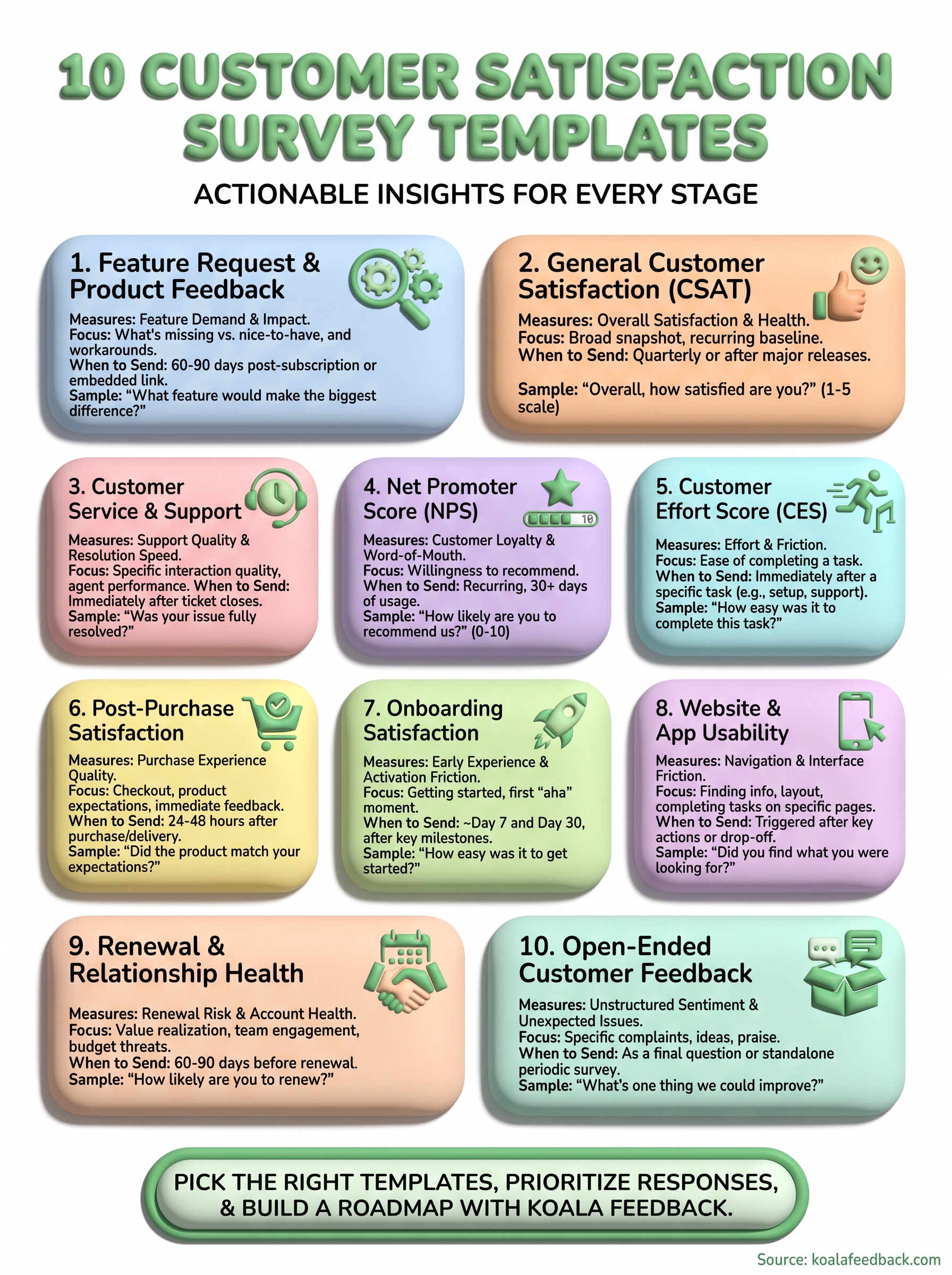
You don't need all ten templates running at once. Start with one or two that match your biggest blind spot right now, whether that's onboarding drop-off, support quality, or renewal risk, and add more as you get comfortable acting on what comes back. The customer satisfaction survey template you pick matters less than what happens after someone hits submit. A great question wasted on a spreadsheet nobody reopens teaches you nothing.
The real value shows up when responses turn into action: features get prioritized, complaints get routed to the right team, and customers see their input reflected in what you actually ship. That's the difference between running surveys and running a feedback process.
If you're ready to stop losing feedback in inboxes and spreadsheets, use Koala Feedback to capture survey responses in one feedback portal, prioritize what matters, and show customers you're listening.

Start today and have your feedback portal up and running in minutes.

