You're staring at a blank changelog again, trying to figure out how to word a bug fix without putting your users to sleep. Every release ships with the same problem: engineering knows what changed, but nobody wants to translate it into something customers will actually read. That's exactly where a good software release notes template earns its keep, it gives you a repeatable structure so you're not reinventing the format every sprint.
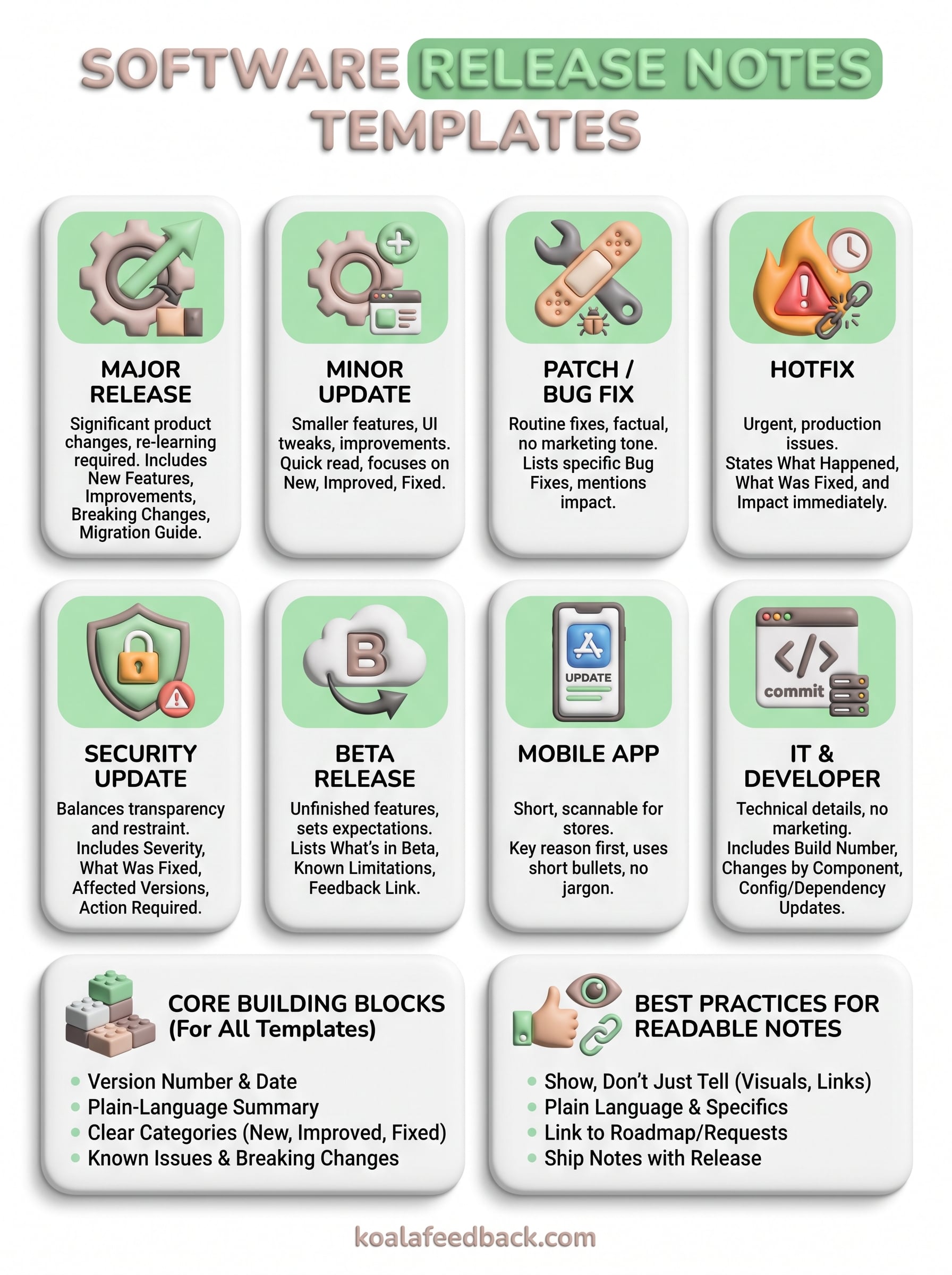
This article gives you eight copyable release notes templates, covering everything from minor bug fix patches to major feature launches, plus formats suited to mobile apps, internal IT updates, and API changes. Each one shows you exactly what sections to include, how to word status labels, and where to draw the line between technical detail and user-friendly summary. You'll see real examples next to each template, not just empty placeholders, so you can match tone and structure to your own product.
We built Koala Feedback around the idea that users deserve visibility into what you're shipping and why, since roadmaps and release notes are really two sides of the same conversation. Grab whichever template fits your next deployment, adjust the headings, and start writing notes people actually want to read.
Good release notes share a skeleton no matter what you're shipping. Whether you're documenting a major feature launch or a one-line bug fix, the same core building blocks show up again and again. Skip one of them and you'll get support tickets asking questions your notes should have already answered. Building your own software release notes format starts with knowing which pieces are non-negotiable and which ones flex depending on the release.
Start with a version number and date. This sounds obvious, but plenty of teams bury it or leave it out entirely, which makes it impossible for users or your own support team to reference a specific release later. Pair that with a short, plain-language summary of what changed, written before the technical details, so a busy reader gets the gist in one sentence without scrolling further.
If a customer can't tell what changed and why it matters in the first ten seconds, your release notes have already failed.
After the summary, break changes into clear categories. Most teams land on some variation of these:
Not every release needs all five categories. A patch might only need bug fixes. A major release might need all of them plus a migration guide. The point of a release notes template for deployment is that you decide the structure once, then reuse it, instead of debating formatting every time engineering ships something.
Beyond the categories, a few smaller details separate professional release notes from a rushed changelog dump. Visual aids matter more than most teams think: a screenshot or short GIF next to a new feature does more explaining than three sentences of prose. Links matter too. If a bug fix references a support ticket or a feature request users voted on, link back to it. This is where a public roadmap and a feedback portal like the one Koala Feedback provides pays off, because you can point users straight to the request they upvoted and show them it shipped.
Credit where it's due also builds goodwill. Naming the customer or community member who suggested a feature, even just
A major release changes how people experience your product, not just what it looks like. Think new modules, pricing tier changes, or a redesigned core workflow. This major release notes template needs more room than a routine update because you're asking users to relearn something, and that requires context, not just a bullet list.
Open with a headline summary that names the release, then follow with a "why this matters" paragraph before you list anything technical. Users skim past bullet points when they don't understand the stakes first. After that, break out sections for new features, improvements, and breaking changes, and add a migration or upgrade guide if anything requires action from the user. Screenshots or a short demo video earn their place here more than in any other release type, since major releases usually involve visual or workflow changes that text alone can't explain well.
A major release without a migration note is how you turn an upgrade into a support queue.
Use this format for version bumps like 1.0 to 2.0, quarterly feature launches, or anything that changes pricing, permissions, or core navigation. If support tickets are likely to spike after you ship, this is the template to reach for. Smaller UI tweaks or single-feature additions don't need this much structure, save it for releases that genuinely reshape the product.
# [Product Name] [Version Number] - [Release Title]
Released: [Date]

## What's new
A short paragraph explaining the release and why it matters to users.

## New features
- Feature name: what it does and who it's for
- Feature name: what it does and who it's for

## Improvements
- Improvement description

## Breaking changes
- What changed, what it affects, and what action users need to take

## Migration guide
Step-by-step instructions or a link to full documentation

## Known issues
- Issue description and workaround, if any

Questions or feedback? [Link to feedback portal]
Keep the tone confident but plain. Major releases already feel like a lot to absorb, so don't bury the value in jargon your users have to decode before they even try the new feature.
Minor updates are the bread and butter of most release cycles. You're not overhauling anything, just adding a smaller feature, tweaking the UI, or shipping a handful of improvements users asked for. A minor update release notes template should feel lighter than a major release note, quick to write and quick to read, without skipping the details that actually matter to your users.
Keep the structure simple: a one-line summary, a short list of what's new, and a short list of improvements. You don't need a migration guide or a breaking changes section unless something genuinely shifted for existing users. What you do need is specificity. "Improved performance" tells nobody anything. "Dashboard now loads 40% faster on accounts with 10,000+ records" tells a skimming reader exactly what changed and whether it applies to them. This is also a good spot to link back to the feature request that prompted the change, especially if you're running a public roadmap where users voted on it.
A minor update should take less time to read than it took to ship.
Reach for this format for anything between a patch and a major release: a new setting, a redesigned menu, a handful of small features bundled together. If your changelog entry would take more than 30 seconds to read out loud, you've probably outgrown this template and should consider the major release format instead. Weekly or biweekly release cadences tend to lean on this template the most, since most SaaS teams ship incremental improvements far more often than they ship overhauls.
# [Product Name] [Version Number]
Released: [Date]

## Summary
One sentence describing the overall update.

## New
- Feature or setting name: brief description

## Improved
- What changed and the measurable difference, if any

## Fixed
- Minor bug fixes, listed briefly

Have a request? [Link to feedback portal]
Resist the urge to pad this template with filler just to make the release look bigger. Users notice when three bullet points get stretched into three paragraphs, and it erodes trust in your next set of notes faster than an honest short list ever would.
Patches are the quiet workhorses of release management. Nobody gets excited about a patch, and that's the point: it fixes something broken without asking users to learn anything new. A patch and bug fix release notes template should be short, factual, and easy to scan, because the audience reading it usually just wants confirmation that the thing bugging them got fixed.
List each fix as a short, specific line: what was broken, and what's true now that it's resolved. Skip the marketing tone entirely here. "Fixed an issue where exported CSVs dropped the last row" beats "Improved export reliability" every time, because the first one tells an affected user exactly what to check. Include a version number and date at the top, and if the bug came from a support ticket or a feature request board, link it. That link matters more than it seems, since it shows users their reports actually go somewhere.
A patch note that doesn't name the bug is just asking users to trust you blindly.
Use this format for routine bug fixes, small performance corrections, and cleanup releases that don't add anything new. If you're shipping weekly or even daily, patches will make up most of your changelog volume, so keep the template lightweight enough that writing it doesn't become its own chore. This isn't the place for a hotfix that's patching a live outage, that situation needs more urgency and context, which is why it gets its own template next.
# [Product Name] [Version Number]
Released: [Date]

## Bug fixes
- Fixed: [brief description of the bug and what's fixed]
- Fixed: [brief description of the bug and what's fixed]

## Notes
Any relevant context, workaround removal, or related ticket links.

Found something else? [Link to feedback portal]
Keep patch notes boring on purpose. Consistency here builds quiet trust: users learn that when something breaks, you notice, you fix it, and you tell them plainly. That reputation compounds faster than any feature announcement ever will.
A hotfix is what you ship when something is actively broken in production and users are feeling it right now. Unlike a patch, which can wait for the next scheduled release, a hotfix goes out fast, often outside your normal cadence. A hotfix release notes template needs to communicate urgency and resolution at the same time, so users know the problem is real, acknowledged, and already handled.
Lead with what broke and when, not with an apology. Users want facts: what stopped working, who was affected, and what's true now. State the fix in plain terms, then note the exact time window the issue was live if you can, since that helps affected users confirm whether they hit it. Skip feature bullets entirely here. A hotfix note that's padded with unrelated improvements reads as an attempt to bury bad news, and users notice.
A hotfix note exists to close the loop fast, not to explain everything that led up to it.
If the issue caused data loss, downtime, or broken workflows, say so directly and explain what users should check or redo. Silence on impact is worse than admitting it.
Reach for this deployment release notes template when you're patching a live, user-facing issue outside your regular release schedule, think outages, broken checkout flows, or a bug that only surfaced after the last deploy went out. If the fix could have waited until next week's patch cycle, it's not a hotfix. Reserve this format for situations where speed and clarity matter more than polish.
# [Product Name] Hotfix - [Version Number]
Deployed: [Date and time]

## What happened
Brief, factual description of the issue and who was affected.

## What we fixed
What's resolved and confirmation it's live now.

## Impact
Any data, downtime, or workflow effects users should know about.

Questions? [Link to support or feedback portal]
Keep hotfix notes short enough to read in the time it takes to reload a page. The goal isn't to impress anyone, it's to reassure users that you caught the problem and already closed it out.
Security releases follow different rules than every other template on this list. You still need to tell users something changed, but you can't hand attackers a roadmap while you're at it. A security update release notes template has to balance transparency with restraint, giving users enough to trust that you patched something real without spelling out exactly how the vulnerability worked.
State the severity level using a recognized scale if you have one, like critical, high, medium, or low, so technical readers can gauge urgency at a glance. Describe the type of vulnerability in general terms, such as "a cross-site scripting issue in the comment field," without publishing exploit details. Note the affected versions clearly, since users on older builds need to know if they're still exposed. Always include an action item: update now, rotate a key, log out and back in, whatever applies. If you're required to disclose under a compliance framework or you're referencing a CVE, link to the official record rather than re-explaining it. The Cybersecurity and Infrastructure Security Agency's known exploited vulnerabilities catalog is a useful reference point if your team is building internal severity standards.
Security notes exist to build confidence, not to hand out a blueprint.
Use this software development release notes template any time you patch a vulnerability, whether it was caught internally, flagged by a security researcher, or disclosed through a bug bounty program. Even low-severity fixes deserve a note, since a pattern of silence around security makes users assume you're not looking. If the issue affected user data directly, this format needs to work alongside your incident communication plan, not replace it.
# [Product Name] Security Update - [Version Number]
Released: [Date]

## Severity
[Critical / High / Medium / Low]

## What was fixed
General description of the vulnerability type and affected area, without exploit details.

## Affected versions
List of versions or accounts impacted.

## Action required
What users need to do, if anything, and by when.

## Reference
CVE number or link to official disclosure, if applicable.

Questions? [Link to security contact or support]
Write these notes with a security engineer in the room if you can. Getting the technical framing right matters more here than sounding polished, since an inaccurate security note can do more damage than a delayed one.
Beta releases carry a different contract with users than a stable build. You're asking people to try something unfinished in exchange for early access, so your beta release notes template needs to set expectations up front instead of pretending everything is polished. Users who opt into a beta already know bugs are part of the deal, but they still need to know what they're testing and how to tell you when something breaks.
Start by naming exactly what's in the beta and what isn't, since scope confusion is the number one complaint beta testers file. List the features included, flag anything still rough around the edges, and be upfront about known limitations rather than letting testers discover them cold. A clear feedback channel matters more here than in any other template on this list, testers are your primary source of signal, so make it obvious where bug reports and suggestions should go. Linking straight to a feedback portal turns scattered Slack messages and emails into organized, trackable input you can actually act on.
A beta note that hides its rough edges just trains testers to stop trusting your changelog.
Include an opt-out or rollback path too. Testers appreciate knowing how to leave the beta if something isn't working for their workflow, and that transparency keeps goodwill intact even when the build has issues.
Use this format any time you're shipping a feature flag, an early access program, or a public beta ahead of general availability. It suits project release notes for teams running staged rollouts, where a subset of users test functionality before it reaches everyone else. Skip it for anything already stable and shipped to all users, that belongs in the major or minor update templates instead.
# [Product Name] Beta - [Feature or Version Name]
Started: [Date]

## What's in this beta
Brief description of the feature or build being tested.

## Known limitations
- Limitation or rough edge testers should expect

## How to give feedback
[Link to feedback portal or dedicated beta channel]

## How to opt out
Instructions for leaving the beta program

Thanks for testing early. Your input shapes what ships next.
Treat beta notes as a conversation starter, not a finished announcement. The best beta programs turn testers into advocates precisely because they feel heard, not just informed.
Mobile users read release notes in a completely different context than web or desktop users. They're staring at a tiny text box in the App Store or Google Play, deciding in five seconds whether to tap update now or later. A mobile app release notes template has to work within that constraint: short lines, no jargon, and a reason to update stated plainly up front.
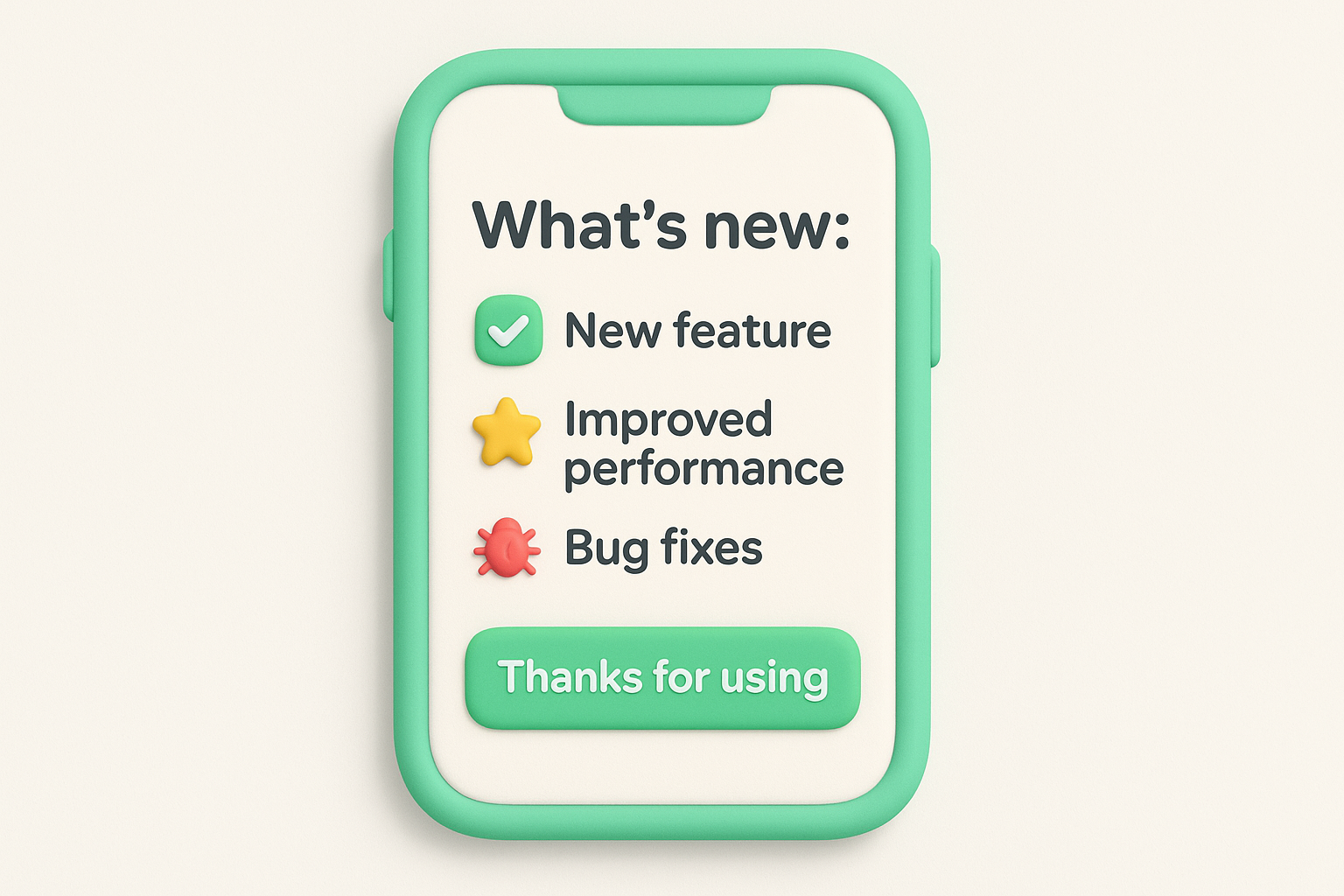
Keep the format tight. Lead with the single best reason to update, then list a handful of bullets covering new features, fixes, and performance changes. Skip long paragraphs entirely, App Store and Play Store listings truncate text fast, so your best line needs to land in the first sentence. If you're looking for an app release notes example to model, look at how top-rated apps phrase their bullets: short verbs, specific outcomes, no filler like "various improvements." Emojis are common here too, since they help bullets scan quickly on a small screen, though use them sparingly if your brand voice is more formal.
If your app update note doesn't fit on one screen without scrolling, nobody's reading past the first line.
Also mirror the same update inside your in-app changelog or feedback portal, with more detail than the store listing allows. Store character limits force brevity, but users who want the full picture should have somewhere to find it.
Use this format for every App Store or Google Play submission, no exceptions. Even a tiny patch needs a store-facing note, since an empty or copy-pasted "bug fixes and performance improvements" line for the tenth release in a row signals a team that isn't paying attention. Pair it with a longer changelog entry on your site or portal if the update includes anything users would want more context on.
[App Name] [Version Number]

What's new:
- Top feature or fix, stated in one line
- Secondary improvement
- Bug fix summary

Thanks for using [App Name]! Got feedback? [Link to feedback portal]
Test your note on an actual phone screen before you publish it. Copy that reads fine in a text editor often runs long or awkward once it's squeezed into a store listing's character limit.
Internal releases answer to a different audience than customer-facing updates. Nobody here needs marketing language or a "why this matters" paragraph, they need to know exactly what changed in the codebase, what dependencies shifted, and whether they need to touch their own configs before the next deploy. An it release notes template should read more like a technical changelog than a newsletter, because the people reading it are trying to keep systems running, not get excited about a feature.
Open with the build number, commit hash, or deployment ID, whatever your team uses to trace a release back to its source. List changes by system or service if you're managing a multi-component product, since a backend engineer doesn't need to scroll through frontend CSS tweaks to find the API change that affects their work. Call out dependency updates, config changes, and environment variable additions explicitly, these are the details that break someone's local setup if they're buried in a paragraph instead of listed as their own line item. A software development release notes template should also flag anything requiring a database migration or a restart, since skipping that note is how you end up with a Slack thread full of "is prod down for anyone else?" messages.
Internal release notes exist so nobody has to ask engineering what changed in a private message.
Use this format for every internal deploy, whether it's a backend service update, an infrastructure change, or an API version bump. It's especially useful for teams running CI/CD pipelines with frequent, smaller deploys, where a lightweight but consistent note keeps everyone aligned without slowing down the release cadence. Any team maintaining a public API should also lean on this format for project release notes shared with third-party developers, since breaking changes there ripple out to integrations you don't control.
# [Service/Repo Name] - Build [Number/Hash]
Deployed: [Date and time]

## Changes
- [Component]: what changed
- [Component]: what changed

## Dependencies
- Updated: [package/version]

## Config/environment changes
- What changed and what action is needed

## Migration required
Yes/No - details if yes

Questions? [Link to internal wiki or team channel]
Keep this template living in the same place every time, a shared wiki, a pinned channel, or your deployment tool's changelog feature. Consistency matters more than polish for an internal audience that just needs the facts fast.
Picking the right software release notes template comes down to answering three questions before you write a single line: how big is the change, who's reading it, and how urgent the message is. A one-line UI tweak doesn't need a migration guide, and a live outage fix doesn't need a "why this matters" paragraph before the facts. Match the format to the actual weight of the release, not to how much internal work went into building it, since users only care about what changed for them.
Use this table as a quick decision guide when you're not sure which of the eight formats fits:
| Release type | Best template | Primary audience | Urgency |
|---|---|---|---|
| New module, pricing or navigation change | Major release | All users | Low, planned |
| Small feature or UI tweak | Minor update | All users | Low, planned |
| Routine bug cleanup | Patch/bug fix | Affected users | Low |
| Live production issue | Hotfix | Affected users | High, immediate |
| Vulnerability patch | Security update | All users | High, immediate |
| Early access feature | Beta | Opt-in testers | Medium |
| App Store/Play submission | Mobile app | End users on mobile | Low, scheduled |
| Backend/API change | IT and developer | Engineers, integrators | Varies |
Choose the template based on who's affected and how fast they need to know, not on how big the release felt internally.
Many releases don't fit neatly into a single row, and that's fine. A project release notes template doesn't have to be rigid, so borrow sections when a release blurs categories. Shipping a security fix inside your regular sprint? Pull the severity and action-required lines from the security template and drop them into your minor update format instead of writing a separate note nobody reads twice.
Cadence should shape your choice too. Teams shipping daily or weekly tend to lean on the lighter formats, patch, minor update, and mobile app notes, simply because a heavier template becomes a bottleneck at that speed. Save the major release and beta formats for the handful of times a year when the change genuinely justifies the extra structure. Consistency matters more than variety, so once you settle on a mapping between release type and template, write it down and share it with anyone who touches the changelog.
Even the best software release notes format falls flat if the writing itself feels like a legal disclaimer. Good release notes read like a person wrote them, someone who understands both the product and the reader's patience for jargon. Ditch phrases like "various improvements" or "enhanced functionality" and replace them with specifics: what changed, who it affects, and why it's worth their thirty seconds. Users can tell the difference between a note written to inform them and one written to check a box before deploy day.
Users don't reread boring release notes twice, but they'll forgive a rough one that's honest and specific.
Words alone leave a lot on the table when a change is visual. Drop in a screenshot, a short GIF, or a one-line code snippet whenever it saves a paragraph of explanation, especially for UI changes or new settings that are easier to see than describe. Formatting matters just as much as content here: consistent headers, scannable bullets, and a predictable order from release to release train readers to find what they need fast instead of hunting through prose every time.
Release notes work best when they connect back to where the request started. Linking a shipped feature to the feature request users voted on turns a dry changelog entry into proof that feedback actually goes somewhere, which is exactly the loop a tool like Koala Feedback's public roadmap is built to close. That connection also cuts down on repeat requests, since users can see a feature is already planned or in progress instead of submitting it again.
Timing matters too. Ship your notes the moment the release goes live, not days later once someone remembers to write them up, and archive old notes somewhere searchable so support teams and users can look back without filing a new ticket. A predictable rhythm, paired with plain language and real links back to user input, is what separates release notes people skim out of habit from ones they actually read.
Pick one template from this list, save it somewhere your whole team can grab it, and use it on your very next release. That's the whole trick. A software release notes template only earns its keep once it's the default, not something you rebuild from scratch every sprint. Start with whichever format matches your most frequent release type, minor updates or patches for most teams, then add the others as you need them for hotfixes, security patches, or a major launch.
The real payoff shows up over time, when users start expecting clear notes and trusting that what they voted for actually ships. That trust is easier to build when your release notes connect straight back to the requests behind them. Try Koala Feedback to link your roadmap, feedback board, and release notes into one workflow, so every update tells users their input mattered.

Start today and have your feedback portal up and running in minutes.

