Most product teams collect feedback the wrong way. They send a survey after a support ticket closes, glance at the average score, and move on. Nobody reads the comments, nobody acts on the trends, and the next quarterly review starts from scratch. If you're trying to figure out what customer surveys and feedback actually mean for your product decisions, not just as a compliance checkbox, you're asking the right question.
A customer satisfaction survey is a structured way to ask users how well your product meets their needs, but the value only shows up when you connect responses to real action: fixing a broken workflow, prioritizing a requested feature, or closing the loop with the customer who complained. Done right, feedback becomes a steady input into your roadmap instead of a once-a-year report nobody opens.
This article breaks down what these surveys are, why they matter for retention and product decisions, and how to build one that gets honest, usable responses. You'll get practical tips, question examples, and a look at where a feedback survey fits alongside tools like public roadmaps and voting boards to turn customer input into features people actually want.
Surveys exist because guessing is expensive. You can watch usage numbers all day and still miss why a customer is quietly planning to cancel. A well-run customer satisfaction survey fills that gap by asking directly, giving you a structured feedback loop instead of scattered anecdotes from support tickets and sales calls, which is one of the reasons customer feedback matters more than any internal debate. Teams that treat this as a real practice, not a once-a-quarter obligation, catch problems while they're still small and cheap to fix.
Analytics show what customers did. A survey on customer satisfaction shows why they did it, and that context is where the real insight lives. A drop in feature usage could mean the feature is useless, or it could mean users can't find it. Only a direct question separates those two problems, and each one demands a completely different fix. Numbers tell you something changed; people tell you what to do about it.
Usage data shows you the symptom. Customer feedback shows you the diagnosis.
Retention rarely fails because of one big product gap. It fails because small frustrations pile up until a customer decides the switching cost is worth it. Running customer satisfaction surveys regularly gives you an early warning system for that slow slide. A customer who rates you low and explains why is handing you a chance to fix things before they leave, and a follow-up email closing that loop often does more for loyalty than the product change itself, since acting on feedback early is what actually causes loyalty. According to Microsoft's research on customer service expectations, most customers say they expect companies to act on the feedback they collect, not just gather it. That expectation gap is exactly where churn starts.
Every product team has more feature requests than engineering hours. A customer survey satisfaction program gives you a way to rank those requests by actual demand instead of whoever complained loudest in a Slack channel. When feedback is centralized and tagged by theme, patterns show up fast: three customers mentioning the same missing integration in different words is a much stronger signal than one detailed feature request from your biggest account. This is where setting up a customer feedback portal earns its keep, since it lets you collect, tag, and vote on requests in one place instead of digging through survey exports and support threads separately.
Customers notice when a company asks for input and does nothing with it. That's worse than not asking at all, because it teaches people their opinion doesn't count and they stop giving it. Building a habit of running a survey about customer satisfaction, sharing what you learned, and showing the resulting changes on a public roadmap turns feedback into a visible commitment rather than a black box. Businesses that close this loop consistently report something practical: response rates climb over time, because customers believe the survey actually matters. That compounding trust is the real payoff, more valuable long-term than any single satisfaction score you'll pull from a quarterly report.
Building a customer satisfaction survey that actually works starts with a single goal, not a wishlist of everything you'd like to know, and the eight rules for designing a CSAT survey people finish all follow from that focus. Pick one question you're trying to answer, like whether onboarding is confusing or whether a recent update broke someone's workflow, and design the whole survey around that. A survey trying to measure ten things at once measures nothing well, and respondents feel that lack of focus and abandon it halfway through.
Length kills completion rates faster than any other design mistake. Five to seven questions is the sweet spot for most customer satisfaction feedback surveys, mixing a quick rating scale with one or two open-ended questions that let people explain the number they just gave. Cut anything that doesn't directly inform a decision you're prepared to make.
A survey with fewer questions but more finishers beats a long one that people quit halfway through.
Timing decides whether your survey feels relevant or intrusive. Send it right after a meaningful interaction, like completing onboarding, resolving a support ticket, or hitting a usage milestone, so the experience is still fresh. A generic quarterly blast to your entire user base gets ignored because it's disconnected from anything the customer just did.
How you phrase a question shapes the answer you get, so avoid leading language that nudges people toward a positive score. "How satisfied are you with our new dashboard?" is neutral. "Don't you love our improved dashboard?" isn't a question, it's a request for validation, and the data you collect will be worthless for real decisions.
Run a quick checklist before sending any satisfaction customer survey to your full list:
Getting these basics right matters more than any clever question format. A short, well-timed, honestly-worded survey will outperform a long, generic one every time, and it sets up everything covered next: matching the survey type to the moment you're trying to understand.
Different questions call for different survey formats, and picking the wrong one wastes the moment you have with a customer. Customer feedback surveys generally fall into a handful of proven survey formats, each built to answer a specific question rather than everything at once. Knowing which one fits your situation saves you from sending a generic satisfaction survey when what you actually need is a loyalty signal or an effort score.
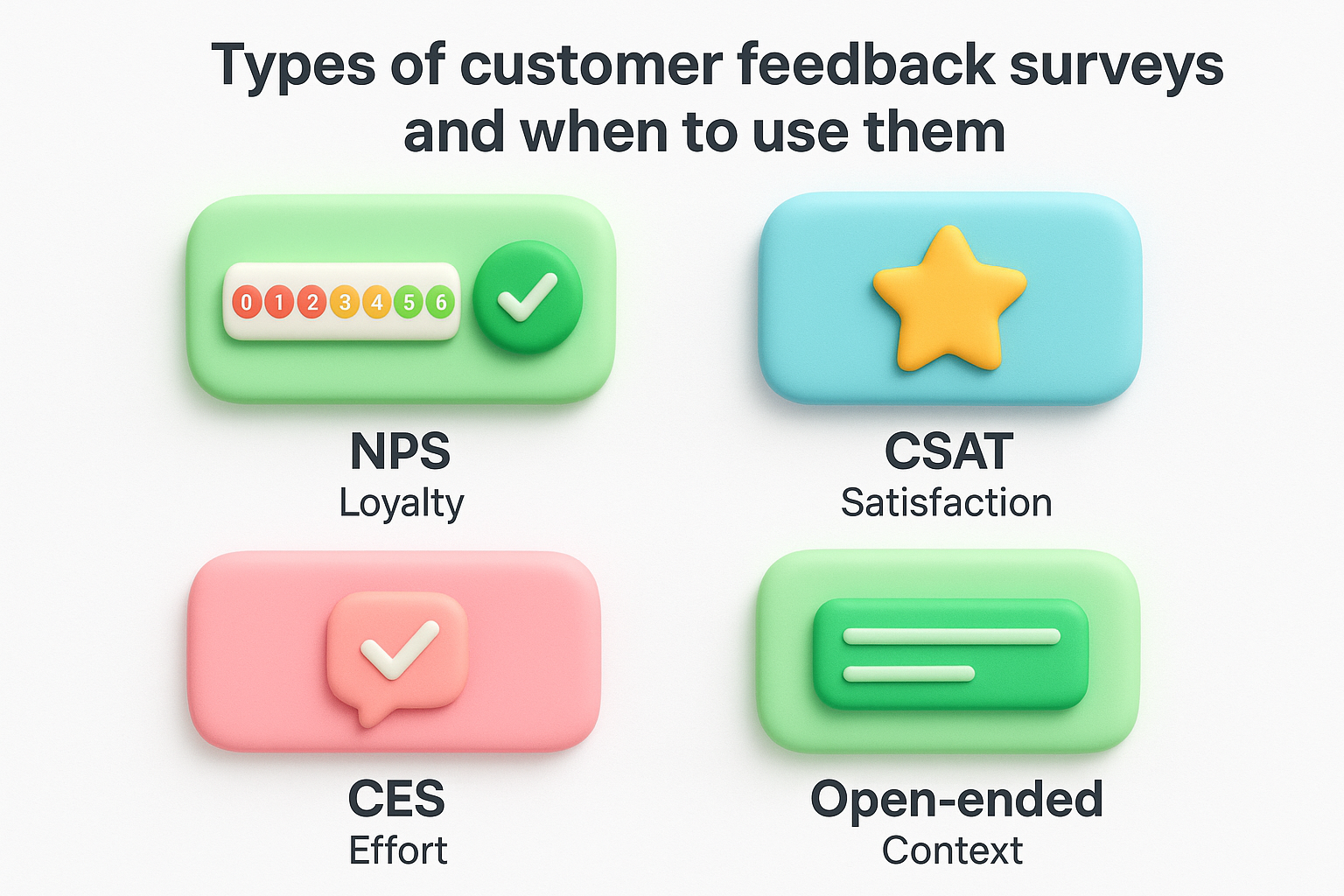
Net Promoter Score asks one core question: how likely is this customer to recommend you to someone else? It's a single 0-10 rating question, usually followed by an open-ended "why did you choose that score" field. NPS works best as a recurring pulse check, run quarterly or after a major release, because it tracks loyalty trends over time rather than reactions to one specific interaction.
A customer satisfaction survey in the classic CSAT format asks how satisfied someone was with one specific interaction, like a support ticket or a checkout flow. It's short, usually a single rating question, and it works because it's tied directly to something the customer just experienced. Send it immediately after the interaction closes, while the details are still fresh.
Match the survey format to the moment, not the other way around.
Customer Effort Score asks how easy it was to get something done, like resolving an issue or completing a setup step. It's the most useful format when you suspect a process is clunky, because low effort correlates strongly with retention even when satisfaction scores look fine. A survey of customer satisfaction alone can miss this; a customer can be satisfied with the outcome and still frustrated by how hard it was to get there.
Ratings tell you the size of a problem, but open text tells you what the problem actually is. Pairing any of the formats above with one open-ended question consistently produces the most actionable data, because it captures language and context a number never will.
| Format | What it measures | Best timing |
|---|---|---|
| NPS | Loyalty and referral likelihood | Quarterly, ongoing |
| CSAT | Satisfaction with one interaction | Immediately after interaction |
| CES | Ease of completing a task | Right after onboarding or support |
| Open-ended | Context and specific reasons | Alongside any format above |
Running all four isn't necessary, though it helps to know how NPS, CSAT, and CES compare before you commit. Selecting the format that matches your current question, loyalty, satisfaction, effort, or context, gets you a cleaner signal than defaulting to whatever survey template you used last year, and there are ready-made satisfaction survey templates for each one.
Good questions come from the format you picked, not a generic template you found online. Below are ready-to-use questions organized by survey type, along with 11 questions that measure CSAT, so you can copy the ones that match what you're actually trying to learn instead of writing from scratch. Swap in your product name and send these as-is, or use them as a starting point for your own introduction for customer satisfaction survey wording.
Start with the core loyalty question, then always follow with an open-ended prompt. The second question is where the real insight lives.
Keep these tied to one specific interaction, not the product as a whole.
Focus entirely on effort, not emotion. These questions work best right after onboarding or a support resolution.
The best question in any survey is the one that asks "why," because that's the answer you can actually act on.
These work as a add-on to any survey customer satisfaction format above, and they're often the questions that surface the insight you didn't know to look for.
A short bank like this saves you from writing new questions every time you launch a survey, and pairing it with a consistent survey format you can copy in Word, PDF, or Excel keeps wording comparable across quarters. If a question doesn't map to a decision you'd actually make based on the answer, cut it, no matter how interesting it seems. The next section covers what to do once these answers start coming in, because a full inbox of responses is only useful once someone turns it into a decision.
Collecting responses is the easy part. Real value comes from turning a spreadsheet of scores and comments into decisions your team actually makes. The biggest mistake is treating customer satisfaction survey results as a report to file away instead of a queue to work through, the same way you'd triage a bug list.
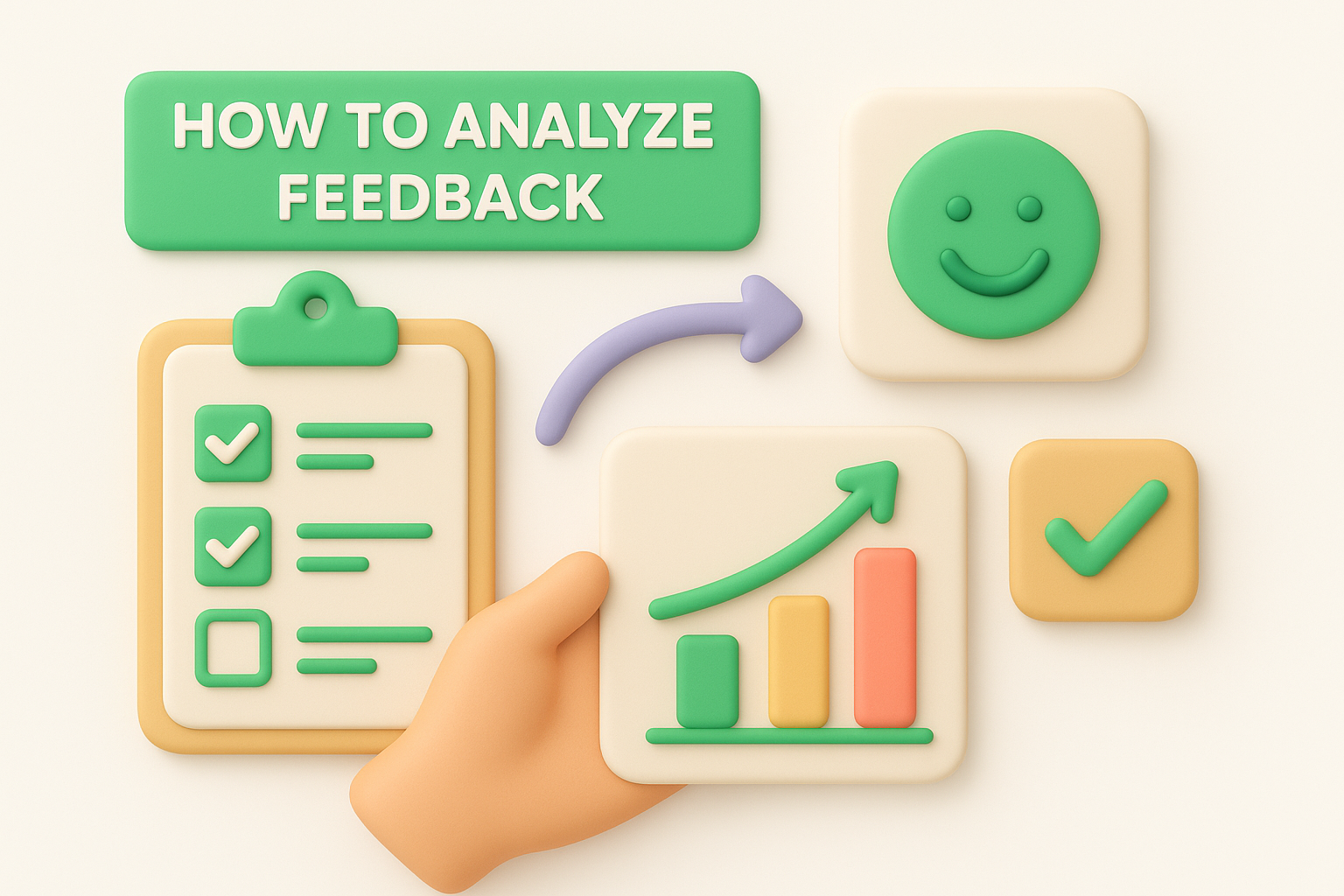
Start by sorting open-ended responses into themes before you look at averages. Read every comment and label it by topic, like onboarding, pricing, or a specific feature, so patterns emerge instead of getting lost in a single satisfaction number, which is the first step in any repeatable system for cleaning, tagging, and prioritizing responses. Doing this by hand for even fifty responses reveals more than a dashboard chart ever will, because you start noticing the same phrase showing up in three unrelated tickets.
A satisfaction score tells you there's a problem. Categorized feedback tells you which one.
One angry comment doesn't need a roadmap change, but the same complaint from five different customers does. Weigh feedback by frequency and by account value, since a request from three of your biggest customers deserves more attention than the same request from three trial users. This is exactly where centralizing feedback matters: a feedback survey sitting in a spreadsheet next to support tickets in a different tool guarantees you'll miss the overlap. Running everything through a single prioritization board makes those clusters visible instead of buried across five exports.
Every response deserves an answer, even if that answer is "not now." Following up with the specific customer who left a low score is the fastest way to save an account before it churns. Beyond one-to-one replies, update your public roadmap when survey feedback actually changes a priority, since that visible link between what customers said and what you shipped is how a feedback loop turns input into product improvements customers trust.
Surveys without a recurring review process die quietly. Set a fixed cadence for going through new responses:
Keeping this rhythm is what separates teams that act on feedback from teams that just archive it.
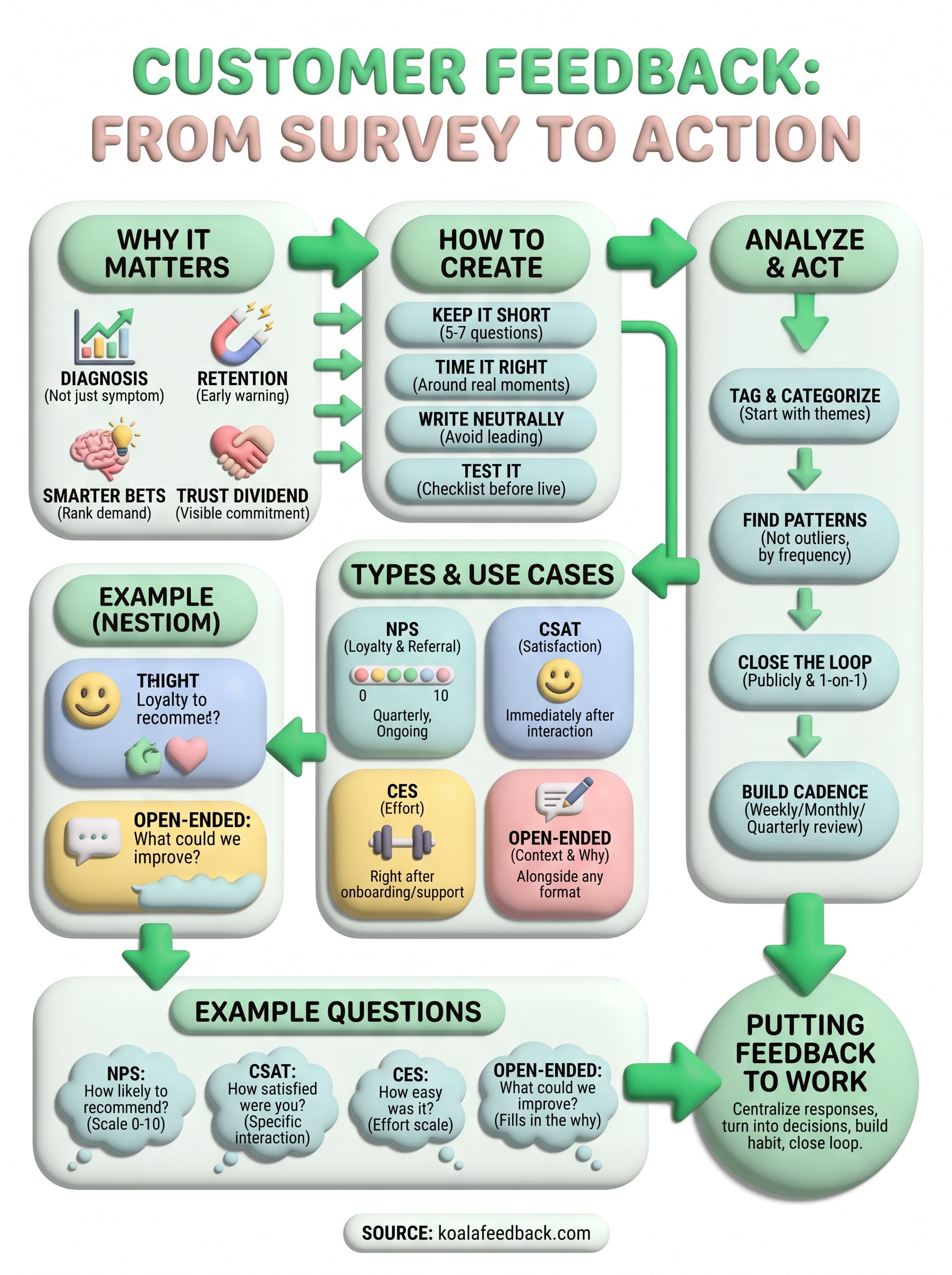
A customer satisfaction survey only earns its place in your process when someone reads the answers and changes something because of them. Every idea in this article, tighter timing, neutral wording, the right format for the moment, matters less than what happens after the responses arrive. Building that habit, tagging themes, weighing frequency, closing the loop with customers, is what separates a real feedback survey program from a checkbox exercise nobody remembers a month later.
Centralizing that work is where most teams stall, because juggling spreadsheets, support tickets, and survey exports guarantees good signals get lost. Koala Feedback gives you one place to collect responses, tag them by theme, let customers vote on what matters most, and show progress on a public roadmap so the loop actually closes. If you're ready to stop guessing and start acting on what your customers tell you, capture and prioritize survey responses in one place with Koala Feedback and see how much faster good ideas surface.

Start today and have your feedback portal up and running in minutes.

