Your backlog keeps growing, feature requests pile up faster than your team can ship them, and every sprint planning meeting feels like guesswork. AI-augmented feature development is the practice of using AI tools throughout the software build process, from writing code to summarizing user feedback, so teams move faster without sacrificing quality. It's not about replacing developers. It's about removing the grunt work that slows them down.
If you're trying to figure out what this actually looks like day to day, the answer is simpler than the buzzwords suggest. AI now helps teams cluster user feedback, draft technical specs, generate boilerplate code, and even flag which requested features will likely deliver the most value. Used well, it shortens the gap between "users want this" and "users have this."
This article breaks down what AI-augmented development actually means, walks through where AI fits into each stage of building a feature, and shows practical ways to start using it, including how tools like feedback prioritization platforms pair naturally with AI to help you decide what to build next instead of just how to build it faster.
Teams today ship into a market where user expectations move faster than release cycles ever could. Software backlogs have ballooned at most companies, not because teams are lazy, but because feedback volume now outpaces the humans available to read, sort, and act on it, which is why techniques for ranking a bloated backlog matter more than ever. AI-augmented feature development matters right now because the tools finally caught up to the problem: a language model can read a thousand support tickets in the time it takes a product manager to read ten, and it can do that without losing the thread of what users actually meant.
Most product teams don't struggle with generating ideas. They struggle with drowning in duplicate versions of the same idea, scattered across email threads, sales calls, support tickets, and app store reviews. Manual feedback triage used to eat entire days each week, and by the time someone turned messy requests into clear themes and tags, a competitor had already shipped the feature. AI changes that math. A model trained to spot semantic similarity can merge "add dark mode" and "the app is too bright at night" into one clear request in seconds, giving your team a clean signal instead of noise.
The teams winning right now aren't writing more code, they're wasting less time figuring out what to build.
Competitors adopting AI copilots for coding, test generation, and documentation now ship in weeks what used to take quarters. Feature delivery speed has become a genuine differentiator, especially in crowded SaaS categories where switching costs are low and users expect their favorite tools to keep evolving. Waiting on a slow, fully manual development cycle isn't just inefficient anymore, it's a real market risk when a rival can turn the same user request into a shipped feature before you've finished writing the spec.
Engineering leaders increasingly measure success by how much of a developer's day goes toward genuinely differentiated work versus repetitive tasks. AI absorbs the repetitive layer, freeing skilled engineers to focus on architecture decisions, tricky edge cases, and the judgment calls no model can make yet.
| Stage | Traditional approach | AI-augmented approach |
|---|---|---|
| Feedback review | Manual reading and tagging | AI clustering and summarization |
| Spec writing | Written from scratch | AI-drafted, human-edited |
| Coding | Fully manual | AI-assisted boilerplate, human logic |
| QA | Manual test writing | AI-generated test cases |
Seen this way, AI-augmented feature development isn't a trend to watch from the sidelines. It's already reshaping how fast a normal-sized team can move, which means the gap between teams that adopt it and teams that don't will only widen from here.
Building an AI-augmented workflow isn't about bolting a chatbot onto your existing process. It means rethinking where humans add judgment and where AI removes friction, stage by stage. A structured workflow keeps AI from becoming a novelty tool that a few engineers use in isolation and turns it into a repeatable system the whole team relies on.
Start by writing out your current feature development process, from the moment feedback lands to the moment a feature ships. Most teams find four to six distinct stages: collection, prioritization, spec writing, coding, testing, and release. Once you can see the stages clearly, it's much easier to spot where a manual bottleneck is costing you time and where an AI tool could realistically slot in without disrupting the rest of the pipeline, which is exactly what software development workflow best practices are built around.
Counterintuitively, the best place to introduce AI isn't coding, it's the front end of your process where feedback comes in raw and messy. Feeding scattered requests into a system that clusters and prioritizes them, like a feedback prioritization platform, gives your team a clear, ranked list before anyone writes a line of code or a spec.
Fix your input before you speed up your output, otherwise AI just helps you build the wrong thing faster.
Every AI-assisted stage still needs a person to review the output before it moves forward. Skipping this step is where teams get burned.
Treat these checkpoints as non-negotiable, not optional extras, and your agile feature development process stays fast without becoming careless.
Every stage of feature development now has a category of AI tool built for it, and knowing which type fits where saves you from buying software that overlaps or, worse, leaves gaps in your pipeline. Choosing the right tool for each stage matters more than chasing the newest AI product on the market, and comparing AI product management software side by side helps, since a tool that's brilliant at code generation won't help you cluster feedback, and vice versa.
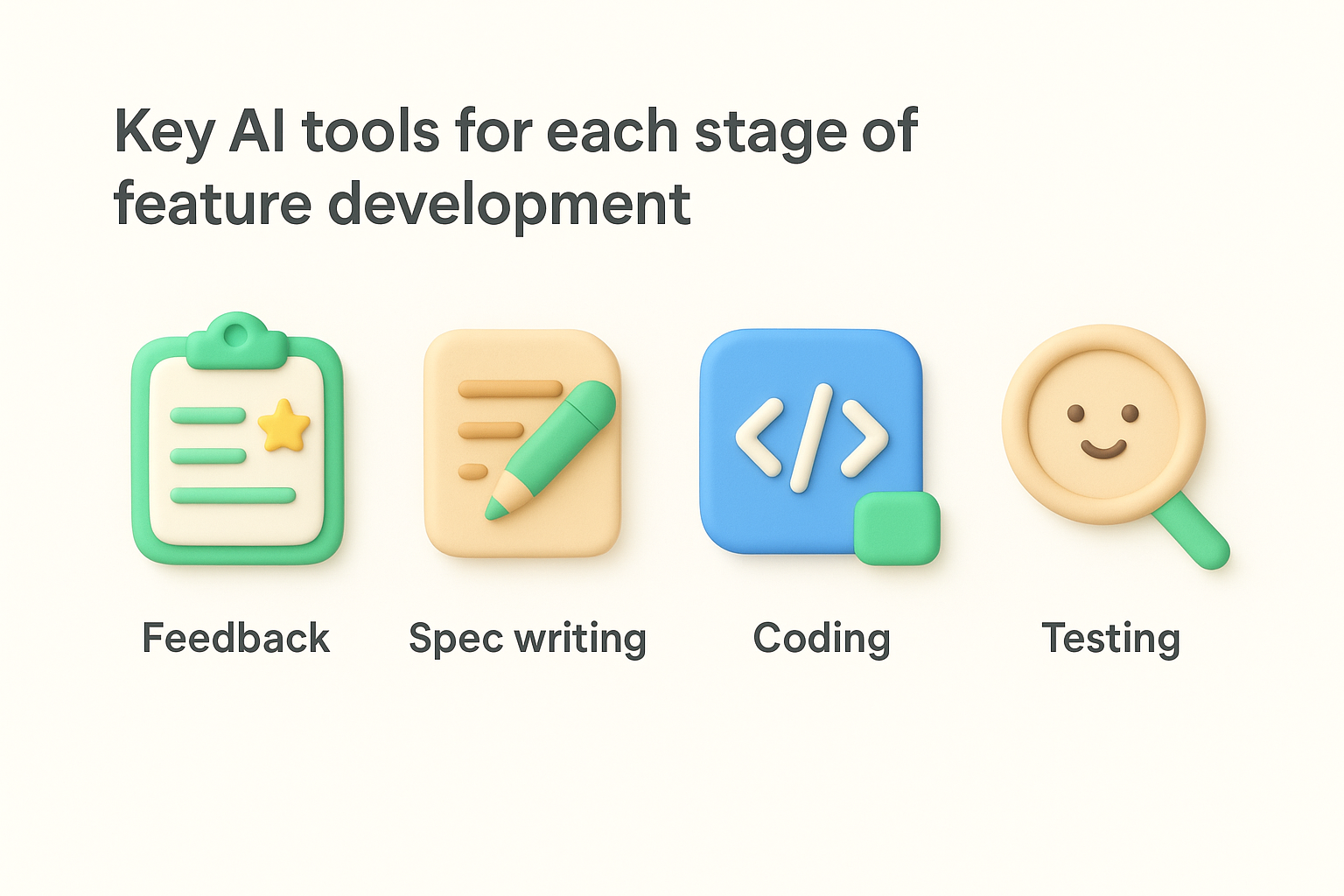
Feedback prioritization platforms sit at the front of the pipeline, and the leading AI-powered feedback tools detect duplicate requests, tag feedback by theme, and rank ideas by demand. Koala Feedback's own feedback management tools apply this kind of automated categorization, so a product manager sees a ranked list of what users actually want instead of a raw dump of comments.
A prioritization tool only earns its place in your stack if it turns noise into a ranked, actionable list.
Once a feature is prioritized, AI writing assistants can draft an initial technical spec from a short prompt describing the feature's goal and constraints. Engineers still refine the logic, but starting from a draft instead of a blank page cuts spec-writing time significantly.
AI coding assistants, like those built into modern IDEs, generate boilerplate, suggest functions, and flag likely bugs as developers type. Code generation tools work best on repetitive patterns like CRUD operations or API scaffolding, freeing developers for the harder logic decisions.
| Stage | Tool type | What it automates |
|---|---|---|
| Feedback | Prioritization platform | Clustering, deduplication, ranking |
| Spec writing | AI writing assistant | Draft specs from prompts |
| Coding | AI coding assistant | Boilerplate, suggestions, bug flags |
| Testing | AI test generator | Unit and edge-case test drafts |
After release, AI-powered monitoring tools scan logs and user behavior for anomalies, catching regressions faster than manual review ever could, closing the loop back to your feedback system for the next cycle.
No tool is risk-free, and AI-augmented feature development introduces failure modes that a purely manual process never had. Teams that skip this section of planning tend to discover the risks the hard way, usually in production. Treat these challenges as part of the workflow design, not an afterthought you deal with once something breaks.
Generated code looks confident even when it's wrong, which makes AI-generated code more dangerous than an obvious bug. A model can produce a function that compiles, passes a quick glance, and still contains a security flaw or a logic error that only shows up under specific conditions. Security researchers at organizations like OWASP have flagged AI-assisted coding as a growing source of vulnerabilities precisely because the output looks polished. Senior developer review, not a quick skim, has to stay mandatory for anything AI writes before it merges.
Confident-looking code isn't the same as correct code, and AI is very good at looking confident.
Feedback clustering tools are good at grouping similar language, but they miss tone, urgency, and context that a human reader picks up instantly. A frustrated enterprise customer threatening to churn and a casual user making a wishlist request can land in the same cluster if the wording overlaps, even though they need very different responses. Feedback misclassification at this stage quietly skews your whole roadmap toward the wrong priorities, so understanding how AI feedback analysis actually scores and categorizes input matters, and someone still needs to spot-check clusters before they drive planning decisions.
Junior developers who lean on AI for every function risk never building the debugging instincts that come from writing code the hard way first. Skill erosion is a slower risk than a bad security bug, but it compounds over years if teams don't balance AI assistance with genuine hands-on practice. Pair AI use with regular code reviews that explain the why, not just the what, so your team's judgment keeps growing alongside the tooling.
Picture a mid-sized SaaS company with three product managers and twelve engineers, drowning in feedback from five different channels. That's the exact scenario where AI-augmented feature development shows its value fastest, because the gap between chaos and clarity is so visible. Instead of a PM manually sorting through Zendesk tickets, sales call notes, and app store reviews, an AI-powered feature request portal clusters hundreds of raw submissions into a dozen clear themes overnight.
Say fifty users, in different words, ask for the ability to export reports as CSV files. A feedback prioritization platform catches the semantic overlap, merges the requests into one item, and surfaces it near the top of the ranked list based on vote count and customer segment. The PM reviews the cluster, confirms it's accurate, and moves it into a roadmap board marked "planned." From there, an AI writing assistant drafts a first-pass technical spec describing the export logic and expected file format. An engineer edits that draft, an AI coding assistant scaffolds the export function, and a test generator drafts unit tests for edge cases like empty datasets or special characters in field names.
The magic isn't any single AI tool, it's how quickly a request moves from raw feedback to shipped code without losing accuracy along the way.
Here's what shifts once this workflow runs smoothly:
Going from that first cluster of fifty CSV requests to a shipped feature might take days instead of weeks. That compressed timeline, repeated across dozens of features a year, is the real, measurable payoff teams see once AI is woven into every stage instead of bolted onto just one.
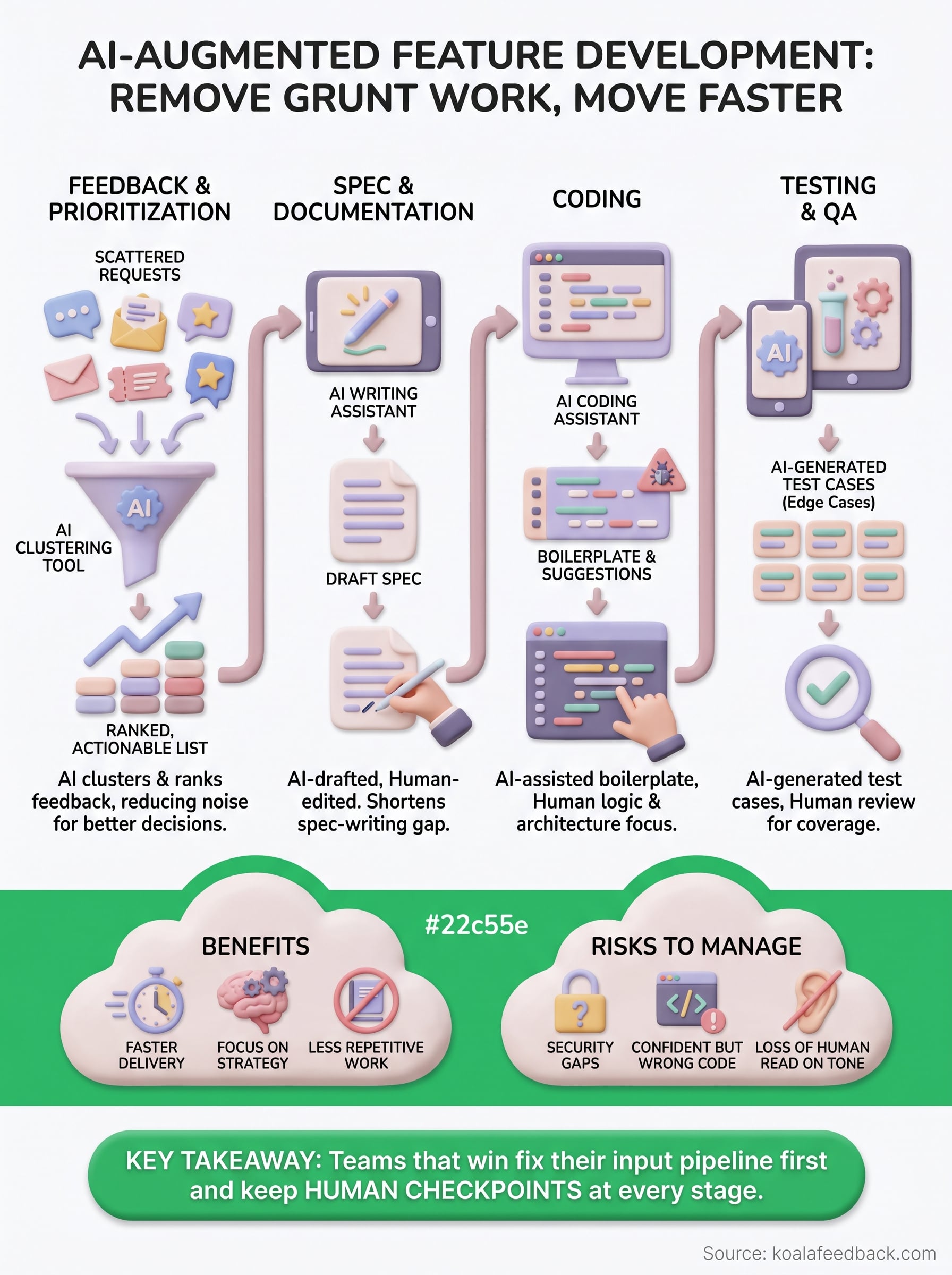
AI-augmented feature development isn't a single tool you buy once and forget. It's a mindset shift about where humans add judgment and where AI removes friction, applied consistently from the moment feedback lands to the moment a feature ships. Teams that win aren't the ones with the fanciest models, they're the ones who fixed their input pipeline first, kept human checkpoints at every stage, and treated AI as a way to move faster on the right work instead of just faster work.
Start small. Pick one stage, probably feedback collection, and build the habit before you expand. A clear prioritization process makes every downstream AI tool more effective, because you're never guessing what to build next.
If you're ready to stop drowning in scattered requests, capture and prioritize user feedback with Koala Feedback and see how one portal turns noise into a ranked roadmap your whole team can act on.

Start today and have your feedback portal up and running in minutes.

