If your feedback inbox has turned into a graveyard of duplicate feature requests, scattered survey responses, and forum threads nobody has time to read, you're not alone. Every product team hits the same wall: feedback volume grows faster than your ability to make sense of it. That's where ai user feedback comes in, and it's changing how product managers turn raw customer input into decisions they can actually act on.
At its core, AI user feedback means using machine learning and natural language processing to automatically sort, tag, and summarize what users are telling you, instead of reading every comment by hand. It can spot duplicate requests, cluster similar complaints, flag sentiment shifts, and surface the handful of themes that actually matter out of thousands of data points. Used well, it turns weeks of manual review into a same-day insight.
This article breaks down what AI user feedback actually looks like in practice, from automated categorization to sentiment analysis and trend detection, and walks through how to put it to work in your own product process. You'll see where AI genuinely saves time, where human judgment still matters, and how tools like Koala Feedback help you collect and prioritize that feedback without losing the signal in the noise.
Volume is the real enemy here, not intent. A team of five product managers can read maybe 200 pieces of feedback a week if that's their entire job, but most SaaS products generate that many support tickets, survey responses, and in-app comments before Wednesday. AI user feedback tools close that gap by processing thousands of submissions in the time it takes a human to read a dozen, tagging each one by topic, sentiment, and urgency without anyone touching a spreadsheet. This isn't about replacing the product manager's judgment, it's about making sure that judgment gets applied to the right five requests instead of buried under two hundred duplicates.
The teams that win aren't the ones getting the most feedback, they're the ones who can actually see what it's telling them.
Manual review also has a hidden cost that rarely shows up in a budget line: decision lag. When it takes three weeks to synthesize last month's feedback, you're making roadmap calls on stale data while new complaints pile up behind it. AI-assisted triage collapses that lag from weeks to hours, which means your prioritization decisions reflect what users are saying now, not what they said last quarter.
| Approach | Time to synthesize 1,000 responses | Duplicate detection | Sentiment tracking |
|---|---|---|---|
| Manual review (spreadsheet/tags) | 2-4 weeks | Manual, error-prone | Rare, subjective |
| AI-assisted triage | Hours to 1-2 days | Automated clustering | Consistent, scored |
Once feedback is categorized and scored, it stops being a pile of comments and starts looking like a dataset you can act on. That's the real shift: instead of asking "what did people say," you can ask "how many people, from which segment, are asking for the same thing, and how urgent is it." A roadmap prioritization tool that pulls in pre-sorted, deduplicated feedback lets a product manager build a roadmap around actual demand instead of whoever complained loudest in a Slack channel. This is where AI-driven feedback analysis pays for itself, because it feeds directly into the same prioritization work you're already doing.
Here's what changes concretely once AI handles the first pass:
Skipping this step doesn't just cost you time, it costs you accuracy. Teams that rely on gut feel or the last five customer calls tend to overweight whoever spoke most recently or most loudly, which is a poor substitute for what your full user base actually wants. Product decisions made on a small, unrepresentative sample tend to miss the features that would move retention or expansion revenue, because the people asking for them weren't in the room. Analyzing feedback with AI-driven customer insights instead of anecdotes gives you a much closer read on what your entire user base is telling you, not just the subset who happened to email support this week.
Collecting feedback with AI starts long before any analysis happens, it starts with where you're pulling data from in the first place. Most product teams juggle five or six sources: an in-app portal for customer requests, support tickets, app store reviews, sales call notes, and social mentions. AI can't analyze what it never sees, so the first job is pulling every channel into one place you can actually analyze before the algorithm reads a word. A tool like Koala Feedback handles this by giving users a single portal to submit ideas, vote, and comment, which means the raw input arrives already structured instead of scattered across five inboxes.
Before any AI model touches your data, you need a consistent intake process, otherwise you're just automating a mess. Here's the basic pipeline most teams end up building:
Garbage in still means garbage out, no matter how good the model is.
Once feedback is centralized, the analysis layer takes over three jobs at once: classification, deduplication, and scoring. Classification means the model reads each submission and assigns it a category, like "billing," "onboarding," or "integrations," without a human tagging it manually. Deduplication clusters near-identical requests together using semantic similarity rather than exact keyword matches, so "export to CSV" and "let me download my data as a spreadsheet" land in the same bucket. Scoring then ranks each cluster by volume, recency, and often customer value, so a request from twenty enterprise accounts outranks one from a single free-tier user.
Good AI analysis doesn't stop at a dashboard, it feeds directly into your prioritization boards where the product team already works. Rather than exporting a static report that gets skimmed once and forgotten, the categorized, deduplicated feedback should sit inside the same tool where you're planning your roadmap. That's the difference between AI as a novelty and AI built into your discovery process: it changes what shows up on your board next sprint, not just what shows up in a slide deck nobody reopens.
Behind every "AI-powered" feedback tool sits a handful of specific techniques doing the actual work, and knowing what they are helps you judge whether a tool is genuinely useful or just slapping a buzzword on a keyword search. Most platforms combine four core methods: natural language processing, sentiment analysis, clustering, and trend detection. Each one solves a different piece of the puzzle, and together they turn a pile of raw comments into something a product team can act on.
Natural language processing (NLP) is what lets a model read "the app crashes every time I export" and understand it's about a bug in the export feature, not a general complaint. It breaks sentences into entities, intents, and topics, which is how AI-powered tools for analyzing feedback auto-tag submissions by category without a human assigning labels first. This is the foundation everything else builds on: if the NLP layer misreads a sentence, the sentiment score and clustering downstream inherit that mistake.
If the model misreads the sentence, every score built on top of it is wrong too.
Voice of customer sentiment analysis assigns a positive, negative, or neutral score to each piece of feedback, and better models go further by detecting intensity, not just direction. A comment tagged "strongly negative" about checkout deserves faster attention than one tagged "mildly negative" about button color, even though a basic keyword scan might flag both the same way. Tracking sentiment over time also reveals shifts a single snapshot misses, like a feature that launched to praise and slowly accumulated frustration as edge cases surfaced.
Clustering, sometimes called topic modeling, groups semantically similar feedback without relying on exact wording. This is the mechanism behind duplicate detection: it's why "add SSO" and "support single sign-on for our team" end up in the same bucket instead of two separate, invisible requests. Unlike simple keyword matching, clustering catches paraphrasing and synonyms, which is what makes it possible to organize feedback into themes and priorities even though most users don't describe the same request the same way twice.
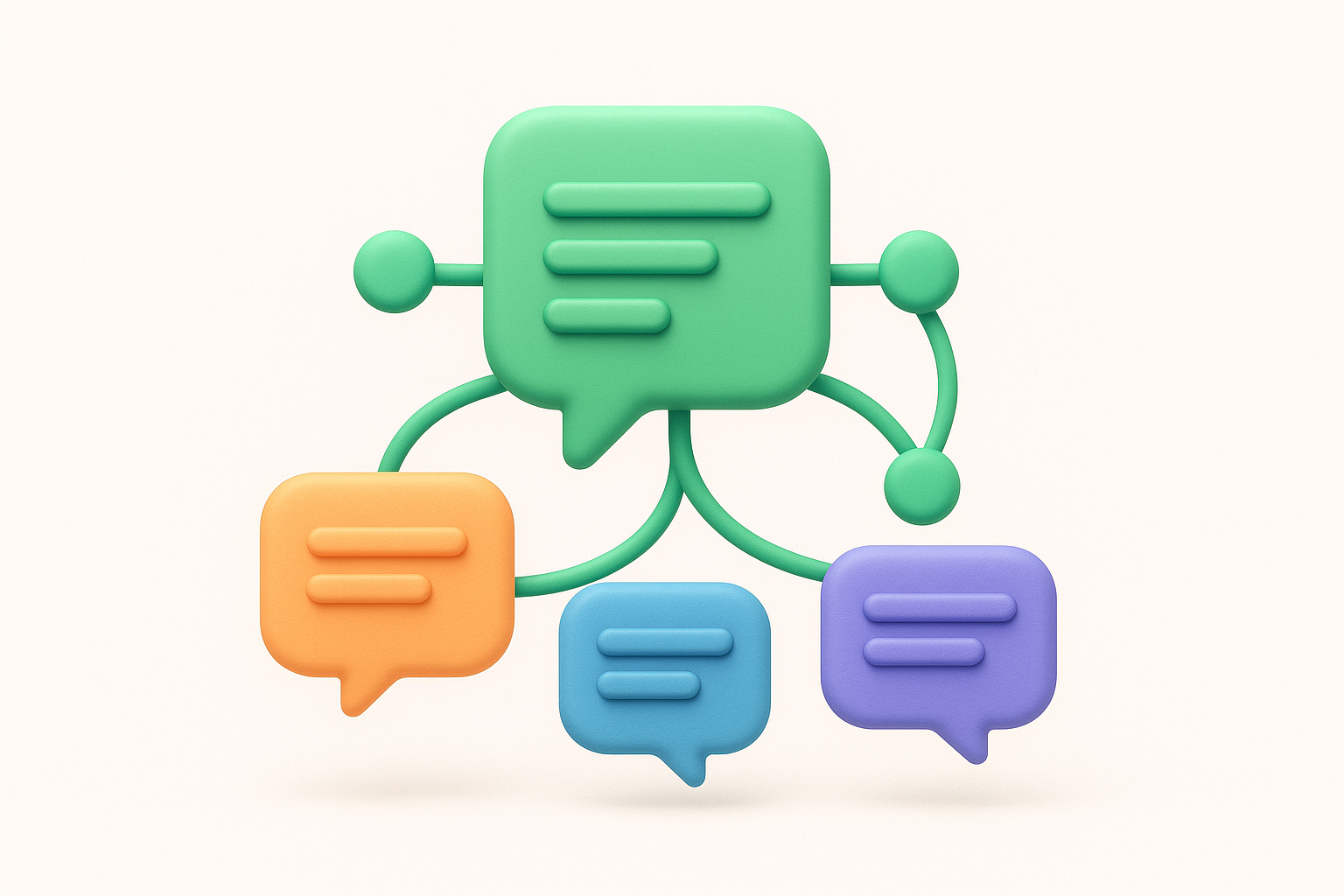
Trend and anomaly detection watches the data over time rather than analyzing it as a static snapshot, flagging sudden spikes in a topic or sentiment shift that a monthly report would catch weeks too late. This is the piece that separates reactive feedback analysis from proactive product management, since it surfaces emerging problems while they're still small enough to fix cheaply. Combined, these four techniques don't replace a product manager's judgment, they just make sure that judgment gets applied to the right signal at the right time.
AI user feedback tools solve real problems, but they introduce their own failure modes, and pretending otherwise sets you up for bad decisions dressed up as data-driven ones. Knowing where the models struggle helps you build in the right checks instead of trusting every output at face value.
Language models are good at literal reading, but they still stumble on sarcasm, idioms, and mixed emotions in the same sentence. A comment like "oh great, another update that breaks my workflow" can get scored as neutral or even positive by a model that latches onto the word "great" instead of the intent behind it. Context matters just as much: a complaint about "loading forever" means something different from a mobile user on a train than from an enterprise customer on a dedicated server, and most sentiment models don't weigh that difference at all. This is exactly why raw AI output needs a human pass before it drives a roadmap decision, not because the model is broken, but because language is messier than any classifier fully captures.
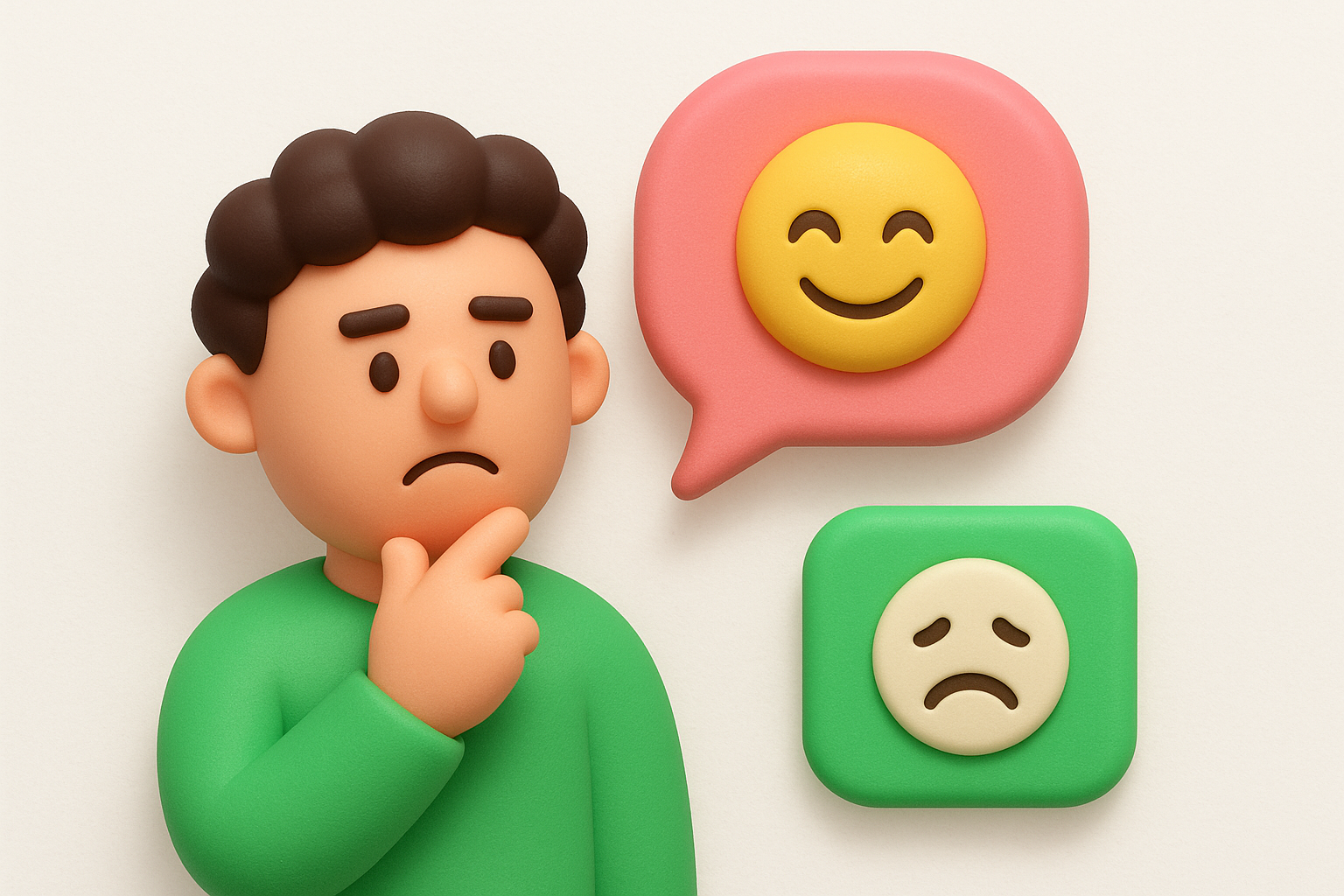
A model that gets sarcasm wrong doesn't just miscount one comment, it can flip your read on an entire feature.
Every model inherits patterns from the data it learned on, which is how an unchecked AI feedback loop quietly bakes bias into a tool you thought was neutral. If your historical feedback skews toward power users or a specific customer segment, the model's sense of "typical" feedback skews the same way, quietly underweighting requests from newer or smaller accounts. Categorization can drift too: a model trained mostly on English support tickets from one industry may miscategorize terminology from a different vertical, tagging billing complaints as generic "account issues" simply because it hasn't seen enough examples. Watching for this drift matters more than most teams expect, since a biased model doesn't announce itself, it just quietly shapes which requests rise to the top of your board.
Over-relying on automated scoring creates a different risk: teams stop reading the actual comments once a dashboard tells them what's trending. Edge cases, the odd complaint from a high-value account or a niche bug report that doesn't cluster with anything else, get buried under aggregate metrics because they don't move a chart. Spot-checking a sample of raw feedback each week, not just the summarized version, catches these before they turn into a churned account nobody saw coming.
Feeding customer comments through any AI system also raises data privacy questions, especially when feedback contains account details, emails, or names. Teams handling regulated data need to confirm how their tools store and process that text, and whether it's used to train models beyond their own account. Reviewing a vendor's data handling policy before rollout avoids a compliance headache down the line.
Getting value out of ai user feedback isn't about buying the fanciest tool, it's about setting up guardrails so automation actually earns your trust over time. The teams that get this right treat AI as a first-pass filter, not a final judge, and they build a few habits for gathering and acting on customer input into their process that keep the output honest.
Assign someone, even just an hour a week, to spot-check a random sample of AI-tagged feedback against the raw comments. This catches sarcasm the model missed, mislabeled categories, and edge cases that got buried under aggregate scores. Reviewing isn't about distrusting the tool, it's about calibrating it, and calibration is what turns a decent model into one your team actually relies on.
Trust in AI-driven feedback grows from spot-checks, not from a dashboard that looks impressive.
Decide in advance how many mentions or how sharp a sentiment shift needs to be before it triggers a roadmap conversation. Without a threshold, every spike looks urgent, and your team ends up chasing noise instead of signal. A simple starting framework:
Adjust these numbers to your user base size, but having any threshold beats reacting to whichever comment someone happened to read that morning.
Once feedback is scored, it needs to live somewhere the whole team checks, not in a spreadsheet that gets emailed once a month. Routing AI-tagged, deduplicated requests straight into a prioritization board keeps the analysis connected to actual roadmap decisions instead of sitting in a report nobody reopens. This also gives your team a shared, defensible reason for why one feature moved up the queue over another, which matters when stakeholders push back.
Models drift as your product, user base, and language change, so accuracy you measured at rollout won't necessarily hold six months later. Set a recurring check, quarterly works for most teams, where you compare a batch of AI categorizations against manual review and track how often they agree. If accuracy slips, it usually means your customer base or vocabulary shifted, and it's worth retraining or adjusting your tagging rules rather than assuming the tool still works the way it did on day one. Combined with human spot-checks and clear thresholds, this keeps your AI-powered feedback workflow trustworthy instead of something you set up once and stopped watching.
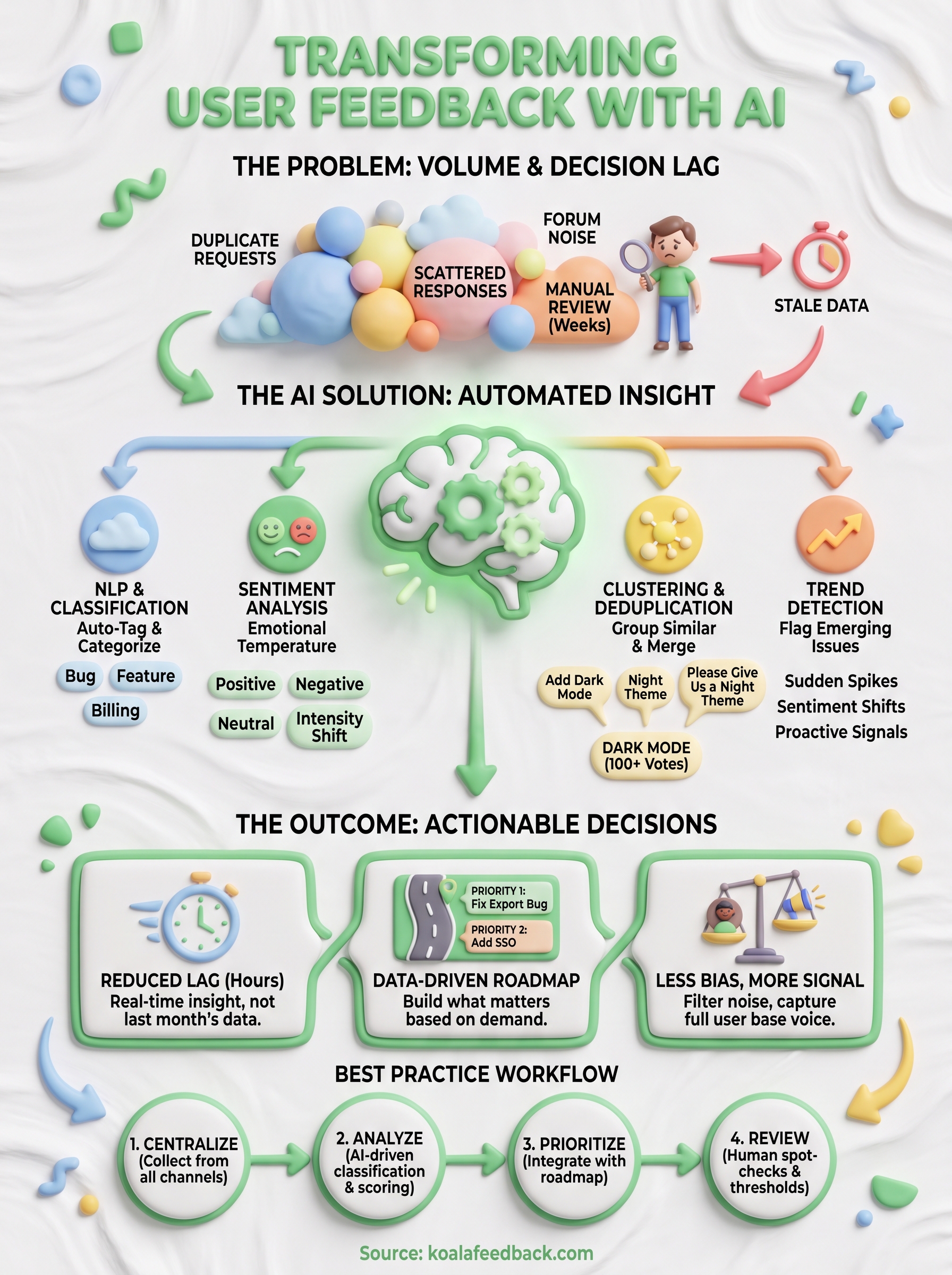
AI doesn't replace the judgment that makes a product manager good at their job, it just clears the clutter so that judgment gets applied where it counts. AI user feedback tools handle the volume problem, the deduplication problem, and the "what changed since last week" problem, freeing your team to focus on the harder question: what should we actually build next. None of that works, though, without a review layer, clear thresholds, and a place for the output to live besides a forgotten spreadsheet.
Getting this right starts with picking a system that keeps collection, categorization, and prioritization in one workflow instead of three disconnected tools. That's exactly the gap a feedback portal built for this job is meant to close. If you're ready to stop reading feedback one comment at a time, try Koala Feedback's user feedback portal and see what your roadmap looks like once the noise is gone.

Start today and have your feedback portal up and running in minutes.

