Linear is one of the best project management tools out there for engineering and product teams. But when it comes to sharing a Linear public roadmap with your customers, things get tricky. Linear was built for internal team workflows, not for giving users a clear, public-facing view of what's coming next. That gap leaves a lot of product managers and SaaS founders searching for workarounds.
The good news: you absolutely can publish a public roadmap from Linear. You just need the right approach. Some teams use Linear's built-in project views with limited public access, while others connect Linear to a dedicated tool that's actually designed for customer-facing communication. The method you choose depends on how much control, customization, and user engagement you want.
This guide walks you through both paths, setting up a public roadmap directly from Linear and using a third-party tool like Koala Feedback to turn your Linear data into a polished, interactive roadmap your customers can actually engage with. We built Koala Feedback specifically to help teams collect feedback, prioritize features, and share their product direction publicly, so we know a thing or two about what makes a public roadmap work. By the end, you'll have a clear plan for getting your roadmap in front of the people who care most about your product.
Before you start building anything, it helps to get clear on what "Linear public roadmap" actually refers to, because the phrase covers two very different things. If you searched this term, you might be looking for Linear's own official roadmap (the one the Linear company maintains to show what they're building), or you might be looking for a way to publish your team's roadmap from Linear to your own customers. Both are valid, but they require completely different approaches. This guide focuses on the second one: getting your product roadmap out of Linear and in front of the people using your product.
Linear publishes its own product roadmap publicly so users can see what features are planned, in progress, and shipped. That is a great example of customer transparency in action, and it's exactly what you should aim to replicate for your own users. The challenge is that Linear as a tool does not give you a native, polished way to do the same thing for your customers. You can share a Linear project view with a public link, but that exposes a raw internal workspace, not a clean, customer-ready experience.
Your customers should see a roadmap built for them, not a view of your internal sprint board.
When a user checks your roadmap, they are not looking for issue IDs, assignees, or cycle numbers. They want to know what you are working on, when it will be ready, and whether their specific request made the list. A useful public roadmap gives users three things: a clear status for each item (planned, in progress, done), enough context to understand what each item is, and a way to signal which things matter most to them. Linear's internal views show none of this in a customer-friendly format without significant manual cleanup.
Here is a quick comparison of what each option looks like for your customers:
| Feature | Raw Linear public link | Dedicated roadmap tool |
|---|---|---|
| Custom branding | No | Yes |
| Status labels you control | Limited | Yes |
| User voting and comments | No | Yes |
| Hides internal details | No | Yes |
| Feedback collection | No | Yes |
If you try to share a linear public roadmap by simply grabbing a public URL from a Linear project, you will likely expose more than you intend and communicate less than your users need. Starting with a clear picture of what "public" means for your specific situation saves you from rebuilding later. Your goal is a roadmap that builds trust with users, not one that gives away your internal workflow.
Before you touch any settings in Linear or a third-party tool, you need a clear list of what goes public and what stays internal. This decision protects your team's workflow while giving customers enough information to stay engaged and trust your direction. Skipping this step is the fastest way to either overshare sensitive roadmap items or publish something so vague it is useless.
Think about your roadmap in two buckets: items your customers care about, and items that are purely internal. Customer-facing items include major feature releases, meaningful improvements to existing functionality, and bugs resolved for a significant portion of your user base. Internal items include technical debt work, infrastructure upgrades, experimental spikes, and anything tied to unconfirmed business decisions.
A good rule: if a customer cannot benefit from knowing about it, keep it off the public roadmap.
Here is a simple filter you can apply to each Linear issue before deciding whether it belongs on your linear public roadmap:
If you answer yes to all four, the item belongs on your public roadmap.
Once you know what to share, group items by product area or theme rather than by internal team or sprint. Customers respond better to categories like "Reporting," "Integrations," or "Mobile" than to labels like "Squad 3 Q2 Cycle." Keep status labels simple: planned, in progress, and shipped cover most situations without requiring any explanation from your team.
Before you connect Linear to any external tool, your workspace needs to be organized in a way that translates cleanly to a public-facing view. Raw Linear data carries internal labels, custom states, and team-specific naming that means nothing to your customers. Taking 30 minutes to clean this up now saves you from publishing confusing or misleading information later.
Linear lets you customize statuses within each team. Go into your team settings and rename your statuses so they map directly to what customers understand: Planned, In Progress, and Shipped cover the full lifecycle without any explanation required. Avoid internal statuses like "Backlog," "Triage," or "In Review" on items you plan to share publicly, since these create more questions than answers.
Customers do not need to understand your internal workflow. They need to know what is coming and when.
Here is a simple status mapping to guide you:
| Internal Linear Status | Customer-Facing Status |
|---|---|
| Backlog / Triage | Planned |
| In Progress / In Review | In Progress |
| Done / Completed | Shipped |
| Cancelled | Remove from public view |
Rather than filtering your entire team's board, create a separate Linear project specifically for roadmap items you intend to share. This keeps your internal work untouched while giving you a clean, controlled set of issues to pull from. Name the project something obvious like "Public Roadmap" so your team knows exactly what belongs there.
Move confirmed, customer-facing issues into this project as they get approved for development. Assign each issue the correct customer-facing status you set up in the previous step, and strip out any internal labels or references that would confuse users. This project becomes your single source of truth when you connect your linear public roadmap to an external publishing tool in the next step.
With your Linear workspace cleaned up, you are ready to publish. Koala Feedback connects to your Linear data and transforms it into a customer-ready public roadmap your users can view, vote on, and comment on without ever seeing your internal workspace. The setup takes less than 15 minutes once your Linear project is organized.
Start by creating your Koala Feedback account and navigating to the Integrations section in your dashboard. Select Linear from the list of available integrations and authorize the connection using your Linear credentials. Once connected, choose the specific Linear project you created in Step 2, the one labeled "Public Roadmap." Koala Feedback pulls only the issues from that project, so nothing from your broader internal workspace leaks through.
Pulling from a dedicated Linear project, not your full team board, keeps your linear public roadmap clean and intentional.
After connecting, map your Linear statuses to Koala Feedback's display statuses so your customers see the right labels. Use the following configuration as a starting template:
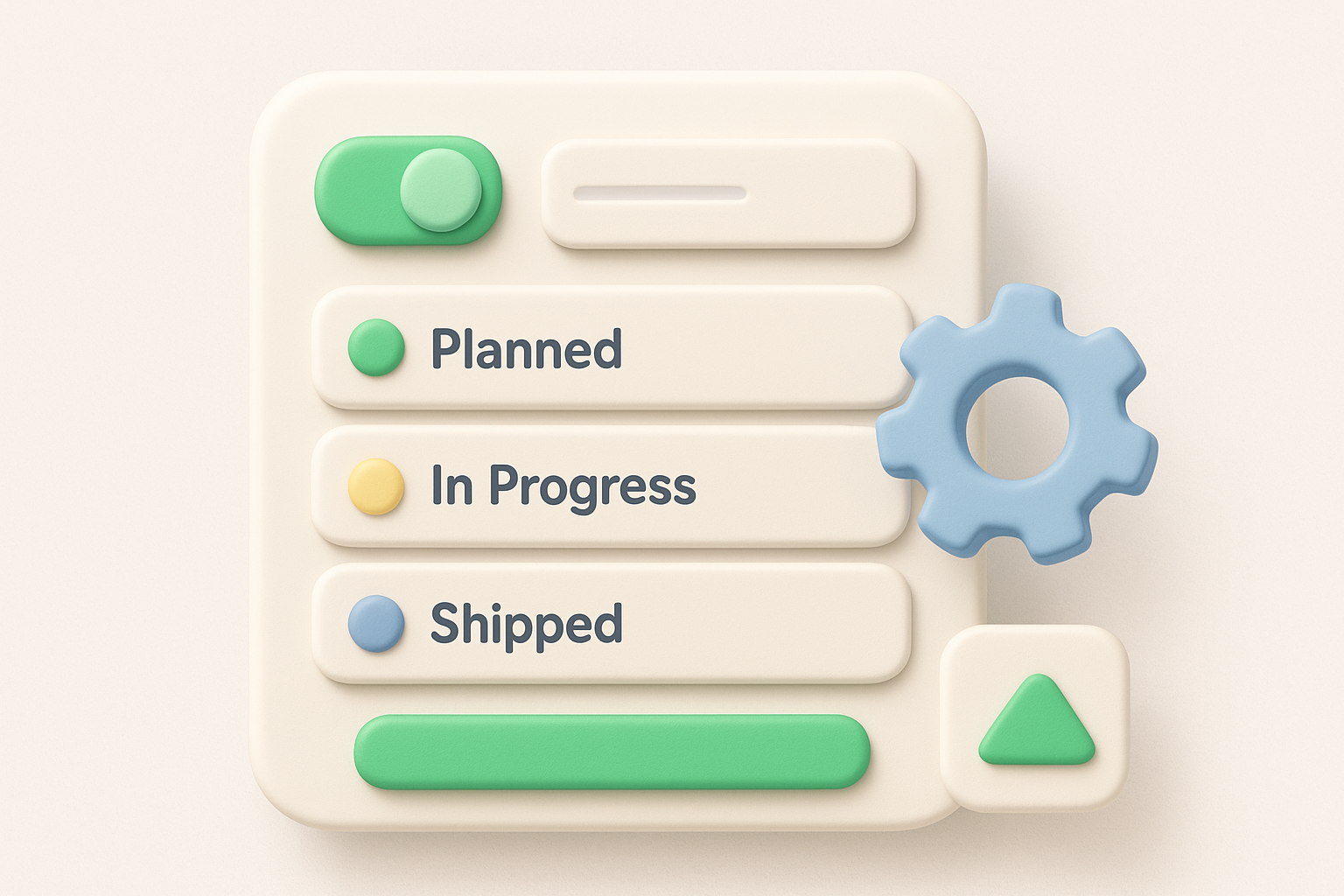
| Koala Feedback Display Status | Maps From Linear Status |
|---|---|
| Planned | Planned |
| In Progress | In Progress |
| Shipped | Shipped |
Next, set your portal branding under the Customize section: upload your logo, set your brand colors, and configure a custom subdomain or connect your own domain. This gives customers a seamless experience rather than a generic feedback page.
Finally, toggle public visibility on for your roadmap and copy the shareable link from your dashboard settings. Add this link to your product's navigation menu, your changelog, or your help center so users can find it without digging. Voting and comments activate automatically, so customers can engage with roadmap items from the moment you publish.
Publishing your linear public roadmap is not a one-time task. Once it is live, customers will check it regularly, so an outdated roadmap damages trust faster than having no roadmap at all. Building a simple maintenance routine into your team's workflow prevents this from becoming a problem.
Set a recurring calendar event every two weeks for a roadmap review. During each review, update statuses for items that moved forward, archive anything that shipped, and remove any item that was deprioritized or cancelled. This keeps your public roadmap from showing features customers will never actually receive.
An outdated roadmap is worse than no roadmap at all. It tells users you stopped listening.
Use this checklist as your standard review template:
Even with a dedicated Linear project in place, your team needs a clear policy on what never goes public. Competitive features, unconfirmed partnerships, and pricing-related functionality should stay off the roadmap until you are ready to announce them. Add a simple tag or label inside Linear, such as "Internal Only," to flag items that should never move to your public project.
Run a quarterly audit of your Koala Feedback roadmap to confirm nothing sensitive slipped through during a routine update. Spot-check five to ten items each quarter and verify that their descriptions contain no internal references, unconfirmed timelines, or proprietary details.
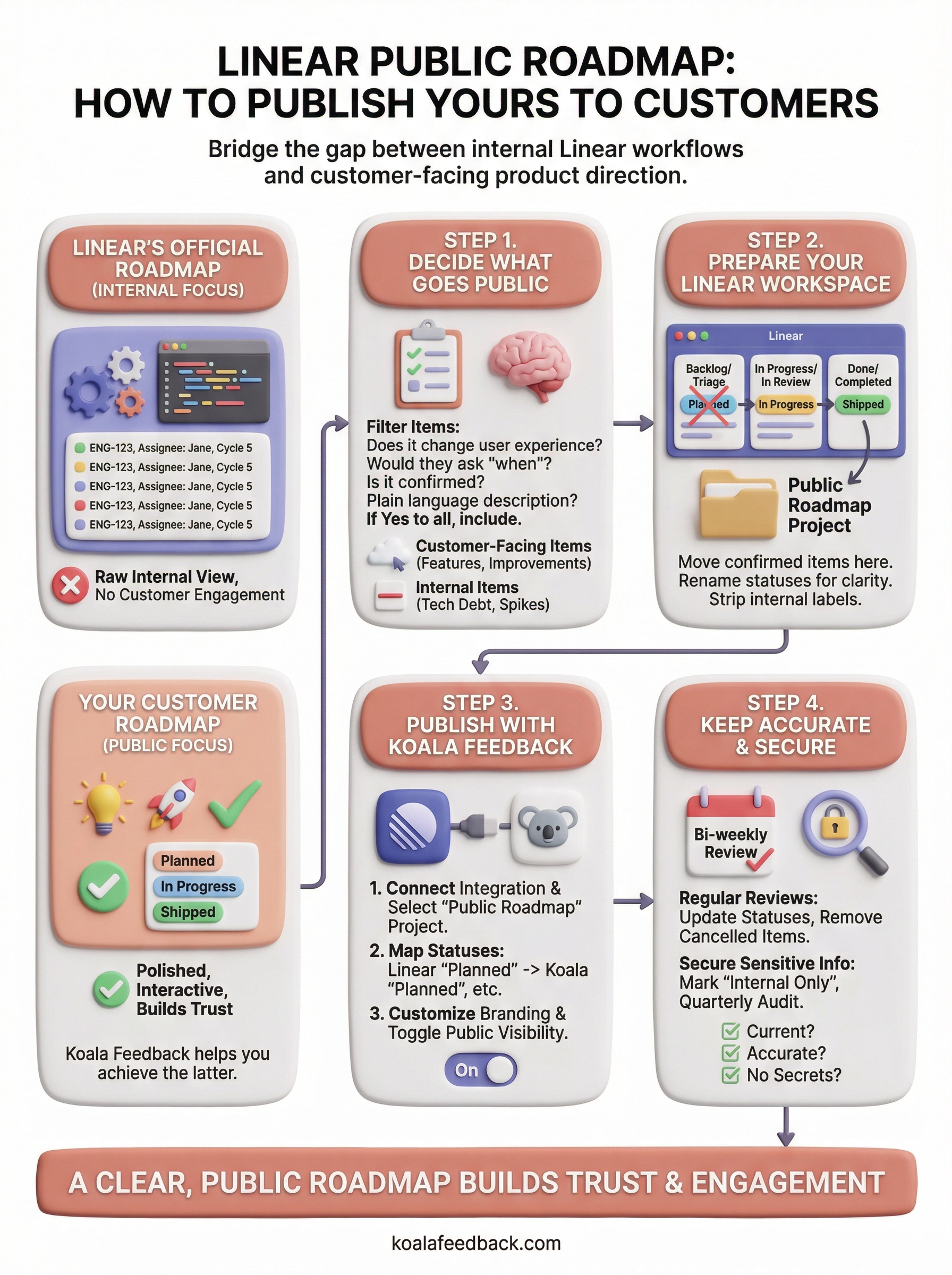
Publishing a linear public roadmap from Linear does not require rebuilding your entire workflow. The core steps are straightforward: decide what goes public, clean up your Linear workspace, connect it to a dedicated tool, and maintain it consistently. Each step builds on the last, and the result is a roadmap that builds real trust with your customers rather than leaving them guessing about your product direction.
Your customers already know what they want from your product. Giving them a clear, public view of your roadmap shows them you are listening and building with intention. Teams that do this well see stronger user retention, more useful feedback, and fewer support questions about "when is X coming."
If you want the fastest path from your Linear data to a polished, customer-facing roadmap, try Koala Feedback for free and have your public roadmap live before the end of the day.

Start today and have your feedback portal up and running in minutes.

