You need a user persona template, not another lecture on why personas matter. You already know why. What you want is a file you can open in five minutes, drop your research into, and share with your team before the next sprint planning meeting. If you're trying to download user persona template files without spending an hour designing one from scratch, you're in the right place.
This list gets straight to that goal. Every template below is free, works in a common tool like Word, PowerPoint, Canva, or Figma, and is built for product teams who need something practical, not decorative. No signup mazes, no watered-down previews that push you toward a paid plan.
We cover eight options, from minimalist one-pagers to detailed templates with fields for goals, pain points, and behavioral traits. Whichever you pick, the real value shows up later, when you turn those persona insights into a prioritized feature roadmap your users can actually see and vote on.
Before you grab the first template that shows up in a search, think about where it needs to live. A template that looks great as a static PDF won't help if your team collaborates in real time on a whiteboard tool, and a heavily designed Canva graphic won't sync with your product docs the way a Word or Notion table would. Match the file format to your workflow first, then worry about how the persona looks.
Next, check how much structure you actually need. Some teams want a single page with a name, photo, and three bullet points. Others need a deeper breakdown covering goals, frustrations, buying triggers, tech comfort, and quotes pulled from interviews. If you're running formal user research with recorded sessions and transcripts, pick a template with dedicated fields for behavioral data and direct quotes, not just demographics. A skimpy template forces you to bolt on extra sections later, which usually means starting over.
The best persona template is the one your team will actually keep updated after the first sprint.
Also consider who's going to open the file after you. If your team includes designers who live in Figma, a Word document creates friction, they'll have to recreate it just to edit it visually. If your stakeholders are executives who want a quick read before a roadmap review, a dense Miro board full of sticky notes isn't the right format either. Pick the tool your actual audience already uses daily.
Here's a quick way to narrow it down before you commit to downloading anything:
Once you've answered those, the eight templates below will make a lot more sense, because you'll already know which category fits your situation instead of guessing based on which one looks nicest in a screenshot.
Canva's persona templates are built for teams who care about how the finished document looks, not just what's in it. You get drag-and-drop photo placeholders, color palettes that match your brand kit, and layouts that feel more like a magazine spread than a research worksheet. If your persona is heading into a stakeholder presentation or a client deck, Canva makes it look intentional instead of thrown together in a Word table.
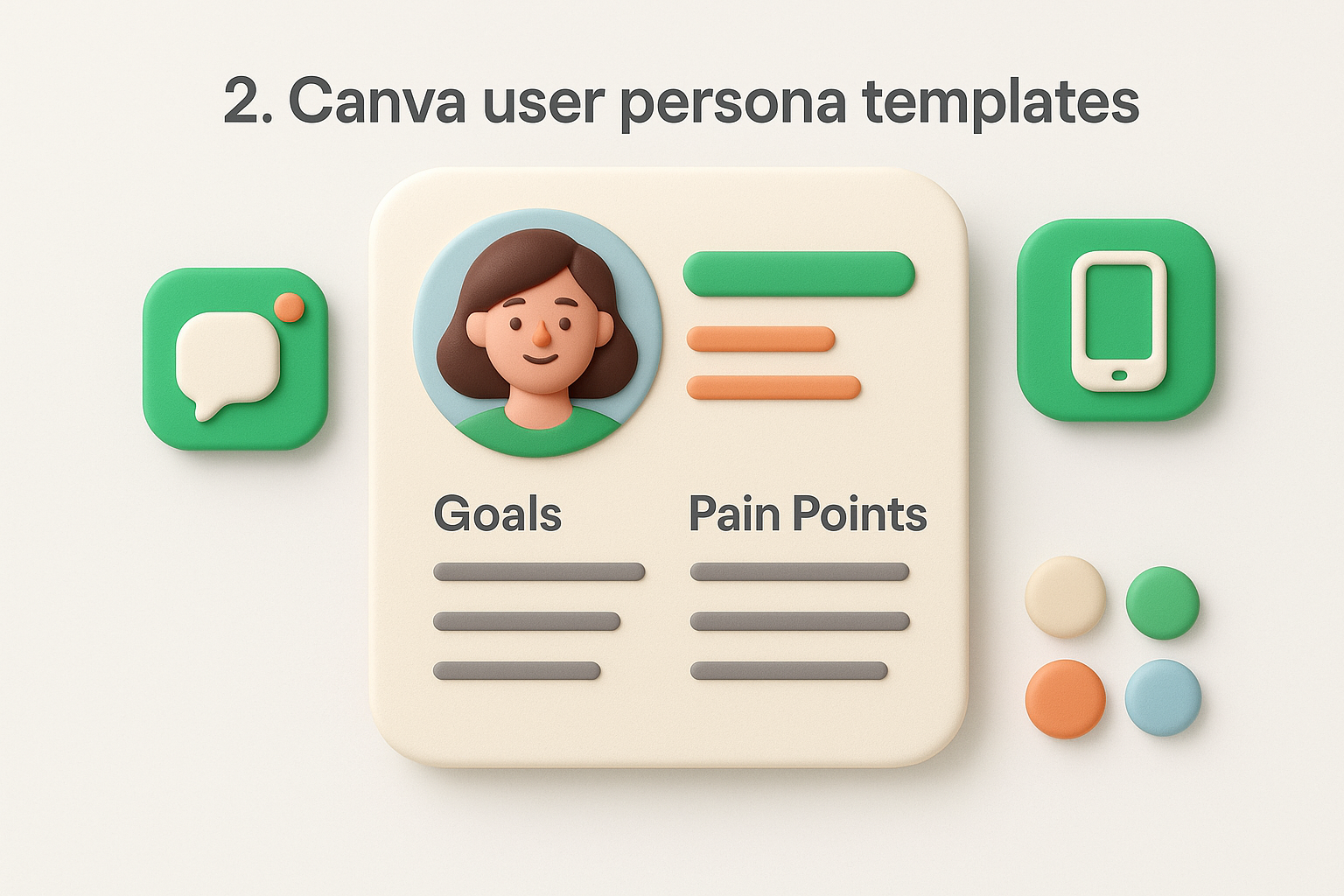
Every Canva persona template includes editable text boxes for name, job title, goals, and pain points, plus icon sets for things like preferred communication channels and tech habits. Drag-and-drop editing means you can swap stock photos for real customer photos in seconds, and the brand kit tool lets you lock in your company's fonts and colors across every persona you make.
Canva suits marketing teams, startup founders, and product managers who need a polished document fast and don't have a designer on standby. It's less suited to researchers who want structured fields for raw interview data, since the layout favors visuals over dense text.
Search "user persona" inside Canva, pick a layout, and edit directly in the browser. Export as PDF, PNG, or PowerPoint once you're done, no software installation required.
Most persona templates are free with a Canva account. Some premium layouts and stock photos require Canva Pro, which runs about $15 per month, but the free tier covers most standard persona layouts.
Figma and its whiteboard sibling FigJam sit at the center of most product design workflows now, so it makes sense that persona templates built there feel less like a document and more like a working artifact. Instead of a static page, you get a component-based layout you can link directly to wireframes, user flows, and design files already living in your project. If your design team already spends the day in Figma, a persona template here removes the friction of switching tools just to check a user's goals before shipping a feature.
Figma persona templates come with reusable components for photos, quotes, and demographic fields, so updating one persona across multiple boards takes seconds. Real-time multiplayer editing lets your whole team annotate a persona simultaneously, and FigJam adds sticky notes and voting dots for workshop-style persona building sessions with stakeholders in the room or on a call.
A persona that lives next to your actual design files gets referenced far more often than one buried in a shared drive.
Design-led product teams, UX researchers running collaborative workshops, and any team that already pays for Figma seats will get the most value here. Teams without design staff may find the interface has more overhead than they need.
Browse the Figma Community, search "user persona," and duplicate a free file straight into your own workspace. Edit fields, swap components, and export as PNG or PDF for sharing outside the tool.
Community templates are free. Editing them requires a Figma account, and the free tier covers small teams; paid plans start around $12 per editor monthly for larger teams needing more files.
HubSpot's Make My Persona tool works differently from the rest of this list. Instead of handing you a blank template, it walks you through a guided questionnaire and builds the persona for you as you answer. You pick a name, add demographic details, describe goals and challenges, and the tool assembles everything into a formatted one-pager automatically. If typing into a document feels slower than clicking through prompts, this guided builder approach gets you to a finished persona faster than starting from a blank Canva or Word file.
The tool includes a step-by-step wizard covering background, demographics, identifiers, goals, and challenges, plus a built-in image picker for avatars. Automated formatting means you never touch layout or spacing, and the finished persona downloads as a clean, presentation-ready PDF.
Marketing teams and solo founders who want a fast first draft without design work will get the most out of this. Teams running deep qualitative research may find the fixed question set too rigid for detailed behavioral data.
A guided questionnaire beats a blank template when you need a persona finished in ten minutes, not two hours.
Visit HubSpot's Make My Persona page, click start, and answer each prompt. When you finish, download the result as a PDF or generate a shareable link.
The tool itself is free with a HubSpot account, no paid subscription required to build or download a persona.
Miro turns the persona template into a shared whiteboard exercise rather than a solo writing task. You drop a persona template onto an infinite canvas alongside journey maps, empathy maps, and sticky notes from your last research sprint, so the persona never sits isolated from the data that built it. If your team already runs retros or workshops on Miro, adding a persona board to that same space keeps everything in one visual workspace instead of scattered across separate files.
Miro's persona templates include pre-built frames for goals, frustrations, and quotes, plus sticky note clusters you can rearrange as your research changes. Built-in voting and commenting let stakeholders react to draft personas during a live session, and you can link personas directly to connected boards like customer journey maps.
UX researchers, product teams running collaborative workshops, and any group that already uses Miro for planning will find this the most natural fit. Teams wanting a printable, static handout may prefer a simpler PDF-based template instead.
A persona built live with your team during a workshop gets more buy-in than one written alone and emailed around.
Open Miro's template library, search "user persona," and add it to your board with one click. Customize text, colors, and layout, then export as a PDF or image for sharing outside Miro.
Miro's free plan covers persona templates on a limited number of boards. Paid plans start around $8 per member monthly if you need unlimited boards and advanced collaboration features.
Xtensio built its entire product around one-page business documents, and its persona templates show that focus. Instead of a generic design tool repurposed for personas, you get a purpose-built layout with sections already labeled for goals, frustrations, bio, and brand interactions. If you want a template that requires almost no setup because someone already thought through what a persona needs, Xtensio gets you there faster than a blank Canva canvas.
The template ships with pre-filled section headers for demographics, goals, pain points, and a quote block, so you're editing existing content instead of building structure from scratch. Live collaborative editing lets teammates comment and update fields at the same time, and the folder system keeps multiple personas organized in one workspace instead of scattered across separate files.
A template that already knows what a persona needs saves you the setup work every other tool makes you do yourself.
Product managers and small teams who want a ready-made structure without configuring layout decisions will get the most value here. Teams needing deep custom branding across dozens of documents may outgrow the free tier quickly.
Create a free Xtensio account, open the persona template from the folio library, and edit text blocks directly on the page. Export finished personas as a PDF or share a live link that updates automatically.
The free plan covers a limited number of active folios, enough for a handful of personas. Paid plans start around $19 monthly per editor for unlimited folios and advanced sharing controls.
Venngage leans into infographic-style design, so its persona templates look more like a visual report than a plain worksheet. You get charts, progress bars, and icon sets baked into the layout, which makes a persona feel data-backed even when you're working from a handful of interviews. If you want a visually rich persona that holds attention in a stakeholder deck, Venngage gives you that polish without needing separate design software.
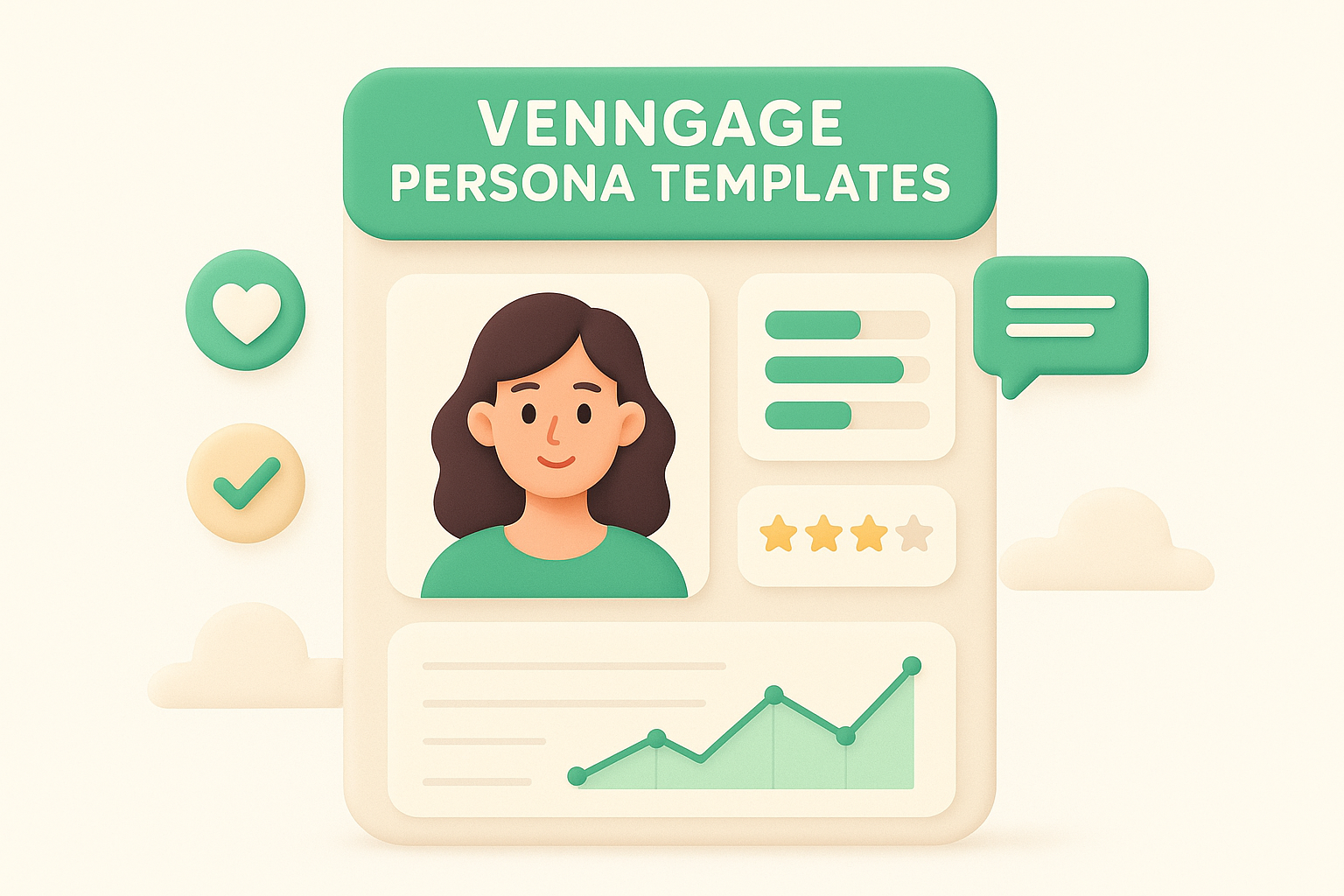
Templates come with built-in data visualization widgets like bar charts and rating scales, so you can show tech comfort or brand affinity as a graphic instead of a paragraph. Icon libraries cover common persona categories such as hobbies, goals, and communication preferences, and the drag-and-drop editor lets you resize sections without breaking the layout.
A persona with visual data points sticks in a stakeholder's memory longer than one written as plain text.
Marketing teams, agencies, and product managers who present personas to clients or executives will get the most value from Venngage's visual style. Researchers who need dense text fields for direct quotes may find the graphic-heavy layout limiting.
Search "persona" in Venngage's template library, pick a design, and edit text and charts directly in the browser. Export your finished persona as a PDF, PNG, or interactive link depending on where it needs to live.
A free account gives you access to basic templates with Venngage branding on exports. Paid plans start around $19 monthly and remove watermarks while unlocking premium templates and icon sets.
Smartsheet approaches personas from a spreadsheet mindset rather than a design one. Instead of a visual layout with photos and icons, you get a structured worksheet with rows and columns for demographics, goals, pain points, and research notes. If your team already tracks product work in spreadsheets or project management tools, a persona template that behaves like a data sheet fits into that habit instead of forcing you into a new interface.
The worksheet format supports sortable fields, so you can filter personas by segment, priority, or research source without opening separate files. Smartsheet also connects to broader project sheets, letting you link a persona row directly to related tasks, feature requests, or roadmap items you're already tracking elsewhere.
A spreadsheet-based persona works best when your team already thinks in rows and columns, not slide decks.
Operations-minded product managers and teams that manage feature requests in spreadsheets will find this format familiar right away. Teams wanting a polished, presentation-ready document should look elsewhere, since Smartsheet favors function over visual design.
Search the Smartsheet template gallery for "user persona," then open it directly in a new sheet. Edit column headers and cell content to match your research fields, and export as Excel, PDF, or CSV for sharing outside the platform.
Smartsheet offers a free trial, but ongoing use requires a paid plan starting around $9 per user monthly for individuals, with team plans priced higher for shared access and automation features.
Template.net works like a library rather than a single tool, stocking hundreds of persona layouts across formats instead of pushing you toward one house style. You'll find options ranging from minimalist one-pagers to dense, research-heavy layouts with a dozen fields, all sitting in the same search results. If you've struck out with the other tools on this list because none of their default layouts matched what you needed, browsing a large catalog like this one often turns up something closer to the mark.
The library spans Word, PDF, PowerPoint, and Photoshop formats, so you're not locked into one editing tool the way you are with Canva or Figma. Categories break down by industry and use case, covering B2B personas, marketing personas, and UX research personas separately, which saves you from wading through irrelevant layouts.
A big template library beats one perfect template when your first search on other sites comes up empty.
Freelancers, agencies, and product teams without a strong tool preference will get the most mileage here, since you can grab whatever format matches the project in front of you. Teams wanting one consistent template across every persona they build may find the variety more distracting than helpful.
Search "user persona" in Template.net's library, preview a few layouts, and download the format that matches your existing software. Edit directly in Word, PowerPoint, or Photoshop once downloaded.
Some templates download free with a basic account. Full access to the premium catalog requires a paid plan, priced around $30 monthly or roughly $200 annually.
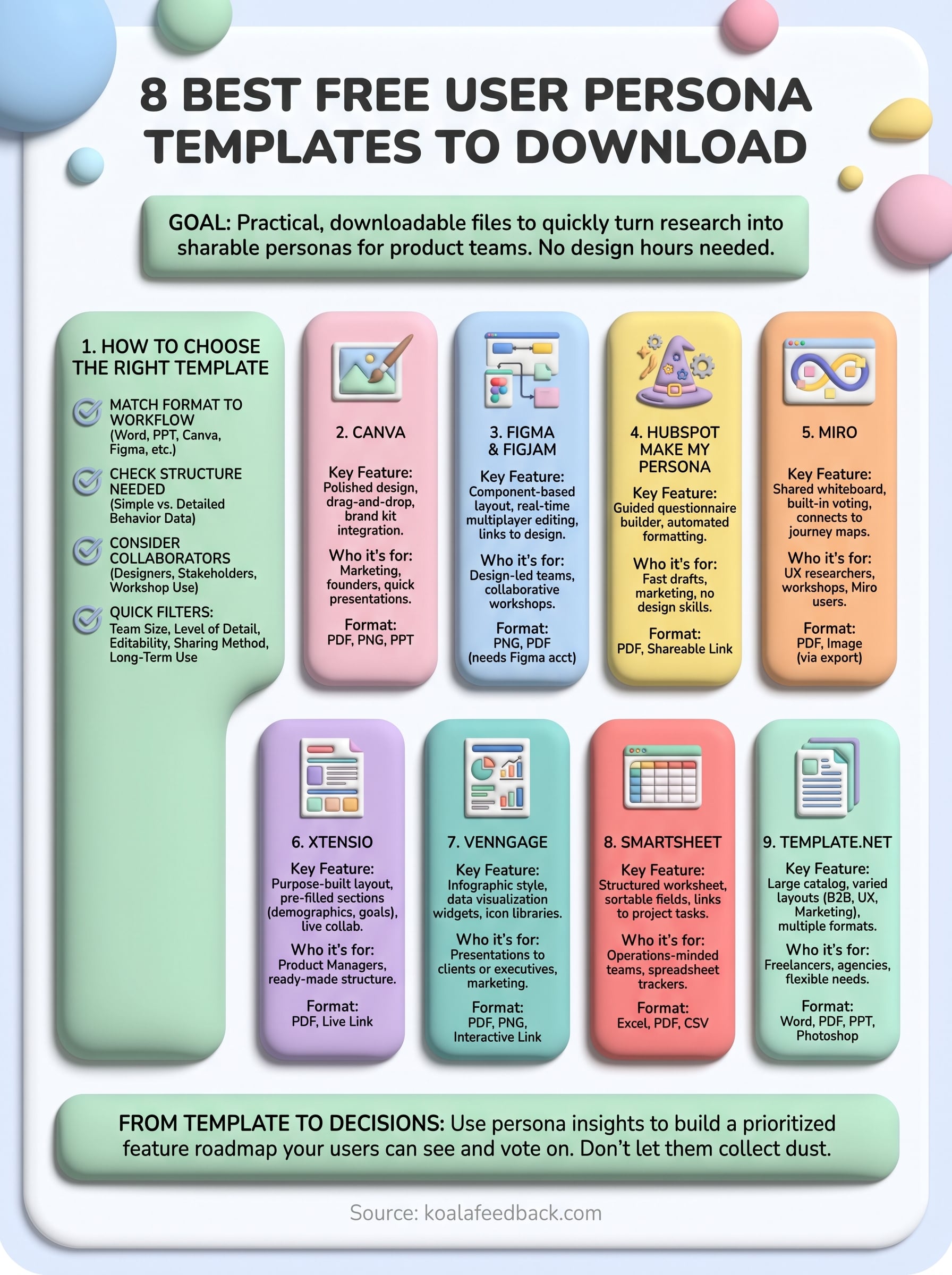
A finished persona template is a starting point, not the finish line. Whether you picked Canva for its polish, Figma for its component-based workflow, or Smartsheet for its rows and columns, the real test comes when you use that persona to decide what to build next. Personas without action just sit in a shared drive collecting dust until the next redesign.
Once you've named your users' goals and frustrations, you need a place to turn those insights into features people can vote on and track. That's where a structured feedback board earns its keep, connecting the persona work you just finished to the roadmap your team ships against every sprint.
If you're ready to move past static documents, start collecting and prioritizing feedback with Koala Feedback and give your personas somewhere real to point.

Start today and have your feedback portal up and running in minutes.

