A solid customer satisfaction improvement plan separates SaaS companies that retain and grow from those that churn and guess. But most teams skip the plan entirely. They react to complaints one ticket at a time, run the occasional NPS survey, and hope the numbers trend upward. That approach leaves revenue on the table and keeps product teams stuck in a cycle of building features nobody asked for.
The fix isn't complicated, but it does require structure. You need a repeatable process that starts with listening to your users, moves through prioritization, and ends with closing the feedback loop, showing customers that their input actually shaped what you built. Tools like Koala Feedback exist specifically for this: collecting user feedback, organizing it into actionable priorities, and sharing progress through a public roadmap your customers can follow.
This guide breaks the process into 12 concrete steps you can start implementing this week. Each step includes practical actions and frameworks designed for SaaS teams, whether you're a product manager at a startup or leading development at a company with thousands of users. By the end, you'll have a clear playbook to measure, improve, and sustain customer satisfaction across your product.
Before you can improve satisfaction, you need to know what's actually driving it down. Most SaaS teams collect feedback across support tickets, Slack messages, sales calls, and email threads, which means feedback gets lost, duplicated, or ignored entirely. Centralizing everything into one platform, like Koala Feedback, gives your team a single source of truth for what users need. That foundation is what makes every other step in your customer satisfaction improvement plan possible.
Scattered feedback creates blind spots. When one customer reports a bug in a support ticket, another mentions the same issue in a product review, and a third brings it up on a sales call, your team may log three separate items without recognizing they represent the same underlying problem. That means the fix gets deprioritized because no single report looks urgent enough.
Centralizing feedback reveals patterns that scattered channels hide, and patterns are what drive your highest-impact improvements.
Koala Feedback automatically deduplicates and categorizes incoming requests, so you can see at a glance how many users are affected by each issue. That visibility transforms how your team prioritizes fixes and directly improves your CSAT scores over time.
Start by setting up a dedicated feedback portal in Koala Feedback and sharing the link with your active users. Add it to your product dashboard, onboarding emails, and support confirmation replies. The goal is to redirect feedback from scattered inboxes into one organized place.
Next, create prioritization boards organized by product area or feature set. For example, separate boards for onboarding, billing, and core features help product managers focus attention where it matters most. Train your support team to log customer-reported issues directly into the platform rather than handling them in isolation. This turns your support channel into an active data source instead of a dead end.
Track two numbers once your portal is live: the volume of feedback submitted per month and the percentage of submitted feedback items that receive a status update. A healthy centralized system should show growing submission volume in the first 60 days as users learn the channel exists.
After 90 days, response and resolution rates should start climbing as your team works from a cleaner, deduplicated backlog. If submissions are rising but status updates are not, that signals a process gap in how your team reviews and acts on incoming feedback.
Centralized feedback gives you the raw material. Now you need clear targets and a measurable baseline so your team knows what you're improving from and what success looks like. Without a starting point, any improvement feels arbitrary and any regression goes unnoticed.
Before you change a single process, pull your current CSAT score from your support tool or survey platform and record it alongside the date. Also capture your average first response time, ticket resolution time, and the volume of repeat contacts, meaning customers who reach out more than once about the same issue. These four numbers form your baseline and give your customer satisfaction improvement plan a concrete foundation to build from.
You cannot improve what you have not measured, and you cannot measure what you have not defined.
Realistic targets keep teams motivated. A common benchmark for SaaS companies is a CSAT score of 80% or above, though your actual goal should reflect your current baseline. If you're sitting at 65%, targeting 80% within 90 days is unlikely without major structural changes.
Set incremental targets instead, such as a 5-point improvement per quarter. Assign each target to a specific team or role so accountability is clear and progress reviews happen on a consistent schedule rather than as a reaction to poor results.
Review your CSAT score and baseline metrics on a fixed monthly cadence rather than only when something goes wrong. Track the delta between your current score and your target, and flag any metric that moves in the wrong direction for two consecutive periods before treating it as a confirmed trend.
Your customer satisfaction improvement plan only works if you know where satisfaction actually breaks down. Mapping the customer journey gives your team a shared picture of every touchpoint a user moves through, from first login to renewal, and reveals which moments carry the most weight on how users feel about your product.
SaaS satisfaction rarely hinges on one bad interaction. It builds or erodes across a series of connected moments: the first time a user encounters a confusing UI, the first time support takes too long to respond, the first time a promised feature never ships. These moments compound, and by the time a user churns, the damage was done weeks earlier.
The touchpoints that feel minor internally are often the ones users remember longest.
Your team needs to identify which stages carry the highest emotional weight for users, because that is where fixing one issue produces the biggest CSAT lift.
Start by listing every stage a customer moves through: signup, onboarding, first value, ongoing use, support contact, and renewal. For each stage, tag the actions users take and the outcomes they expect. Then cross-reference that map with your existing support ticket categories and churn data to pinpoint where users drop off or complain most frequently.

A completed journey map is not a one-time document. Review it every quarter and update it when your product ships major changes. Track whether support ticket volume drops at the stages you actively improve, which confirms your interventions are working.
Onboarding is the first real test of your product, and it sets the tone for everything that follows. Users who struggle to reach their first moment of value within the initial session are far more likely to churn before they ever see what your product can do. This step in your customer satisfaction improvement plan focuses on identifying and removing the specific blockers that stop users from getting started.
The most common onboarding problems in SaaS are unclear setup steps and missing context around why each action matters to the user. Users do not want a feature tour; they want to complete a meaningful task as fast as possible. When your onboarding forces users through steps that feel disconnected from their goal, frustration builds before they have any reason to trust your product.
The faster a user reaches a concrete win in your product, the higher their early satisfaction tends to be.
Not every onboarding issue deserves immediate attention. Map each identified problem against two dimensions: user impact and fix effort, then work through them in this order:
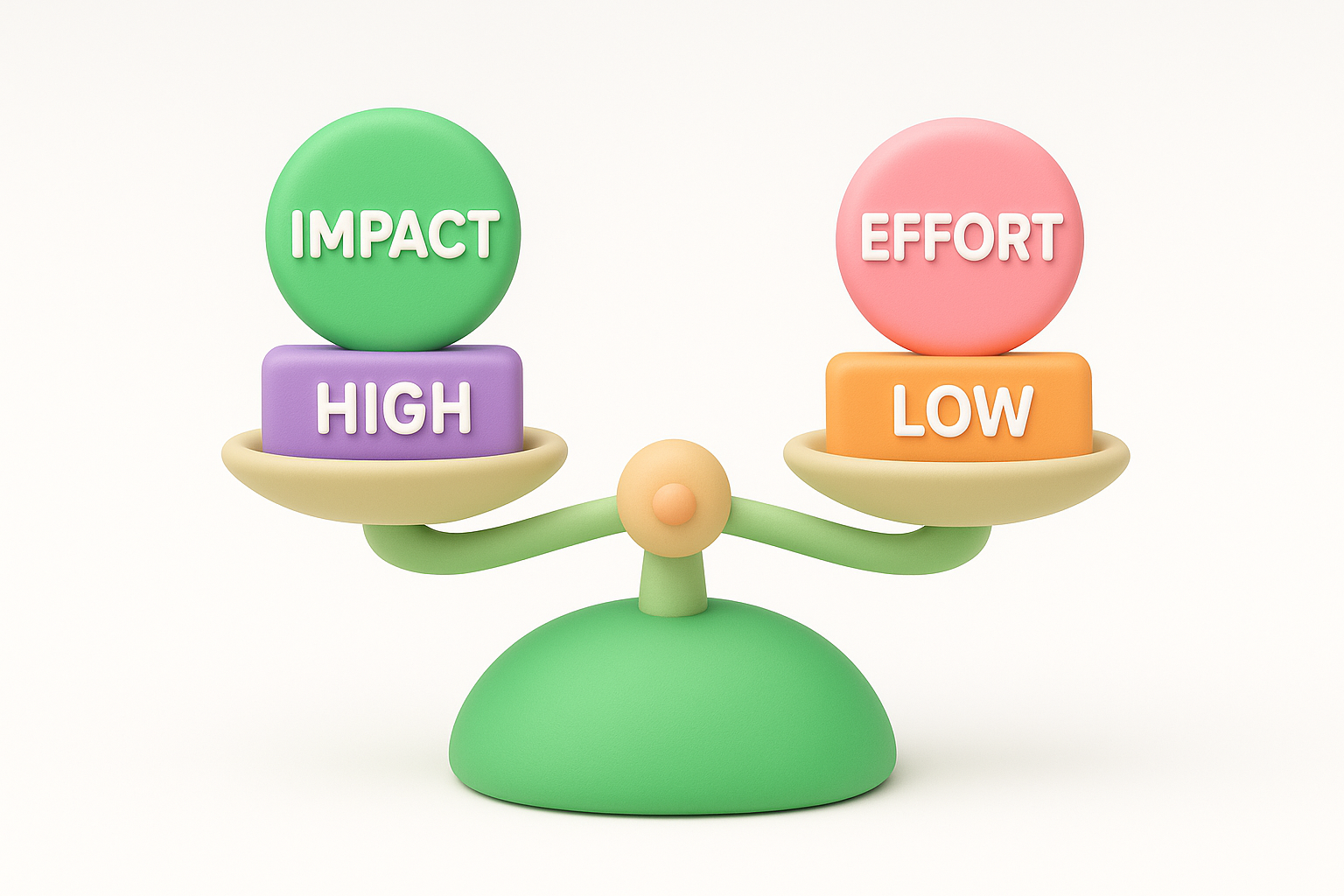
Track onboarding completion rate and time to first value as your two primary signals. If users finish setup faster and support tickets tied to initial configuration drop month over month, your fixes are producing real CSAT gains.
In SaaS, response time is a trust signal. When users hear nothing for hours after submitting a request, they do not assume you are busy; they assume you do not care. Fast, clear communication is one of the highest-leverage actions in any customer satisfaction improvement plan because it shapes how users feel before the problem is solved.
Speed does not mean rushing to the point of getting answers wrong. It means acknowledging the user fast and setting a clear expectation for when they will receive a full resolution. A first response under two hours during business hours is a realistic and impactful target for most SaaS support teams.
Users tolerate longer resolution times far better when they receive a prompt acknowledgment. That first reply does not need to contain a fix; it just needs to confirm receipt and provide a realistic timeline for the next update.
Acknowledging a request quickly signals respect, and respect is what converts a frustrated user into a patient one.
Start by auditing your ticket queue for patterns. If most incoming tickets repeat the same handful of questions, those are candidates for templated first responses your team sends in under a minute. Apply these targeted fixes:
Track first response time and average resolution time as your two core speed metrics. A drop in both without a matching drop in CSAT scores confirms you are cutting wait time without cutting quality.
| Metric | Target |
|---|---|
| First response time | Under 2 hours |
| Resolution time | Monthly downward trend |
A self-serve help center reduces support volume and raises satisfaction at the same time. When users can find answers on their own schedule, without waiting in a queue, they feel more in control of their experience. Building one is a foundational step in any customer satisfaction improvement plan because it addresses the root cause of repeat tickets rather than just processing them faster.
Start with your ticket data. Pull the top 10 most common support questions from the last 90 days and turn each one into a dedicated help article. Prioritize in this order:
Your help center only works if users can find what they need quickly. Use clear, plain-language titles that match how your users describe problems, not how your internal team names features.
The best help center content is written for the moment a frustrated user needs an answer right now, not for internal documentation purposes.
Organize articles into logical categories that reflect your product structure, and include screenshots or short clips wherever a visual shortcut saves time over text.
Track help center searches with zero results to identify content gaps. Monitor whether support ticket volume drops for the topics your articles cover month over month.
| Signal | What it tells you |
|---|---|
| Zero-result searches | Missing content to create |
| Ticket drop by topic | Articles that are working |
Reactive support means you wait for users to hit a wall and then help them climb it. Proactive support means you remove the wall before they reach it. Adding in-product guidance to your customer satisfaction improvement plan shifts your team from firefighting to prevention, which raises CSAT without adding headcount.
Proactive support delivers the most value at predictable friction points your journey map already flagged. When you know that 40% of users abandon a specific setup step, a targeted in-app prompt at that exact moment costs far less than processing the support tickets it prevents.
The best time to help a user is before they realize they need help.
Trigger-based interventions work especially well during free trial periods, feature adoption windows, and any multi-step workflow where drop-off data shows consistent fallout. These are the moments where a single well-placed message can change whether a user pushes through or gives up.
Start by identifying three to five user behaviors that historically precede a support ticket or churn event. For example, a user who visits the billing page twice without upgrading may need a proactive prompt explaining plan differences. Map each behavior to a specific, targeted message that addresses the likely question without overwhelming the user.
Keep messages short, contextual, and dismissible. A prompt that feels intrusive does more damage than no prompt at all.
Track the volume of support tickets in categories where you have added proactive prompts. A meaningful drop in ticket volume for those specific topics confirms your in-product support is working. Also monitor prompt dismissal rates, since high dismissal signals your message is mistimed or irrelevant to what users actually need at that moment.
Not every user needs the same level of support, and treating them as if they do wastes resources while frustrating the users who need more attention. Personalization by segment and lifecycle stage is a direct lever in your customer satisfaction improvement plan because it lets you direct the right effort to the right users at the right time.
Your user base contains groups with genuinely different needs and expectations. A user on a free trial has different questions than a long-term enterprise customer approaching renewal. Segment your users by plan tier, usage behavior, and time in product to identify where your support and success effort should concentrate most heavily.
Users who receive support that matches their specific context are far more likely to report higher satisfaction than those who receive a generic response.
Once you have defined your segments, map a distinct service motion to each one. The support experience that works for a trial user looks nothing like what an enterprise account needs. Align your team's effort and outreach cadence to where each segment sits in the lifecycle:
Track CSAT scores separately by segment rather than as a single aggregate number. When you see one segment trending down while others hold steady, you can isolate the cause faster without disrupting what is already working elsewhere.
Review segment-level scores monthly alongside your overall CSAT trend to catch early signals before they become persistent problems.
Closing the loop means telling users what happened with their feedback, whether you built the feature they requested, deprioritized it, or ruled it out entirely. Most SaaS teams skip this step, which is a direct hit to satisfaction because users interpret silence as indifference. Your customer satisfaction improvement plan needs a systematic way to follow up with every user who submits feedback, not just the ones whose requests you approved.
Users who submit feedback and never hear back feel ignored. Users who receive a clear update, even one that says "we considered this and decided not to build it," feel respected and heard. That distinction matters more than whether their specific request gets built. Closing the loop builds trust in your product team and turns one-time feedback submitters into engaged users who continue sharing input because they believe it goes somewhere.
Users who feel heard stay longer, submit more feedback, and advocate for your product more actively than those who submit into silence.
You cannot manually follow up with every user individually as your submission volume grows. Use status updates in Koala Feedback to notify users automatically when the status of their request changes. Set three default statuses that cover most outcomes: under review, planned, and closed with a reason. This turns one update into a notification that reaches every user who voted on or submitted that item.
Track the percentage of closed feedback items that include a status note month over month. Also monitor whether repeat submission volume drops for the same topics, which signals users trust you received their input the first time.
A public roadmap does something no support ticket or survey can replicate: it shows users where your product is going before they have to ask. Adding a visible, regularly updated roadmap to your customer satisfaction improvement plan converts user uncertainty into confidence, which reduces friction across your entire support operation.
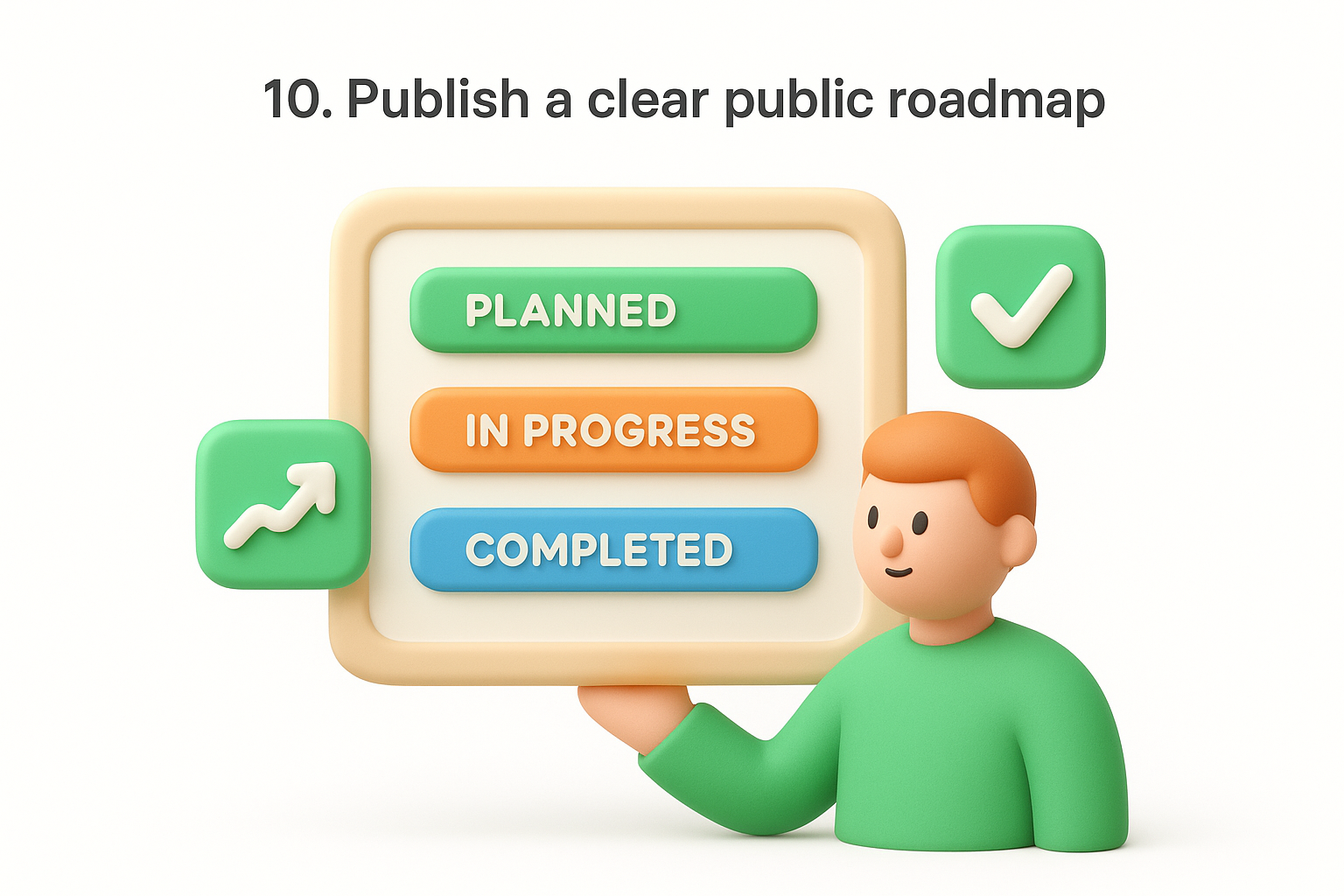
Users who know a feature is planned wait for it. Users who have no idea whether you are working on something assume you are not, and that assumption drives churn. Sharing your roadmap publicly tells users their feedback shaped your priorities, which builds trust that compounds over time.
Transparency about what you are building is one of the fastest ways to convert an impatient user into a patient advocate.
The language you use on your roadmap matters as much as what you include. Vague timelines like "coming soon" frustrate users because they create expectations you cannot control. Instead, use status labels like "planned," "in progress," and "completed" to communicate direction without locking your team into specific release dates. Koala Feedback lets you set customizable statuses so users always know where a request stands without you committing to a deadline you may miss.
Track the volume of support tickets asking about feature timelines as your primary signal. When users can find that information on your public roadmap themselves, those tickets drop. Also monitor roadmap page visits monthly, since growing traffic confirms users are actively consulting it rather than defaulting to support.
Your team's communication skills directly shape how users feel after every support interaction. Even with fast response times and a solid help center in place, a single dismissive or confusing reply can undo the trust your customer satisfaction improvement plan has been building. Regular quality reviews give your team the feedback they need to improve and give you the visibility to catch problems before they show up in your CSAT scores.
Scripts and macros handle the mechanics, but tone, clarity, and empathy are what users actually remember. When reviewing conversations, look at whether the agent understood the user's actual question before responding, whether the reply used plain language the user could act on, and whether the closing message left the user knowing exactly what happens next.
The quality of a support interaction is measured by how the user feels after reading the reply, not by whether the agent followed the correct template.
Start by reviewing five to ten conversations per agent each month. Score each on three criteria: accuracy, clarity, and tone. Share results in a short one-on-one session where the agent can ask questions and the reviewer explains what a stronger response would have looked like.
Consistency matters more than intensity here. A lightweight review every month builds better habits over time than an intensive review once a year.
Track individual CSAT scores by agent to identify who is improving and who needs more targeted coaching. Pair that data with a month-over-month view of team-wide scores to confirm whether your review rhythm is producing real gains across the board.
The final step in your customer satisfaction improvement plan is the one that keeps every other step working. Without a regular review cycle, improvements stall, regressions go unnoticed, and your team loses the momentum built across the previous 11 steps. A monthly cadence gives you a consistent rhythm to catch problems early and direct effort where it produces the most impact.
Pull these four core data points into every monthly review session: your overall CSAT score, first response time, ticket volume by category, and feedback submission volume from your portal. Compare each number against the prior month and your original baseline to confirm whether the trend is moving in the right direction. If two or more metrics decline in the same month, that combination signals a structural problem, not a random fluctuation.
A monthly retro is not a report; it is a decision-making session that determines where your team focuses next.
Each retro should end with three specific action items assigned to named owners with a defined completion date. Keep the list short so ownership stays clear. If your retro produces ten action items, nothing gets prioritized, and accountability dissolves across the team.
Track whether the action items from your previous retro were completed before reviewing new data. Completion rate on prior commitments is a leading indicator of whether your review process is functioning or just producing tasks that never ship. A team that closes 80% or more of its monthly action items consistently will show a compounding CSAT improvement over time.
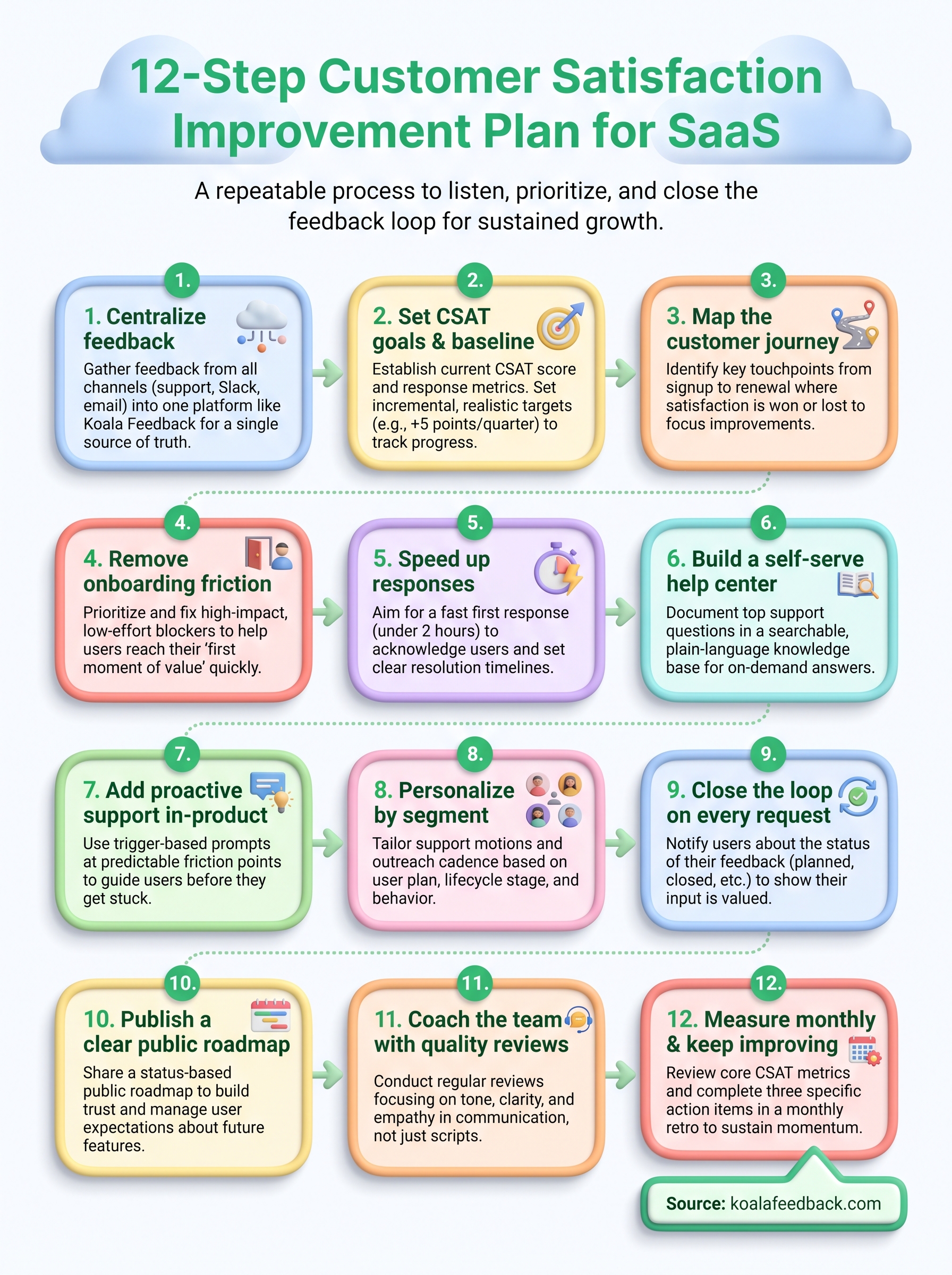
You now have a complete customer satisfaction improvement plan built across 12 concrete steps. Each step connects to the next: centralizing feedback feeds your prioritization, your prioritization informs your roadmap, and your roadmap closes the loop with users who submitted requests. None of these steps work in isolation, but together they create a compounding improvement cycle that raises CSAT scores and keeps users engaged over time.
Start with the steps that address your most pressing gaps right now. If your feedback is scattered, begin with step one. If your CSAT baseline is undefined, start with step two. The order matters less than building momentum and sticking to a monthly review cadence that keeps the whole system moving forward. Every team that commits to this process consistently will see measurable gains within a quarter.
Start collecting and organizing user feedback with Koala Feedback and give your plan a foundation that scales with your product.

Start today and have your feedback portal up and running in minutes.

