Most teams think they communicate well with customers, until feedback starts slipping through the cracks, updates go unsent, and users feel ignored. A customer communication plan template gives you a repeatable structure to prevent exactly that. It defines who you're talking to, what you're saying, and when, so nothing gets lost between your product team and the people using your product.
This guide walks you through building your own plan from scratch, with step-by-step instructions and real examples you can adapt. You'll also get a downloadable template to customize for your team's workflow right away.
At Koala Feedback, we help product teams collect user feedback, prioritize features, and share public roadmaps, so we've seen firsthand how structured communication keeps users engaged and builds trust. Below, we'll share what actually works when you're putting a communication plan together, whether you're a startup or a growing SaaS company.
A customer communication plan template is more than a calendar of when to send emails. It's a structured document that captures every touchpoint your team has with customers, the people responsible for each one, and what success looks like. Before you build yours, you need to know what belongs in it.
Every solid plan shares the same foundational elements, regardless of whether you're running a small SaaS product or managing communications across a larger organization. These components work together to ensure your messaging is consistent, timely, and tied to real outcomes.
Here's what to include:
Most teams skip the last two. Without clear ownership and measurement, plans stall because nobody knows who is responsible and nobody can tell if the effort is producing results.
Assign a single owner to each communication type. When more than one person is responsible, nothing gets done on time.
Seeing a concrete structure helps. Below is a simplified version of a customer communication plan template you can adapt right away. It covers the key columns your team needs to manage ongoing communications without things slipping through the cracks.
| Component | Details |
|---|---|
| Goal | What outcome this communication drives (e.g., reduce churn, announce a feature) |
| Audience | Segment name and size (e.g., free-tier users, enterprise accounts) |
| Message | Core message and supporting points |
| Tone | Brand voice for this segment (e.g., supportive, direct) |
| Channel | Email, in-app, SMS, public roadmap, etc. |
| Trigger or date | Event-based (e.g., after signup) or scheduled (e.g., first Tuesday of the month) |
| Owner | Name or role responsible for execution |
| Metric | Open rate, click rate, CSAT score, churn rate, etc. |
You don't need to fill every column for every communication type on day one. Start with the rows that matter most to your users right now, such as onboarding sequences and product update messages, then add more rows as your team builds confidence with the process.
Without a documented structure, your team ends up sending ad hoc messages that don't connect to broader product goals. Different people use different tones, channels get duplicated, and customers receive conflicting information. A well-structured plan also makes it far easier to onboard new team members, who can pick up the playbook and run existing communications without dropping the ball.
Your plan is also a living document. As your product evolves and your customer base grows, you'll add segments, retire old channels, and update your messaging. Building in a review cycle, even a simple quarterly check-in, keeps your plan relevant and your communications effective over time.
Before you write a single message, you need to know what you want each communication to accomplish and how you'll know it worked. Skipping this step means you'll send plenty of messages but have no way to tell whether they're moving the needle. Starting with clear goals keeps your entire customer communication plan template grounded in real business outcomes rather than activity for its own sake.
Vague goals produce vague results. Instead of writing "improve customer communication" as your goal, connect each communication type to a specific outcome your business cares about. Think in terms of product adoption, retention, activation, or satisfaction, and assign one primary goal per communication type so your team knows exactly what they're optimizing for.
Here are common goals paired with the communication types that drive them:
| Goal | Communication type |
|---|---|
| Reduce churn | Monthly check-in emails, renewal reminders |
| Increase feature adoption | In-app tips, product update announcements |
| Improve onboarding completion | Welcome sequence, setup nudges |
| Build trust and transparency | Public roadmap updates, changelog posts |
| Collect feedback | Post-release surveys, feature request prompts |
Start with one or two goals that matter most right now. You can expand your list as your team builds confidence with the process.
Tie every communication directly to a goal before you write it. If you can't explain why you're sending it, your customers can't either.
Once you have a goal, pair it with a metric you can actually track. A goal without a measurement is just an intention. For example, if your goal is to increase feature adoption, track the percentage of active users who activate that feature within 30 days of receiving your announcement.
Practical metric examples to get you started:
Pick one primary metric per communication goal and review it at a set interval, such as monthly or quarterly, so you can adjust your approach based on what the data actually shows.
Sending the same message to every customer is one of the fastest ways to lose their attention. Your customer communication plan template only works when you know exactly who you're talking to, because a new free-tier user and a long-standing enterprise customer have completely different needs, questions, and expectations. Segmenting your customers and mapping your stakeholders before you write a single message ensures every communication lands with the right person at the right time.
Start by dividing your customers into distinct groups based on where they are in their journey with your product. Lifecycle stage is the most practical starting point because it directly shapes what someone needs to hear. A user who signed up yesterday needs onboarding guidance. A user who has been active for 12 months needs information about advanced features or renewal incentives.
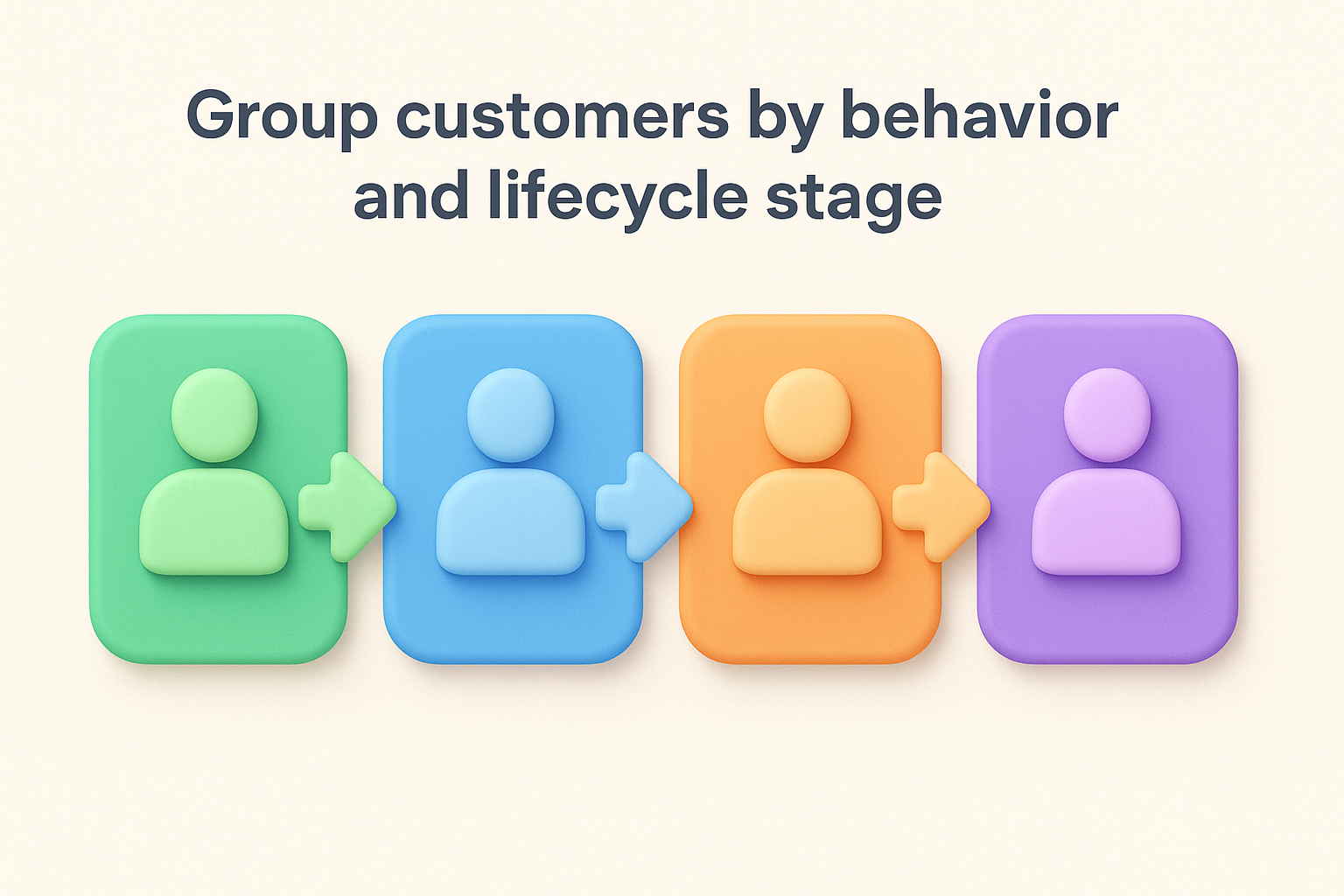
Here are four segments most SaaS teams should define from the start:
| Segment | Definition | Primary communication need |
|---|---|---|
| New users | Signed up within the last 30 days | Onboarding steps, quick wins, setup support |
| Active users | Log in regularly, use core features | Feature updates, tips, feedback requests |
| At-risk users | Low activity or declining engagement | Re-engagement nudges, check-in messages |
| Power users | High engagement, frequent logins | Beta access, roadmap previews, loyalty recognition |
You can refine these segments over time using product usage data and behavioral triggers, such as users who haven't logged in for 14 days or users who completed a specific action.
Start with lifecycle stage as your primary segmentation variable, then layer in behavioral data once your plan is running.
Many teams forget that customers are not the only audience in a communication plan. If you serve B2B accounts, you're likely communicating with multiple people inside the same organization, including end users, team admins, and economic buyers who approve renewals. Each of these roles cares about different things.
Admins want configuration details and security updates. Economic buyers want ROI summaries and outcome data. End users want practical guidance on getting more value from the product. Map these stakeholders by account type and document what each role needs in your plan, so your team never sends a technical changelog to a VP who only cares about business outcomes.
Once you know your goals and your segments, you can write the actual messages. This is where most teams either rush or overthink it. Your customer communication plan template only delivers results if the messages inside it are clear, specific, and matched to what each segment actually needs. Generic messages get ignored. Specific ones get read and acted on.
Each segment you defined in Step 2 needs its own message tailored to where that person is in their journey. A new user does not need to hear about advanced settings. A power user does not need a basic "getting started" email. Writing to the moment means anchoring every message to a single goal and a single audience, then building your copy around that.
One message, one goal. If you find yourself covering three topics in a single email, break it into three separate communications.
Use this template as a starting point for each message type in your plan:
| Field | Your input |
|---|---|
| Segment | Who receives this message |
| Goal | What you want them to do or feel |
| Subject line | One clear, specific line (no vague teases) |
| Opening line | Reference their context (e.g., "You set up your first board last week") |
| Core message | One to two sentences stating the main point |
| Call to action | Single, specific action (e.g., "View your roadmap") |
| Tone | Matches your brand voice for this segment |
Fill this out for every recurring communication type before you schedule or send anything.
Your brand voice is not a mood board or a list of adjectives on a slide deck. It is a short, practical reference your team can check before writing any customer-facing message. Write it down and put it in your communication plan document so every team member uses the same style.
Define your voice across three dimensions: formality level (casual, professional, or somewhere in between), sentence length preference (short and punchy or detailed and thorough), and how you handle bad news (direct and empathetic rather than corporate and deflecting). For example, "We write short sentences, skip jargon, and address problems head-on without burying the point in qualifications." That single sentence gives any writer on your team a clear standard to work from.
Choosing the wrong channel is just as costly as sending the wrong message. Your customer communication plan template needs to map each communication type to the channel your customers actually use, and then assign a clear schedule so your team knows exactly when to send. Without this step, messages pile up in the wrong inboxes, get sent too often, or disappear entirely because nobody tracked when the last one went out.
Different segments engage with different surfaces. New users spend time inside your product, so in-app notifications and tooltips reach them better than a cold email. Enterprise buyers rarely open in-app messages, but they do read a monthly summary email from their account manager. Match channel to segment, not just to convenience.
Use this table to map your segments to the channels most likely to reach them:
| Segment | Best channels |
|---|---|
| New users | In-app onboarding messages, welcome email sequence |
| Active users | Product update emails, changelog announcements, in-app prompts |
| At-risk users | Triggered re-engagement emails, personal outreach from support |
| Power users | Public roadmap, beta program invites, direct messages |
| Admins and buyers | Monthly summary emails, release notes, account review calls |
Limit yourself to two or three channels per segment at most. Spreading your team across too many channels creates maintenance overhead without improving reach.
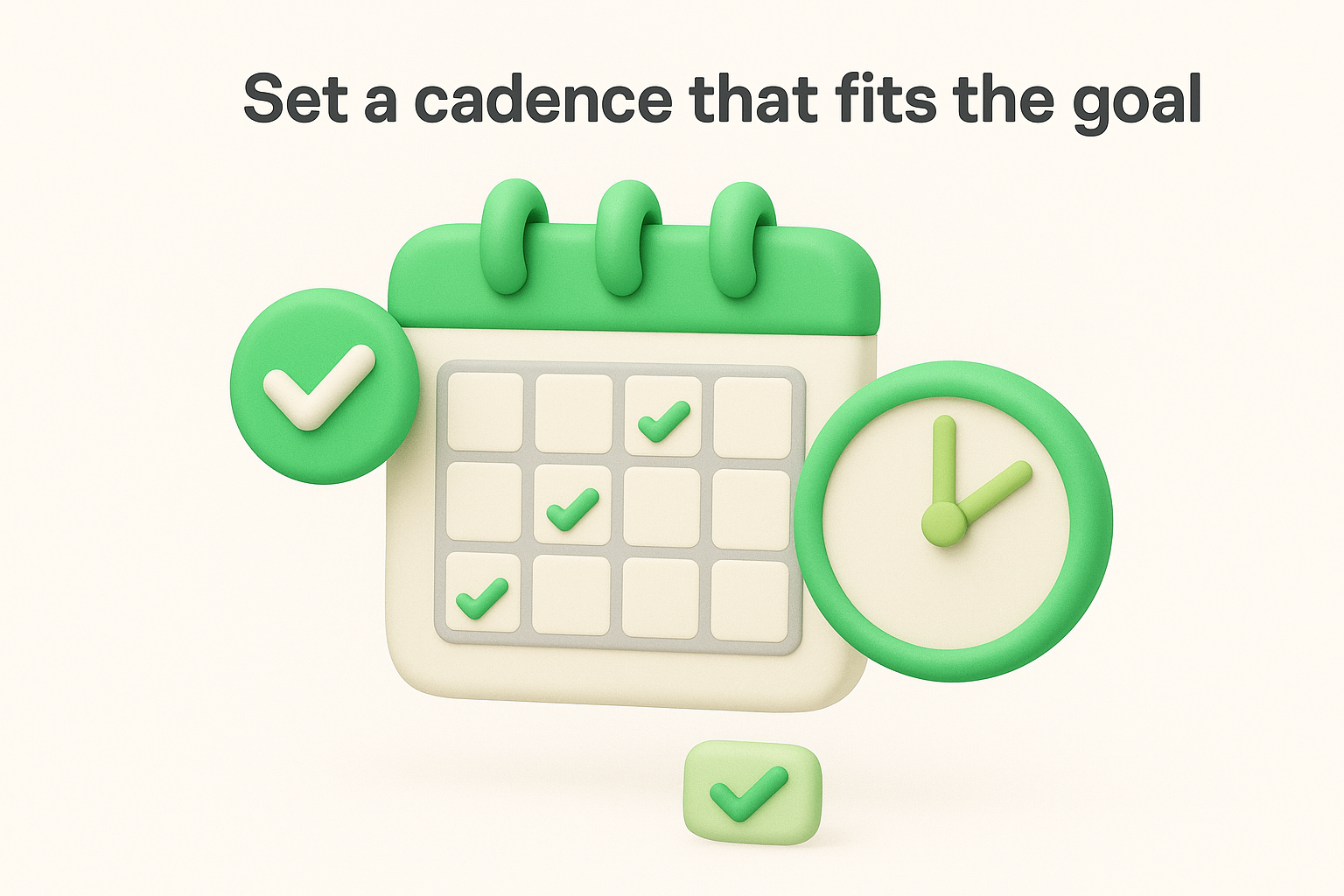
Cadence is not about sending more messages. It is about sending the right message at the right interval so customers stay informed without feeling overwhelmed. For most SaaS teams, a practical starting cadence looks like this:
| Communication type | Recommended cadence |
|---|---|
| Onboarding sequence | Days 1, 3, 7, and 14 after signup |
| Feature updates | Within 48 hours of release |
| Product roadmap update | Once per month |
| Re-engagement nudge | After 14 days of inactivity |
| CSAT or feedback request | 7 days after a key milestone |
Set event-based triggers for time-sensitive messages like re-engagement emails, and use fixed schedules for recurring updates like roadmap posts.
Review your cadence every quarter. If open rates drop or unsubscribe rates climb, your frequency is likely too high for that segment and you need to pull back.
You now have all the raw material: goals, segments, messages, channels, and cadence. This step is where you pull everything into a single, usable document that your entire team can work from. A complete customer communication plan template is only useful if it lives somewhere accessible, has a named owner for every row, and is clear enough that anyone can pick it up and execute without asking questions.
Put your plan in a shared document or spreadsheet so every team member can see the same version. A Google Sheet or Notion table works well because both allow you to assign owners, add comments, and track status without switching tools. Below is a full template you can copy directly into your own workspace.
| Communication type | Segment | Goal | Channel | Message summary | Trigger or schedule | Owner | Metric | Status |
|---|---|---|---|---|---|---|---|---|
| Welcome email | New users | Onboarding completion | Confirm signup, link to setup guide | Immediately after signup | [Name] | Setup completion rate | Active | |
| Feature update | Active users | Feature adoption | Email + in-app | Announce new feature, show use case | Within 48 hrs of release | [Name] | Feature adoption rate | Active |
| Re-engagement nudge | At-risk users | Reduce churn | Check in, offer help, share a tip | After 14 days of inactivity | [Name] | Re-activation rate | Active | |
| Roadmap update | All segments | Build trust | Public roadmap | Share planned and completed features | First Tuesday of each month | [Name] | Page views, feedback volume | Active |
| Feedback request | Active users | Collect input | In-app prompt | Ask one specific question | 7 days after key milestone | [Name] | Response rate | Active |
Fill in every Owner cell before you launch. A blank owner column is a sign that communications will eventually go unsent.
Each row in your plan needs one named person, not a team or a role. When the owner is a team, no single person feels accountable, and deadlines slip. Pair each owner with a review date so the plan gets updated on a fixed cycle rather than only when something breaks.
Set a quarterly review date in your calendar the same day you finalize the plan, so the review actually happens.
Add a "Last reviewed" column to your template and update it every time someone checks or adjusts a row. This keeps your plan accurate as your product and customer base evolve.
A plan that sits in a document and never gets executed is just a record of good intentions. Once your customer communication plan template is fully built with owners, metrics, and schedules, your job shifts from planning to running. That means launching your first communications, watching what happens, and responding quickly when things go off-script. Execution is where the real work begins, and handling exceptions well is what separates teams that stick with a plan from teams that abandon it after the first problem.
Before you send any communication to your full customer list, run a controlled test with a small subset of users. Pick 10 to 20 people from the relevant segment, send the message, and check the mechanics: does the link work, does the personalization render correctly, does the message arrive in the right channel at the right time? This step catches errors that are invisible during setup.
Use this pre-send checklist before every new communication type goes live:
Send every new communication type to yourself and two colleagues before it reaches a single customer.
Exceptions will happen. A product outage means your scheduled roadmap update suddenly becomes irrelevant. A major feature ships two weeks early and your announcement email is not ready. The key is having a simple decision rule before these situations arise so your team does not freeze or improvise in ways that undermine your messaging.
Document a short exception protocol inside your plan. Define three common exception types and assign a named owner to each: time-sensitive product incidents (owner: support lead), off-cycle announcements (owner: product manager), and failed message delivery (owner: marketing ops). When the exception type matches, that owner acts immediately without waiting for approval from the full team. This keeps your communications moving even when the schedule breaks, and it protects the consistency your customers have come to expect.
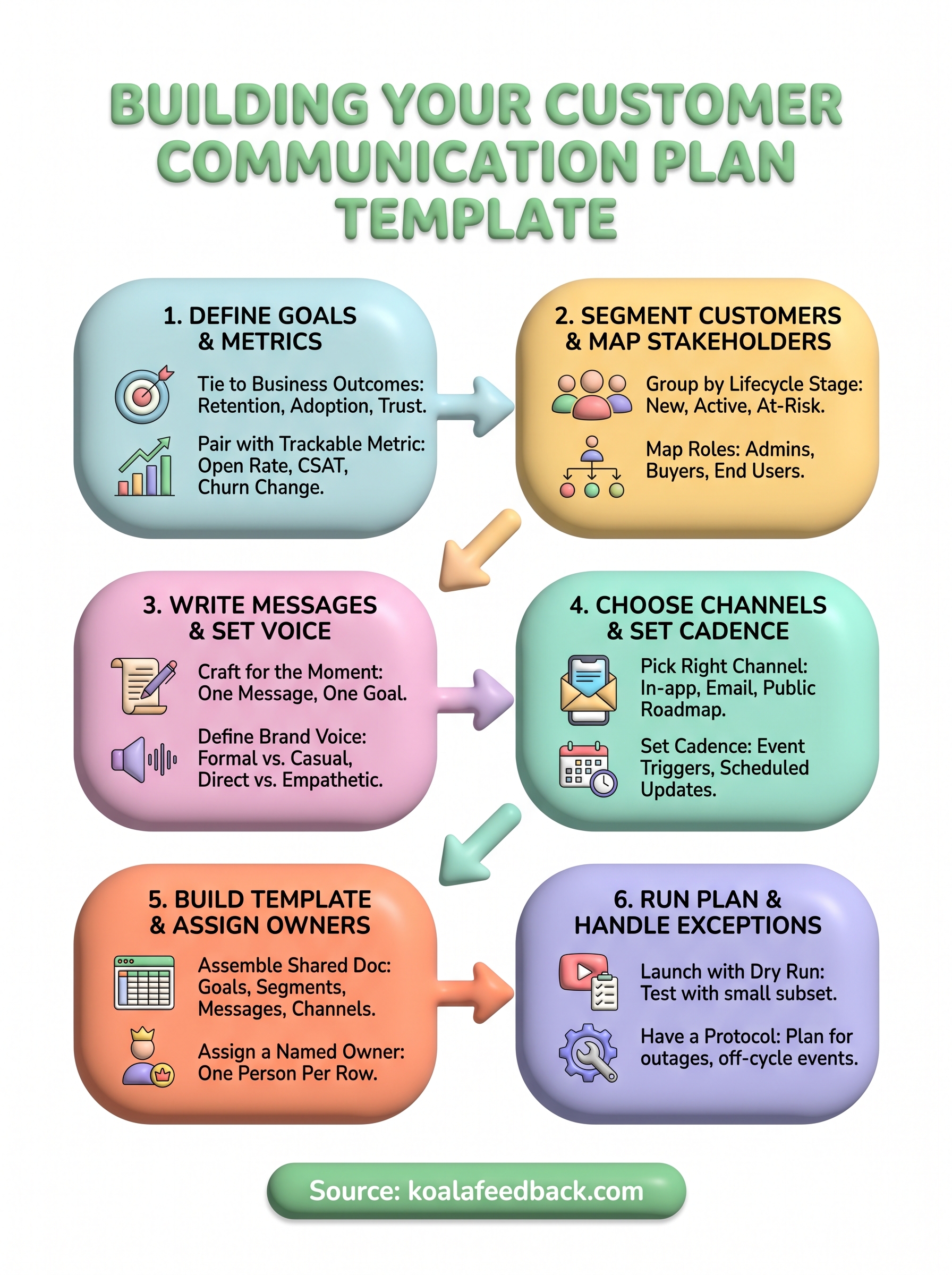
You now have everything you need to build a customer communication plan template that your team can actually run. You have a clear structure, six concrete steps, and a working template you can drop into a shared document today. The difference between teams that communicate well and teams that do not usually comes down to one thing: writing the plan down and assigning real owners before anyone sends a single message.
Start small. Pick your two most important communication types, fill out the full template for each, assign an owner, and set your first review date. Once those are running smoothly, add more rows. Your plan will grow as your product grows, and the structure you build now will make every future communication faster and easier to execute.
To keep your users informed and engaged at every stage, start collecting and sharing feedback with Koala Feedback so your communications always reflect what your customers actually want.

Start today and have your feedback portal up and running in minutes.

