Intercom is a solid tool for customer conversations, but when it comes to Intercom feature requests, things get scattered fast. Requests end up buried in chat transcripts, tagged inconsistently across teammates, and lost before anyone on the product team sees them.
The core problem isn't that your customers aren't telling you what they need, they are. It's that Intercom wasn't built to be a feature request tracker, and treating it like one creates blind spots in your product development process.
This guide walks you through how to collect, tag, and prioritize feature requests using Intercom's native tools, where those tools fall short, and how a dedicated feedback platform like Koala Feedback can fill the gaps. You'll get a clear system for turning scattered customer input into an organized, prioritized backlog you can actually act on.
Before you build any system for managing intercom feature requests, you need a few things in place. Going in without these means you'll fix one problem (collecting requests) while creating another (having no structure to handle them). Three things matter most: the right access, a shared definition of what counts as a request, and a clear destination for the data you collect.
You need admin or teammate-level access in your Intercom workspace to create tags, build conversation segments, and configure inbox rules. If your plan includes custom attributes or conversation data, confirm those features are active before you start. Ask your workspace admin to enable them if they aren't already turned on.
Without the right permissions, you won't be able to tag conversations or create the routing rules that make this system work.
Not every user message is a feature request. Before you tag anything, write down a clear definition and share it with your team. A feature request is a specific ask for new functionality or a change to existing behavior that a user explicitly states. Bug reports, general complaints, and praise are separate categories. Define these boundaries upfront so everyone tags consistently from day one.
Here's a quick reference to align your team:
| Message type | Example | Tag it as |
|---|---|---|
| Feature request | "Can you add CSV export?" | feature-request |
| Bug report | "The button doesn't work on mobile" | bug |
| General feedback | "I love the dashboard" | feedback |
| Support question | "How do I reset my password?" | support |
Intercom stores conversations, not structured product backlogs. You need a separate place to route and consolidate requests once you've captured them. This could be a shared spreadsheet, a project management tool, or a dedicated feedback platform built for this purpose.
Decide on your destination before you start tagging. Without one, requests pile up in Intercom with no clear owner and no way to track patterns across hundreds of conversations.
Intercom doesn't have a built-in feature request module, so you have to use what it does well: conversations and tagging. Your goal in this step is to make sure every intercom feature request gets flagged at the moment it comes in, before it disappears into your inbox history.
The fastest way to capture requests is to tag each conversation in real time while your support team is still in the chat. In Intercom, open any conversation, go to the conversation details panel on the right, and add a tag like feature-request. Train your team to do this before they close any conversation that contains a user ask.
Tagging at close rather than in real time leads to missed requests, especially during high-volume periods.
You can also set up an inbox rule to auto-tag conversations that contain trigger phrases. Go to Settings > Inbox > Rules and create a rule that tags any inbound message containing words like "can you add," "would love," or "is it possible to."
When a user submits a request, send a consistent acknowledgment so they know you heard them. Use a saved reply to keep this fast. Here's a template you can add in Intercom under Saved Replies:
"Thanks for the suggestion! I've logged this as a feature request and passed it to our product team. We'll keep you updated if it makes it onto our roadmap."
This keeps users informed and sets clear expectations without overpromising.
Tagging one conversation correctly means nothing if your teammates tag the same type of request six different ways. Inconsistent tagging is the main reason intercom feature requests become impossible to analyze at scale. You need a shared tagging system that every person on your team uses the same way, every time.
Keep your tag list short. The more tags you create, the more likely teammates are to tag inconsistently or skip tagging entirely. Limit your feature request tags to a small set that covers your core product areas. Here's a starting structure:
| Tag | When to use |
|---|---|
feature-request |
Any explicit ask for new or changed functionality |
feature-request/integrations |
Requests related to third-party connections |
feature-request/reporting |
Requests for new data or export options |
feature-request/onboarding |
Requests to improve the setup experience |
A flat taxonomy with clear labels beats a complex nested system that nobody follows.
Document your tag definitions in a single shared reference and link it in your team's Intercom onboarding materials. Include real examples for each tag so teammates can resolve edge cases without guessing. Review the guide every 90 days and remove any tags that haven't been applied in that period. A shorter, actively used list always outperforms a long one that sits ignored.
Tagged intercom feature requests don't become useful until you pull them out of Intercom and into a single location your product team can review. Intercom is a support tool, not a backlog manager, so leaving requests there means your product team has no clean view of what users actually want.
Pick one destination and route every tagged request there consistently. A dedicated feedback platform like Koala Feedback centralizes submissions, links related requests together, and gives your product team a structured view of demand. If you use a spreadsheet as a stopgap, include these columns at minimum:
| Column | Purpose |
|---|---|
| Request summary | One-sentence description of the ask |
| Source | Where the request came from |
| User segment | Role or plan type of the requester |
| Date logged | When the request was captured |
Duplicates inflate your count and distort prioritization decisions. Before you share any summary with your product team, scan for requests that describe the same underlying need in different words. A feedback platform handles deduplication automatically, but if you work manually, group similar requests under one parent entry and record how many users raised it.
The number of users who raised a request matters more than the number of times it appears in your list.
You've collected and centralized your intercom feature requests, so now you need to decide what gets built and what doesn't. Prioritization without a framework turns into gut-feel decisions that don't hold up when you need to explain them to stakeholders. Use a consistent scoring method before every planning cycle so your choices are defensible and data-backed.
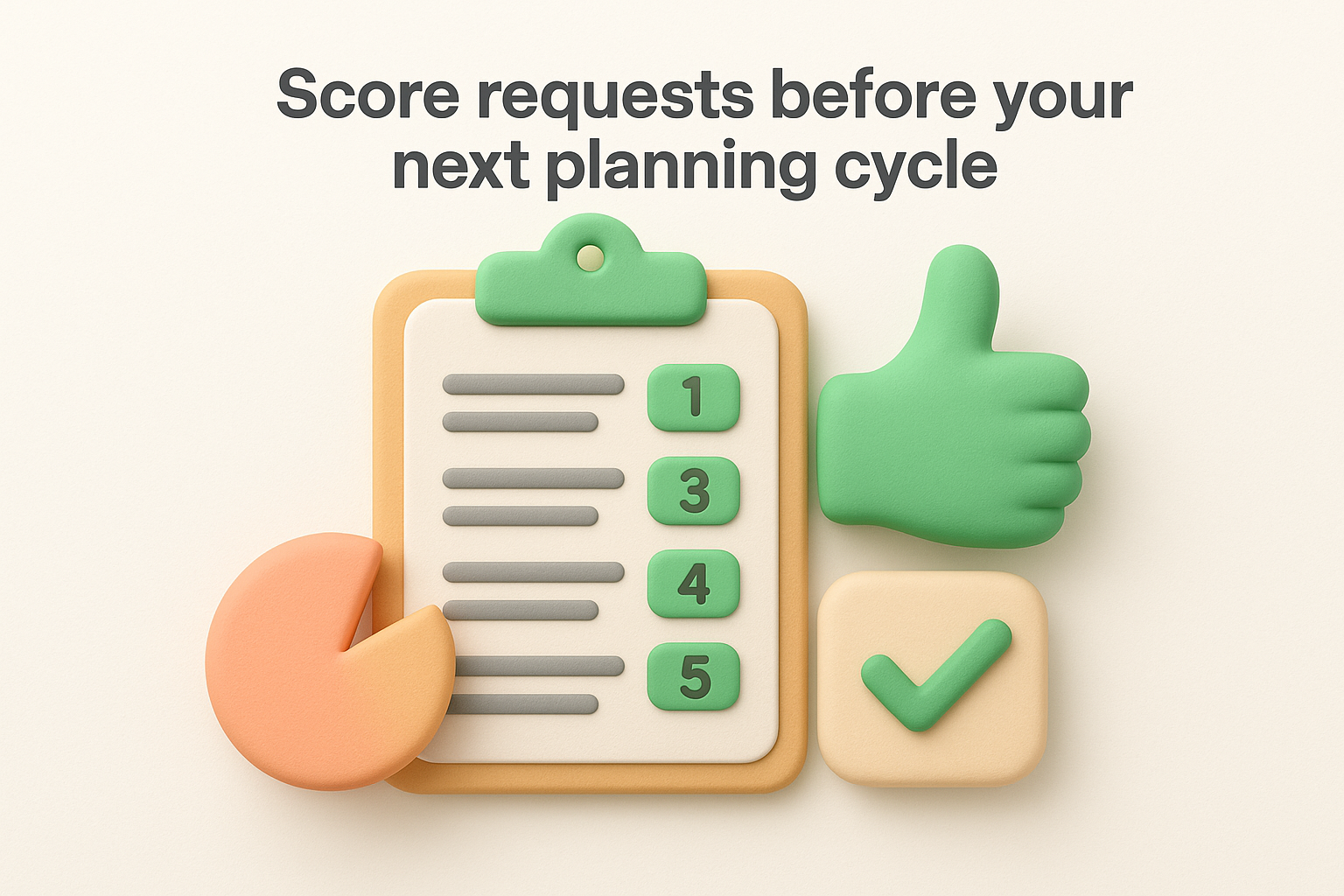
Apply a simple scoring model to each consolidated request. This forces you to weigh user demand against business impact rather than defaulting to whoever asked loudest. Here's a template you can copy into your backlog tool:
| Factor | Score (1-5) | Notes |
|---|---|---|
| Number of users who requested it | 1-5 | 5 = highest demand |
| Revenue impact (requester plan tier) | 1-5 | Weight enterprise asks higher |
| Effort to build | 1-5 | 5 = lowest effort |
| Strategic alignment | 1-5 | Does it fit your roadmap? |
Add up the scores and sort your backlog by total. The top items are your starting point for the next sprint.
Once your team makes a decision, close the loop with users who submitted the request. In Intercom, filter conversations by the feature-request tag, then send a bulk reply or update the relevant users directly. Let them know if the feature is planned, in progress, or declined, and give a brief reason either way. Users who feel heard are far more likely to stay engaged and submit useful feedback again.
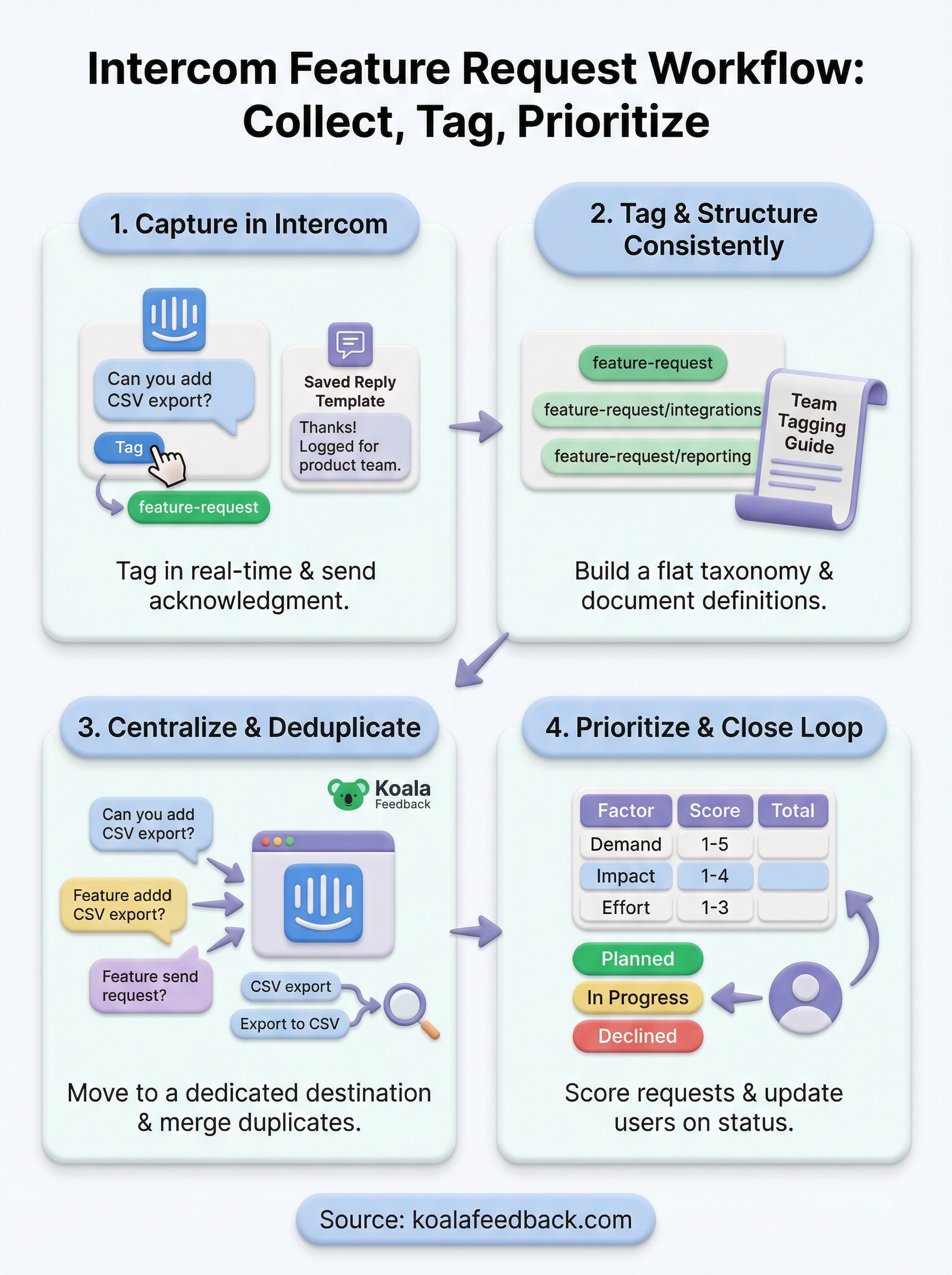
You now have a complete system for handling intercom feature requests from first capture to final decision. You can tag conversations in real time, structure requests consistently across your team, consolidate and deduplicate them in a single backlog, and score them before every planning cycle. The gap most teams hit is the consolidation step, where requests sit in Intercom with no clear owner and no visibility for the product team.
That's exactly what Koala Feedback solves. It gives you a centralized feedback portal where users can submit ideas directly, vote on existing requests, and see where things stand on your public roadmap. Your team gets automatic deduplication, prioritization boards, and the ability to close the loop without digging through old chat threads. Start your free trial and turn your next batch of customer requests into a backlog your product team can actually use.

Start today and have your feedback portal up and running in minutes.

