Managing feature requests from users can quickly become chaotic without a proper system. Spreadsheets get messy, emails get lost, and valuable feedback slips through the cracks. A notion feature request template offers a structured way to capture, organize, and prioritize what your users actually want, all within a tool many teams already use daily.
At Koala Feedback, we've built a dedicated platform for collecting and managing user feedback. But we also know that many SaaS teams start with Notion before committing to specialized tools. Templates can be a practical first step, especially when you're validating your feedback process or working with a tight budget.
This article covers five solid Notion template options for managing feature requests. You'll find templates ranging from simple boards to more comprehensive systems, so you can pick one that matches your current workflow and team size.
While technically not a Notion template, Koala Feedback deserves mention because it solves the exact problem you're researching. Many teams start with a notion feature request template but eventually hit limits around public voting, automatic deduplication, or customer-facing roadmaps. Koala Feedback offers a purpose-built alternative that works alongside your Notion workspace rather than replacing it entirely.
You get a complete feedback portal that your users can access directly. The system includes public voting boards, a customizable roadmap, automated email notifications, and built-in analytics. Everything runs on your custom domain with your branding, so it feels like a natural extension of your product.
This option works best for SaaS teams that need public-facing feedback collection. If you're spending hours manually consolidating duplicate requests or copying feedback between tools, a dedicated platform saves significant time compared to maintaining Notion databases.
Users submit requests through a widget on your site or a standalone portal page. The system automatically groups similar ideas and prompts users to vote on existing requests instead of creating duplicates. You can also import feedback from support tickets, emails, or existing Notion databases.
A dedicated feedback tool eliminates the manual work of deduplication and vote counting that slows down Notion-based workflows.
The platform uses AI-powered matching to identify duplicate submissions. When users try to submit something similar, they see existing requests and can add their vote instead. Vote counts update automatically without any spreadsheet formulas or manual tracking.
You organize requests into custom boards by product area or feature category. Each request shows total votes, comments, and submission date, helping you spot patterns. You can tag requests and filter by status to build your development queue.
Your public roadmap displays what's planned, in progress, and recently shipped. Users who voted on a feature receive automatic email updates when its status changes. You control exactly which features appear publicly.
Initial setup takes about 10 minutes to configure your portal and import existing feedback. You get a guided onboarding that walks through customization options and widget installation.
Plans start at $49 per month with unlimited feedback submissions and team members. A 14-day free trial lets you test the full platform before committing.
This notion feature request template from the official Notion template gallery provides a straightforward database system for tracking user requests. The template focuses on basic organization without complex integrations, making it suitable for teams that want to start simple and iterate later.
You receive a single Notion database configured with status fields, priority tags, and timeline tracking. The template includes four default views organized by status, priority, assignee, and submission date.
This template works well for internal tracking when your team collects feedback through other channels. It suits small teams that need a centralized record but don't require public voting or automated notifications.
The database includes fields for request title, description, status, priority, and assignee. Views let you filter by current status or sort by priority level to surface high-impact requests quickly.
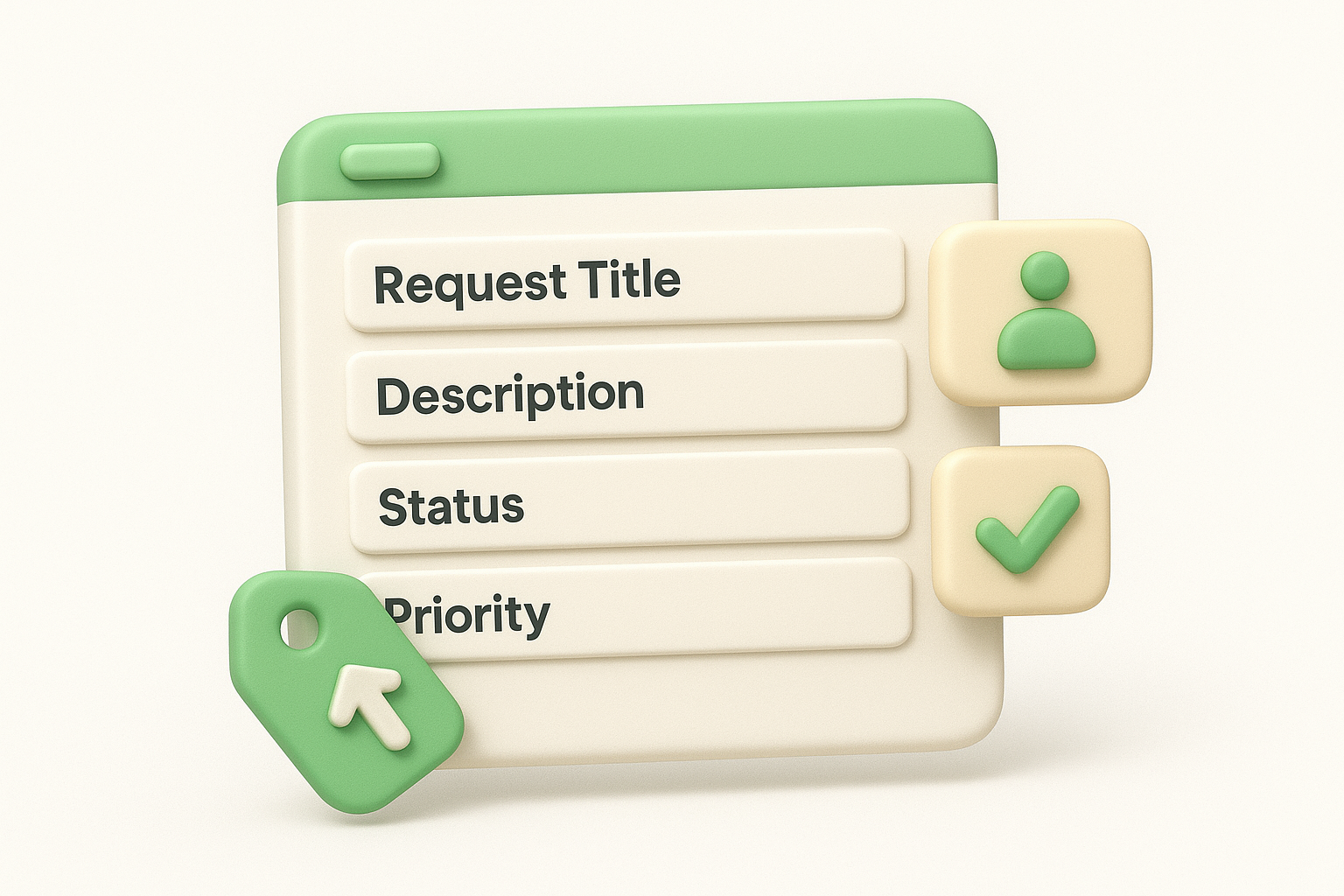
You manually enter requests into the database as they arrive through support tickets, emails, or customer calls. Team members can add requests directly, but there's no built-in form or public submission method.
Status options typically include submitted, reviewing, planned, in progress, and shipped. You update statuses manually as development progresses.
Setup takes about 5 minutes to duplicate the template and customize field names.
The template is free with any Notion workspace plan.
This notion feature request template takes a more opinionated approach to organization compared to basic trackers. The template includes custom views and properties designed specifically for regular triage sessions and quarterly planning cycles.
You receive a pre-configured database with fields for impact scoring, effort estimates, and user segments. The template includes three specialized views that help you conduct regular review sessions with your team.
This template suits product teams that hold regular planning meetings and need to evaluate requests against strategic goals. It works particularly well when you want consistent evaluation criteria across all submissions.
The included views filter requests by review status, impact level, and submission date. A separate board view organizes items by quarter to support roadmap planning discussions.
The template uses archive statuses and date fields to track when requests were reviewed. You can filter out older items while preserving the historical record for future reference.
Regular archiving and status updates prevent your feedback database from becoming cluttered with outdated requests.
Setup requires about 15 minutes to adjust fields and views to match your team's workflow.
This template is free and available through community template libraries.
This notion feature request template combines Tally's form builder with Notion's database system. The template provides a public-facing submission form that automatically populates your Notion workspace, bridging the gap between external collection and internal tracking.
You receive a pre-built Tally form connected to a Notion database with standard request fields. The setup includes form customization options and basic automation that creates new database entries for each submission.
This option suits teams that want external submissions without building custom forms. It works well when you need a simple intake method but want to keep all data inside Notion.
Users submit requests through the Tally form link you share publicly. Each submission creates a new row in your connected Notion database automatically, eliminating manual data entry.
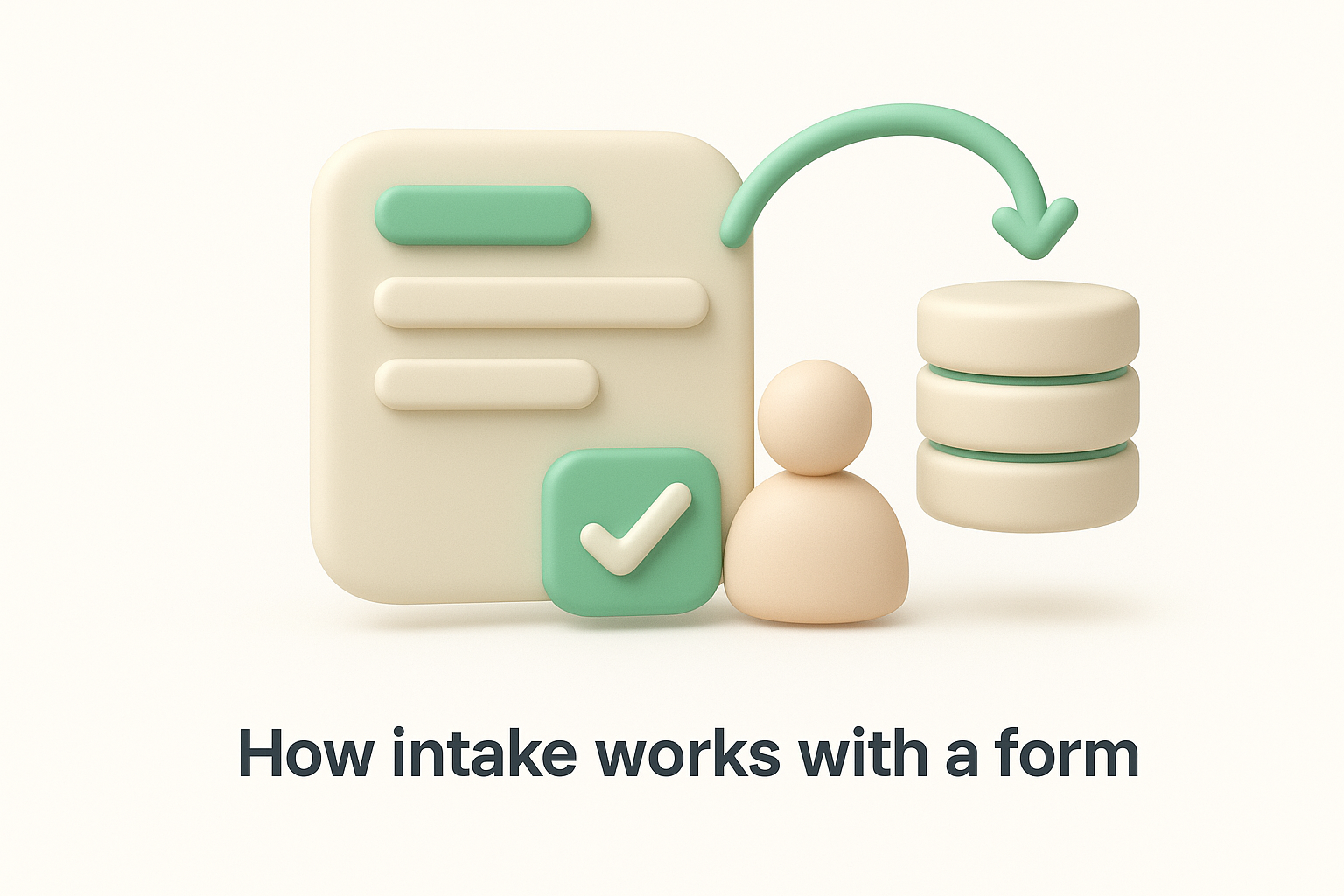
The form includes dropdown fields that let submitters categorize their request. You can map these selections to board columns or tags in your Notion database for automatic sorting.
Form-based collection standardizes the information you capture, making prioritization and routing decisions more consistent across all requests.
You manually update status fields in Notion as requests progress. Tally doesn't include built-in notification systems, so you need to communicate updates through your existing channels.
Initial setup takes approximately 20 minutes to configure the form, connect it to Notion, and test the integration.
Tally offers a free tier that supports basic form functionality. Notion access requires a workspace plan starting at the free tier.
This notion feature request template handles both feature requests and bug reports in a unified system. The template provides separate intake forms for each type while maintaining them in connected databases that feed into a shared roadmap view.
You receive two pre-built forms and matching Notion databases organized to capture feature requests and bug reports separately. The template includes a roadmap view that combines both types of submissions into a single public-facing timeline.
This template suits development teams that want unified tracking without losing the distinction between enhancement requests and technical issues. It works well when you need one place to show all planned improvements.
Separate databases maintain distinct fields for each submission type while shared properties like status and timeline enable combined views. You can filter the roadmap to show only features or include bug fixes depending on your audience.
The roadmap view includes privacy toggles on each item so you control visibility. You duplicate this view to a public page that external users can access without editing permissions.
Custom status fields track progress from submitted through completed. You add target dates and progress notes that appear on the public roadmap, giving users visibility into timing and priorities.
Unified tracking of features and bugs gives users a complete picture of how you're improving the product rather than fragmenting updates across multiple channels.
Setup takes approximately 25 minutes to configure both forms, adjust database properties, and create your public roadmap view.
The template is free and requires a Notion workspace at any tier.
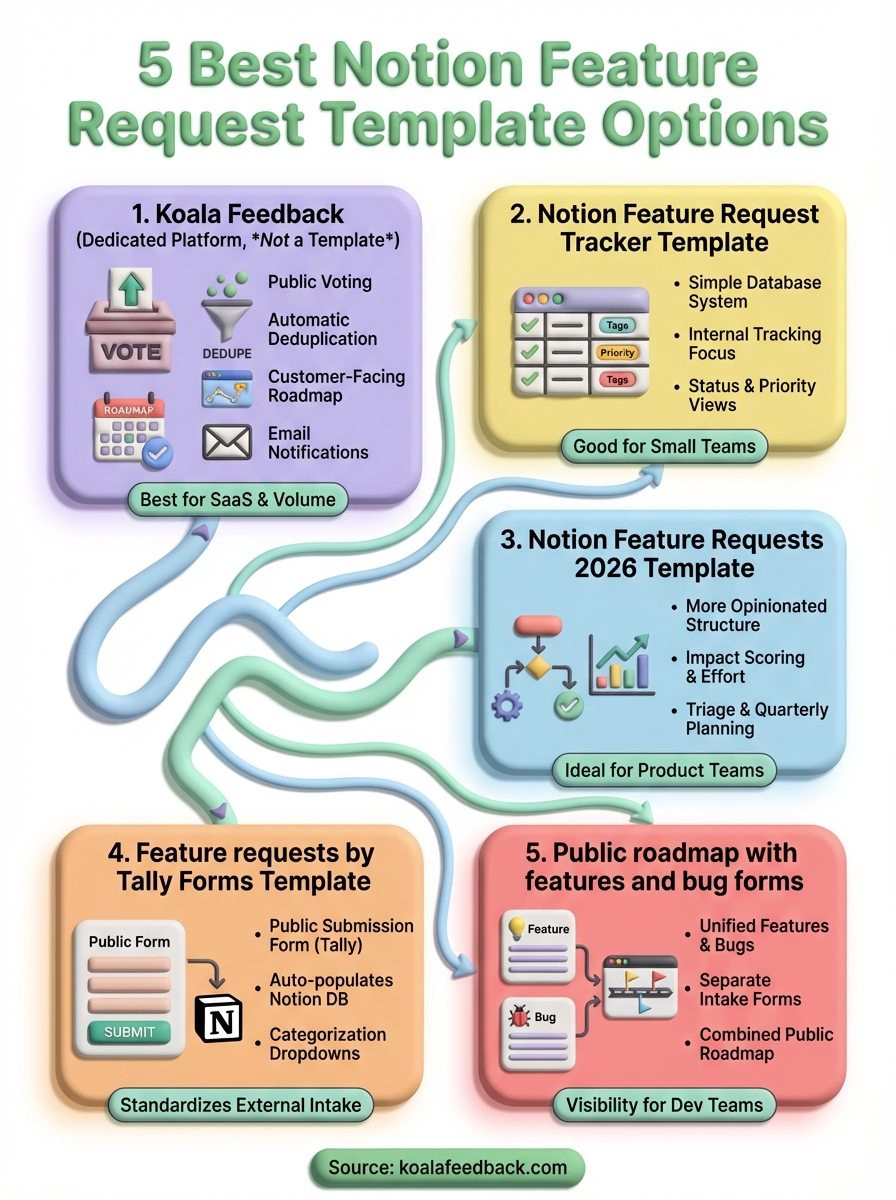
Each notion feature request template in this list offers different strengths depending on your current needs. Simple databases work when you're just starting to organize feedback, while form-based systems help you standardize intake from external users. Templates with roadmap views bridge the gap between internal planning and public communication.
Most teams eventually outgrow manual Notion workflows as request volume increases. You'll spend less time managing spreadsheet formulas and more time building features when you switch to a dedicated feedback platform. Koala Feedback eliminates the maintenance overhead of templates while adding public voting, automatic deduplication, and customer notifications that Notion can't easily replicate.
Start with whichever template matches your current workflow complexity. Track how much time you spend on manual updates, duplicate merging, and status communication. When those tasks consume more than a few hours weekly, a purpose-built solution pays for itself quickly through time savings alone.

Start today and have your feedback portal up and running in minutes.

