You know a user story matters when it stops your team from guessing what
Agile teams that skip user stories tend to fall into the same trap: they build a feature list instead of a product. A backlog full of technical tasks tells developers what to build but never explains why. When you look at solid examples of user stories for agile development, you notice they all do the opposite. They anchor every piece of work to a real person with a real problem, which keeps the whole team pointed at outcomes instead of output.
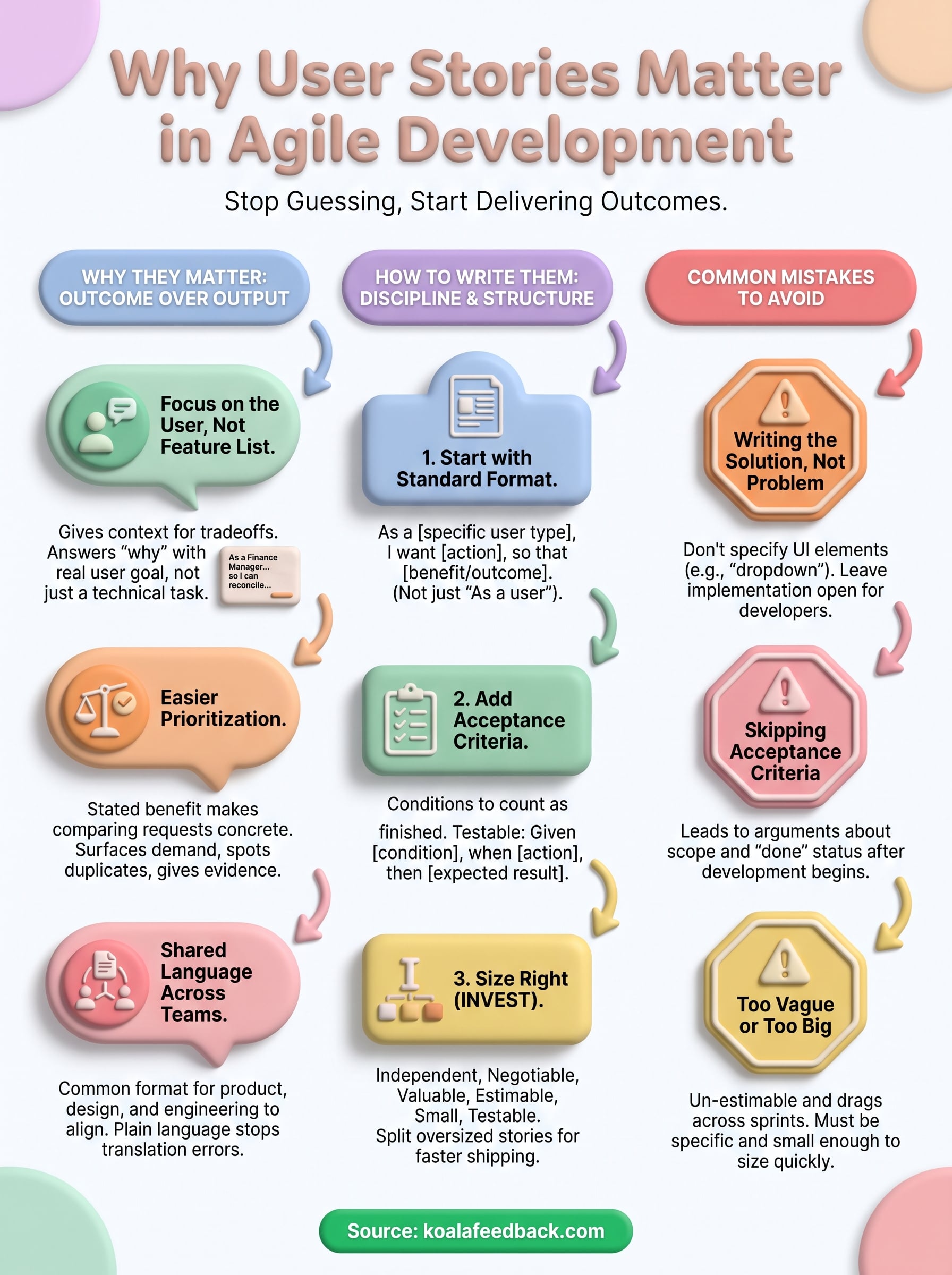
Without a user story, a ticket might read "add CSV export." With one, it reads "as a finance manager, I want to export transaction data to CSV so I can reconcile it in our accounting software." That second version gives the developer context for tradeoffs. Should the export include archived records? Does formatting matter more than speed? A well-written story answers questions the team hasn't even asked yet, because it explains the underlying goal rather than a single implementation detail.
A user story turns a request into a reason, and reasons are what let teams make good decisions without a meeting.
Prioritization gets messy fast when requests arrive as vague feature names. Stories fix that by forcing a stated benefit for every piece of work, which gives product managers something concrete to compare with any of the common backlog prioritization techniques. A request tied to "reduce churn among enterprise accounts" is easier to weigh against another story than two isolated feature names ever could be. This is exactly why agile prioritization tools built around feedback collection, like Koala Feedback's prioritization boards, organize requests by the outcome users are after rather than by the literal feature name someone typed into a form.
A few concrete reasons stories improve prioritization:
Product, design, and engineering rarely describe problems the same way on their own. Designers think in flows, engineers think in components, and support teams think in tickets. Stories give all three groups a common format to rally around, written in plain language anyone on the team can read without translation. That shared vocabulary matters more than it sounds. It's the difference between a standup where everyone nods along and one where the developer builds something nobody asked for because the request got lost in translation between departments.
Stakeholders outside the immediate team benefit too. Executives skimming a roadmap don't need to know which API endpoint changed; they need to know that "customers can now self-serve refunds," which is exactly the kind of sentence a good story produces. That readability is also why so many teams pull their agile development user story examples straight from real customer feedback instead of inventing hypothetical users. When the story traces back to an actual submission in a feedback tool, nobody on the team has to guess whether the problem is real.
Writing a good user story is less about creativity and more about discipline. Most teams start with the same three-part structure, then layer on acceptance criteria to remove ambiguity before a developer ever touches the ticket. If you're building an agile development user story template for your own team, this is the order to follow every time, so nobody skips a step under deadline pressure.
Every story should follow a fixed pattern so anyone on the team can read it without translation. The classic structure is:
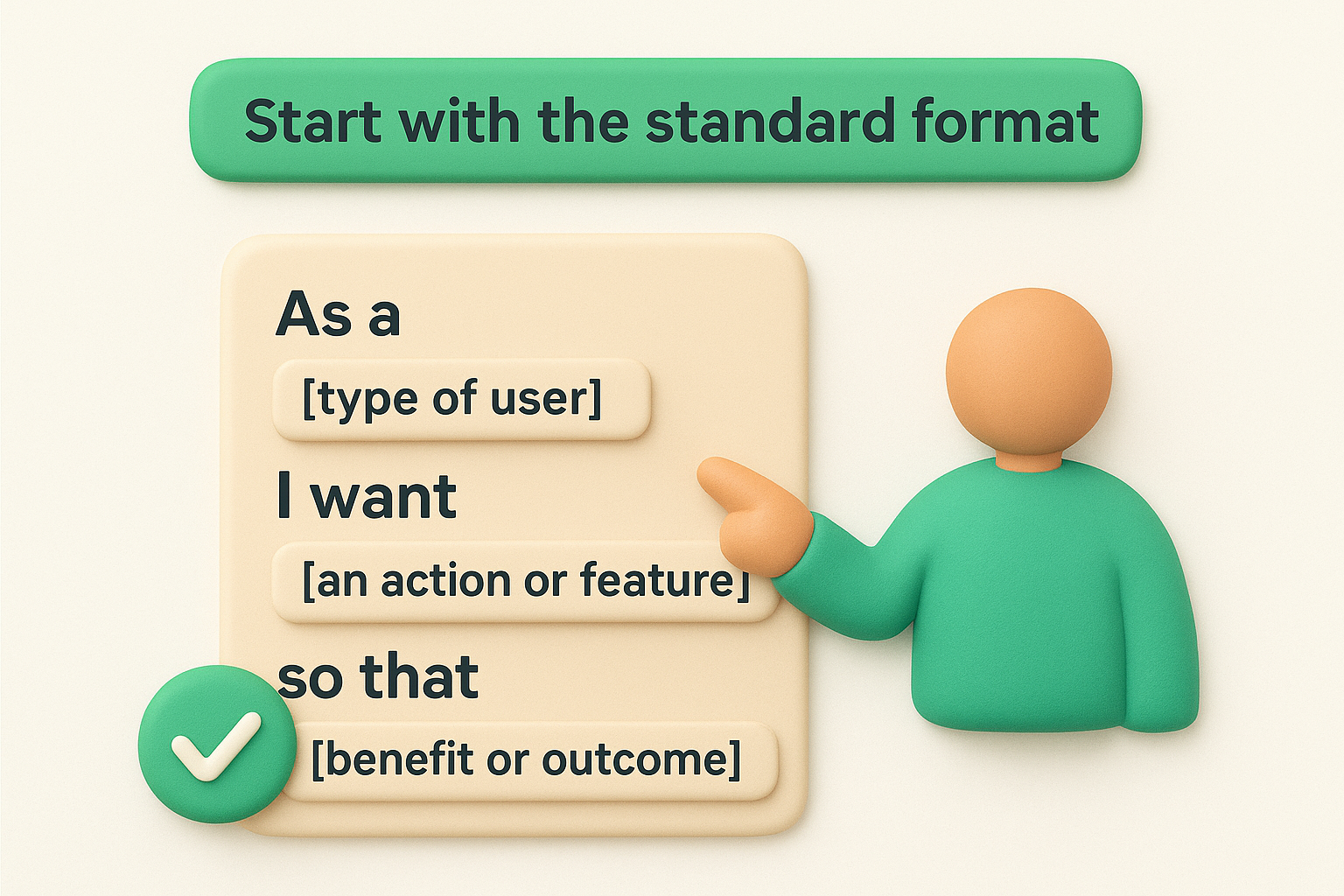
As a [type of user],
I want [an action or feature],
so that [benefit or outcome].
Swap in specifics and you get something like "As a returning customer, I want to save multiple shipping addresses, so that I can check out faster on repeat orders." Keep the user role specific, not generic. "As a user" tells the team nothing; "as a warehouse manager" tells them exactly whose problem this solves.
A story without acceptance criteria is a guess dressed up as a requirement. List the conditions that must be true for the story to count as finished, written as short, testable statements. This is where a user story template for agile development earns its keep, because it forces the same checklist every time:
If you can't write a testable acceptance criterion for a story, the story isn't ready for development yet.
Stories that try to cover too much ground stall in development and never ship cleanly. Run each one through the INVEST test: Independent, Negotiable, Valuable, Estimable, Small, Testable. Sizing matters because a story that takes three sprints to finish isn't a story anymore, it's an epic hiding in plain sight. Teams that follow agile development best practices and consistently split oversized stories into smaller, shippable pieces spend less time in mid-sprint replanning and more time shipping the outcomes their users actually asked for.
Seeing a bare template is one thing. Watching it flex across different situations is what actually teaches you how to write your own. Below are several agile development user stories examples pulled from common product situations, each showing how the same three-line format adapts to a different kind of work.
Feature work is where most teams start, and it's the easiest place to turn a feature request into a story that sounds good but hides vague scope. Compare a weak version against a tightened one: "As a user, I want notifications" versus "As a project manager, I want an email alert when a task I'm assigned to becomes overdue, so that I don't miss deadlines I'm responsible for." The second version gives a developer enough specific context to scope the work without a follow-up meeting.
Bugs don't always need the full story format, but framing a recurring pain point as one forces the team to name the real cost. "As a returning customer, I want my saved cart to persist after I log out, so that I don't have to rebuild it every visit" reads very differently than a ticket that just says "fix cart bug." It ties the fix to lost revenue instead of an abstract defect, which helps it compete fairly against feature work in the backlog.
Internal-facing stories still need a real user, even if that user is a coworker. "As a support agent, I want to see a customer's last three tickets on their profile page, so that I don't ask them to repeat information" is a legitimate story, not just a nice-to-have. Technical debt stories work the same way once you name who feels the slowdown, such as "As a developer, I want the deploy pipeline to run in under five minutes, so that I can ship fixes the same day they're reported."
The best test of any story, regardless of scenario, is whether a stranger could read it and know exactly who benefits and why.
| Scenario | Sample story | Key acceptance detail |
|---|---|---|
| New feature | As a project manager, I want overdue task alerts, so that I don't miss deadlines | Alert fires within 5 minutes of due time passing |
| Bug fix | As a returning customer, I want my cart saved after logout, so that I skip rebuilding it | Cart persists for 30 days across sessions |
| Internal tool | As a support agent, I want recent ticket history on a profile, so that I skip repeat questions | Shows last 3 tickets with status and date |
Each row proves the same point: the format barely changes, but the specificity inside it does all the work.
Skip the blank-page problem entirely and start from a fixed structure every time. Below is a agile development user story template you can paste straight into your backlog tool, whether that's a spreadsheet, Jira, or a feedback platform like Koala Feedback. Fill in the brackets, delete the instructions, and you have a story ready for grooming.
Use this as your default starting point for any new story:
Title: [Short, descriptive name for the story]

As a [type of user],
I want [an action or feature],
so that [benefit or outcome].

Acceptance Criteria:
- Given [starting condition], when [action], then [expected result]
- Given [starting condition], when [action], then [expected result]

Priority: [High / Medium / Low]
Estimate: [Story points or time estimate]
Linked feedback: [Link to the original request or ticket, if any]
That last line matters more than it looks. Teams that track a linked feedback field can trace every story back to the customer or coworker who wrote the feature request, which makes prioritization conversations shorter because nobody has to ask "wait, who actually needs this?"
A template only earns its keep if every field forces you to answer a question you'd otherwise skip.
Here's the same template with real content dropped in, so you can see how little should be left vague once it's done:
Title: CSV export for transaction history

As a finance manager,
I want to export transaction data to CSV,
so that I can reconcile it in our accounting software.

Acceptance Criteria:
- Given a date range is selected, when I click export, then a CSV downloads with matching transactions
- Given no transactions exist in the range, when I click export, then I see a message instead of an empty file

Priority: High
Estimate: 3 story points
Linked feedback: Feedback board, "Export not tools" thread, 14 votes
Notice the estimate and the linked feedback are both filled in. Neither field is optional if you want the story to survive a sprint planning meeting without someone asking for clarification. Keep a copy of this user story template for agile development pinned somewhere your whole team can reach it, because consistency across stories is what makes a backlog scannable instead of a pile of one-off tickets nobody can compare fairly.
Even teams that know the format well fall into predictable traps once deadlines pile up. Most of these mistakes don't come from misunderstanding the template, they come from rushing past it. Watching for them is often more useful than memorizing more agile development user stories examples, because the mistakes repeat across every industry and team size.
Many stories smuggle a technical decision into the "I want" clause, which locks the developer into one approach before anyone's tested it. "As a user, I want a dropdown menu for filters" assumes a dropdown is the right UI before anyone's confirmed it. A cleaner version, "As a user, I want to narrow results by category, so that I find relevant items faster," leaves the implementation choice open for the person who actually builds it.
The moment a story specifies a UI element instead of a user need, you've written a spec, not a story.
Teams in a hurry often ship the three-line story and skip the criteria entirely, assuming everyone already agrees on what "done" means. They rarely do. Without written testable conditions, QA and development end up arguing after the fact about scope that should've been settled during grooming.
A story like "As a user, I want a better dashboard" fails the INVEST test on almost every point, it's not small, not estimable, and barely negotiable. Vague stories stall in planning because nobody can size them, and oversized stories drag across multiple sprints without ever feeling finished. Split anything that touches more than one clear outcome into separate stories before it reaches the sprint board.
A quick checklist to run before you mark a story ready:
Skipping any one of these is how backlogs fill up with stories nobody can prioritize, size, or defend in a planning meeting.
Good user stories aren't a formatting exercise, they're how your team stays honest about what you're building and why. Every example in this article shares the same backbone: a named user, a specific want, a stated benefit, and acceptance criteria that leave no room for guessing. Copy the template you copied above, run it through the INVEST checklist, and watch how much faster grooming sessions go once nobody has to ask "who actually needs this?"
Running stories through this process only works if the requests behind them are real, not invented in a planning meeting. That's where a centralized feedback source matters most, since every story should trace back to an actual voice, not a guess dressed up as a requirement. If you're still pulling feature ideas from scattered emails and Slack threads, collect every request in one feedback portal your whole team can prioritize together with Koala Feedback.

Start today and have your feedback portal up and running in minutes.

