To work through the seven stages of the new-product development process, go in this order: generate ideas, screen them, develop and test a concept, run a business analysis, build the product, test market it, and commercialize it. Each stage ends with a go or no-go decision. Each decision should rest on evidence from real customers before you release budget for the next stage.
Most teams don't struggle to find ideas. They fall in love with one, skip validation, and learn at launch that nobody wanted it. Customer input sits in support tickets, sales calls, and spreadsheets, so decisions get made on opinion and seniority instead of data.
This guide treats the 7 steps as work you can run. You get scoring criteria, a concept template, break-even math, test exit criteria, a launch checklist, and a worked example. At Koala Feedback we help product teams collect and prioritize user feedback, which feeds almost every stage, so you will also see where that input fits.
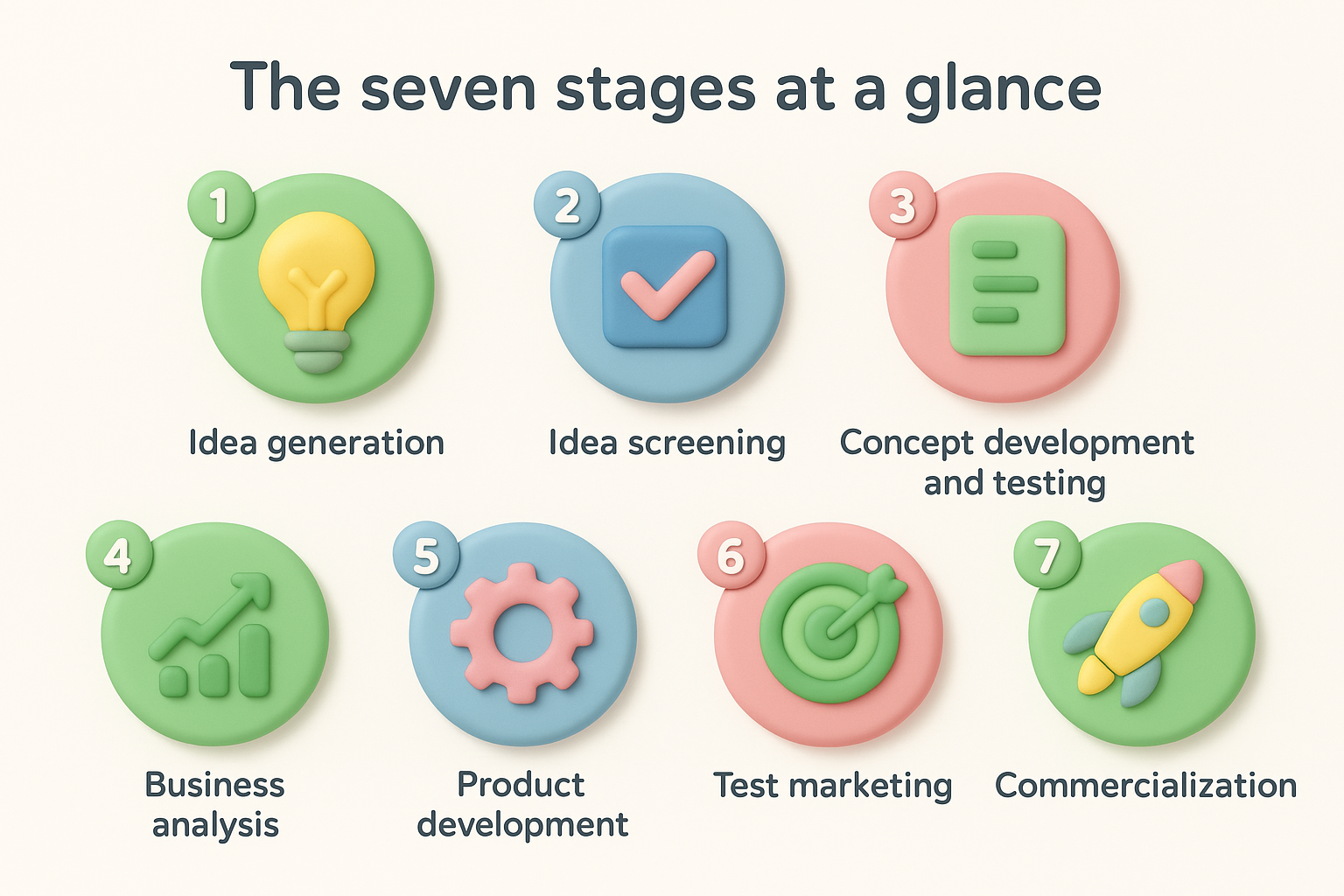
The seven stages are idea generation, idea screening, concept development and testing, business analysis, product development, test marketing, and commercialization. The model comes from consulting work at Booz Allen Hamilton and is now taught in most marketing courses. It works because it puts the cheapest decisions first and the most expensive ones last.
Every version of the 7 stage new product development process uses the same logic. You spend a little to learn a lot early, and you spend heavily only after the idea has survived several checks. This table shows what each stage asks, what it produces, and what decision ends it.
| Stage | Question it answers | Main output | Gate decision |
|---|---|---|---|
| 1. Idea generation | What problems are worth solving? | A long list of ideas | Which ideas enter screening? |
| 2. Idea screening | Which ideas deserve resources? | A ranked shortlist | Which two or three get a concept? |
| 3. Concept development and testing | Do customers want this version? | A tested concept | Does demand justify costing it? |
| 4. Business analysis | Can we make money from it? | Forecast and break-even | Is the return worth the risk? |
| 5. Product development | Can we build it well? | A working product or MVP | Is it ready for real conditions? |
| 6. Test marketing | Does it work in the market? | Pilot results | Do we launch, fix, or stop? |
| 7. Commercialization | Can we scale it? | Launch and post-launch data | What do we change next? |
Each stage is a cheap way to find out that the next, more expensive stage would fail.
You need five things in place before stage one. Skipping them is why many teams cannot make clean go or no-go calls later.
Use the full seven stages for new-to-the-world products and for products that are new to your company, such as a software firm adding a payments product. Use a lighter pass for line extensions, like a new pricing tier or an industry-specific edition. For small enhancements, run stages two, three, and five quickly and skip the rest. The process is also not strictly linear. A failed concept test often sends you back to stage one, and that is the system working as designed.
Start by collecting many ideas from real customer signals, then cut the list with a scorecard you wrote before you looked at any idea. Separate the two steps in time. If you judge ideas while collecting them, you filter out the odd ones that sometimes become the best products.
Good ideas come from observed problems, not from brainstorming alone. Pull from support tickets and sales call notes, because they show the exact words customers use for their pain. Add competitor reviews and gaps, since complaints about rivals point to unmet needs. Then add internal ideas from engineering, marketing, and customer success.
A structured list of sources helps you avoid blind spots:
A feedback portal such as the one in Koala Feedback is useful here. It collects requests in one place, merges duplicates, and shows how many users voted for each one. That turns scattered anecdotes into a countable list. At this stage you want volume, so write every idea down without ranking it.
Screening means using a prioritization matrix to score each idea against the same criteria and moving only the top few forward. Set the criteria and weights before you score, so your favorite idea cannot bend the rules. Most teams use five to eight criteria, such as customer need, strategic fit, technical feasibility, market size, and effort.
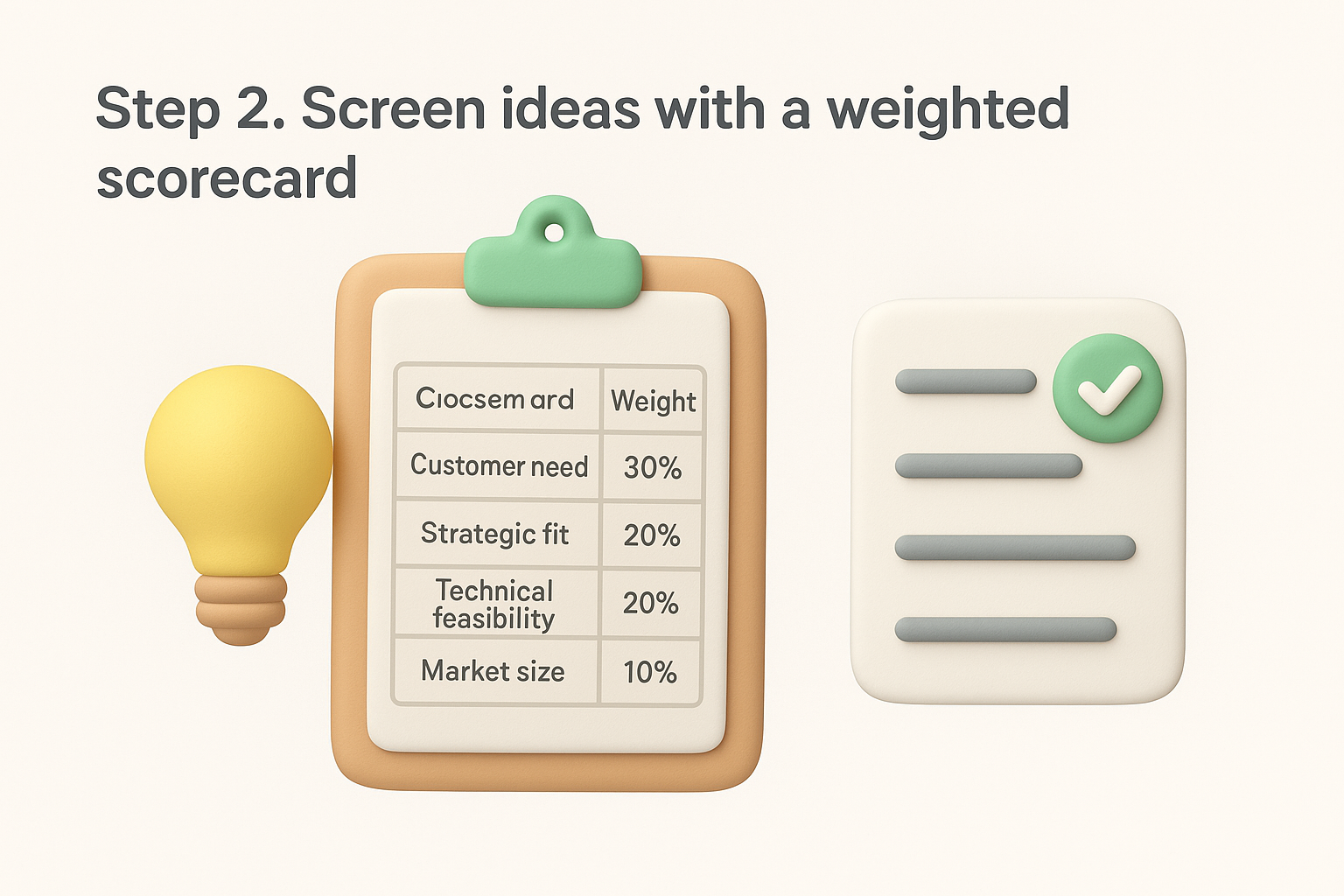
Here is a simple scorecard. Each criterion is scored from 1 to 5, then multiplied by its weight.
| Criterion | Weight | Client invoice portal | Dark mode |
|---|---|---|---|
| Customer need | 30% | 5 | 2 |
| Strategic fit | 20% | 4 | 3 |
| Technical feasibility | 20% | 3 | 5 |
| Market size | 20% | 4 | 3 |
| Effort (5 = low effort) | 10% | 2 | 5 |
| Weighted score | 100% | 3.9 | 3.3 |
The portal scores 3.9 because its need and market scores outweigh its higher effort. Dark mode lands at 3.3. The scorecard does not make the decision for you. It makes your reasoning visible so the team can argue about weights and evidence, not about personalities.
Involve engineering, sales, and support in the scoring session, because each sees risks the others miss. Also keep a short log of rejected ideas and why. Rejected ideas come back constantly, and the log saves you the same debate. The output of idea screening is a shortlist of two or three ideas, not one.
Turn each shortlisted idea into a written concept, test it with the target customer, and only then price out the business case. Stages three and four are where the seven stages of the new-product development process save you the most money, because no one has built anything yet.
A concept is a customer-facing description of the product, not a spec. Write one page that a customer can react to in two minutes. Use this template.
Product name: [working name]
Target customer: [who, in one sentence]
Problem: [the problem in the customer's own words]
Solution: [what the product does, in plain language]
Key benefits: [three outcomes the customer gets]
Price: [proposed price and billing model]
Alternatives today: [what customers use instead]
Why we win: [one reason we are better for this customer]
Create two or three versions that differ in features, price, or positioning, so you can compare them. Then test demand for each one with people who match your target customer.
Watch for repeated concerns. When several people raise the same objection, treat it as a design problem. Ask also what they use now, because a concept that is only slightly better than the current habit rarely wins.
Business analysis has two parts. First, a short marketing strategy for a new product covering positioning, price, and the channels you will use. Second, the financials: development cost, running cost, expected revenue, and break-even.
The break-even calculation is simple. For a physical product, divide fixed costs by the contribution per unit, which is price minus variable cost per unit. For a subscription product, use annual contribution per customer. Say a build costs $120,000, the plan costs $29 per month, and variable cost is $4 per month. Contribution is $25 per month, or $300 per year. Break-even is $120,000 divided by $300, which is 400 paying customers.
Then ask whether 400 customers is believable in your market and timeframe. Model three scenarios: pessimistic, expected, and optimistic. Also list the regulatory, technical, and supply risks. If the pessimistic case is survivable, move on. If only the optimistic case works, stop or reshape the concept.
If the business case only works when everything goes right, you do not have a business case.
Build the smallest version that proves the core value, test it with users in stages, and then release it to a limited real-world audience. These two stages turn a validated concept into a product you can trust to scale.
Start by building a minimum viable product that delivers the single outcome the concept promised. Everything else waits. Move through prototype fidelity in three passes so mistakes are cheap to fix:
Test each pass with real users. Five to eight users per round usually surface the main usability problems, and you should fix them before the next round. Match your method to the product. Agile suits software, because you ship in short cycles and adjust. A physical product with expensive tooling may need a more sequential plan, since changes after tooling are costly.
Keep customers involved during the build. A public roadmap lets early users see what is planned, in progress, and shipped, and a status such as "In progress" sets expectations without promising dates. Hold a review at the end of this stage that asks one question: is the product ready to face people who are not on your team?
Test marketing releases the finished product to a limited audience under your planned marketing strategy. You are testing the product and the plan together. Use three methods, often in sequence:
| Method | Who uses it | What you learn |
|---|---|---|
| Alpha test | Your own team and trusted insiders | Bugs and workflow problems |
| Beta test | Selected real customers | Real-world use, satisfaction, gaps |
| Limited release | One region or segment | Acquisition cost, conversion, retention |
Define success numbers before the test starts. For a software product, set targets for activation rate, week-four retention, support tickets per user, and the share of beta users who would be very disappointed to lose it. For a physical product, track repeat purchase, return rate, and sell-through.
Then decide in advance what each result means. Hitting the targets means launch. Missing by a little means fix and re-test. Missing by a lot means go back to stage three. Watch what people do, not what they say, because stated intent overstates purchase behavior. Collect beta feedback in one place so patterns are visible, and tell testers what you changed because of their input.
Commercialization is the full rollout of the product to the market, and launch is its first moment. Prepare every team, release in a coordinated way, and keep measuring after release, because the seven stages of the new-product development process end by feeding the next round of ideas.
A launch fails most often because one team was not ready. Use a launch checklist that covers the whole company:
Announce everywhere at the same time. If social posts go live before the website is updated, customers land on old information and trust drops.
Watch the first two weeks closely, because bugs that slipped through testing and confusing messaging appear fast. Review adoption, activation, retention, support volume, and revenue against the targets from your business case. Fix urgent problems immediately.
Launch is not the end of the process. It is the start of the best feedback you will ever get.
After the initial period, hold a retrospective. Ask what you got right, what you missed, and which new ideas came from users. Route those straight into stage one. Publishing your roadmap and closing the loop with the people who requested features keeps them engaged, which makes the next round of ideas better.
A short walkthrough shows how the stages connect, and a list of common mistakes shows where teams usually break the chain. The example below is hypothetical, but the steps are the ones you would take.
Imagine a small SaaS team that sells project management software to agencies. Here is how they would run the 7 step new product development process.
| Stage | What the team does | Gate result |
|---|---|---|
| 1. Idea generation | Tags 200 support tickets and finds many agencies emailing status updates by hand. Collects 30 ideas. | 30 ideas enter screening |
| 2. Idea screening | Scores ideas on a weighted scorecard. A client portal ranks first. | 3 ideas shortlisted |
| 3. Concept testing | Writes two concepts, one read-only and one with approvals. Interviews 12 agency owners. Approvals wins. | Concept approved |
| 4. Business analysis | Estimates $120,000 build cost. Break-even is 400 customers at $29 per month. Pessimistic case still pays back in 18 months. | Go |
| 5. Product development | Builds an MVP with approvals and comments. Tests clickable mockups, then a working build. | Ready for beta |
| 6. Test marketing | Runs a beta with 25 agencies for six weeks. Activation is strong, but onboarding confuses users. Fixes it and re-tests. | Launch after fix |
| 7. Commercialization | Announces to the customer base, trains support, and tracks adoption weekly. Retrospective surfaces two new ideas. | Ideas return to stage 1 |
Notice the two loops. The beta found an onboarding problem, so the team fixed it before launching. The retrospective fed new ideas into stage one. That is the process working as it should.
These mistakes appear again and again. Each has a simple prevention.
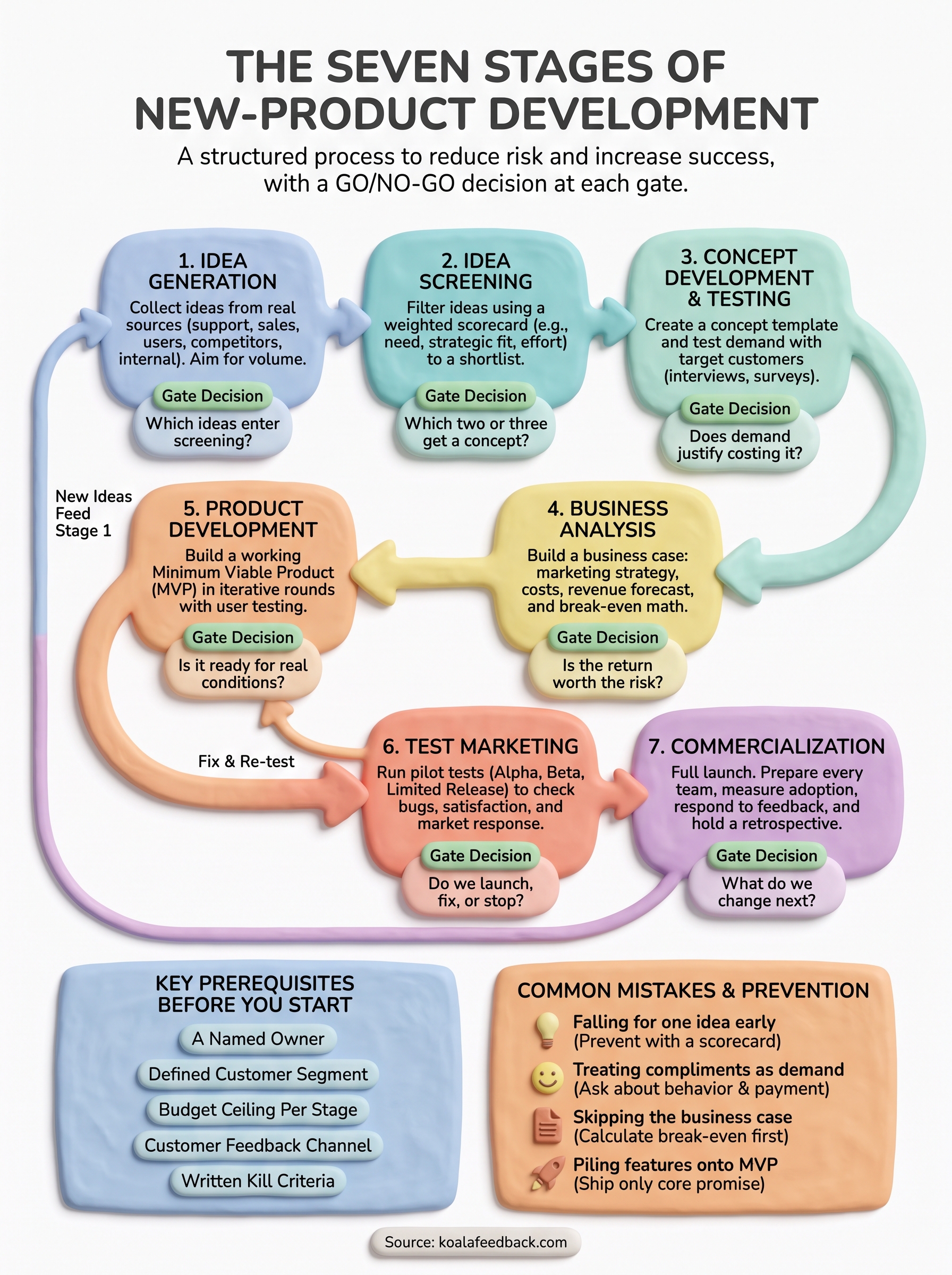
The seven stages work because each one tests a different risk: demand, fit, value, profit, quality, market response, and scale. Run them in order, write your gate criteria before each stage, and let customer evidence overrule opinion. When a stage fails, treat it as money saved and go back one step.
You can start today with stage one. Gather every request, ticket, and idea in one place and make it countable. If you want a shared home for that input, with voting, categorization, and a public roadmap, you can collect and prioritize feature requests with Koala Feedback and move straight into screening with real data behind you.

Start today and have your feedback portal up and running in minutes.