The best customer feedback forms template is short, asks one clear thing, and reaches the customer right after the experience it asks about. Use a feature request form if you build software, a CSAT form after support chats, an NPS form to track loyalty, and a cancellation form to learn why customers leave. Each of the seven templates below fits one of those jobs.
Most teams grab a template, add every question they can think of, and then wonder why nobody finishes it. The fix is rarely a better design. It is a tighter purpose, fewer questions, and the right moment to ask. This article gives you seven forms you can copy, with the exact questions, timing, and tips for each.
At Koala Feedback we build a feedback portal for product teams, so we spend our days looking at how users actually share ideas. Every template here is plain text. Paste it into Word, Google Docs, Excel, a PDF editor, or any online form builder, then trim it to fit your product.
The strongest user feedback form for a software product is a public portal where customers post ideas and vote on each other's. Koala Feedback gives you that portal, so your customer feedback forms template is a live page instead of a document you resend every quarter.
Use it when you build a product and want a continuous stream of requests instead of one-off survey rounds. Users submit an idea, others vote and comment, and Koala Feedback deduplicates and categorizes submissions into prioritization boards by product area.
Make it look like your own product. You can set a custom domain, colors, and logo, then add a public roadmap with statuses such as planned, in progress, and completed, so users see what happened to their input.
A form that shows users what happens next earns more trust than one that disappears into an inbox.
Use this wording as the prompt on your portal's submission form. It asks for the problem, not the solution, which gives you better raw material when you prioritize.
Idea title: In one line, what should we add or change?
Details: What are you trying to get done, and what gets in the way today?
Importance: Nice to have / Important / Critical
Anything else we should know? (optional)
Three habits keep a public portal useful and easy to trust.
A CSAT form asks one question about one interaction on a 1 to 5 scale. As a customer feedback forms template, it is the simplest to start with and the easiest to score.
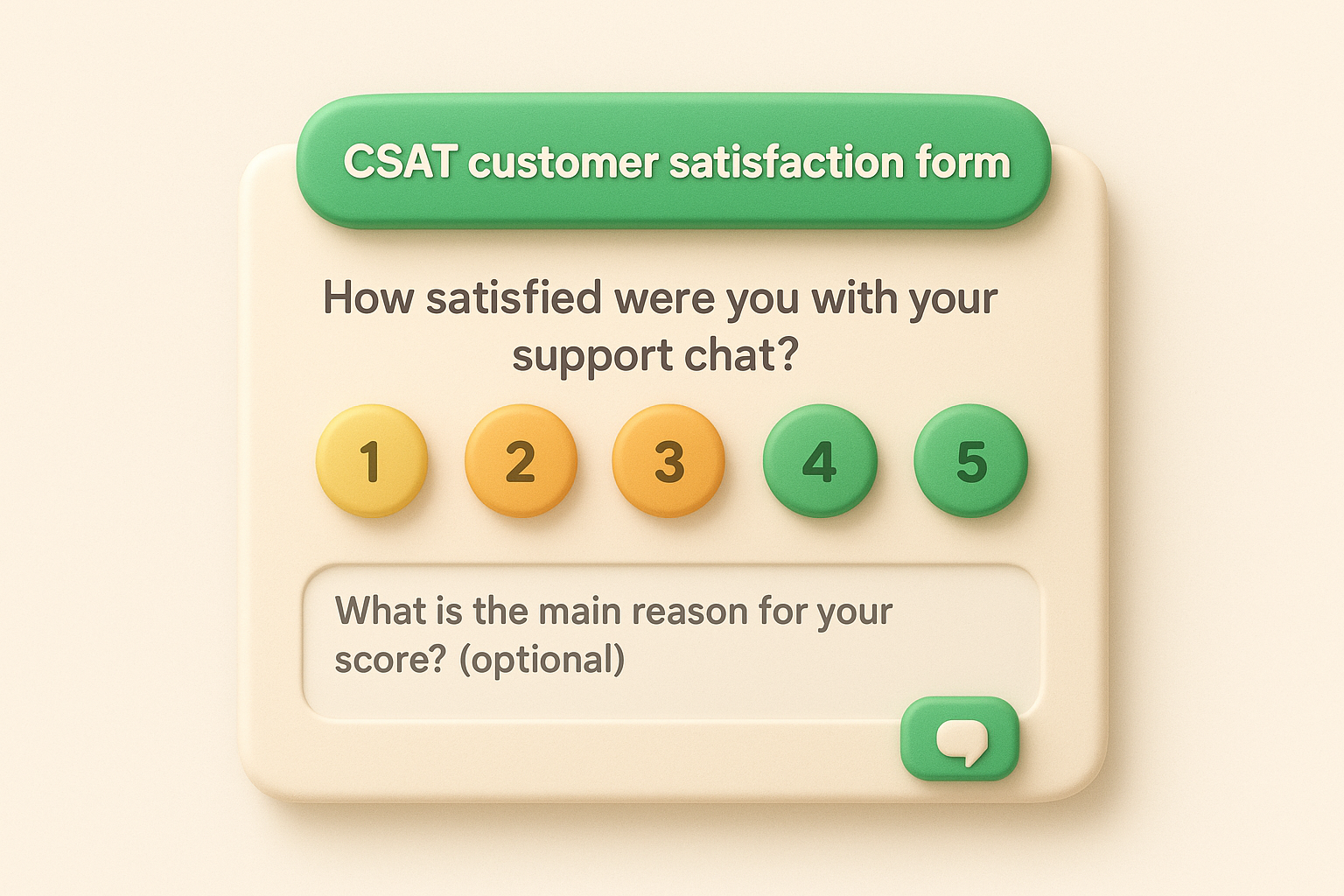
Use it to rate a specific moment, such as a support chat, a delivery, or an onboarding call. It measures satisfaction with that moment, not how customers feel about your brand overall.
Send it within minutes of the interaction, while the memory is fresh. To calculate your score, count the 4 and 5 ratings, divide by total responses, and multiply by 100.
CSAT works because it scores a single moment, so the answer points to a single fix.
Swap the bracketed text for the interaction you are measuring. The optional follow-up is where the useful detail lives.
How satisfied were you with [your support chat / your delivery / your onboarding call]?
1 Very dissatisfied  2 Dissatisfied  3 Neutral  4 Satisfied  5 Very satisfied

What is the main reason for your score? (optional)
Keep the scale identical across every CSAT form you send, and name the moment you are asking about.
An NPS form asks how likely a customer is to recommend you on a 0 to 10 scale. It is the best user feedback template for tracking loyalty over time, not for fixing one interaction.
Use it to measure the overall relationship. Scores of 9 to 10 are promoters, 7 to 8 are passives, and 0 to 6 are detractors. Your NPS is the percentage of promoters minus the percentage of detractors, so it falls between -100 and 100.
Send it on a fixed schedule, such as quarterly, or after customers have used the product long enough to have an opinion. Day one is too early.
NPS is a trend line, so the cadence matters more than any single score.
Two open questions turn a bare number into something you can act on. Keep the recommendation question word for word so your scores stay comparable.
How likely are you to recommend [company] to a friend or colleague?
0 (Not at all likely) to 10 (Extremely likely)

What is the main reason for your score?
What is one thing we could do to earn a higher score?
Treat the comments as the real data, and follow up with unhappy customers quickly.
A product feedback form collects opinions on one product or feature, pairing a few ratings with open questions. This customer feedback form template suits product managers who need to know what works and what to change.
Send it after customers have used a feature for a week or two, or after a launch. Early enough that they remember the first impression, late enough that they have real opinions.
Keep it to one product or feature per form. A form that tries to cover your whole product returns vague answers about all of it.
Ask about one product at a time, or you will get opinions about nothing in particular.
The last question helps you see how much customers would miss the product, which a satisfaction rating cannot tell you.
Which product or feature are you giving feedback on?
How easy is it to use? (1 Very difficult to 5 Very easy)
What do you use it for most often?
What is the one thing you would change?
How would you feel if you could no longer use it?
Very disappointed / Somewhat disappointed / Not disappointed
Put the quick rating first and the open questions after it, so people commit before they have to write.
A support feedback form checks whether the problem was solved and how the interaction felt. This customer feedback forms template goes out the moment a ticket closes or a chat ends.
Use it for every closed ticket or a steady sample of them. It tells support leads about resolution, speed, and the quality of help, which are three different problems with three different fixes.
Resolution matters most. A friendly agent who did not solve the problem still produces an unhappy customer, so ask "Was your issue resolved?" first.
Ask about resolution before friendliness, because a polite non-answer still costs you the customer.
Five questions take under a minute. The last question gives you permission to follow up.
Was your issue resolved? (Yes / Partly / No)
How would you rate the speed of our response? (1 to 5)
How helpful was the person who assisted you? (1 to 5)
What could we have done better? (optional)
May we contact you about your experience? (Yes / No)
Lower the effort of the first answer and act on the bad ones.
A website feedback form catches confusion and bugs while a visitor is still on the page. It is the user feedback form to put on pricing, checkout, and documentation pages, where friction costs you the most.
Place it inline or on a side button so it waits for visitors who want to speak up. Reserve popups for specific moments, such as after someone has lingered on a page, because a popup that fires too early annoys people.
Its job is to find out what visitors tried to do and what stopped them. That makes it a cheap way to spot broken flows before they show up in churn.
The most useful website feedback answers one question: what were you trying to do?
Most of the technical detail should be captured automatically, not typed by the visitor.
What were you trying to do on this page?
Were you able to do it? (Yes / Partly / No)
What got in the way?
Email (optional, only if you want a reply)
Keep the form small and let people leave it alone if they choose.
A cancellation form asks departing customers why they are leaving. It is the most honest customer feedback form template on this list, because the customer has nothing left to protect.
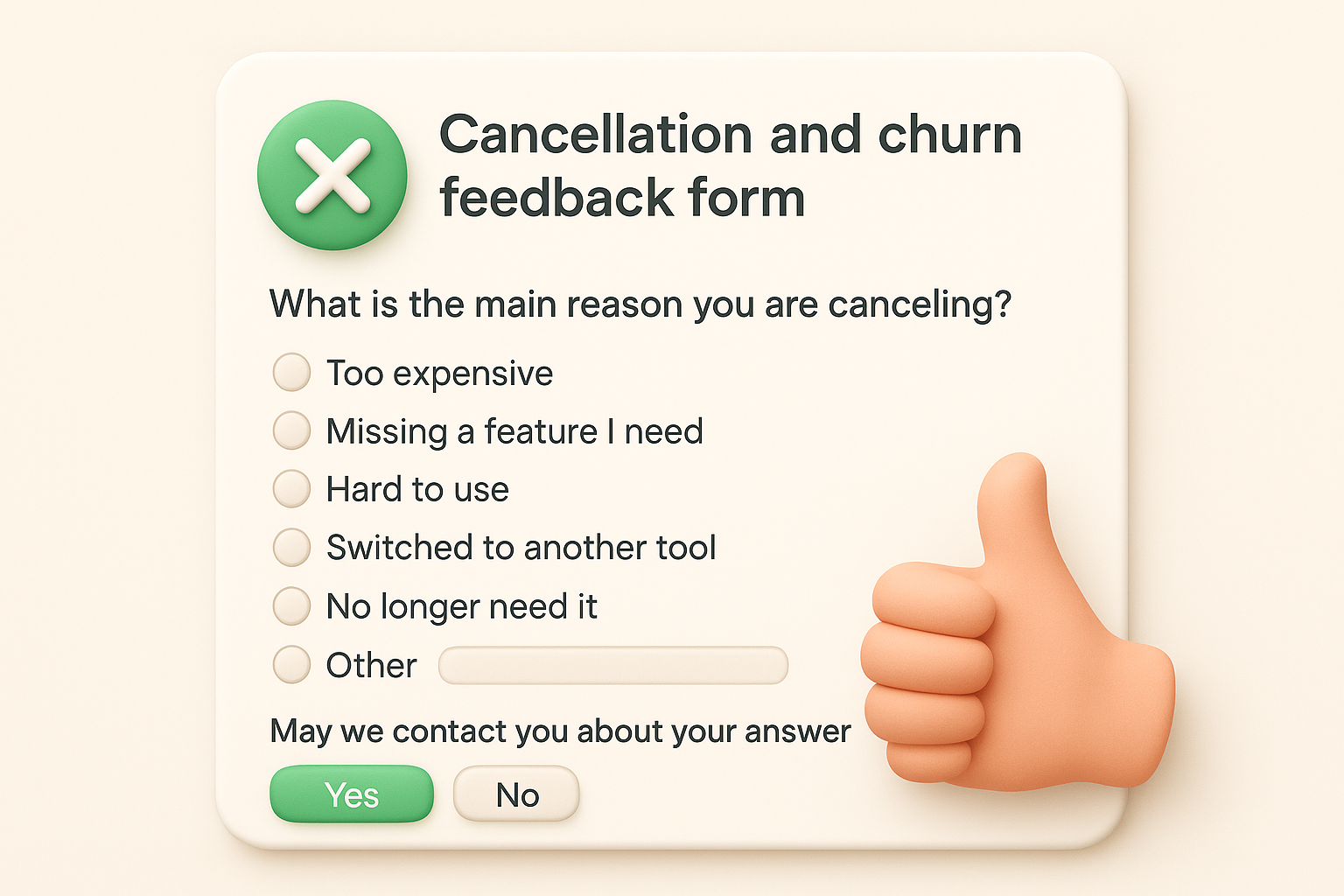
Show it at the cancellation step, or email it within a few days if the cancellation happens elsewhere. Subscription businesses benefit most, but any service with repeat customers can use it.
Expect short, blunt answers. That is fine. A multiple-choice reason gives you data you can count, and the optional comment adds the story behind it.
Customers who leave tell you more in ten seconds than customers who stay tell you in a survey.
Adjust the reasons to match your business, and always leave room for "Other".
What is the main reason you are canceling?
( ) Too expensive
( ) Missing a feature I need
( ) Hard to use
( ) Switched to another tool
( ) No longer need it
( ) Other: ______

What would have kept you as a customer? (optional)
May we contact you about your answer? (Yes / No)
Respect the decision and keep the form light.
Pick the format that matches how you will collect and read the answers, then keep the final form short. Any of these user feedback forms can live in a document, a spreadsheet, or an online builder.
The right tool depends on how many responses you expect and who reads them.
| Format | Best for | Watch out for |
|---|---|---|
| Word or Google Docs | Printed or emailed forms, small batches | Answers come back as separate files you tally by hand |
| PDF with fillable fields | Polished client-facing forms | Returned files need manual combining |
| Excel or Google Sheets | Tallying and charting ratings | Poor for respondents, so pair it with an online form |
| Google Forms | Free online surveys with answers in one sheet | Basic styling and no public voting |
| Feedback portal such as Koala Feedback | Ongoing product ideas, votes, and a roadmap | Built for product feedback, not printed forms |
Choose the format by how you will read the answers, not by how the form looks.
Google Forms shows the pattern most online builders follow. Each step takes a few minutes.
A short, consistent form beats a thorough one. Follow these rules whatever tool you use.
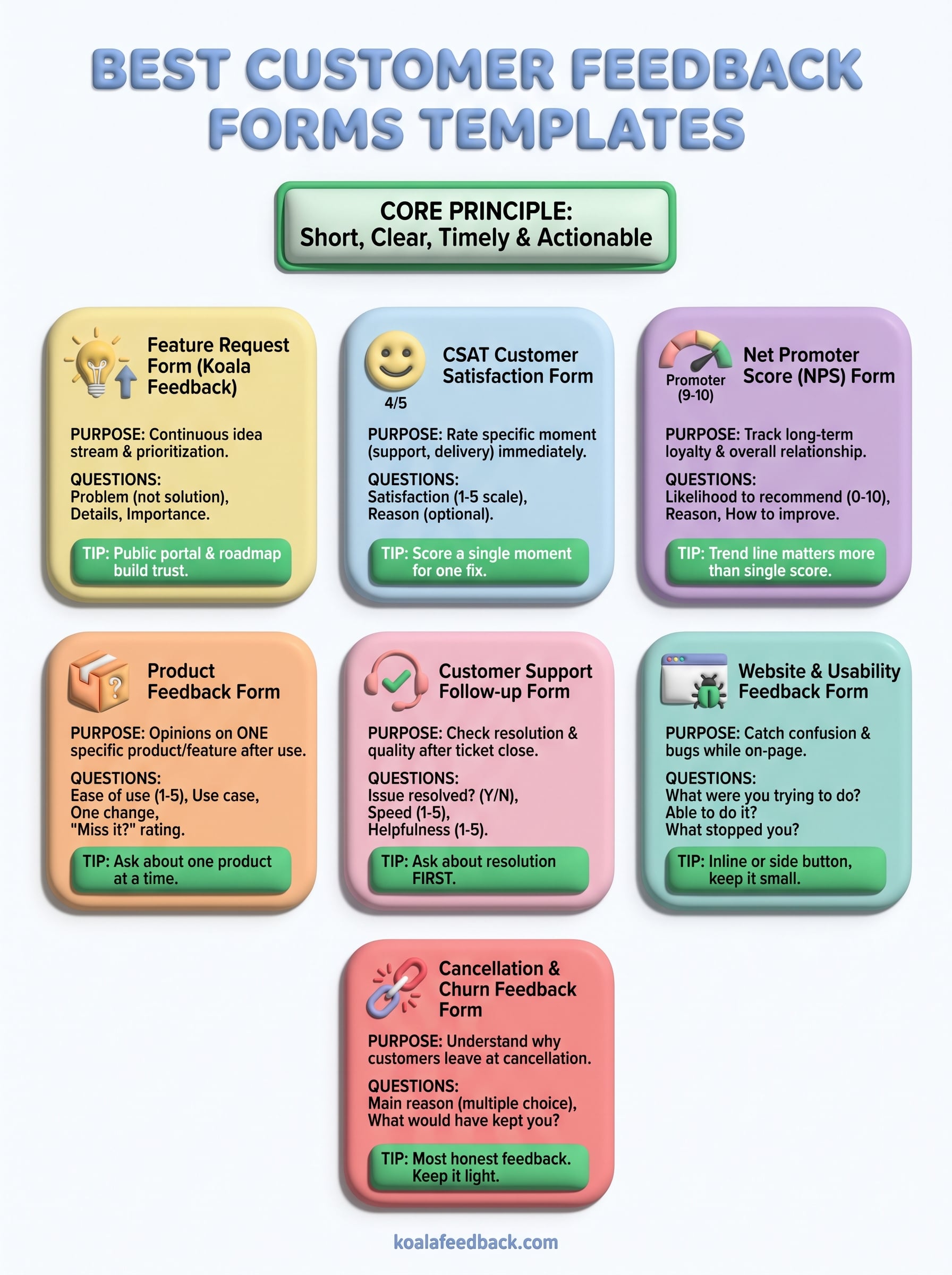
The right customer feedback forms template depends on the job. Use a feature request portal for ideas, CSAT for single moments, NPS for loyalty, a product form for features, a support form for tickets, a website form for friction, and a cancellation form for churn. Whichever you choose, keep it short and send it close to the experience.
Do not roll out all seven at once. Pick the one that answers your most pressing question, send it for a month, and act visibly on what comes back. People answer more forms when they see that earlier answers changed something.
If you build software, the fastest way to start is a portal where users submit and vote on ideas. You can set one up with Koala Feedback and show customers what you plan to build next.

Start today and have your feedback portal up and running in minutes.