The best template for customer feedback form use is the one that matches a single moment in the customer journey and asks five to seven questions at most. Use a CSAT or customer service form after a support chat, an NPS form to measure loyalty, a post-purchase form for orders, and a product feedback portal when customers keep asking for features. Every template below includes questions you can paste straight into Word, Google Docs, or an online form builder.
Most feedback forms fail for the same three reasons. They ask for vague opinions, they arrive at the wrong time, and they run too long. A blank page makes all three mistakes easy. Starting from a proven structure fixes most of the problem, and then you only need to adjust the wording to fit your product or service.
This article gives you nine templates, each with what it measures, the exact questions, and who should use it. After the list, a short guide shows how to turn any of them into a Word file, a PDF, or an online customer feedback form. We build Koala Feedback, a portal for collecting and prioritizing product feedback, so it comes first. The other eight work with any tool.
A product feedback portal is a feedback form that never closes. Customers post ideas, vote on requests from other customers, and see what you plan to build. It is the right choice when the feedback you want is about your product, not about one interaction.
Koala Feedback collects feature requests and product ideas in one place instead of scattering them across email, chat, and spreadsheets. Customers submit ideas, vote, and comment, and the platform deduplicates and categorizes incoming posts. You organize them into boards by product area.
Votes turn opinions into evidence. Ten customers backing one request tells you more than ten separate emails that you have to match by hand. A public roadmap with statuses then closes the loop, so customers see which ideas are planned, in progress, or completed.
A form shows you what one customer thinks, while a portal shows you what many customers want.
Set up the portal around the elements below before you invite anyone. This outline fits the free Starter plan, which allows 3 boards and 5 statuses.
Portal title: Share your ideas for [Product name]
Prompt: What would make [Product name] more useful to you?
Boards: Integrations | Reporting | Mobile app (one per product area)
Statuses: Under review | Planned | In progress | Completed | Not planned
Post fields: Short title, details, why it matters to you
Branding: your logo, brand colors, custom domain (feedback.yourcompany.com)
This one suits SaaS teams and product managers who receive requests from many channels and need to see demand at a glance. Portals can be up and running in minutes, and a custom domain takes a few more.
Signing up is free. The Starter plan includes 3 boards, 5 statuses, 1 admin, unlimited users, and 100 active posts. Growth costs $29 a month, billed annually, and adds unlimited boards and active posts, custom statuses, and file uploads. Skip the portal if you only want to rate a support chat. The next templates handle that better.
A general customer feedback form is the safest first template when you do not yet know what to ask. It mixes one overall rating with a few open questions, so it surfaces themes that you can chase later with narrower forms.
This form captures the overall impression of your business, plus the best and worst parts of the experience. One rating gives you a baseline. The open boxes tell you why the rating moved.
Because the form is broad, treat it as a discovery tool. Read the first 30 or so answers, group them into themes such as speed, price, or ease of use, and then build targeted forms around the themes that keep appearing.
Use a broad form to find the problem, then a narrow form to measure it.
Keep the optional fields optional. Customers answer more honestly when they do not have to identify themselves.
Customer feedback form

1. Overall, how would you rate your experience with us?
   (1 = very poor, 5 = excellent)
2. What did we do best?
3. What is the one thing we should improve?
4. How easy was it to find what you needed?
   (1 = very hard, 5 = very easy)
5. Anything else you would like to tell us? (optional)

Name and email (optional): ______
May we contact you about your answers? Yes / No
Small businesses, local services, and teams collecting feedback for the first time get the most from it. It also works at the end of an event or a service period, when you want broad reactions instead of one metric.
Send it as an email link after a purchase, or place it as an inline form on your site. If you later add CSAT or NPS, keep this form as the yearly catch-all.
A CSAT form asks how satisfied a customer was with one specific interaction, usually on a 1 to 5 scale. It is the most common feedback collection template for support, delivery, and checkout teams because it takes seconds to answer.
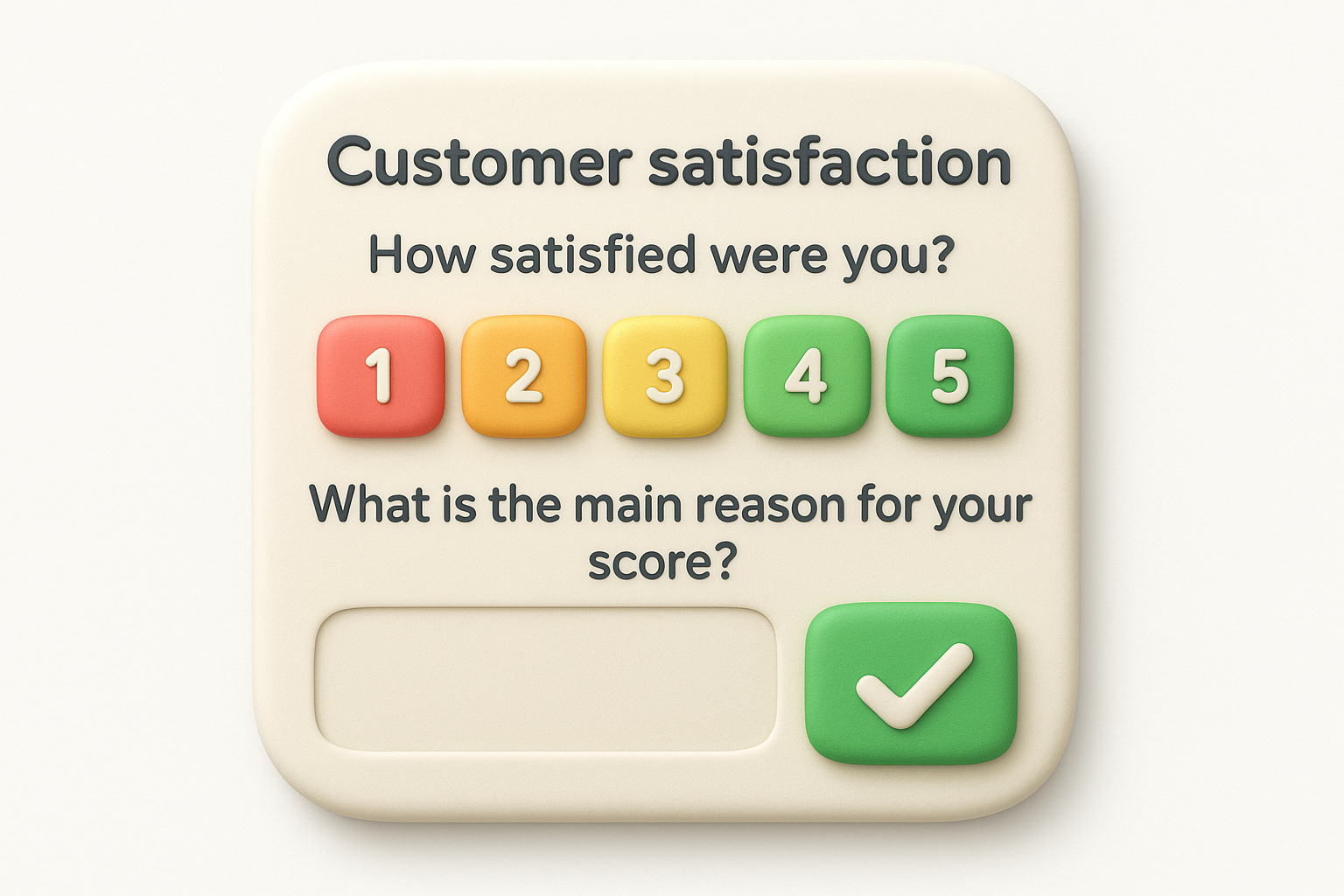
CSAT measures satisfaction with a single moment, not with your company overall. The score is the share of customers who answered 4 or 5. If 80 customers respond and 60 of them choose a 4 or 5, your CSAT is 60 divided by 80, which is 75%.
Add one follow-up question asking for the main reason behind the rating. The number tells you that something is wrong. The reason tells you what to fix.
A satisfaction score without a reason is a number you can track but cannot act on.
Name the exact interaction in the first question. "How satisfied were you with today's chat?" gets cleaner answers than "How satisfied are you with us?"
How satisfied were you with [the interaction / your delivery / checkout]?
1 Very dissatisfied | 2 Dissatisfied | 3 Neutral | 4 Satisfied | 5 Very satisfied

What is the main reason for your score?

What could we have done better? (optional)
Support teams, logistics teams, and ecommerce stores use it to track quality over time. It also helps managers compare channels, such as chat versus email.
Send it within minutes of the interaction, while the customer still remembers it. Avoid sending it more than once per interaction, and do not use it to judge brand loyalty. That is the job of the next template.
An NPS form asks one question: how likely are you to recommend us to a friend or colleague, on a scale from 0 to 10? It measures loyalty to your company as a whole, not satisfaction with one contact.
Customers who answer 9 or 10 are promoters, 7 or 8 are passives, and 0 to 6 are detractors. Your score is the percentage of promoters minus the percentage of detractors. Out of 100 responses, with 50 promoters, 30 passives, and 20 detractors, your NPS is 50 minus 20, which equals 30.
The follow-up question carries most of the value. Detractors tell you what drives people away, and promoters tell you what to protect and say in your marketing.
NPS tells you how loyal customers are, and the follow-up question tells you why.
Keep the scale at 0 to 10 and label only the two ends. Changing the scale makes your results incomparable with earlier surveys.
How likely are you to recommend [Company] to a friend or colleague?
0 (not at all likely) ... 10 (extremely likely)

What is the main reason for your score?

What is one thing we could do to earn a higher score?
SaaS companies, subscription businesses, and agencies use it to watch loyalty trends. Send it to active customers every quarter or twice a year, not after every ticket.
Segment the results by plan, tenure, or product area. A flat overall score can hide a big problem in one customer group.
A CES form asks how easy it was to get something done. It is the best template when you suspect your process, not your people, is the problem, because effort shows friction that satisfaction ratings often miss.
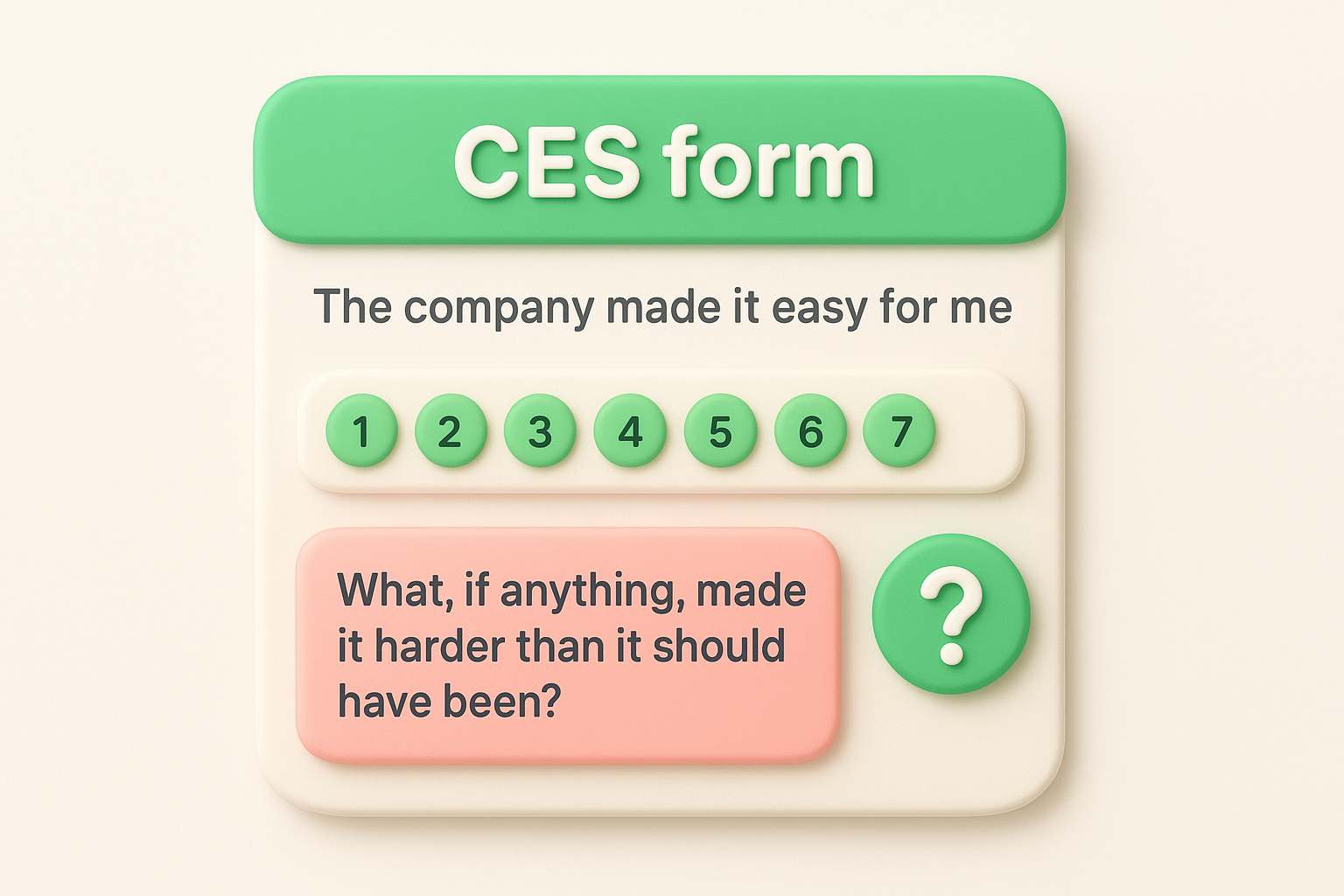
CES uses a statement such as "The company made it easy for me to resolve my issue," rated from 1 (strongly disagree) to 7 (strongly agree). Your score is the average of all responses. If 50 customers respond and the ratings add up to 300, the average is 300 divided by 50, which equals 6.0.
Higher is better on this scale. A customer can be satisfied with a friendly agent and still have spent 40 minutes on hold, and CES exposes exactly that gap.
Satisfaction shows how customers felt, and effort shows how hard you made them work.
Replace the bracketed task with the exact action you want to evaluate, and ask about only one task per form.
The company made it easy for me to
[resolve my issue / complete my order / set up my account].
1 Strongly disagree ... 7 Strongly agree

What, if anything, made it harder than it should have been?
Support leads, checkout owners, and product teams with setup flows benefit most. It pairs well with a CSAT form: use CSAT for mood and CES for friction.
Send it right after the task is finished. Review low scores weekly, and look for the same step appearing in several comments.
A customer service feedback form rates the support experience itself: speed, clarity, professionalism, and whether the problem actually got solved. It is more detailed than CSAT, so use it when you want to coach agents or fix a support process.
The form covers four things: resolution, response speed, agent helpfulness, and how easy it was to reach you. Resolution matters most. A polite agent who left the issue unsolved still failed the customer.
For that reason, put the yes or no resolution question first. It takes one click, and the answers that follow make more sense once you know how the case ended.
Ask whether the problem was solved before you ask whether the agent was nice.
Add the agent's name or ticket number automatically if your help desk supports it, so you can trace each answer.
Was your issue resolved? Yes / Partly / No

How would you rate the speed of our response? (1-5)
How would you rate the helpfulness and professionalism of [Agent name]? (1-5)
How easy was it to reach us? (1-5)

What could we have done better?
Support managers and customer success teams running email, chat, or phone support can use it to find training gaps. It also shows which channel performs worst.
Send it when the ticket closes, or show it on screen at the end of a chat. Reply personally to every "No" within a day. That single habit often does more for retention than the score itself.
A post-purchase feedback form asks about the buying journey and the product once the order has arrived. It tells you whether your site, shipping, and product page set honest expectations.
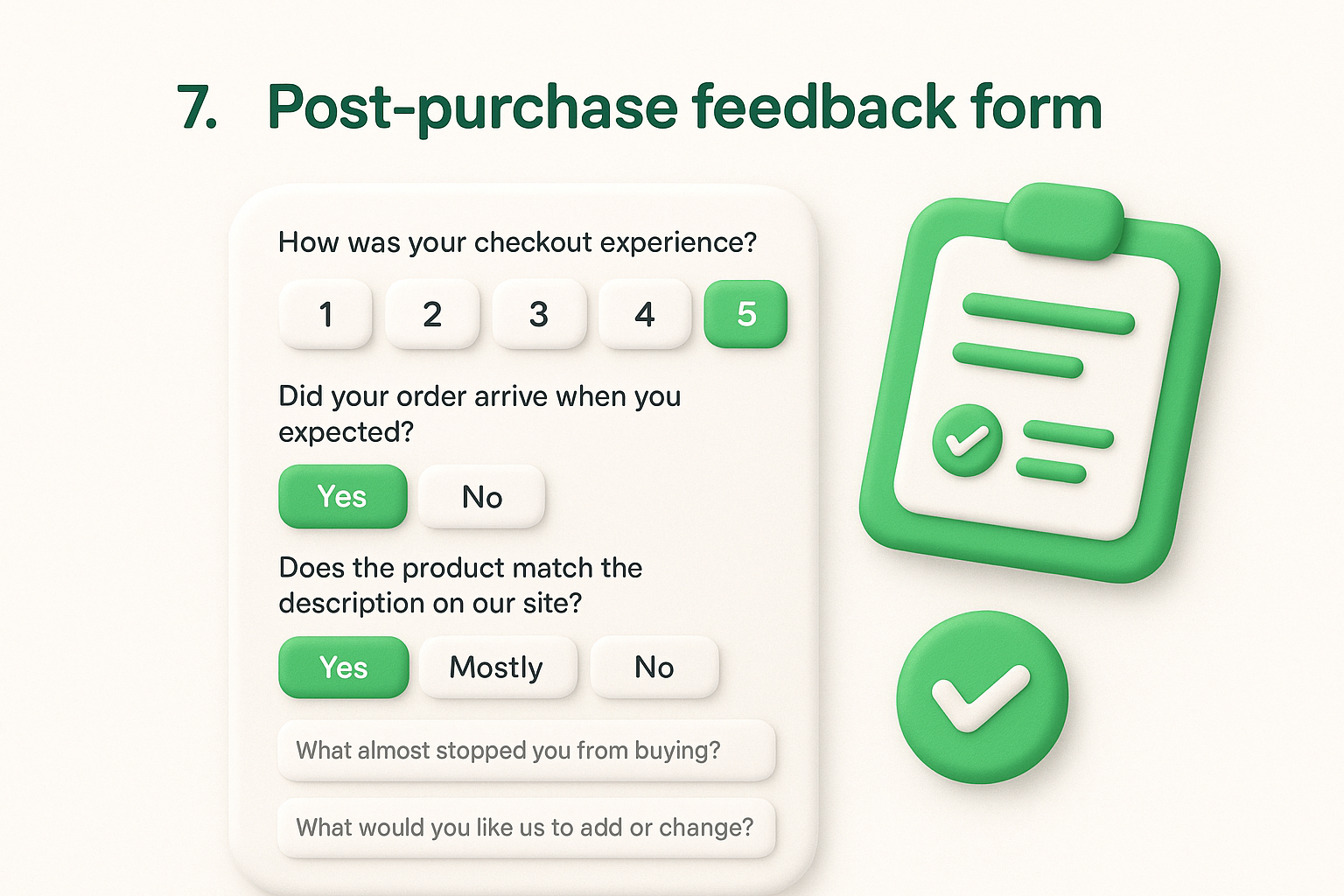
This form checks three areas: the checkout experience, delivery against the promised date, and whether the product matches its description. The last one reveals mismatches between your product page and reality, which drive returns.
One question deserves special attention: what almost stopped the customer from buying. The answers point to missing information, unclear pricing, or trust gaps that you can fix on the page.
The most useful post-purchase question is what almost stopped the customer from buying.
Send it in two parts if you can. Ask about checkout right after the order, and ask about the product once it has arrived and been used.
How was your checkout experience? (1 = very difficult, 5 = very easy)
Did your order arrive when you expected? Yes / No
Does the product match the description on our site? Yes / Mostly / No

What almost stopped you from buying?
What would you like us to add or change?
Online stores, direct-to-consumer brands, and any business that ships a product will use it to improve product pages and fulfillment. Service businesses can adapt it by swapping the delivery question for one about how the work was scheduled.
Send it as an email link. Keep it to one screen so it can be finished on a phone in under a minute.
A website feedback form collects reactions to your pages, bugs, and confusing spots while the visitor is still on the site. It is the fastest way to learn why people leave without converting.
The form checks whether visitors found what they came for, how they rate the page, and what blocked them. The optional device and browser fields help your developers reproduce bugs without asking follow-up questions.
Placement shapes the answers. A small side button or an inline form feels light but is easy to miss. A popup gets more responses but interrupts the visit, so reserve it for moments like an exit intent on a pricing page.
Ask one question on the page, and open the longer form only after the visitor answers.
Start with the first question alone. If the visitor answers "No" or "Partly," reveal the remaining fields.
Did you find what you were looking for today? Yes / Partly / No

How would you rate this page? (1-5)
What were you trying to do?
What got in your way? (optional)

Which device and browser are you using? (optional)
Email, if you would like a reply (optional)
Marketing teams, web designers, and SaaS teams with docs and help centers will use it most. Place it on pricing pages, checkout steps, and documentation, where a failed visit costs you the most.
Review the answers weekly and send bugs to your developers with the device details attached. Fix the top three complaints before you add new questions.
A customer onboarding feedback form asks new customers how setup went, so you can fix the steps where people stall. It matters because a customer who struggles in the first week rarely becomes a long-term one.
The form tracks ease of getting started, the time it took to see a first result, and the single most confusing step. The confusing-step question is the most valuable, because it points to a concrete screen or instruction to improve.
It also asks what the customer expected to find but did not. Those gaps often reveal either a missing feature or a missing sentence in your setup guide.
Onboarding feedback tells you which exact step makes new customers hesitate.
Offer answer ranges for the time question. Customers find ranges faster to answer than typing a number.
How easy was it to get started with [Product]? (1 = very hard, 5 = very easy)
How long did it take to get your first result?
   Under a day / 1-3 days / Longer

Which step was the most confusing?
What would have helped you set up faster?
Is anything missing that you expected to find?
SaaS companies, agencies, and any service with a setup phase can use it to shorten time to first value. Send it after the customer has had a real chance to try the product, such as at the end of the first week or after a key milestone.
Share what you changed in response. Customers who see their feedback turn into a better setup flow are more likely to answer the next form.
A good feedback form has one purpose, five to seven questions, and a clear next step for the answers. Whichever template you pick, the same rules decide whether customers finish it.
These habits apply to every template above:
Real answers are specific and messy, and each one points to a different template. The table shows how to route common comments.
| What the customer writes | What it tells you | Template to use |
|---|---|---|
| "I waited 15 minutes, but the agent fixed it in one reply." | Slow response, strong resolution | Customer service form (6) |
| "I could not find where to invite my team." | Setup friction | Onboarding form (9) or CES (5) |
| "Please add CSV export." | Feature demand | Product feedback portal (1) |
| "Checkout failed twice on my phone." | Website bug | Website form (8) |
Copy the questions into Word or Google Docs, add your logo, and save the file as a PDF if you need a printable or emailable version. This works for in-person visits and one-off requests, but you will have to enter the answers by hand.
For an online customer feedback form, paste the same questions into a free builder such as Google Forms. Mark only the rating as required, preview it on your phone, then share the link by email, embed it on a page, or add it to a receipt. Responses land in one sheet, which makes CSAT, NPS, and CES scores easy to calculate with the formulas above.
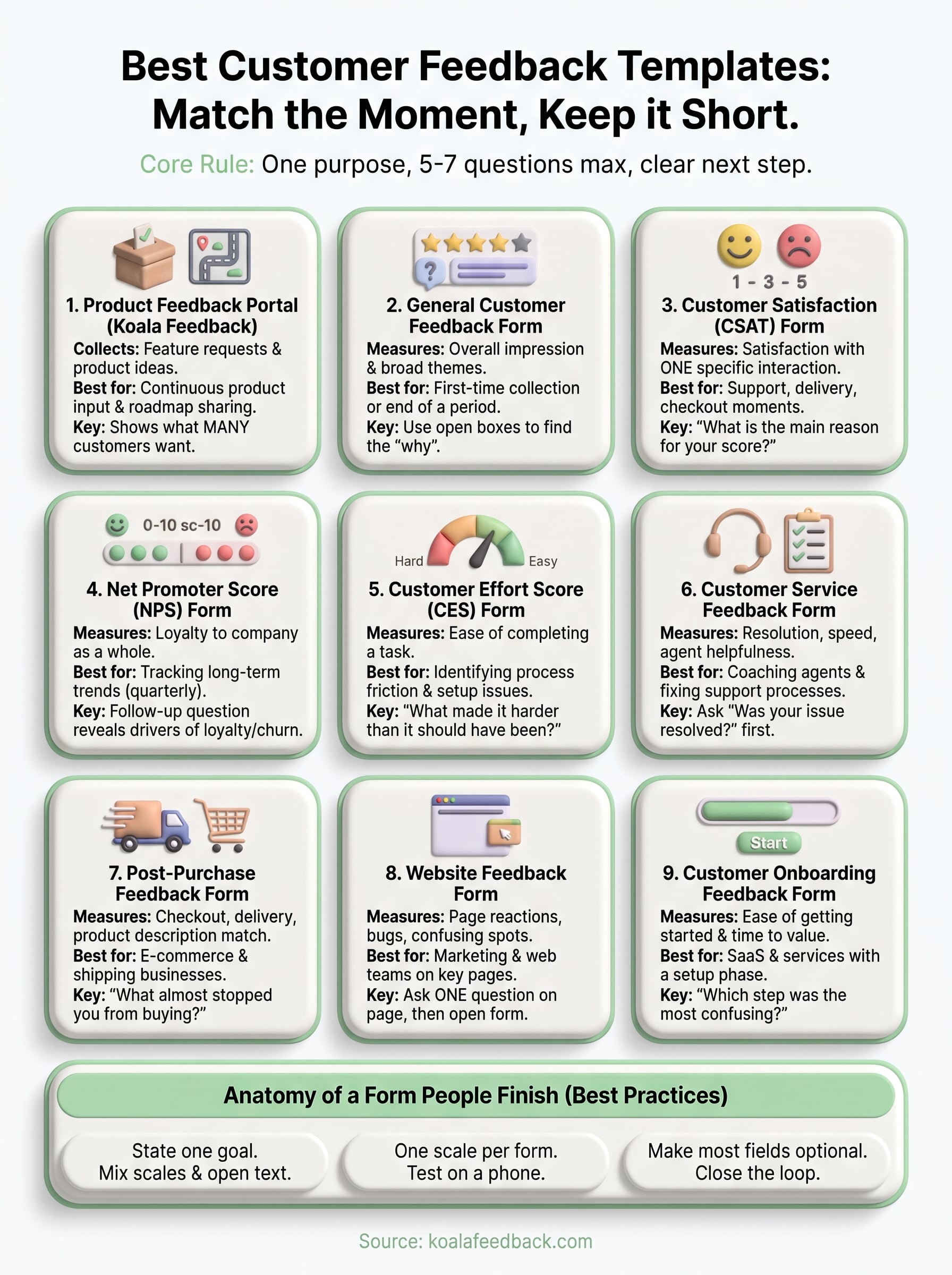
Pick the template that matches the moment you care about most. Use CSAT or the customer service form for support, NPS for loyalty, CES for friction, post-purchase and website forms for the buying path, onboarding for new customers, and the general form when you are still exploring. Keep it short, ask at the right time, and reply to what you hear.
If your feedback is mostly about your product, a static form will always feel limiting. You can launch a portal on Koala Feedback's Starter plan to collect ideas, let customers vote, and share your roadmap in one place.

Start today and have your feedback portal up and running in minutes.