Managing customer communication means planning, sending, tracking, and improving every message between your business and your customers, from the first sales email to a renewal notice. In enterprise software, the practice is called customer communication management (CCM). There it usually means the tools that create, deliver, archive, and retrieve documents such as bills and statements. For most teams the broader meaning is the useful one: a repeatable system that decides who says what, on which channel, and when.
The goal is consistency. Customers do not see your departments. They see one company, and they notice when support says one thing and the billing email says another.
This guide explains why the discipline matters, then gives you a four-step framework, a channel guide, message templates, and a tool overview. We built Koala Feedback to help product teams talk back to users about feedback and roadmaps. We will show where that fits, without pretending it replaces a help desk.
Managing customer communication matters because every message you send shapes whether a customer stays, pays, and recommends you. Communication is the part of your business that customers experience most often, so it deserves a system rather than a series of improvised replies.
The term has two common meanings. The narrow one comes from enterprise software. CCM platforms help large organizations create, deliver, store, and retrieve correspondence such as bills, notices, and statements across print, email, and mobile. They usually pull data from CRM, finance, and marketing systems.
The broad meaning covers the strategy, channels, and tools a company uses to talk with customers across the whole journey. That includes ads, onboarding, support, billing, product updates, and renewals. If you run a startup or a SaaS product, you rarely need a platform built for millions of statements. You do need the broad version.
Both meanings share one idea: communication should be planned, owned, and measured, not improvised.
Managing customer communication means every message has an owner, a purpose, and a channel chosen on purpose.
Unmanaged communication fails in quiet ways. A customer sends a request and hears nothing for two days, so they assume you ignored them. A second customer gets a different answer to the same question because two agents wrote from memory. A third learns about a pricing change from social media instead of from you. Each gap erodes trust, and trust is what keeps people subscribed.
You can spot the problem early. These are the usual signs:
Good management pays off in three ways. First, retention improves, because customers who get timely, relevant answers have fewer reasons to leave. Second, your team works faster. Shared templates, one source of truth for answers, and clear ownership cut the time spent rewriting the same reply.
Third, you reduce risk. Approved wording for refunds, security notices, and legal terms means nobody has to improvise on a sensitive topic. For product teams there is a fourth gain. When users see that their feedback gets a response, they send more of it, and you build the right things sooner.
To manage customer communication, work through four steps: map every touchpoint, assign owners and standards, personalize with data you already have, and measure results so you can close the loop. Do them in order. Each step makes the next one easier.
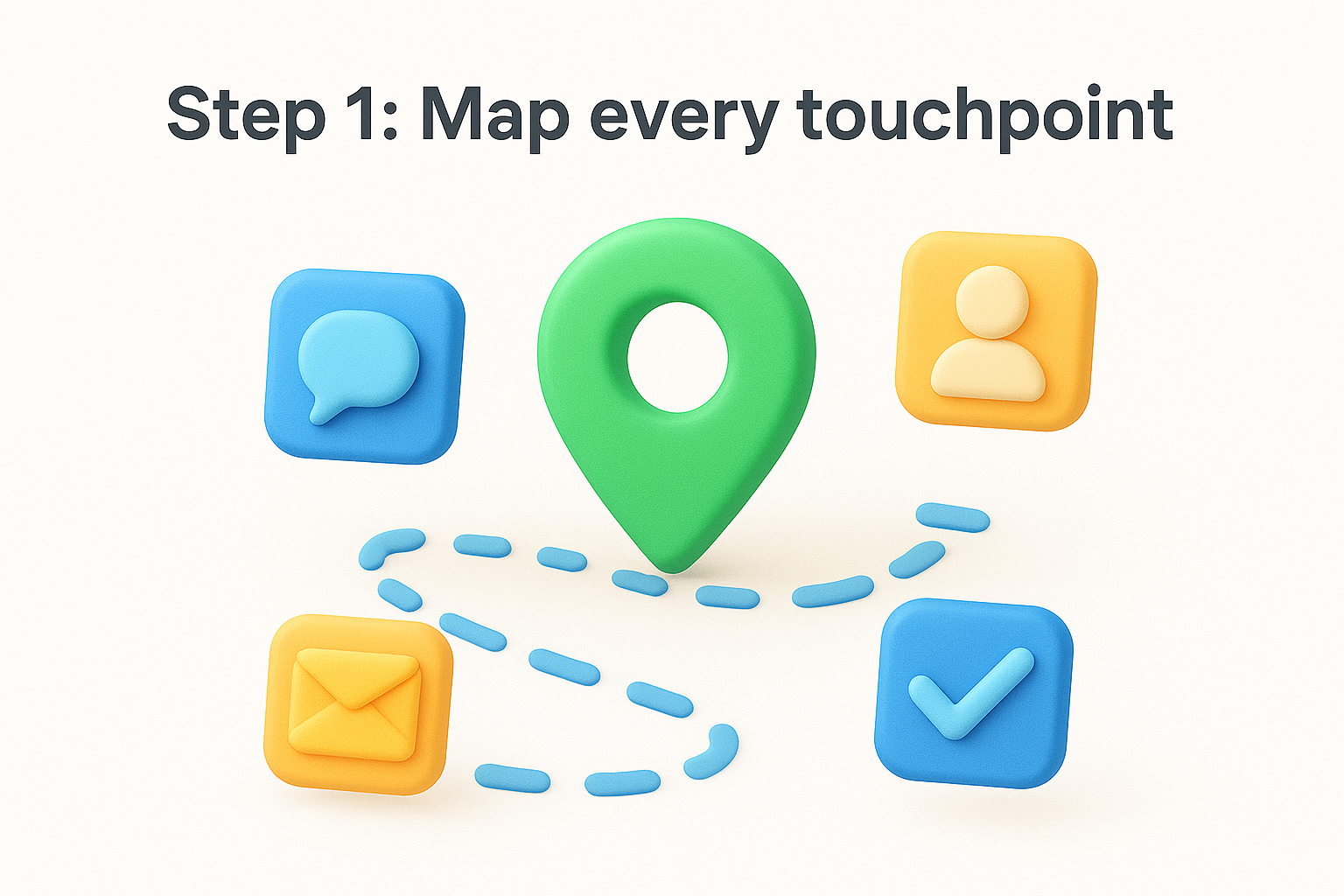
Start by listing every moment where your business talks to a customer, including the ones nobody planned. Walk the customer journey from first visit to renewal and write down each message, who sends it, and what triggers it; that list is the start of a customer communication plan. Most teams find forgotten automated emails and overlapping messages within the first hour.
Use these stages as a starting grid:
Every message type needs one owner who can change it. Without an owner, wording goes stale and nobody notices until a customer complains. Large CCM platforms formalize this with approval workflows. A small team can do the same with a shared document that lists each template, its owner, and the date of its last review.
Next, write short standards. Define your tone of voice in a few sentences, set response-time promises per channel, and name which topics need a second pair of eyes before sending. Examples are refunds, outages, and anything legal. Keep the standards to one page. A rulebook nobody reads is worse than none.
Also keep customer context in one place. When a customer moves from chat to email, the next person should see the earlier conversation. That is the practical meaning of omnichannel: not every channel at once, but no lost context between them.
Personalization does not require a data warehouse. Start with what you already know: name, plan, sign-up date, features used, and open requests. Use it to segment customers into a few groups with different needs, such as new trial users, active paying teams, and accounts that have gone quiet.
Then change the message, not just the greeting. A trial user on day three needs setup help. A paying admin needs release notes that affect their workflow. A customer with an open bug report needs a status update before any marketing email. Suppress promotional messages for anyone with an unresolved problem. That one rule prevents a lot of irritation.
You cannot manage what you do not measure. Pick a handful of numbers and review them on a fixed schedule, weekly or monthly. These five cover most small and mid-size teams:
| Metric | What it tells you | How to calculate it |
|---|---|---|
| First response time | How fast people hear back | Time from request to first reply |
| Average resolution time | How long issues stay open | Total time to resolve ÷ number resolved |
| CSAT | Satisfaction after an interaction | Positive ratings ÷ total ratings × 100 |
| Response-target rate | How often you keep your promise | Requests answered within target ÷ all requests × 100 |
| Feedback closure rate | Share of feedback users hear back on | Feedback items with a status ÷ all items × 100 |
Here is a worked example. Your team receives 200 support emails in a week and promises a reply within four hours. If 150 get a reply in that window, your response-target rate is 150 ÷ 200 × 100 = 75%. Out of 100 survey responses, 80 are positive, so CSAT is 80%. Of 40 feedback posts, 30 have a status, so your closure rate is 75%. Those three numbers show where to improve first.
"Closing the loop" means telling customers what happened after they spoke up. Reply to the complaint, update the request, announce the fix. The measurement is only useful if it changes what you do next.
Measure the promise you make to customers, then tell them what you did with what they told you.
Choose the channel by the job the message has to do: urgent problems go to fast, real-time channels, detailed answers go to email or a help center, and product news goes where customers already look. No channel is best for everything, so the table below matches common messages to common channels.
| Channel | Best for | Watch out for |
|---|---|---|
| Detailed answers, receipts, announcements, non-urgent follow-ups | Slow back-and-forth, messages buried in inboxes | |
| Live chat | Quick questions from a customer who is stuck on a page | Needs coverage during stated hours |
| Phone | Urgent or sensitive problems | High cost per contact, limited agent capacity |
| Messaging apps | Ongoing conversations that keep their history | Context lost if conversations are not tracked centrally |
| In-app messages | Onboarding tips and feature announcements in context | Interrupting users if overused |
| SMS | Short, time-sensitive alerts | Needs customer consent, must stay brief |
| Social media | Public questions and brand mentions | Everyone can see your reply, so move private details to a direct message |
| Help center | Self-service answers to common questions | Goes stale without an owner |
| Public roadmap and changelog | Showing what you plan, are building, and have shipped | Promising dates you cannot keep |
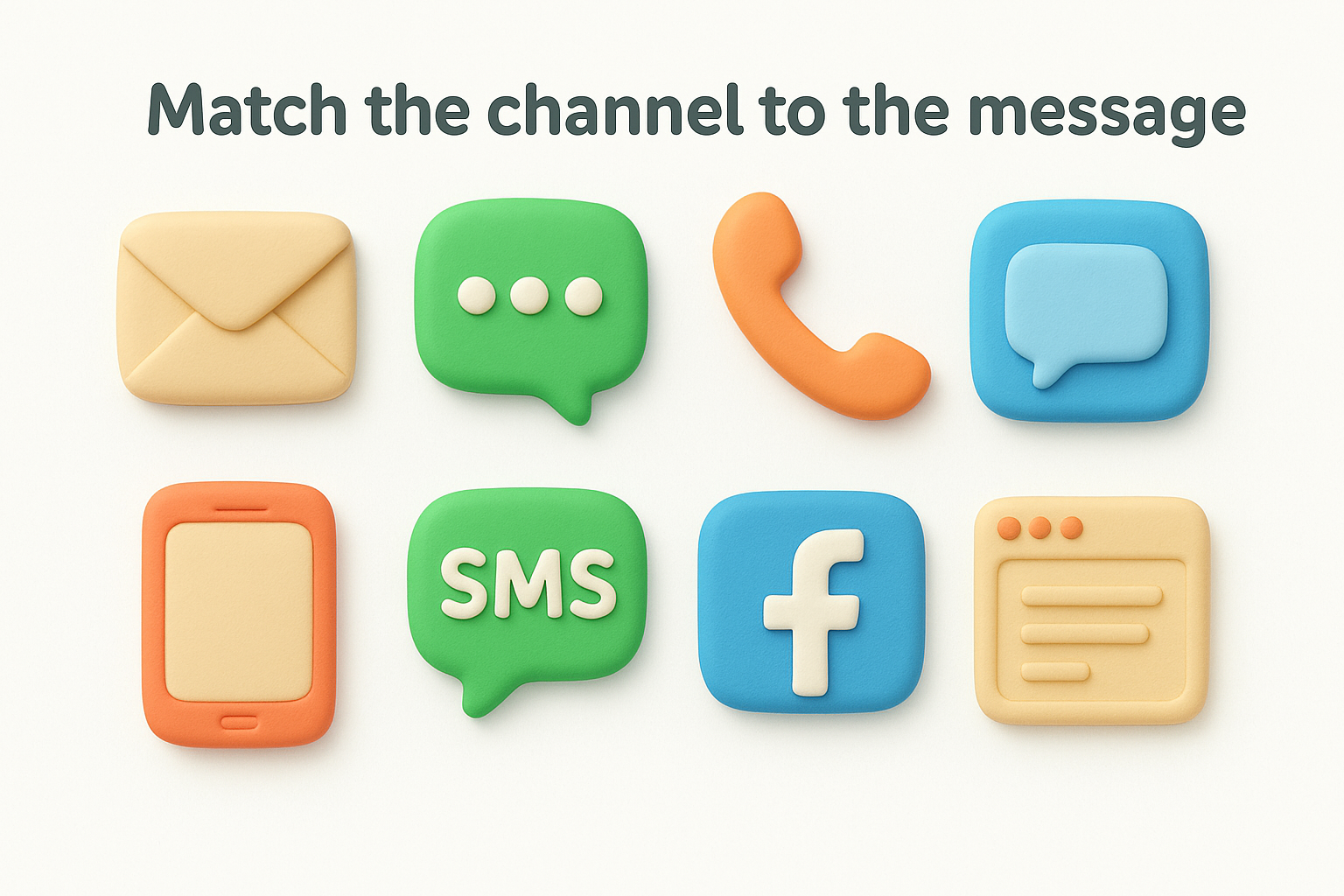
Email is the usual default when speed does not matter. One agent can handle many emails in the time one phone call takes, and you can test and refine templates. Live chat suits moments of friction, such as a checkout problem, because help arrives where the customer is. Phone remains the right choice when an issue is urgent or emotional, but it is your most expensive channel, so use other channels to keep phone lines free for those cases.
More channels do not mean better communication. Every channel you add is a promise to answer there. Start with the two or three channels where your customers already contact you, and add a new one only when you can staff it and track it in the same place as the rest.
Let customers pick their channel when it is practical, and ask for their preference during onboarding. Then define a fallback. If an email bounces or a message goes unread, what happens next? A short rule, such as "unread after 48 hours triggers an in-app notice", beats hoping people check their inbox.
Keep one conversation history per customer. If your help desk, email, and chat tools do not share data, a customer's third message will start from zero. That is the most common failure in multichannel setups, and it is a tool problem as much as a people problem.
Add a channel only when you can answer on it, and keep a single history of each customer's conversations.
The best practices come down to a few habits: be proactive, be clear, give people ways to help themselves, and always follow up. The templates below turn two of those habits into text you can adapt for your own product.
Proactive messages do the most for trust. When something goes wrong, such as a delay, an outage, or a failed payment, tell customers before they ask. Proactive updates cost less than the support tickets they prevent, and they signal that you are paying attention. After a bad experience, customers decide quickly whether to stay.
Before sending anything, run it through five quick checks. The message should be clear, concise, complete, correct, and courteous. Clear means one main point. Complete means the customer does not need to ask a follow-up question. Correct means names, dates, and amounts are checked. Courteous means you would be comfortable if the customer forwarded it to their boss.
Three more habits are worth building:
Two situations come up constantly: something is late, and a customer has asked for something. Adapt these and keep the structure. Say what happened, say what you are doing, say when the customer will hear next.
A delay or incident notice:
Subject: Update on [issue]: what we know and what happens next

Hi [First name],

We're sorry. [Describe the issue in one plain sentence.]
This affects [who or what is affected].

What we're doing: [one or two concrete actions].
Next update: [specific time or date], even if the situation hasn't changed.

If this blocks your work, reply to this message and we'll prioritize you.

[Name], [Team]
A feature request update:
Subject: Your request: [feature name] is now [status]

Hi [First name],

Thanks for suggesting [feature]. Here's where it stands: [Planned / In progress / Shipped / Not planned].

[One sentence on why, or what to expect.]
[If shipped: link to the release note and a one-line how-to.]
[If not planned: explain the reason and offer an alternative.]

You can follow progress and vote on related ideas here: [link]

[Name], [Team]
Notice what the second template does. It tells the customer where their idea stands, even when the answer is no. An honest "not planned, and here is why" builds more trust than silence.
Tell customers what happened, what you are doing, and when they will hear from you next.
You manage customer communication with a small stack of communication tools, each handling a different job: a help desk for conversations, a CRM for customer data, messaging and email tools for outreach, and a feedback tool for product requests. Add an enterprise CCM platform only if you produce high volumes of regulated documents.
| Tool type | Main job | Best fit |
|---|---|---|
| Help desk or ticketing | Track, assign, and resolve customer requests across channels | Any team with regular support volume |
| CRM | Store customer data and interaction history | Teams that sell to accounts or run lifecycle campaigns |
| Email and messaging tools | Send onboarding, product, and billing messages | Teams running automated sequences |
| Enterprise CCM platform | Create and deliver high-volume documents such as statements and notices, with approvals and archiving | Banks, insurers, utilities, and other regulated organizations |
| Feedback and roadmap tool | Collect requests, prioritize them, and show progress | Product teams that want users to see what happens to their input |
Do not buy for features you will not use. Start with the job that hurts most. If replies are slow, fix the help desk. If messages contradict each other, start with templates and ownership. If product requests vanish, start with a feedback tool. Connect the tools afterward so customer data moves between them.
Most communication tools handle conversations about problems. Few handle conversations about ideas. Koala Feedback fills that gap. It gives you a feedback portal where users submit ideas, vote, and comment. It also gives you prioritization boards that organize requests by product area, and a public roadmap with statuses that show what is planned, in progress, and complete. That roadmap is the visible half of the feature request template above: the user sees the status without having to ask.
The feedback portal can be customized with your own domain, colors, and logo, and setting up a portal takes minutes. The Starter plan is free and includes 3 boards, 5 statuses, 1 admin, unlimited users, and 100 active posts. The Growth plan is $29 per month, billed annually, and adds unlimited boards, 6 statuses, file uploads, and unlimited active posts. For a team that wants to close the feedback loop without adding a heavy tool, the free plan is enough to test the habit.
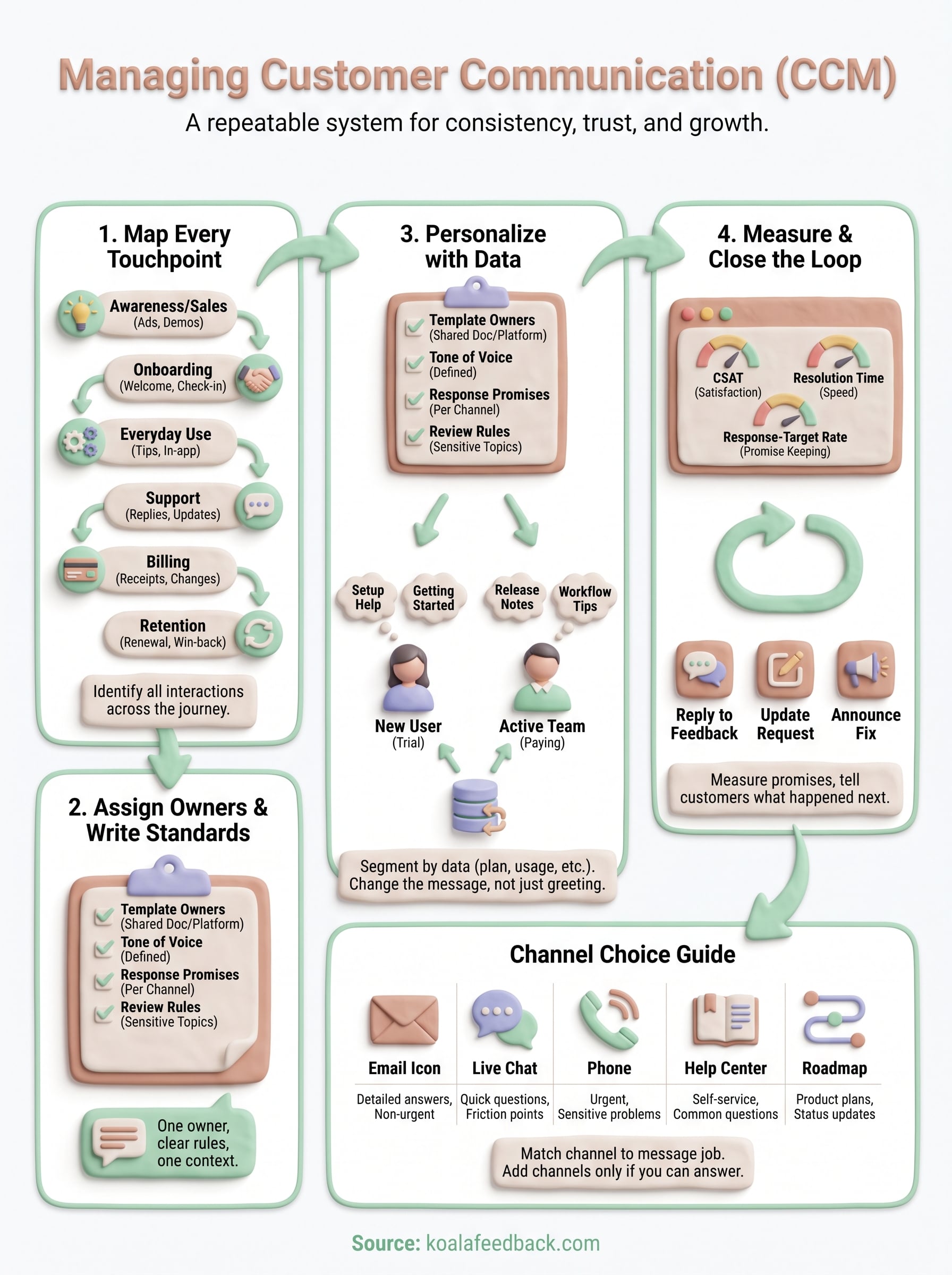
Managing customer communication comes down to a short list. Know where you talk to customers, give each message an owner and a standard, choose channels deliberately, personalize with what you already know, and measure whether you keep your promises. The tools matter less than the habits. Even a shared template document and a weekly metrics check will put you ahead of most teams.
If your gap is product feedback, the place where users tell you what they want and never hear back, fix that first. Sign up for Koala Feedback's free Starter plan and give your users a portal, a vote, and a roadmap they can follow.

Start today and have your feedback portal up and running in minutes.