Feedback is everywhere, from customer reviews to team retrospectives to feature requests piling up in your inbox. The challenge isn't collecting it; it's knowing how to manage feedback without drowning in scattered notes, conflicting priorities, and frustrated stakeholders. When feedback sits unorganized, you miss opportunities to improve your product and lose the trust of the people who took time to share their thoughts.
Whether you're a product manager juggling user requests, a team lead navigating performance conversations, or a founder trying to build what customers actually want, effective feedback management requires a clear system. You need to collect feedback consistently, prioritize what matters most, and respond in ways that keep people engaged and informed.
This guide breaks down a practical framework for managing feedback from start to finish. You'll learn how to centralize incoming feedback, evaluate and prioritize requests, and close the loop with stakeholders. At Koala Feedback, we've built tools specifically for this process, helping teams turn scattered input into actionable product decisions. Let's walk through how to make feedback work for you instead of against you.
Feedback management is the systematic process of collecting, organizing, evaluating, and acting on input from customers, users, team members, or stakeholders. It transforms raw opinions and requests into structured insights that guide decision-making. When done right, feedback management creates a closed loop where people share input, you acknowledge it, prioritize the most valuable requests, and communicate what you're building and why.
At its foundation, feedback management involves four key activities: capturing feedback from multiple sources, organizing it into meaningful categories, prioritizing what to act on, and closing the loop with respondents. You're not just collecting data; you're building a system that turns scattered input into product improvements, process changes, or strategic decisions.
Most teams handle feedback through multiple disconnected channels. Support tickets live in one tool, feature requests arrive via email, sales notes sit in a CRM, and user interviews get stored in random documents. This fragmentation makes it impossible to see patterns or trends across sources. You can't prioritize effectively when feedback exists in silos, and stakeholders lose faith when their input disappears into a black hole.
The first breakdown happens when you collect feedback without structure. Someone sends you a feature request via email, another person mentions an idea in a Slack message, and a third submits a formal ticket. Each piece of feedback uses different language to describe similar problems, and you waste hours manually connecting the dots. Without a centralized system, duplicate requests pile up unnoticed while genuinely new ideas get buried in noise.
"Feedback that isn't categorized and deduplicated becomes noise that slows down every decision instead of speeding it up."
Volume overwhelms teams who lack clear evaluation criteria. When every request feels equally urgent or important, you either freeze from analysis paralysis or chase whatever feedback arrived most recently. Teams that don't define how to manage feedback with explicit prioritization frameworks end up building features that satisfy loud voices but not necessarily the needs of their broader user base.
The final breakdown occurs when you go silent after collecting feedback. People share thoughtful suggestions, and then they hear nothing. Weeks or months pass without updates, and contributors assume you ignored their input. This silence kills engagement; the next time you ask for feedback, fewer people respond because they've learned their effort doesn't lead to visible outcomes or even acknowledgment.
Several patterns consistently appear in broken feedback systems. You might recognize some of these in your own workflow:
These patterns don't just waste time; they create real business consequences. Product teams ship the wrong features, support teams can't connect recurring issues to underlying product gaps, and customers switch to competitors who seem more responsive. Understanding why these systems fail gives you a roadmap for building something better.
The foundation of learning how to manage feedback effectively starts with consolidating every input channel into one centralized system. When feedback arrives through email, chat, support tickets, sales calls, and social media, you need a single repository where all that information converges. This doesn't mean forcing everyone to use one submission method; it means routing all feedback to one place where your team can see the complete picture.
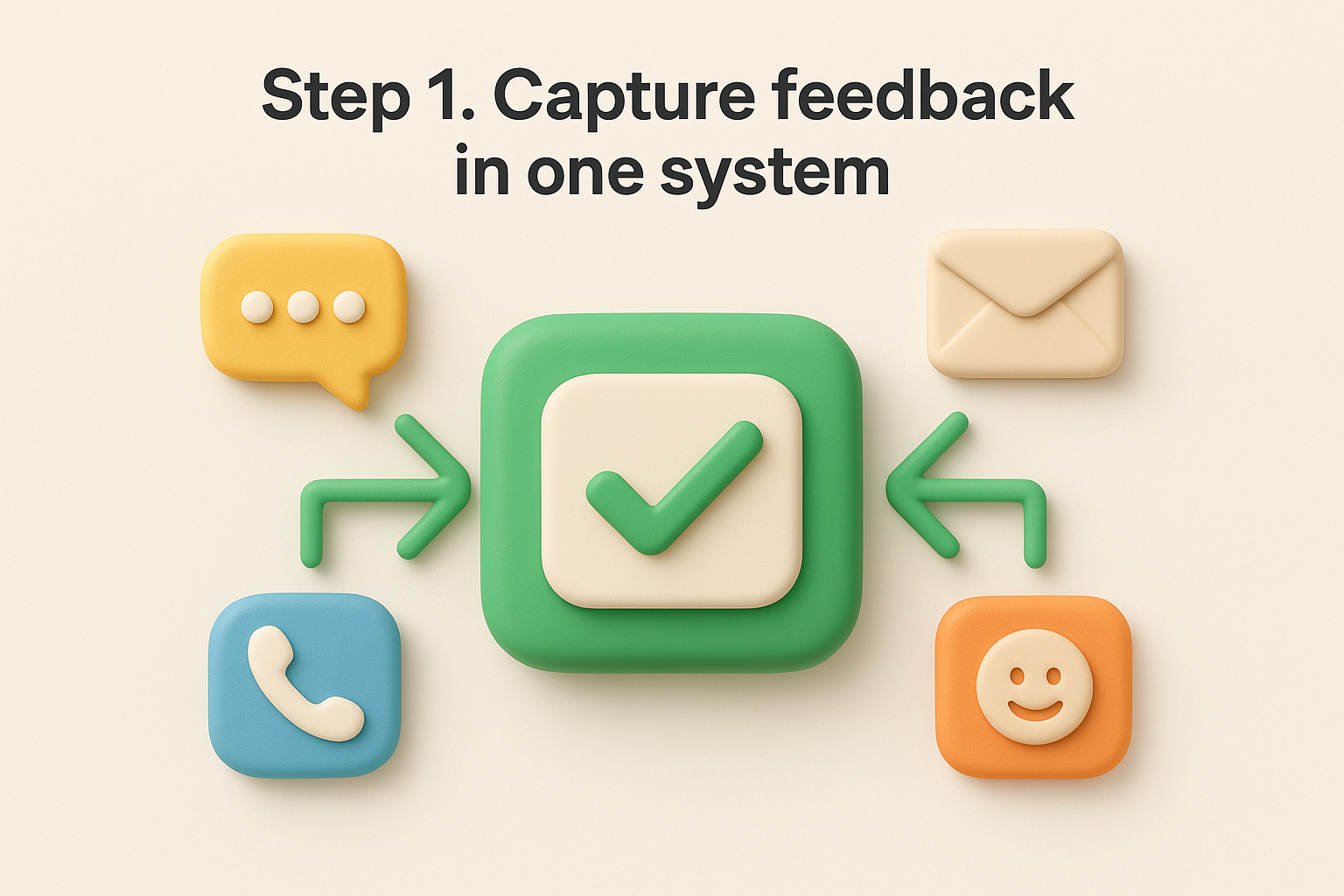
Select one platform where feedback will live permanently, even if it arrives elsewhere first. This system becomes your feedback database where you track every request, link it to user profiles, and monitor trends over time. Your source of truth should allow you to tag and categorize entries, view feedback by user or topic, and generate reports that inform prioritization decisions.
Consolidate these common feedback sources into your central system:
Configure each feedback source to automatically route input to your central repository. For tools like support systems or form builders, use integrations or webhooks that push submissions directly into your feedback platform. When automatic routing isn't possible, create a manual intake process with clear ownership: designate specific team members to transfer feedback from meetings, calls, or unstructured sources into the system daily.
"Centralization isn't about limiting how people share feedback; it's about ensuring you never lose track of what they've shared."
Use structured templates when collecting feedback manually to capture consistent information. Here's a basic template your team can use:
Feedback Source: [Email/Call/Meeting/Chat]
Submitted By: [Name or Company]
Date: [YYYY-MM-DD]
Request Type: [Feature Request/Bug/Question/Complaint]
Description: [What the user said in their own words]
Business Impact: [Revenue at risk, blocked workflow, etc.]
Additional Context: [Use case, urgency, related requests]
Train your entire team to use this template when they encounter feedback outside formal channels. Customer-facing teams especially need quick ways to submit feedback they hear during conversations. The less friction you create in the capture process, the more complete your feedback data becomes.
Once feedback flows into your central system, you need to process it quickly before volume overwhelms you. Triage means evaluating each submission for urgency and clarity, deduplication identifies redundant requests, and categorization groups similar feedback together. This step transforms your raw feedback collection into an organized knowledge base that reveals patterns and priorities.
Speed matters here. When you let feedback sit unprocessed, you lose context about why someone submitted it and what problem they were trying to solve. Daily processing prevents backlogs from forming and keeps your feedback system useful rather than cluttered with stale, unreviewed items.
Set aside time each day to scan new feedback submissions and perform initial triage. You're not making final decisions about what to build; you're simply ensuring each piece of feedback gets properly recorded with enough detail to evaluate later. Read through each submission and add any missing context you can find by checking user profiles, support history, or related tickets.
Mark urgent items that represent critical bugs or blocked users so your team can respond immediately. For feature requests and general feedback, verify that the submission includes enough detail to understand the underlying need. If a request seems vague, follow up with the submitter while the conversation is still fresh in their mind.
Search your feedback system before creating new entries to identify existing requests that match incoming submissions. When you find duplicates, merge them into a single consolidated entry rather than tracking the same request multiple times. This consolidation gives you an accurate count of how many users want a specific feature and prevents your team from splitting attention across identical requests labeled differently.
"Merging duplicates turns scattered noise into a clear signal about what users consistently need."
Look for feedback that describes the same problem using different words. Users might request "batch editing," "bulk updates," or "multi-select actions" when they all mean the same capability. Link related requests together even if they aren't exact duplicates so you can see the full scope of a problem area.
Establish consistent categories that align with your product structure or user workflows. Your categories might include feature areas like "Reporting," "Integrations," "Mobile App," or request types like "Performance," "User Experience," "Security." Choose categories that help you understand how to manage feedback by grouping similar requests together for evaluation.
Apply tags to each feedback entry for multiple dimensions of organization. You might tag by product area, customer segment, urgency level, or development effort. These tags let you filter and analyze feedback from different angles when you're ready to prioritize what to build next.
After organizing feedback into categories, you face the hardest part of learning how to manage feedback: deciding what to build first. Without explicit prioritization criteria, you'll chase the loudest voices or default to whatever feels urgent today. You need a framework that evaluates requests objectively based on measurable factors that align with your business goals and product strategy.
Define specific criteria your team will use to score every feedback request. Your framework should balance user impact against available resources while considering strategic fit. Common prioritization factors include how many users requested the feature, potential revenue impact, alignment with product roadmap, and development complexity.

Use this basic prioritization matrix to evaluate feedback:
| Criteria | Weight | Score (1-5) | Weighted Score |
|---|---|---|---|
| Number of requests | 30% | ||
| Revenue impact | 25% | ||
| Strategic alignment | 20% | ||
| User pain level | 15% | ||
| Time to implement | 10% |
Assign scores to each request based on these factors, multiply by the weights, and calculate a total prioritization score. This quantitative approach helps you defend decisions with data instead of opinions when stakeholders question why you're building one feature over another.
"A prioritization framework transforms subjective debates about what to build into objective discussions about business impact."
Evaluate how many users will benefit from implementing each request. A feature requested by 50 customers deserves different consideration than one requested by two users, especially if those 50 customers represent significant revenue. Look at your usage analytics to understand how many people actually use the workflows that would improve if you built the requested feature.
Assess the pain level behind each request. Some feedback describes minor inconveniences while other requests highlight blocking issues that prevent users from accomplishing critical tasks. Weight feedback that solves fundamental problems higher than requests that add incremental convenience.
Estimate how long implementing each request would take in development time. You don't need exact hour counts; rough categories like "small" (under one week), "medium" (one to four weeks), and "large" (over four weeks) give you enough information to identify quick wins versus major projects.
Prioritize quick wins that deliver high user value with minimal development effort. These builds show responsiveness to feedback and create momentum. Save large, complex projects for strategic planning cycles where you can allocate dedicated resources and properly scope the work before committing.
Collecting and prioritizing feedback means nothing if people never hear back from you. Response management completes the feedback loop by acknowledging submissions, explaining your decisions, and updating contributors when you ship their requests. This communication builds trust and engagement with users who took time to share their thoughts. When you show people their feedback matters through consistent follow-up, they become more invested in your product's success and more likely to share valuable input in the future.
Send an automated confirmation as soon as someone submits feedback through your system. This instant acknowledgment reassures contributors that their input reached you and wasn't lost. Your confirmation doesn't need to promise action; it simply needs to recognize receipt and set expectations about response timing.
Use this template for automatic acknowledgment emails:
Subject: We received your feedback about [Feature/Topic]

Thanks for taking time to share your thoughts about [specific request].

Your feedback helps us understand what matters most to our users.
We've added your request to our feedback system where our product
team reviews all submissions.

We typically respond within 5 business days with an update on how
we're evaluating your suggestion.

[Your Name/Team Name]
Follow up personally within five business days for requests that need clarification or show high priority. This personal response demonstrates that real people read the feedback and care about understanding the underlying problem correctly.
Update contributors when you prioritize their requests for development or decide not to build them. Explaining why you made each decision helps people understand your strategy even when you can't implement their specific suggestion. Users respect transparency more than they expect every request to ship.
"Contributors forgive 'no' when you explain your reasoning; they rarely forgive silence."
Share these response templates for different prioritization outcomes:
When you plan to build it:
We've prioritized your request for [feature] and added it to our
Q2 roadmap. You can track progress at [roadmap URL]. We'll notify
you when development starts and when the feature ships.
When you won't build it:
After reviewing your request, we've decided not to pursue [feature]
because [specific reason: doesn't align with core use cases, serves
too few users, etc.]. We appreciate you sharing this idea and hope
you'll continue contributing feedback.
Notify everyone who requested a feature when you ship it. This final communication proves you listened and acted on their feedback. Include release notes that explain how to use the new capability and link to documentation if needed. Contributors who see their suggestions implemented become vocal advocates who tell others you're responsive to user needs.
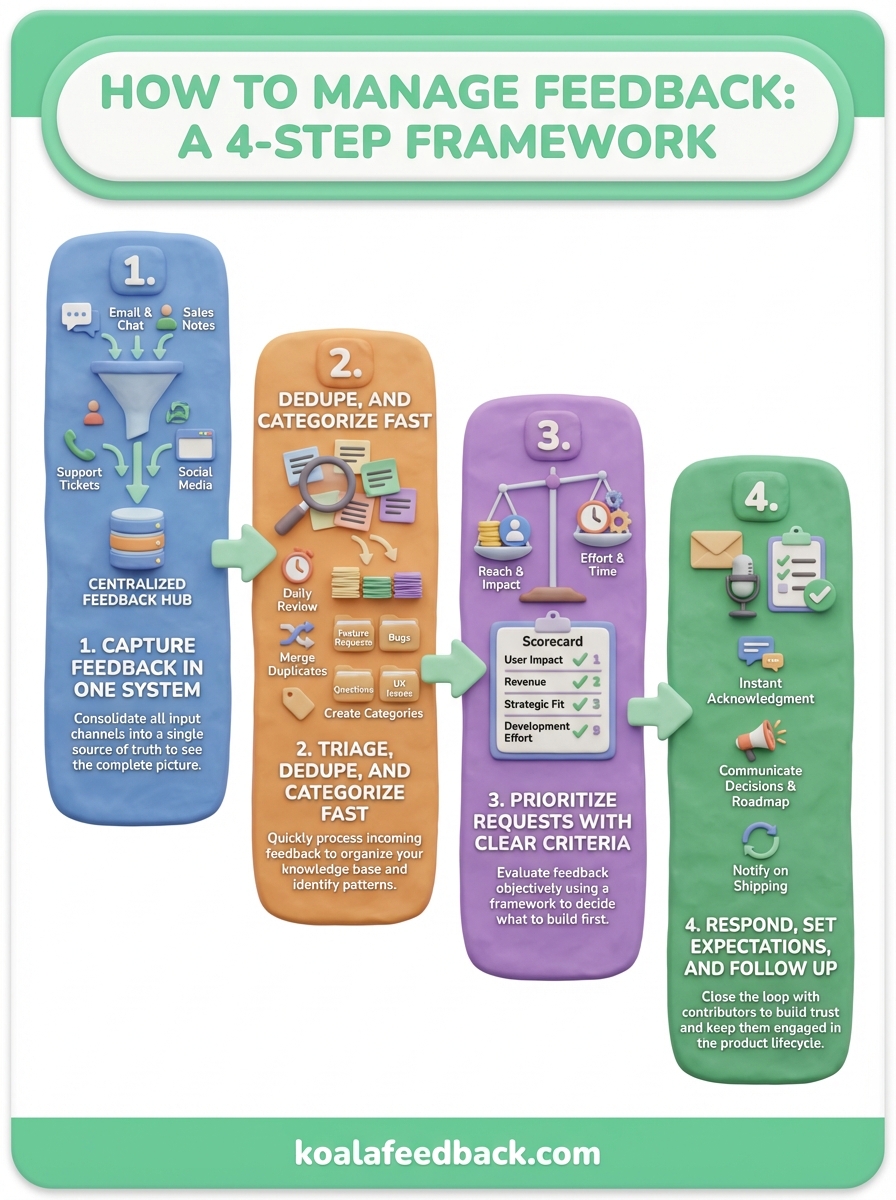
Learning how to manage feedback effectively requires four connected steps: centralize all feedback in one system, triage and categorize it quickly, prioritize requests using clear criteria, and respond to every contributor. Each step builds trust with users who take time to share their thoughts. When you close the feedback loop by communicating decisions and shipping requested features, you transform passive users into active participants in your product development.
The process breaks down when feedback gets lost in scattered systems or when you collect input but never follow up. Consistent execution across all four steps separates teams that build what users need from teams that guess. Koala Feedback provides purpose-built tools for teams who want to centralize feedback collection, prioritize feature requests, and share public roadmaps that keep users informed. You maintain complete visibility into what users need most while keeping contributors engaged throughout your development cycle.

Start today and have your feedback portal up and running in minutes.

