Salesforce Customer Insights is an analytics feature built into the Salesforce ecosystem that gives teams a 360-degree view of customer data, pulling together behavior, engagement, and interaction history into one unified picture. If you're using Salesforce as your CRM, it's one of the most practical ways to understand what your customers actually need, not just what you think they need.
That said, analytics dashboards only tell part of the story. Numbers show you what happened, but they rarely explain why. That's where direct customer feedback fills the gap. Tools like Koala Feedback work alongside platforms like Salesforce by giving your users a voice, letting them submit ideas, vote on features, and shape your product roadmap with real input instead of assumptions.
This article breaks down what Salesforce Customer Insights is, how to set it up, and how to actually put it to work so your team can make smarter, more customer-driven decisions.
Salesforce Customer Insights is not a single standalone tool. It is a collection of features, templates, and data connections spread across the Salesforce platform that work together to give you a complete picture of each customer. Understanding what is actually under the hood helps you use it more effectively.
At its core, Salesforce Customer Insights pulls data from multiple touchpoints across your Salesforce org. That includes sales activity from Sales Cloud, service interactions from Service Cloud, email engagement from Marketing Cloud, and commerce data if you use Salesforce Commerce. When these sources connect, you stop looking at customers through separate lenses and start seeing them as a whole.
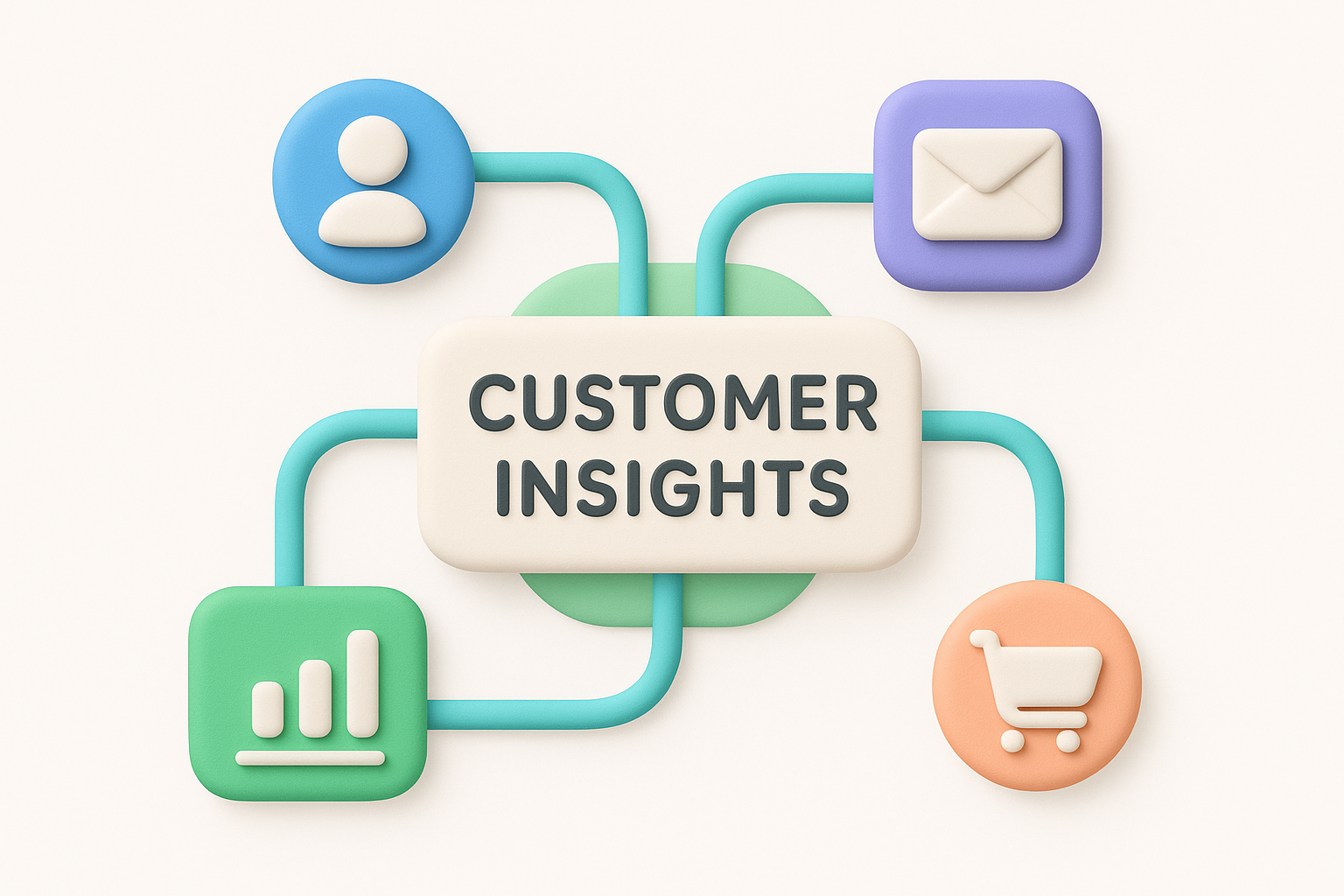
The more data sources you connect, the more accurate and actionable your customer picture becomes.
Your customer records become richer over time because the platform continuously updates as new interactions happen. Contact history, case logs, purchase records, and campaign responses all feed into the same profile, giving your team context before any conversation even starts.
Salesforce includes pre-built dashboard templates designed specifically for customer analysis. These templates live inside CRM Analytics (formerly Tableau CRM) and give you a starting point without needing to build reports from scratch. Common templates cover customer health scores, churn risk indicators, and engagement trends across your account base.
Each template surfaces key metrics in a visual format so sales, support, and product teams can all interpret the data without needing a background in analytics. You can also customize these templates to match your specific business model, adding filters, adjusting time ranges, or layering in additional data fields to make Salesforce customer insights more relevant to your goals.
Teams adopt salesforce customer insights because it removes guesswork from decisions that once relied on gut feel. When sales, support, and product teams all pull from the same customer data, they spend less time debating what customers want and more time acting on what they actually know.
Shared data reduces internal friction and speeds up decision-making across every department.
One of the most practical use cases is identifying customers who are at risk of leaving. Churn risk scores and engagement drop indicators give your team an early warning, so you can reach out proactively before a customer decides to cancel. That shift from reactive to preventative can save accounts that would otherwise slip away quietly without anyone noticing until it is too late.
Common signals that flag churn risk include:
Product teams often struggle to prioritize because feature requests and support tickets arrive from many directions without clear context. Customer Insights helps you connect what customers say to how they actually behave, giving your roadmap decisions a stronger, more defensible foundation. You stop building based on whoever spoke up last and start building based on patterns in real data.
Setting up salesforce customer insights starts inside CRM Analytics, which you can access directly from your Salesforce org through the App Launcher. Search for "CRM Analytics" and open the Analytics Studio from there.
Inside Analytics Studio, go to Create > App > Use a Template. Salesforce provides several pre-built templates, and you want to select the Customer Insights template from the list. Once you select it, a setup wizard walks you through the configuration steps, including choosing which objects and fields to include in your data model.
Take time during the wizard to review which fields map correctly to your org's custom objects, since mismatched field mappings are the most common setup error.
After selecting the template, you connect it to your existing Salesforce data, including contacts, accounts, opportunities, and cases. The wizard will flag any missing permissions or data gaps before you finish, giving you a chance to fix them without starting over. Once you confirm the setup, Salesforce builds your dashboards automatically and populates them with live data from your org.
Once your dashboards are live, the real work begins. Salesforce customer insights dashboards show you patterns across your entire customer base at a glance, but you need to know where to look to turn those patterns into action.
The most valuable opportunities often hide in the gaps between what customers do and what your team expects them to do.
Your engagement dashboards reveal which customers are actively using your product and which ones have gone quiet. Filter your dashboard by last activity date to surface accounts that have not interacted with your team in 30 or more days. Those accounts deserve immediate attention because low engagement almost always precedes churn, giving you a window to step in before the relationship weakens further.
Not every pattern signals risk. Some usage spikes and feature adoption trends point directly to upsell opportunities. When a customer consistently hits limits, expands their user count, or starts using advanced features heavily, your dashboard will reflect that. Flag these accounts in Salesforce and pass them to your sales team with the relevant context already attached, so the conversation starts from a position of genuine value rather than a cold pitch.
Even well-configured salesforce customer insights setups can fall short when teams skip a few critical steps. Most problems trace back to data quality and team adoption habits, not technical failures, so the fixes are usually within your control.
Clean, consistently updated data is the foundation that makes every dashboard reliable.
Stale or incomplete records produce misleading dashboards that push your team toward bad decisions. Duplicate contacts, missing fields, and outdated account details all distort the patterns you rely on. Set a recurring quarterly audit of your Salesforce data and assign clear ownership so one person is always responsible for keeping records accurate and current.
Dashboards require ongoing maintenance as your business evolves. New product lines, pricing changes, or shifts in your customer base all demand adjustments to the metrics you track. Review your dashboard configuration and data connections whenever a significant change happens in your business model, and update your filters to reflect the new reality before your team starts acting on outdated signals.
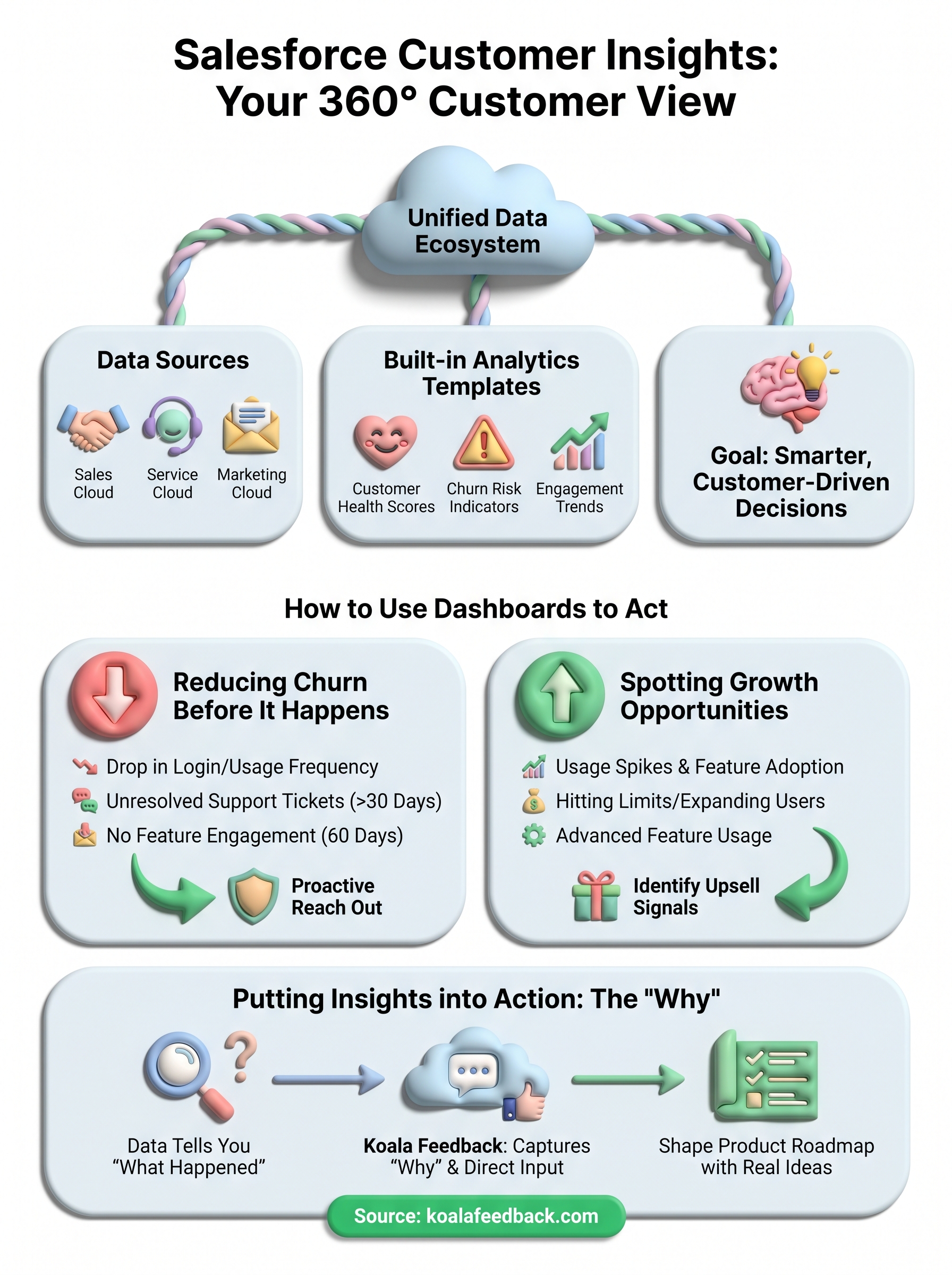
Salesforce customer insights give you strong signals about what is happening across your customer base, but signals alone do not improve your product. Acting on what you learn is where teams actually close the gap between data and better customer experiences. The most effective teams pair their Salesforce dashboards with a structured feedback process that captures the qualitative reasoning behind every number they see.
Your data can show you that engagement dropped, but it rarely tells you exactly why. Collecting direct feedback from your users gives you the missing context and helps your team prioritize the right improvements instead of guessing at root causes. Koala Feedback gives your users a dedicated space to submit ideas, vote on features, and stay informed about your product roadmap, so you build what matters most to the people who actually use your product every day rather than reacting to whatever the last dashboard flagged.

Start today and have your feedback portal up and running in minutes.

