Every SaaS product eventually needs to talk to other systems: a CRM, a billing tool, an analytics platform, or a feedback tool like Koala Feedback. Once you have more than two or three connections, ad hoc API calls turn into a tangle nobody wants to maintain. That's where saas integration architecture comes in, and getting it right early saves you months of rework later.
At its core, this architecture describes how cloud applications exchange data reliably, securely, and at scale. It covers the integration components you'll need, such as APIs, middleware, and event buses, along with the connection patterns (point-to-point, hub-and-spoke, iPaaS) that determine how those pieces fit together.
In this article, you'll get a practical breakdown of the building blocks behind modern SaaS integrations, the most common architectural patterns and when to use each one, and the best practices experienced teams follow to keep systems synced without constant firefighting. Whether you're designing your first integration or auditing an existing setup, you'll walk away with a clear framework for making smarter architecture decisions and avoiding the pitfalls that turn simple connections into technical debt.
Most product teams don't think about integration architecture until something breaks at 2 a.m. and nobody can figure out why a customer's data stopped syncing. By the time you're running five, ten, or twenty connections between your app and the tools your customers rely on, the difference between a deliberate architecture and a pile of one-off API calls becomes the difference between a stable product and a support queue full of angry tickets. Getting this right isn't an academic exercise. It directly affects uptime, customer trust, and how fast your engineering team can ship new features without breaking existing connections.
Teams usually start with point-to-point connections because they're fast to build. You need to push data to Salesforce, so you write a script that calls their API directly. Then you need Slack notifications, so you write another script. Six months later you have a dozen scripts, each with its own authentication logic, error handling, and retry rules, and none of them talk to each other. This approach works fine at small scale, but the maintenance burden grows faster than the number of integrations:
Good architecture replaces that tangle with shared components: a central event bus, a standard authentication layer, consistent logging. Instead of building a new integration from scratch every time, your team connects a new system to infrastructure that already handles retries, monitoring, and data transformation. This is why companies that plan their integration hub early can add a new connection in days instead of weeks, while companies without one watch their backlog of "quick integrations" pile up.
Solid integration architecture turns each new connection into a smaller task instead of a bigger risk.
When integrations fail silently, the damage isn't just technical. A missed webhook means a customer's billing record is wrong. A duplicated sync means a support rep sees stale data during a call. These failures erode customer trust faster than almost any other product issue, because customers rarely blame "the integration layer." They blame your product. A deliberate architecture with proper monitoring, retries, and validation protects data integrity across every system your product touches, and it gives your team the visibility to catch problems before customers do. If your product handles sensitive data, this also ties directly into compliance obligations that regulators and enterprise customers increasingly expect you to document, as outlined in frameworks like the NIST Cybersecurity Framework.
Behind every reliable integration setup sits a handful of recurring building blocks. Understanding what each one does helps you diagnose problems faster and avoid buying tools that duplicate functionality you already have. Think of these as the parts you're assembling, not a shopping list you need to fill in all at once.
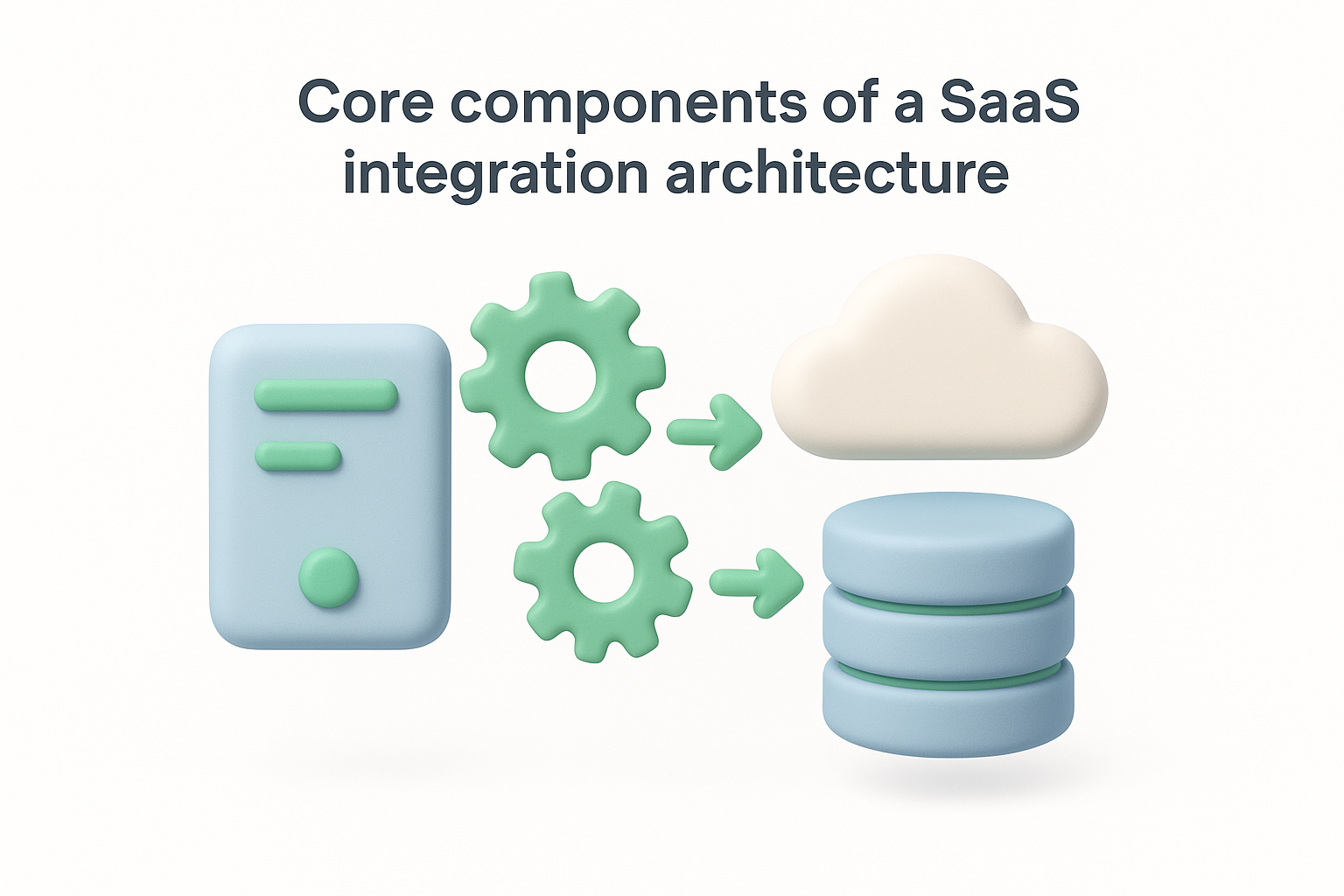
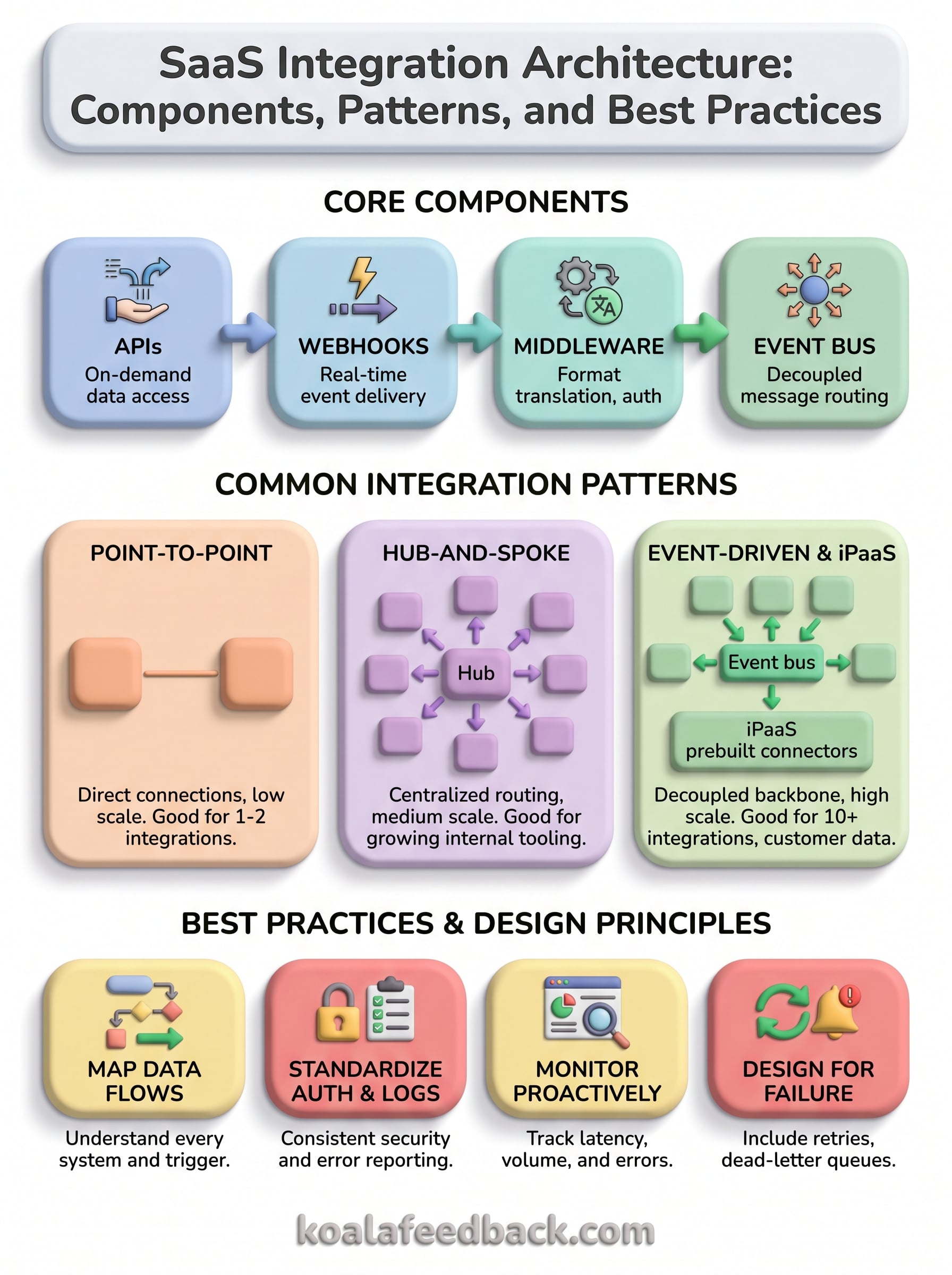
APIs are how systems request data on demand, while webhooks push data to you the moment something changes. A billing platform might expose a REST API for pulling invoice history, but send a webhook the instant a payment fails. Most mature SaaS products need both: APIs for structured queries and webhooks for real-time events. Relying only on polling APIs wastes resources and introduces lag your customers will notice.
Middleware sits between systems, transforming data formats, mapping fields, and handling authentication so your core application doesn't need custom logic for every vendor. An iPaaS (integration platform as a service) like a managed connector layer takes this further, offering prebuilt connectors and visual workflows instead of custom code for every link.
| Component | Primary Role | Best For |
|---|---|---|
| API | On-demand data exchange | Structured queries, batch syncs |
| Webhook | Real-time event delivery | Instant updates, low-latency triggers |
| Middleware | Format translation, auth handling | Custom or high-volume integrations |
| iPaaS | Managed connectors, workflow orchestration | Teams without dedicated integration engineers |
| Event bus | Decoupled message routing | Multiple systems reacting to one event |
Once you're past three or four integrations, an event bus becomes essential. It decouples the system that produces data from the systems that consume it, so a new order in your app can trigger updates in your CRM, your analytics tool, and your feedback platform without writing three separate point-to-point scripts.
The event bus is what turns integration architecture from a web of dependencies into a system you can actually reason about.
Supporting all of this is a data layer responsible for validation, deduplication, and consistent schemas, plus a security layer managing authentication tokens, encryption, and access scopes across every connected system.
Once you know the components, the next decision is how to wire them together. Most saas integration architecture decisions boil down to picking one of three patterns, and each one fits a different stage of growth. Picking the wrong pattern too early is how teams end up rebuilding their integration layer a year later.
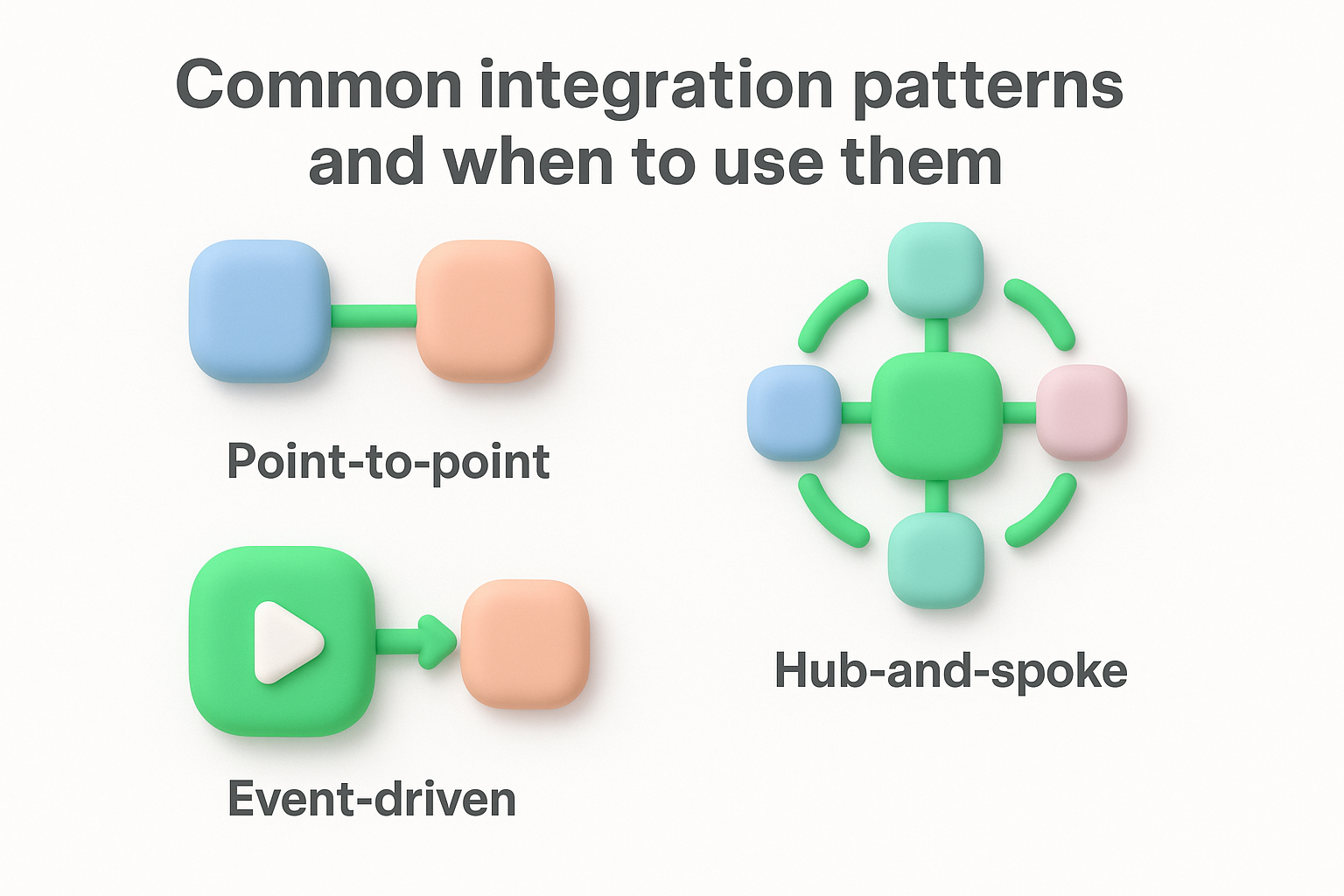
Direct, one-off connections between two systems work well when you have a handful of integrations and no plans to scale fast. Point-to-point setups are quick to ship because there's no shared infrastructure to build first. The catch is that this pattern doesn't scale gracefully. Add a fifth or sixth connection and you're maintaining separate authentication, retry logic, and error handling for each one, with no reuse between them.
Hub-and-spoke architecture routes every integration through a central hub instead of connecting systems directly to each other. This centralized routing means a new system only needs to talk to the hub, not to every other connected tool. It's a solid middle step for teams outgrowing point-to-point but not yet ready for full event-driven infrastructure. The tradeoff is that the hub itself becomes a single point of failure if it isn't built with redundancy in mind.
Event-driven patterns publish changes to an event bus, and any interested system subscribes to the events it cares about. Nothing needs to know who else is listening. Combine this with an iPaaS layer and you get prebuilt connectors on top of a decoupled backbone, which is why most integration platforms lean this direction as connection counts grow past a dozen.
Choose your pattern based on where you're headed in twelve months, not where you are today.
| Pattern | Setup Speed | Scalability | Best For |
|---|---|---|---|
| Point-to-point | Fast | Low | 1-3 integrations |
| Hub-and-spoke | Moderate | Medium | Growing internal tooling |
| Event-driven / iPaaS | Slower upfront | High | 10+ integrations, customer-facing data |
Selecting the right pattern early avoids a costly migration once your integration count outgrows the architecture you started with.
Designing an integration architecture isn't about picking the fanciest tool on the market. It's about mapping what data needs to move, how fast it needs to move, and what happens when a connection fails. Start with the business requirement, not the technology, and the right pattern usually reveals itself.
Before you write a single line of integration code, list every system that needs to send or receive data and what triggers that exchange. A data flow map shows you which connections are simple lookups and which ones need real-time updates. This step alone catches most design mistakes early, because you'll often discover that a "critical" integration only needs a nightly batch sync, not a live event stream.
Use the number of connections and their growth trajectory to pick a pattern, not what a vendor's sales page recommends. Here's a simple sequence most teams follow:
Build for the scale you'll hit in a year, but only the scale you'll hit in a year.
Every integration will fail eventually, whether from a vendor outage, a rate limit, or a malformed payload. Your architecture design needs retry logic, dead-letter queues, and alerting built in from the start, not bolted on after the first outage. Decide upfront how long a failed sync can sit unresolved before someone gets paged, and make that threshold part of your design document, not an afterthought discovered during an incident.
Assign a clear owner for each integration and write down the data contract both sides agree to, including field names, formats, and expected volume. This documentation matters more as your team grows, since the person debugging a broken sync six months from now probably isn't the person who built it. According to guidance from AWS on well-architected systems, reliability improves significantly when failure modes and ownership are defined before deployment, not after.
Experienced teams don't get integration architecture right by accident. They follow a handful of habits that keep systems synced without turning every new connection into a fire drill. Below are the practices worth adopting early and the mistakes that show up again and again once things start breaking.
Getting your authentication approach consistent across every integration saves you from rewriting security logic each time you add a connection. Pick one method, such as OAuth 2.0, and apply it everywhere instead of letting each vendor dictate a different flow. The same goes for logging formats and error codes. When every integration reports failures the same way, your team can build one dashboard instead of ten, and troubleshooting a broken sync stops requiring tribal knowledge about which system logs what.
Standardizing your auth and logging early is the cheapest insurance you'll ever buy against future chaos.
Most teams only find out an integration is broken when a customer complains. Set up proactive monitoring that tracks latency, volume, and error rates for every connection, not just uptime. A sudden drop in sync volume often signals a problem hours before an outright failure does, giving you time to fix it quietly instead of explaining it to an angry customer. The Google Cloud architecture framework makes a similar point: reliability comes from observability built into the system, not from reacting after the fact.
A few mistakes show up in nearly every audit of a struggling integration setup:
Avoiding these isn't about perfection. It's about building habits that keep small problems from compounding into the kind of tangled, undocumented mess that takes months to untangle later.
Good saas integration architecture isn't a one-time project you finish and forget. It's a set of decisions about components, patterns, and habits that either compound into a stable system or into a tangle of scripts nobody wants to touch. Start with a clear map of your data flows, match your pattern to your actual scale, and build for failure from day one instead of after your first outage.
None of this requires waiting until you have twenty integrations to think seriously about architecture design. The teams that avoid technical debt are the ones who standardize authentication, monitor proactively, and document ownership while their integration count is still small.
If user feedback and feature requests are part of what you're trying to sync across your product, you don't need to build that connector yourself. Try Koala Feedback and see how a dedicated feedback portal fits cleanly into the architecture you're already building.

Start today and have your feedback portal up and running in minutes.

