Product roadmaps turn scattered feature ideas into a clear development plan your team can follow. When you're evaluating tools to build one, Roadmunk product roadmap software often comes up as a popular option. It promises professional visualizations, collaboration features, and integrations that make planning easier.
But is Roadmunk actually the right fit for your workflow? That depends on your team size, budget, and how you want to collect and prioritize user feedback alongside your roadmap. The right tool should simplify your process, not add complexity.
This article breaks down Roadmunk's core features, walks you through setup, and compares it to alternatives like Koala Feedback. By the end, you'll have a clear picture of whether Roadmunk meets your needs, or if a different solution aligns better with how your team actually works.
You need a tool that presents your product strategy in a way stakeholders actually understand. Roadmunk product roadmap software addresses this by turning complex development plans into visual timelines that executives, sales teams, and customers can grasp immediately. Instead of explaining feature priorities through spreadsheets or lengthy documents, you show them in formats that match how different audiences think.
Your stakeholders don't all process information the same way. Roadmunk offers multiple view types including timeline, swimlane, and portfolio views that let you switch formats based on your audience. When you're presenting to executives, a high-level timeline works. For development teams, a detailed swimlane breakdown with dependencies makes more sense.
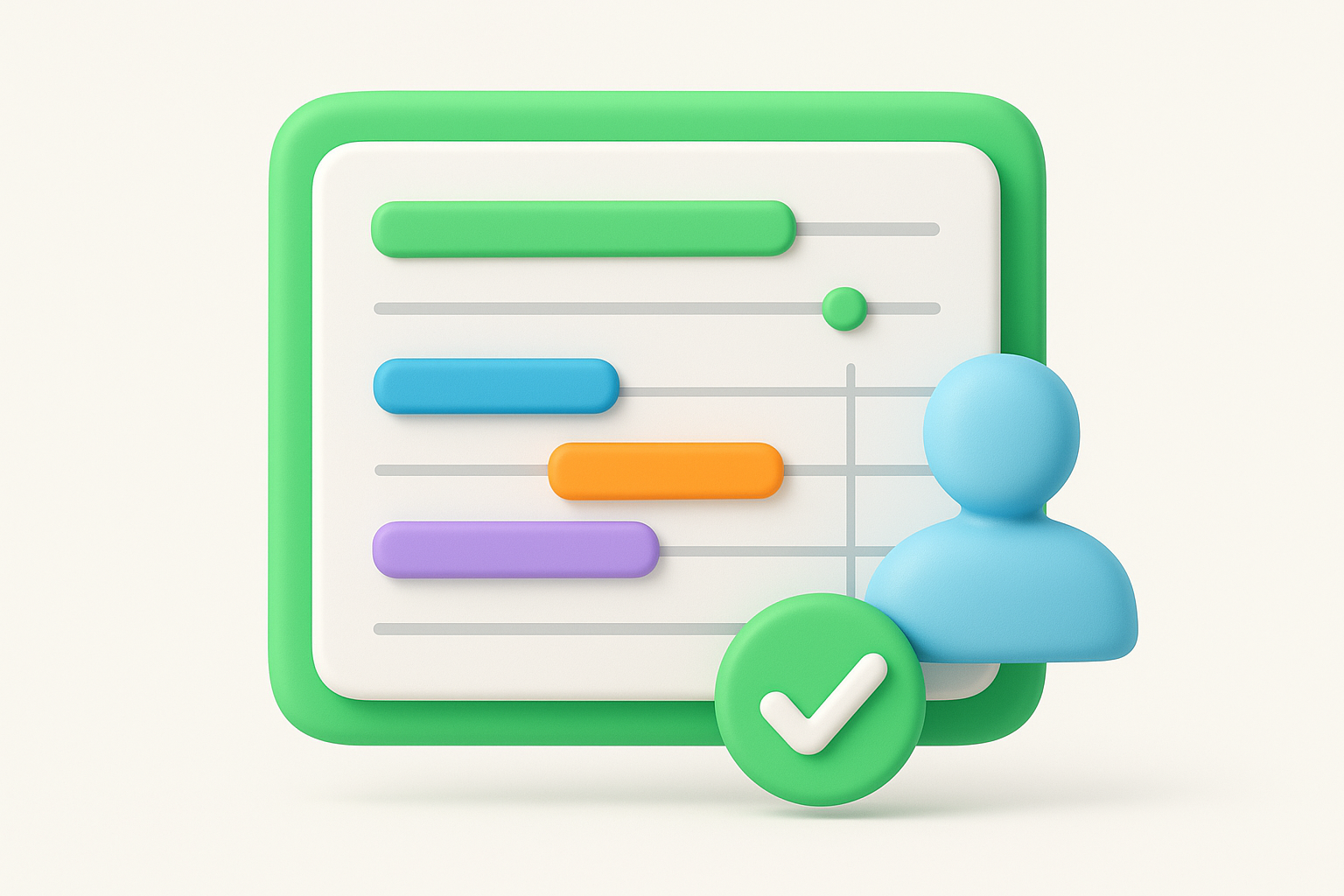
The platform handles the formatting and design automatically, which means you spend less time adjusting colors and layouts and more time on actual strategy. You can export your roadmap as a presentation-ready file without rebuilding it in separate software.
Teams save hours of presentation prep time by switching between view types instead of maintaining multiple documents.
Product roadmaps become outdated the moment you send them as static files. Roadmunk stores everything in the cloud, so your team always sees the current version without email chains or version confusion. When priorities shift or timelines change, you update once and everyone has access.
This matters when you're coordinating between product managers, developers, and marketing teams who need different levels of detail. Each group can view the same roadmap through their preferred lens while you maintain a single source of truth.
Your team probably doesn't organize work exactly like every other company. Roadmunk lets you define custom fields, priorities, and statuses that reflect how you actually operate. You're not forced into a rigid framework that conflicts with your existing processes.
Integration capabilities extend this flexibility. You can connect Roadmunk to tools you already use for project management and development, pulling in data rather than manually duplicating it. This reduces the administrative burden of keeping your roadmap current while letting you maintain the workflow your team already follows.
Your roadmap needs specific elements to communicate plans effectively without overwhelming your audience. A Roadmunk product roadmap works best when you balance strategic direction with tactical details, giving stakeholders the context they need while keeping developers focused on execution. The components you include directly impact whether teams actually use your roadmap or ignore it.
Start with high-level themes that group related features under business objectives. You might organize work around "customer retention," "revenue growth," or "platform scalability" rather than listing individual features in isolation. This approach helps stakeholders understand why you're building something, not just what's on the schedule.
Themes create a narrative structure that makes your roadmap more than a task list. When you present to executives or customers, they grasp how different features connect to larger goals. Your development team also benefits because they see how their work contributes to measurable outcomes.
Under each theme, add specific features with enough detail to eliminate confusion. Include descriptions that explain what the feature does and who it serves. Assign each item to a responsible team or individual so everyone knows who to contact with questions.
Timeline information matters, but you don't need exact dates that become outdated immediately. Use time horizons like quarters or months that give direction without creating false precision. Attach status indicators that show whether work is planned, in progress, or completed so stakeholders track movement without constant check-ins.
Clear ownership transforms your roadmap from a wish list into an accountability tool that drives actual progress.
Not every feature in Roadmunk product roadmap software will impact your daily workflow equally. You need to focus on capabilities that solve real planning problems rather than getting distracted by secondary functions. These core features determine whether the tool actually improves your process or just adds another interface to manage.
You can present the same roadmap data through timeline, swimlane, and portfolio views that match how different stakeholders consume information. Timeline views work when you're showing executives high-level progress. Swimlane layouts help when you need to display dependencies between teams or show how features relate to specific customer segments.
Portfolio views become critical when you manage multiple products simultaneously. You switch between formats without rebuilding content, which means less time reformatting and more time on strategy decisions.
Standard roadmap tools force you into their categorization system. Roadmunk lets you create custom fields that reflect how your team actually prioritizes work, whether that's by revenue impact, customer requests, or technical complexity. You define the scoring criteria that matter to your business rather than accepting someone else's framework.
This flexibility extends to status tracking. You set up stages that match your development process instead of conforming to generic labels that don't align with how you ship features.
Custom fields transform your roadmap from a generic template into a tool that reflects your actual decision-making process.
Roadmunk connects to platforms like Jira and Azure DevOps, which means you pull development data directly into your roadmap. You avoid duplicating effort by syncing tasks rather than manually updating two systems. This connection keeps your roadmap current without requiring constant administrative maintenance that pulls you away from strategic work.
Building a Roadmunk product roadmap follows a straightforward process that takes you from blank canvas to shareable plan. You start by defining your structure, then populate it with features, and finally customize how you present information. The platform guides you through these steps without requiring training or complex setup procedures.
You begin by creating a new roadmap project and selecting a template that matches your planning style. Choose from timeline, swimlane, or other formats based on how you want to visualize your work. Define the time horizon for your roadmap, whether that's quarterly, monthly, or custom date ranges that align with your release cycle.
Next, establish the organizational framework by creating lanes or categories that group related work. These might represent different product areas, customer segments, or team responsibilities depending on what matters most to your planning process.
Click to add individual roadmap items under your established categories. Fill in essential details including the feature name, description, owner, and priority level. You drag items across your timeline to indicate when work happens, adjusting placement as priorities shift or timelines change.
Dragging and dropping items lets you reorganize quickly without recreating your entire roadmap when plans evolve.
Switch between different view types to see how your roadmap appears to various audiences. Adjust colors, labels, and visibility settings to control what information each stakeholder group sees. When you're ready to present, generate a shareable link or export your roadmap as a file that maintains formatting without requiring viewers to access the platform directly.
Understanding costs and compatibility helps you decide if Roadmunk product roadmap software fits your budget and technology stack. You need clarity on what you'll pay, which tools connect seamlessly, and whether alternatives offer better value for your specific situation. These practical considerations matter as much as features when you're committing to a platform.
Roadmunk operates on a subscription model with multiple tiers based on team size and feature access. Entry-level plans typically start around professional product management tools pricing, while enterprise options scale significantly higher with custom requirements. You pay per user, which means costs increase as your team grows. This structure works when you have predictable headcount but becomes expensive for rapidly expanding organizations.
Subscription costs compound quickly when you multiply per-user fees across growing product teams.
The platform connects to popular development tools including Jira, Azure DevOps, and Trello, allowing you to sync task data without manual updates. You can also integrate with collaboration platforms that your team already uses for communication and project tracking. These connections reduce duplicate work but require initial configuration time to map fields correctly between systems.
Productboard offers similar roadmapping with stronger feedback collection built into the platform. Aha! focuses on enterprise roadmapping with detailed strategy frameworks. Koala Feedback takes a different approach by combining roadmaps with direct user feedback collection and voting, which helps you prioritize based on actual customer demand rather than internal assumptions. Each alternative suits different workflows depending on whether you prioritize visualization, strategy documentation, or user-driven planning.
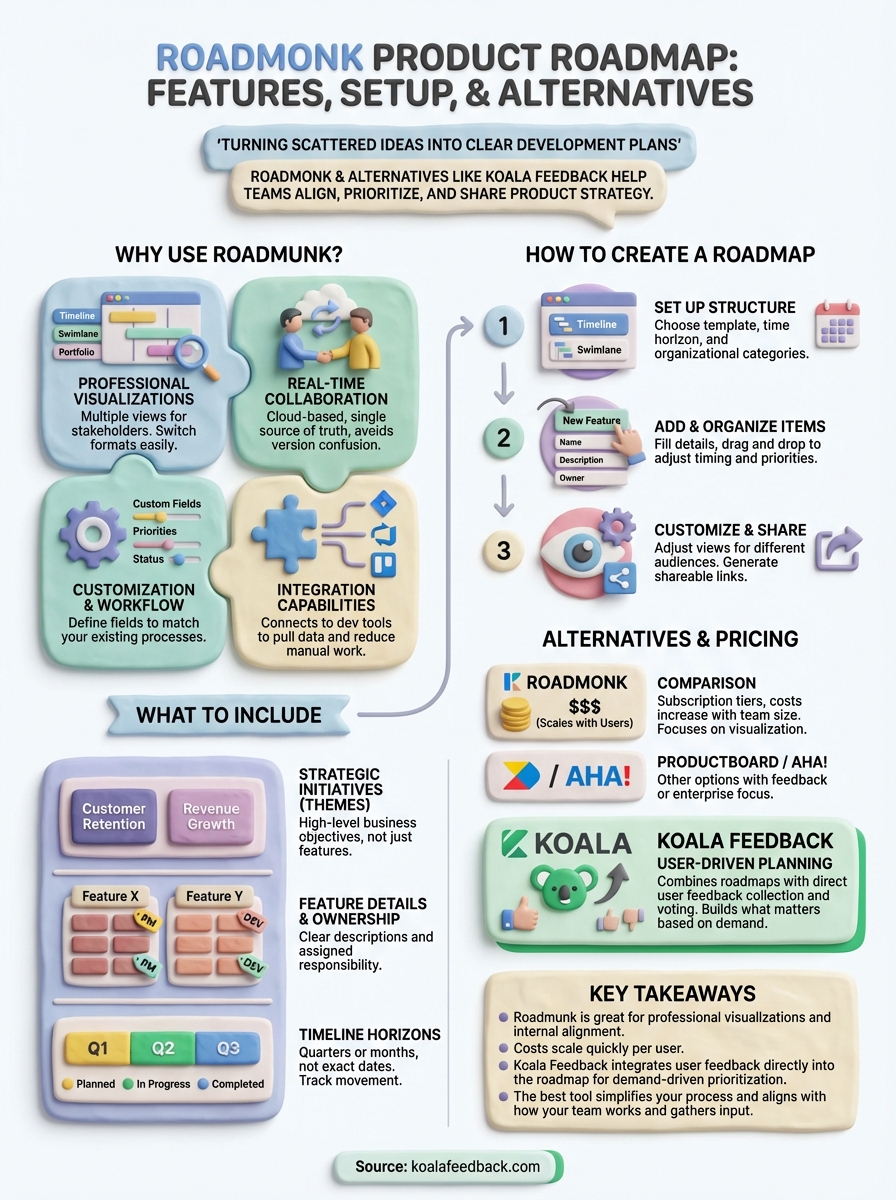
Roadmunk product roadmap software delivers professional visualizations and real-time collaboration that help teams align on product strategy. You get multiple view formats, custom fields, and integrations that reduce manual work when coordinating across stakeholders. The platform works well when you need polished presentations and flexible prioritization frameworks.
However, the subscription costs scale quickly as your team grows, and the tool focuses primarily on internal planning rather than direct user feedback collection. Your choice depends on whether you prioritize presentation capabilities or want to build roadmaps driven by actual customer input. Teams that succeed with roadmaps often combine visualization tools with platforms that capture user requests directly.
Koala Feedback takes a different approach by integrating feedback collection, voting, and roadmap sharing in one platform. You capture what users actually want, prioritize based on demand, and communicate progress without switching between separate tools. This user-driven method ensures you build features that matter rather than guessing at priorities.

Start today and have your feedback portal up and running in minutes.

