The best product led growth examples share one trait: the product does the selling, so a person reaches real value before they talk to anyone. Slack and Airtable show how one team's adoption spreads across a company. Dropbox, Calendly and Figma show how sharing and everyday use bring in strangers. Zapier shows how search content can sell a product. If you run a small SaaS tool and want a free tier that still makes business sense, start with Koala Feedback, Grammarly and Zoom.
Most lists of product-led growth companies stop at the logos. You learn that Slack and Zoom grew without armies of sales reps, but not what they built into the product to make that happen. You also don't learn which part a small team can afford to copy. Product-led growth means the product drives acquisition, activation, retention and expansion, and each company below pulls a different one of those levers.
Below are ten product-led growth case studies, each broken down the same way: how the model works and what you can borrow. Koala Feedback comes first because it is the product we can describe from the inside. The other nine are well-known companies, chosen because each shows one mechanism clearly enough to test on your own product.
Koala Feedback is a feedback portal where customers submit ideas, vote, comment and follow a public roadmap. Read it as a clear example of the low-friction end of PLG.
Koala lets you see the product working before you pay. Signing up is free, a portal can be up and running in minutes, and a custom domain takes a few more minutes. You never book a demo to find out whether it fits.
The free plan is a real product, not a teaser. The paid plans lift limits instead of unlocking the basics.
| Plan | Price | Boards | Statuses | Admins | Active posts |
|---|---|---|---|---|---|
| Starter | Free | 3 | 5 | 1 | 100 |
| Growth | $29/month | Unlimited | 6 | 5 | Unlimited |
| Business | $89/month | Unlimited | Unlimited | 5 | Unlimited |
Upgrades follow growth rather than a locked core feature. Users are unlimited on the Starter plan. You move up when you need more than three boards, more than 100 active posts, extra statuses, or more than one admin. Paid plans are billed annually.
Let people finish the first job for free, and charge when their success outgrows the limits.
Koala suits early-stage SaaS teams that have no sales team yet and need the product to qualify buyers on its own. Three habits transfer to almost any tool:
Slack is the standard example of bottom-up adoption. One team starts using it, and the company follows.
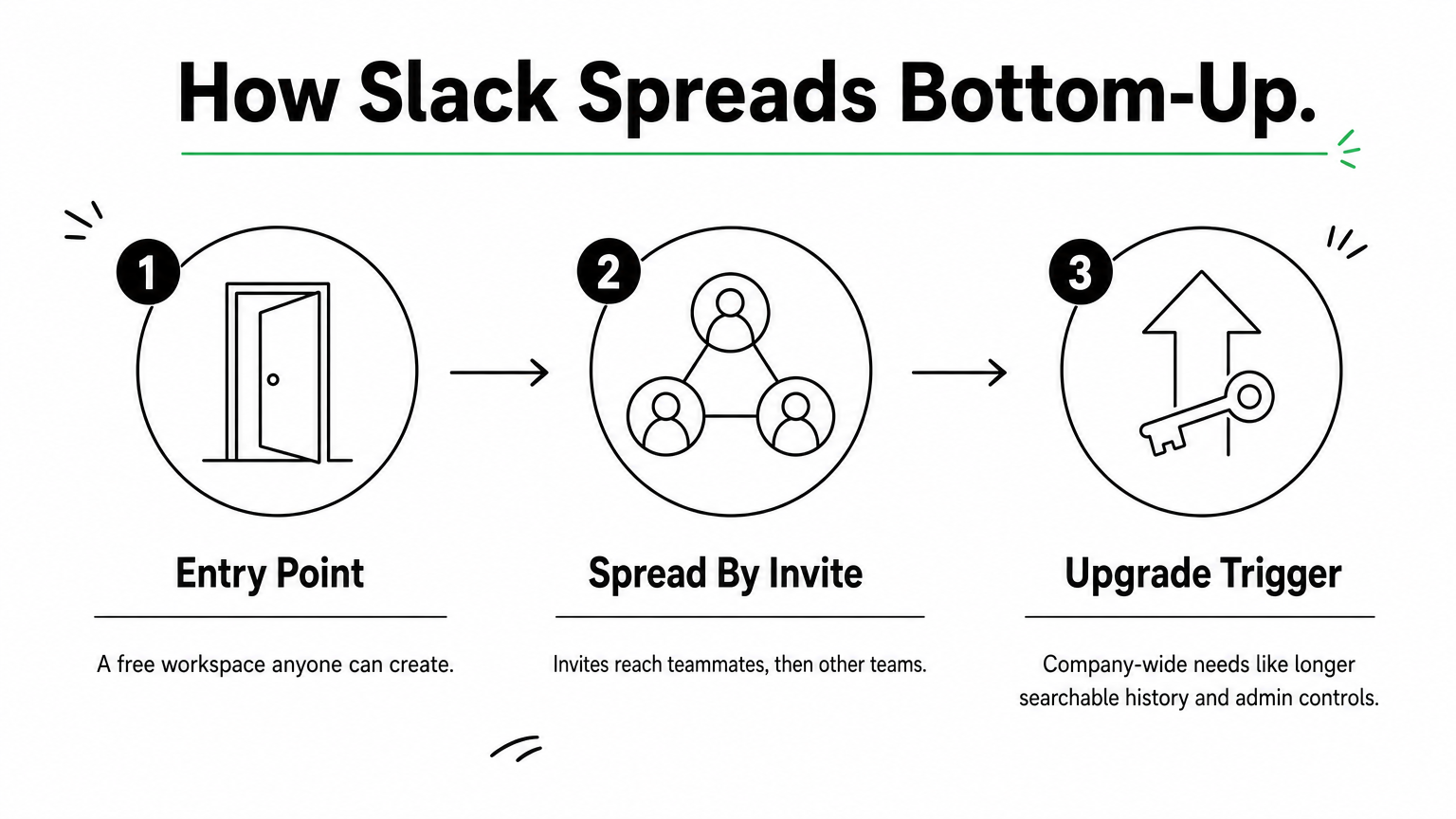
Slack's free plan lets a single team start without approval from IT or procurement. Coworkers get invited into channels, and the workspace becomes part of daily work before anyone with a budget has heard of it. Eventually a manager sees that people already rely on it and buys a paid plan for everyone.
The person who tries Slack is rarely the person who pays. The product's job is to turn a user into an internal champion, and the free plan gives that champion proof instead of a pitch deck.
In bottom-up PLG, your free users do the selling to the person who holds the budget.
This model fits B2B tools where value grows with the number of people using them. Messaging, docs and project tracking all work this way. Ask yourself one question: what does a champion need in hand to justify a purchase? Usually it is a usage record such as active teammates and messages sent. Build a view that shows it, and give the champion a one-click way to hand it to a buyer.
Zoom grew by making the receiving end of its product effortless.
Anyone can join a Zoom meeting from a link without creating an account. That means every meeting is a demo for each attendee, and the host carries the signup cost, not the guests. Hosts on the free plan can run group meetings, but those meetings are capped at 40 minutes.
The cap is clever because it hits at the moment of real use. Nobody upgrades to a tool they have not used. Plenty of people upgrade when a client call gets cut off mid-sentence.
Put the paywall at the moment someone is already getting value, not before.
If your product involves inviting people who don't have an account, make their side as light as possible. Don't ask guests to register, verify an email or install something. Then choose a limit that matches how your paying customers actually behave. A limit on something casual users never reach tells you nothing. A limit on something professionals need every week produces upgrades.
Dropbox is the classic case of a referral program that cost little and compounded.

Dropbox gave every user a free 2 GB of storage and a simple drag-and-drop folder. It then added a referral program that gave extra storage for each friend who signed up. Shared folders and links pulled in people who did not have accounts yet, and those people saw the product working on real files.
The reward was more of the product itself. That cost Dropbox little, because a user who stored more files had more reasons to stay. The free limit was also generous but reachable. Once you were close to 2 GB, an invite became the cheapest way to get more room.
The best referral reward is a bigger dose of the product, not cash.
This approach suits products with a natural unit that users can earn more of, such as storage, projects, credits or seats. Three rules from Dropbox:
Skip it if your product has no countable unit. A forced referral reward with no link to value feels like spam.
Calendly solves a small, universal annoyance, and its output travels to new people every time someone uses it.
When you send a Calendly link, the person on the other side picks a time in seconds and sees the product from the inside. They did not sign up for anything, yet they just experienced a faster way to book a meeting. Some of them decide they want that for themselves, and a free plan with basic scheduling makes trying it easy.
Calendly works because the problem is felt by almost everyone. Back-and-forth emails about meeting times are a shared irritation, so the product needs little explaining.
If your product's output lands in front of non-users, every use is an ad.
Look for the moment where your customer's work touches someone outside your product. A shared link, a booking page, a signed document, an exported report, a published survey. That is your distribution channel. Make that touchpoint fast and good-looking, and give the outsider a low-pressure way to try it themselves. If your product's output stays private, this lever does not apply, and you should look at the invite-based examples instead.
Figma turned collaboration into the growth engine.

Figma runs in the browser, and several people can edit the same file at the same time. A designer shares a file link, and developers, product managers and stakeholders open it without installing anything. They comment, then some of them start their own files. A free plan lowers the barrier for anyone who wants to try it.
That is a viral acquisition loop. The more people use Figma on a project, the more people see it, and each new participant is a possible new account. The loop is built into the work, not bolted on as a marketing feature.
Make collaboration the core use of the product, and invitations happen without a campaign.
Figma suits tools where work passes between roles: design to engineering, finance to leadership, support to product. Two things matter here:
If your tool is used alone, copy the "no install, open from a link" idea for sharing outputs instead of the whole collaboration model.
Zapier shows how content can be part of the product-led motion.
Zapier connects apps to one another, and it supports thousands of them. Each pairing can have its own page, matched to the searches people make when they have the exact problem the product solves, such as connecting one tool to another. Someone arrives, sees that the workflow they want already exists, and starts with a free plan that has a monthly cap on tasks.
This is product-led SEO. The pages are useful because they are essentially the product, previewed. They educate buyers who did not know automation could solve their problem.
The best SEO page for a PLG product is a small working version of the product.
Any product with integrations, templates or repeatable use cases can try this. A simple starting path:
If you only have one use case, there is nothing to scale. Write fewer, better pages instead.
HubSpot is the best example of a company that moved toward PLG while keeping its sales team.
HubSpot did not start as a PLG company. It added a free CRM as an entry point and rebuilt the way it onboards new users, so people could understand the value without help. It also changed incentives for its sales team. Reps still sell to large enterprise customers, but many of those buyers arrive after using the free tools.
The metric that connects the two worlds is the product-qualified lead. A PQL is an account that has shown intent through real usage, combined with firmographic context such as company size. Sales then talks to people who already know the product, which makes the conversation shorter and more specific.
PLG does not replace sales. It decides when sales shows up.
HubSpot's path fits companies that already have a sales team and an existing paid product. The sequence is practical:
Skipping the third step is the common failure. If reps are not rewarded for PQLs, the free users sit unattended.
Airtable builds team adoption into the first minutes of signup.
Airtable looks like a spreadsheet, which most people already understand, but it can connect data and show it in different views for different roles. After you create an account, you are asked to add your teammates. That single screen moves a personal trial toward team usage.
The reasoning is simple. A product used by one person is easy to abandon. A product used by a team is part of how the work gets done. Asking for invites early raises the odds of stickiness and also feeds acquisition, because each teammate is a new signup who arrives with a real project to put in.
Ask for the invite during onboarding, while the user is still curious.
This is the best example here for products that get better with more users inside one account. Put the invite step in the first session and make it skippable. Pair it with a reason that helps the user, such as "work on this together" instead of "help us grow". If you add an incentive, tie it to something your product already gives away, as Dropbox does with storage. Do not use it for tools that people use alone, where an invite prompt is just friction.
Grammarly proves that a free tier can sell the paid one if it shows what is missing.
Grammarly's free checker works inside the places people already write, through a browser extension and other integrations. The free version corrects basic mistakes, and it also points out that more suggestions exist in the paid plan, so the user sees the value of upgrading while doing real work. Onboarding is short and focuses on getting to a first corrected sentence quickly.
The honest part matters. The free tool has to be genuinely useful on its own, or the teaser reads as a trick. Grammarly makes writing easier from the first use, so the upgrade prompt feels like an offer.
Show what the paid plan adds inside the free experience, using the user's own work as the proof.
This model suits products with a clear quality scale, such as writing, design, code or data. Let free users see a preview of what a paid result would look like on their own content. Keep the preview tied to something concrete, and never hide the core function behind the teaser. Test it by asking whether a user would still recommend the free version to a friend. If the answer is yes, the teaser is fair.
Each of these ten companies leans on one lever: free value, team spread, shared links, referrals, search pages, or a free tier that shows what the paid one adds. You do not need all of them. Choose the one that matches how your customers already use the product, and test it before you build anything large.
If you build a SaaS product and want to start with the simplest lever, a fast free entry point, you can try Koala Feedback free and see how a product-led setup feels from the user's side.

Start today and have your feedback portal up and running in minutes.