Customer insights data is the information a business gathers about its customers, connects across systems, and analyzes to learn who they are, what they do, and what they will likely do next. In Microsoft's ecosystem, the phrase also names a product: Dynamics 365 Customer Insights - Data, a customer data platform (CDP) that merges records from many sources into one profile per customer. If you searched this term, you want either the general idea or the Microsoft tool, and this article explains both.
You will learn why this data matters, what the Microsoft platform does, how to get access and set it up step by step, and what usable insights look like. Each part is written so you can act on it.
We build Koala Feedback, a tool for collecting and prioritizing user feedback, so we see this topic from the product side. A CDP shows you what customers do. It rarely shows you what they ask for. The last section covers how to close that gap.
Customer insights data matters because it turns scattered records into decisions you can defend. Without it, every team argues from its own fragment of the picture.
Most companies already hold plenty of customer information. The CRM knows the account owner, the billing system knows the invoices, the analytics tool knows the pageviews, and the support desk knows the complaints. Each system describes the same person in a different way, often under a different email address, so the information stays scattered across systems.
The value appears when you connect those fragments into one profile. Then you can ask questions that no single system answers. For example, do customers who file three support tickets in their first month renew less often than the rest?
Customer data becomes insight only when the same customer looks the same in every system.
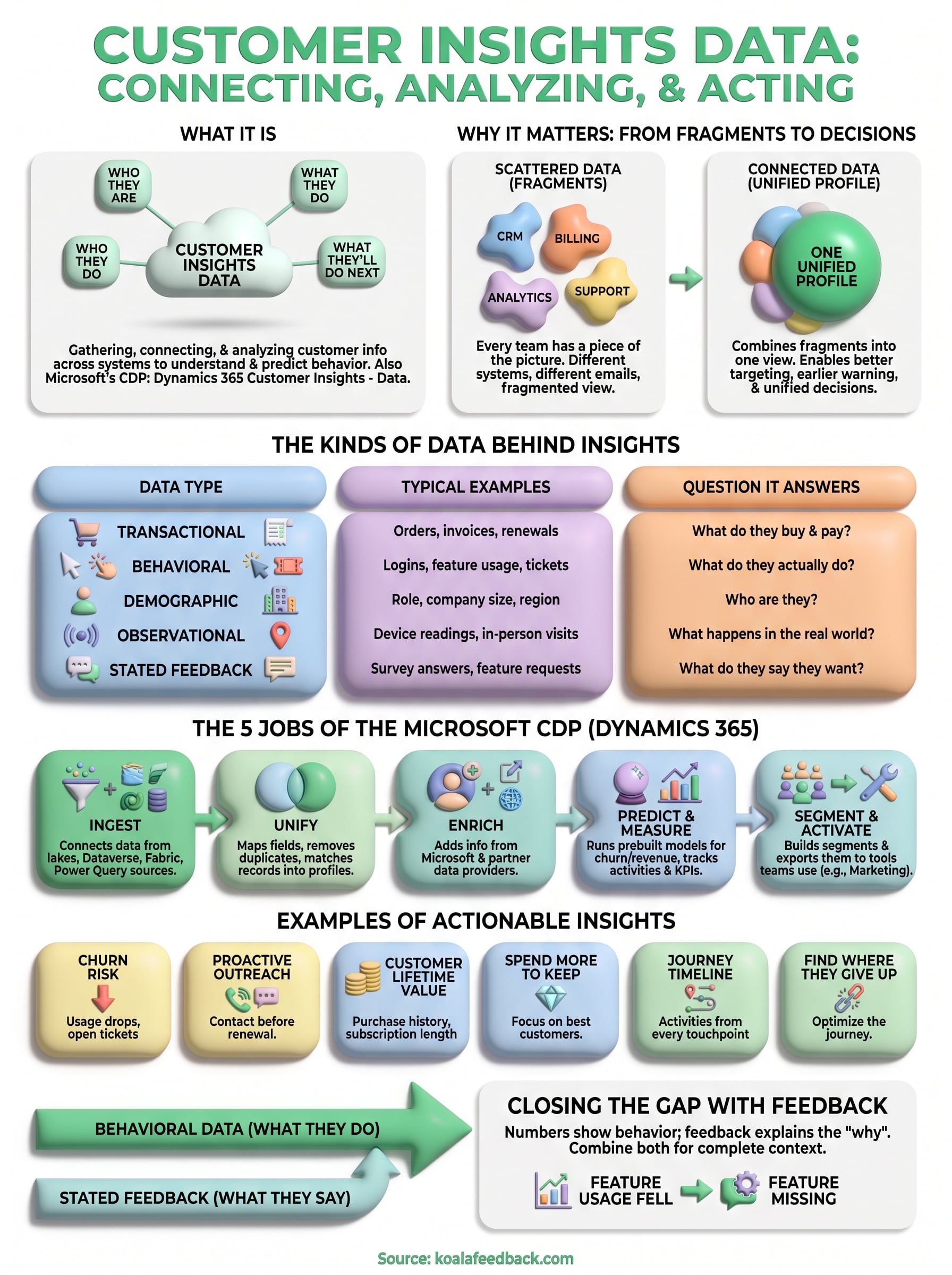
Customer insights data is not one dataset. It is a mix of several data types, and each one answers a different question. A strong customer data insights practice draws on more than one row of this table.
| Data type | Typical examples | Question it answers |
|---|---|---|
| Transactional | Orders, invoices, renewals, refunds | What do customers buy, and what do they pay? |
| Behavioral | Logins, clicks, feature usage, support tickets | What do customers actually do? |
| Demographic | Role, company size, region, industry | Who are they? |
| Observational | Device or IoT readings, in-person visits | What happens around the product in the real world? |
| Stated feedback | Survey answers, feature requests, votes, comments | What do customers say they want? |
The first change is better targeting. Instead of emailing everyone, you contact the group most likely to respond. The second is earlier warning. Usage drops and unresolved tickets show up weeks before a cancellation does.
The third change is quieter but just as valuable. Teams stop debating whose anecdote is right. Product, marketing, and support work from the same numbers, so disagreements turn into questions the data can settle.
To get started, you need a license or a trial, an environment created by a global tenant admin, and then five steps: import, unify, enrich, segment, and export. Microsoft documents the same flow in its get started guide.
Dynamics 365 Customer Insights - Data is licensed per tenant, and you can buy extra capacity through add-on licenses. If you only want to test it, Microsoft offers a free trial that you can run against your own data.
Day-to-day access runs through the application at home.ci.ai.dynamics.com, where you sign in with your organization's Microsoft account. If you can sign in but see no data, you usually lack access to the environment. In most cases someone with global tenant admin permissions must create the environment, either in the Power Platform admin center or from within the app. Ask that person to add you.
Work through these in order. Each step builds on the one before it.
Most first projects stall in step three, not step one. Before you import anything, decide what a "customer" is in your business. A person, a household, and a company account produce very different profiles, and changing the definition later means redoing the matching rules.
Start small. Connect two or three sources with clear identifiers, such as a CRM and a billing system, and check a sample of merged profiles by hand. If the same person still appears twice, fix the match rules before you add more sources.
A small, clean unified profile set beats a large one you do not trust.
Dynamics 365 Customer Insights - Data is Microsoft's customer data platform. It ingests customer records, unifies them into single profiles, enriches those profiles, and lets you segment and send them to other tools. Everything else in the product supports those jobs.
A CDP does one thing that a CRM does not do well. A CRM mostly stores what people type in, such as contacts, notes, and deals. A CDP pulls in data automatically from many systems and keeps one unified profile for each customer. Microsoft describes the result as a 360-degree customer view built from transactional, behavioral, and demographic sources.
The platform runs on Microsoft Azure and includes built-in privacy, security, and governance tools. That matters because customer data carries legal duties. You still own the compliance decisions, but you work inside tooling designed for them.
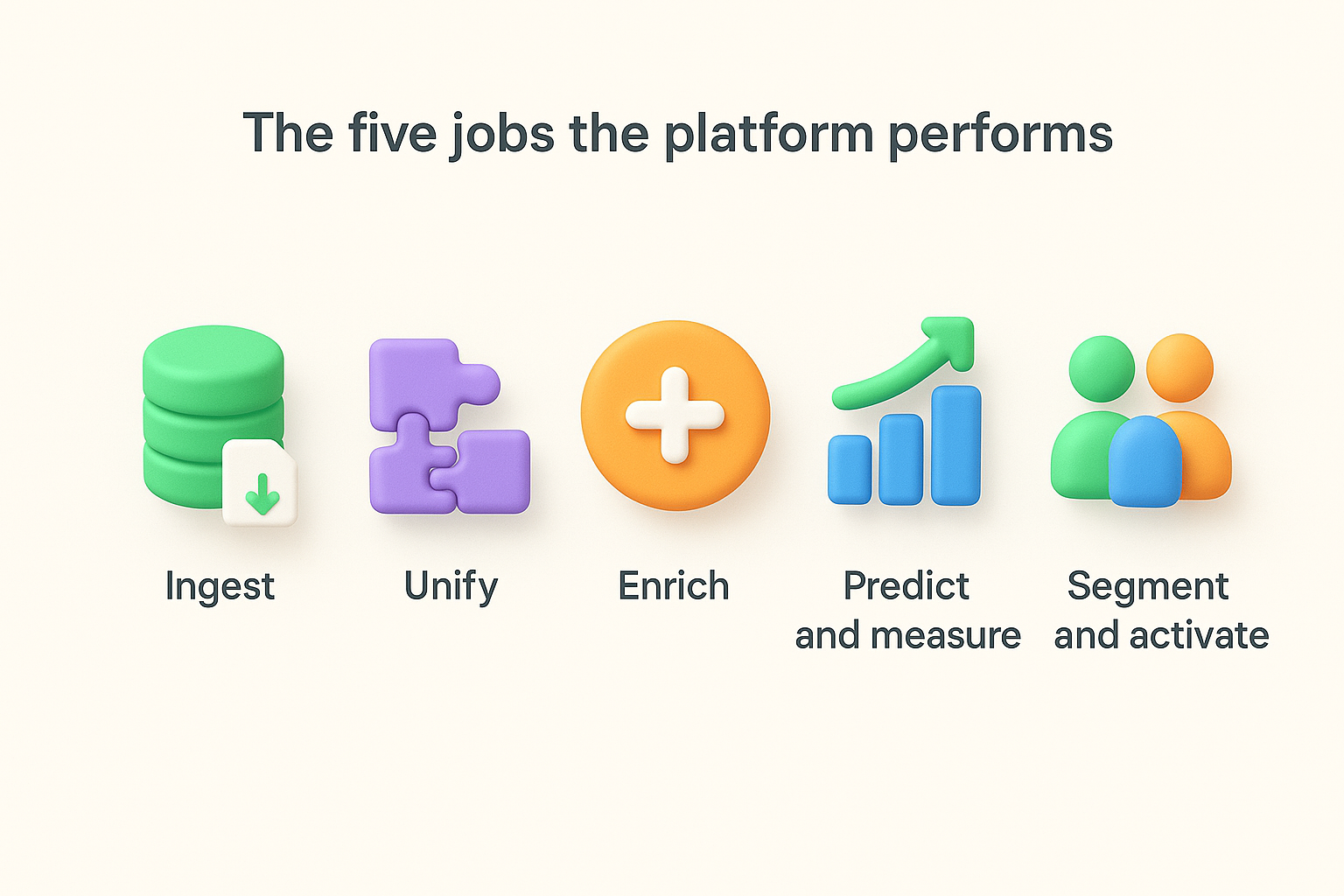
You can think of the product as five stages, matching the setup steps above.
| Job | What happens |
|---|---|
| Ingest | Connects to data lakes, Dataverse, Fabric OneLake, and Power Query sources |
| Unify | Maps fields, removes duplicates, matches records, and merges them into profiles |
| Enrich | Adds information from Microsoft and partner data providers |
| Predict and measure | Runs prebuilt models for churn and revenue, tracks activities and KPIs |
| Segment and activate | Builds customer groups and exports them to the tools your teams use |
Prebuilt models are the fastest route to value. You can also build and deploy custom AI and machine learning models if your team has the skills.
Customer Insights - Data is the data foundation. Customer Insights - Journeys is a separate application for customer-facing marketing, and the two can be used together. The Customer Card add-in surfaces unified profile information inside other Dynamics 365 apps, so a service agent or seller sees the same customer view you built.
On the input side, the Fabric OneLake and Dataverse connectors mean data already living in the Microsoft stack needs little re-plumbing. Microsoft's product overview lists the licensing and capacity details if you need to size a purchase.
Customer insights data is worth collecting when it changes a specific action. The examples below connect a data source to a decision, which is the test every insight should pass.
Each row pairs the data you need with the action it supports.
| Insight | Data behind it | Action it supports |
|---|---|---|
| Churn risk | Usage drops, open tickets, renewal dates | Proactive outreach before renewal |
| Customer lifetime value | Purchase history, subscription length | Spend more to keep your best customers |
| Segments | Demographics, behavior, purchase history | Tailored campaigns instead of mass emails |
| Propensity to buy | Past behavior of similar customers | Target people likely to convert |
| Journey timeline | Activities from every touchpoint | Find the step where customers give up |
Churn and revenue predictions are the two that Customer Insights - Data ships as out-of-box models. The others you can build from segments, measures, and activities.
Ask three questions before you put an insight on a dashboard. Which decision does it change? Who owns that decision? How will you know within a quarter whether the action worked?
An insight that fails the first question is trivia, however interesting it looks. A customer segment of 40,000 people is only useful if someone has a campaign, a pricing change, or a product bet waiting for it. Tie every insight to an owner and a metric and you avoid the common trap of building profiles nobody uses.
If an insight does not change a decision, it is a report, not an insight.
Behavioral data tells you what customers did, but it cannot tell you what they wanted. Direct feedback fills that gap, and the strongest customer insights data programs use both.
Imagine your data shows that usage of a feature fell 30% among mid-sized accounts. That is a clear signal, but it has several possible causes. The feature may be confusing, it may be missing one capability, or customers may have moved to a competitor. The numbers cannot choose between those explanations.
Customers can. When a person writes a request or votes for an idea, they give you the reason behind the behavior in their own words. That is the stated-feedback row from the first table, and it is the one most CDP projects leave empty.
Collect feedback in one place so requests do not get lost across email, chat, and support tickets. A feedback portal such as Koala Feedback lets users submit ideas, vote and comment on them, and see a public roadmap. It also deduplicates and categorizes incoming requests, so the top themes are clear.
Then compare the two sources on a regular schedule. If your unified profiles show that one segment is at risk of churning and the feedback board shows the same segment voting for one missing feature, you have a prioritization answer backed by both behavior and stated need. You do this comparison by hand or in a spreadsheet, so it works regardless of which CDP you use.
Customer insights data is customer information that has been connected, analyzed, and tied to a decision. Dynamics 365 Customer Insights - Data is Microsoft's platform for doing that at scale: you get access, create an environment, import and unify your sources, enrich the profiles, and push segments to the tools your teams use.
Start with a small, clean set of sources, define what a customer means in your business, and judge every insight by the decision it changes. Then add the voice of the customer, because numbers show behavior and feedback explains it. If you build software, start collecting and prioritizing user feedback with Koala Feedback and give your customer data the context it is missing.

Start today and have your feedback portal up and running in minutes.