Azure DevOps is Microsoft's suite for planning, building, and shipping software, and keeping up with its evolution matters if you rely on it daily. Whether you're searching for the Azure DevOps roadmap to see what Microsoft has planned next, or you want a structured learning path to pick up the platform from scratch, this guide covers both angles.
Microsoft publishes its own roadmap for Azure DevOps, but finding and interpreting it isn't always straightforward. And if you're trying to learn Azure DevOps as a skill, the number of tools under its umbrella, Repos, Pipelines, Boards, Artifacts, Test Plans, can feel overwhelming without a clear plan.
At Koala Feedback, we build tools that help product teams share roadmaps and collect user feedback, so we think about roadmap communication constantly. That perspective shapes how we break down this topic: below, you'll find exactly where to track Azure DevOps releases, how to read Microsoft's planning documents, and a practical path to learn the platform step by step.
When you search for "Azure DevOps roadmap", you're likely looking for one of two very different things. The phrase covers both Microsoft's published plan for the platform and the personal study path you build to master Azure DevOps as a skill. Knowing which one you need shapes everything about how you approach the search, so it's worth spending a moment to separate them before diving in.
Microsoft maintains a public roadmap that shows what features are planned, in development, or recently shipped for Azure DevOps. This is a live document, not a static page, and it updates as Microsoft's engineering teams move items through their development cycle. If your team depends on Azure DevOps Pipelines or Boards, tracking this roadmap lets you anticipate changes before they affect your workflows, plan migrations, and flag upcoming features to your stakeholders well in advance.
Treating the official roadmap as a passive document is a mistake. Checking it on a regular schedule lets you align your team's planning cycles with what Microsoft is actually shipping, rather than reacting after the fact.
The second meaning applies when you're new to the platform or want to fill specific gaps in your knowledge. Azure DevOps bundles five core services: Boards, Repos, Pipelines, Test Plans, and Artifacts. Without a structured learning sequence, most people jump between tools and end up with shallow knowledge across the whole suite rather than solid, practical skills in any single area. A learning roadmap gives you a deliberate order to work through each service and build real competence you can apply on the job.
Both meanings call for a different action. Tracking releases requires knowing where Microsoft publishes that information and how to filter it by product area. Building skills requires a sequence that respects how the tools connect to each other. The following steps cover both, starting with where to find the official Azure DevOps roadmap and how to actually read it.
Microsoft publishes the Azure DevOps roadmap in two places you should bookmark right now. The primary source is the Azure DevOps Feature Timeline, which lists every planned and shipped feature organized by sprint and product area. The second is the Azure DevOps release notes, which document exactly what Microsoft deployed in each update.
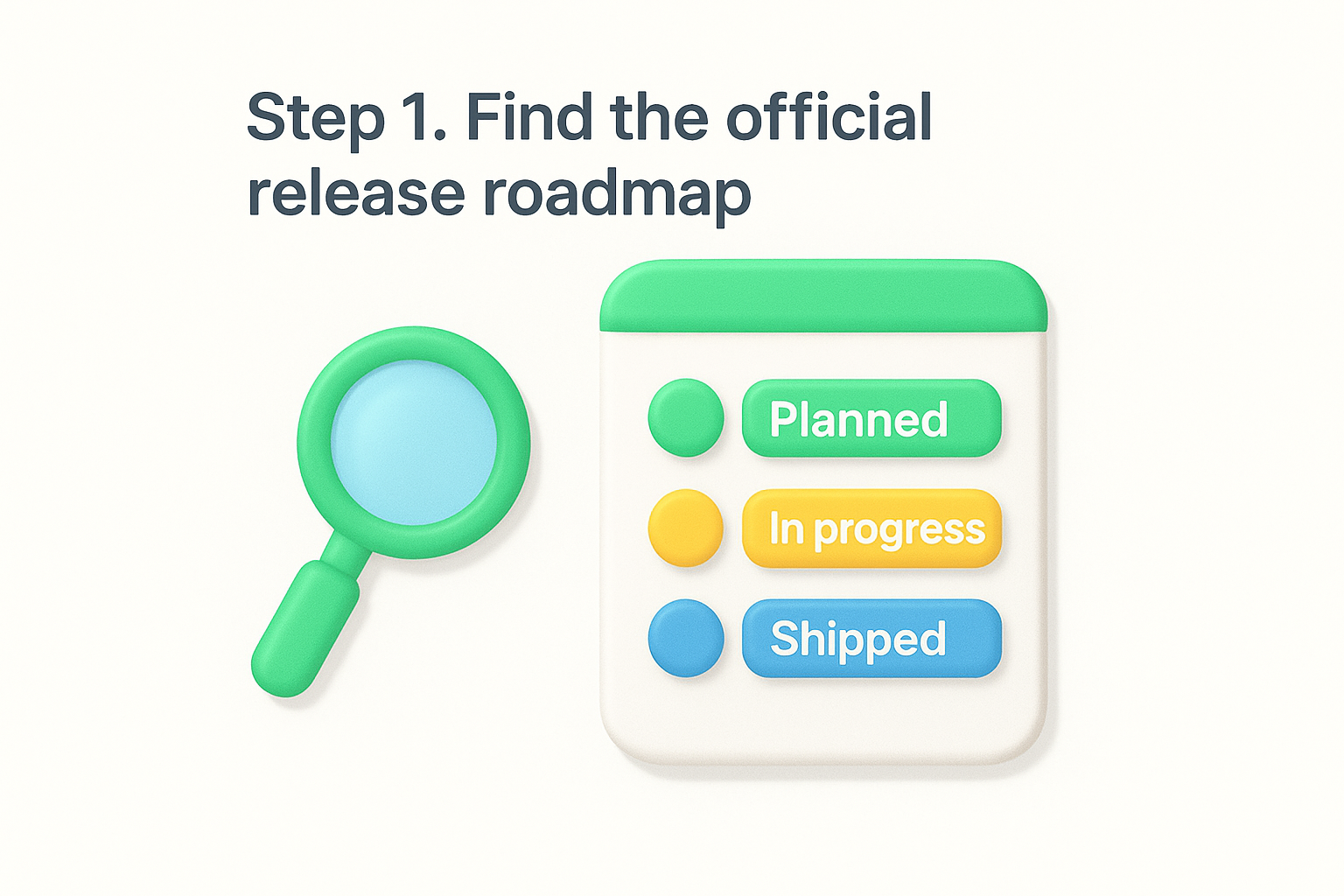
The Feature Timeline page is your most useful starting point. It shows features by sprint cycle, which Microsoft runs on a three-week cadence, and labels each item as "planned," "in progress," or "shipped." You can scan the entire table or filter it down to the specific service area you care about, such as Pipelines or Boards.
Bookmark the Feature Timeline directly rather than searching for it each time. Microsoft updates this page after every sprint, so a saved link keeps you from landing on outdated third-party summaries.
On the Feature Timeline page, use the filter dropdowns at the top of the table to narrow results by service, such as Azure Boards or Azure Pipelines. Then sort by planned sprint date to see what's arriving in the next one to three sprints. This two-step filter gives you a focused view without noise from unrelated product areas, and takes under a minute to set up each time you check in.
Reading the Azure DevOps roadmap is only useful if you connect what you find there to your team's actual work. A one-time check does very little. You need a repeatable process that pulls relevant updates into your planning cycle before a sprint begins, not after a feature has already shipped and surprised you.
Since Microsoft ships on a three-week sprint cycle, a biweekly calendar reminder is a practical starting point. Open the Feature Timeline, apply your service filter from Step 1, and scan for any items moving from "planned" to "in progress" or "shipped" since your last check.
Fifteen minutes every two weeks is enough to stay ahead of changes that could affect your pipelines, permissions model, or board configuration.
Use this simple log template to track what you find:
| Sprint | Feature | Service Area | Impact on Team | Action Needed |
|---|---|---|---|---|
| Sprint 250 | Improved YAML editor | Pipelines | Low | Monitor |
| Sprint 251 | New board rules | Boards | High | Update workflow docs |
Once you identify high-impact items, send a short summary to whoever owns that service area on your team. Keep it to three lines: what the change is, when it ships, and what action your team needs to take. This keeps everyone aligned without turning every release update into a long meeting.
Beyond tracking the official Azure DevOps roadmap from Microsoft, you can also build your own product or project roadmap directly inside the platform. Azure Boards gives you the tools to visualize work across sprints and teams without switching to a separate application.
Azure Boards structures work in a hierarchy: Epics sit above Features, which sit above User Stories and Tasks. To build a roadmap view, create Epics that represent your major themes or goals for a quarter, then break each Epic into Features that map to specific sprints.
Epics with clear target sprint assignments give your team a shared visual timeline without requiring any third-party tool.
Use this naming convention to keep your board readable:
| Level | Example Title | Time Horizon |
|---|---|---|
| Epic | Q2 Payment Overhaul | Quarter |
| Feature | Stripe integration | Sprint 3-4 |
| User Story | Add payment method screen | Sprint 3 |
Delivery Plans is a built-in Azure Boards extension that renders your Epics and Features on a calendar-style timeline across one or more teams. To enable it, go to Organization Settings, then Extensions, and install the Delivery Plans extension from the Azure DevOps Marketplace. Once installed, navigate to Boards, select Delivery Plans, and create a new plan by choosing your teams and the work item types you want to display. This gives your stakeholders a clear, scrollable view of what ships and when.
If you're building skills rather than tracking the azure devops roadmap, the order in which you learn each service matters. Jumping straight into Pipelines without understanding Boards or Repos leaves gaps that slow you down on real projects. A structured sequence builds each skill on top of the last.
Begin with Azure Boards because it teaches you how work gets organized and tracked before any code moves. Spend one week creating work items, setting up sprints, and building a basic board workflow. Then move to Azure Repos, where you'll practice branching strategies and pull request policies. Microsoft's own Azure DevOps documentation covers both services with hands-on labs you can run in a free organization.
Skipping Boards in favor of Pipelines is the most common mistake beginners make. Boards gives you the planning foundation that makes everything else easier to understand.
Once you understand how work flows from Boards through Repos, tackle Azure Pipelines using YAML-based pipelines rather than the classic editor. YAML pipelines are the current standard, and learning them directly saves you from unlearning old habits. Use this learning order as your guide:
| Week | Service | Focus Area |
|---|---|---|
| 1 | Azure Boards | Work items, sprints, backlogs |
| 2 | Azure Repos | Branching, PRs, policies |
| 3-4 | Azure Pipelines | YAML syntax, triggers, stages |
| 5 | Azure Artifacts | Package feeds, dependencies |
| 6 | Azure Test Plans | Manual and automated testing |
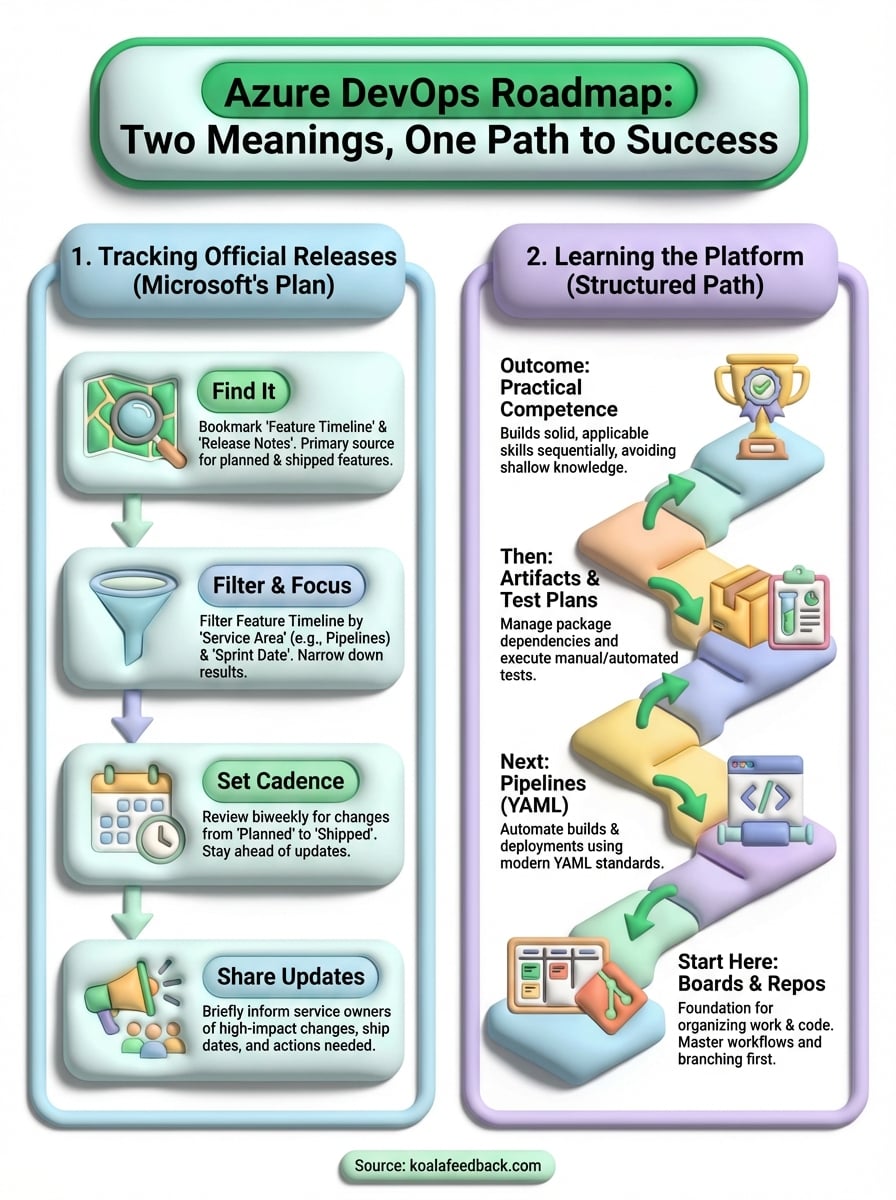
You now have two clear paths forward: track the official azure devops roadmap from Microsoft using the Feature Timeline, and build practical skills in a deliberate sequence starting with Boards and Repos. Both paths require consistency. A biweekly calendar reminder to check the Feature Timeline costs you 15 minutes and saves your team from being blindsided by changes that affect your workflows.
If you work on a product team and want to go beyond tracking Microsoft's updates, consider how you share your own roadmap with users. Most teams collect feature requests through scattered emails and chat threads, which makes it nearly impossible to prioritize what to build next. A dedicated feedback tool solves that problem by giving your users one place to submit ideas, vote on requests, and see what you're actually working on.
Start collecting and sharing product feedback with Koala Feedback to bring the same clarity to your roadmap that you now have with Azure DevOps.

Start today and have your feedback portal up and running in minutes.

