Most product plans fail before the first sprint. Someone builds a spreadsheet, a few people add rows, and within a month nobody trusts it. If you're searching for a product planning template, you probably want something you can copy today, not a framework lecture.
Here's the short answer. You need a different template for each launch stage: one for validating the idea, one for scoping the MVP, one for the roadmap, one for launch readiness, and one for post-launch review. Each works in Excel, Google Sheets, Word, PowerPoint, Airtable, or Figma, so pick the format your team already uses.
Below, you'll find five examples, one per stage, with what each template contains and when to use it. We build Koala Feedback, so we also show where real user feedback belongs in each plan, because the best templates are fed by customer requests, not guesses. Copy what fits and skip the rest.
Koala Feedback gives you a ready-made feedback portal and public roadmap instead of a blank file. Users submit ideas, vote, and comment, and the platform deduplicates and categorizes requests for you.
As a product planning template, it works because every row is backed by real demand. You see vote counts and comments instead of guessing which request matters.
Plan from what users actually ask for, not from what the loudest voice in the meeting wants.
Beta onward is the sweet spot. It pays off most after launch, when requests pile up faster than any spreadsheet can track.
Pre-launch teams can still open a portal early to collect feedback on the MVP, then promote the strongest requests onto the roadmap.
Product managers, SaaS owners, and dev teams get the most from it, from early startups to established companies.
Skip it if you only need a private, internal plan. This one is built for transparency with your users, so it fits teams happy to show their direction.
Follow these steps to get Koala Feedback running:
Keep statuses to three or four so users know what Planned really means. Then review votes weekly and move top requests onto the roadmap before they go stale.
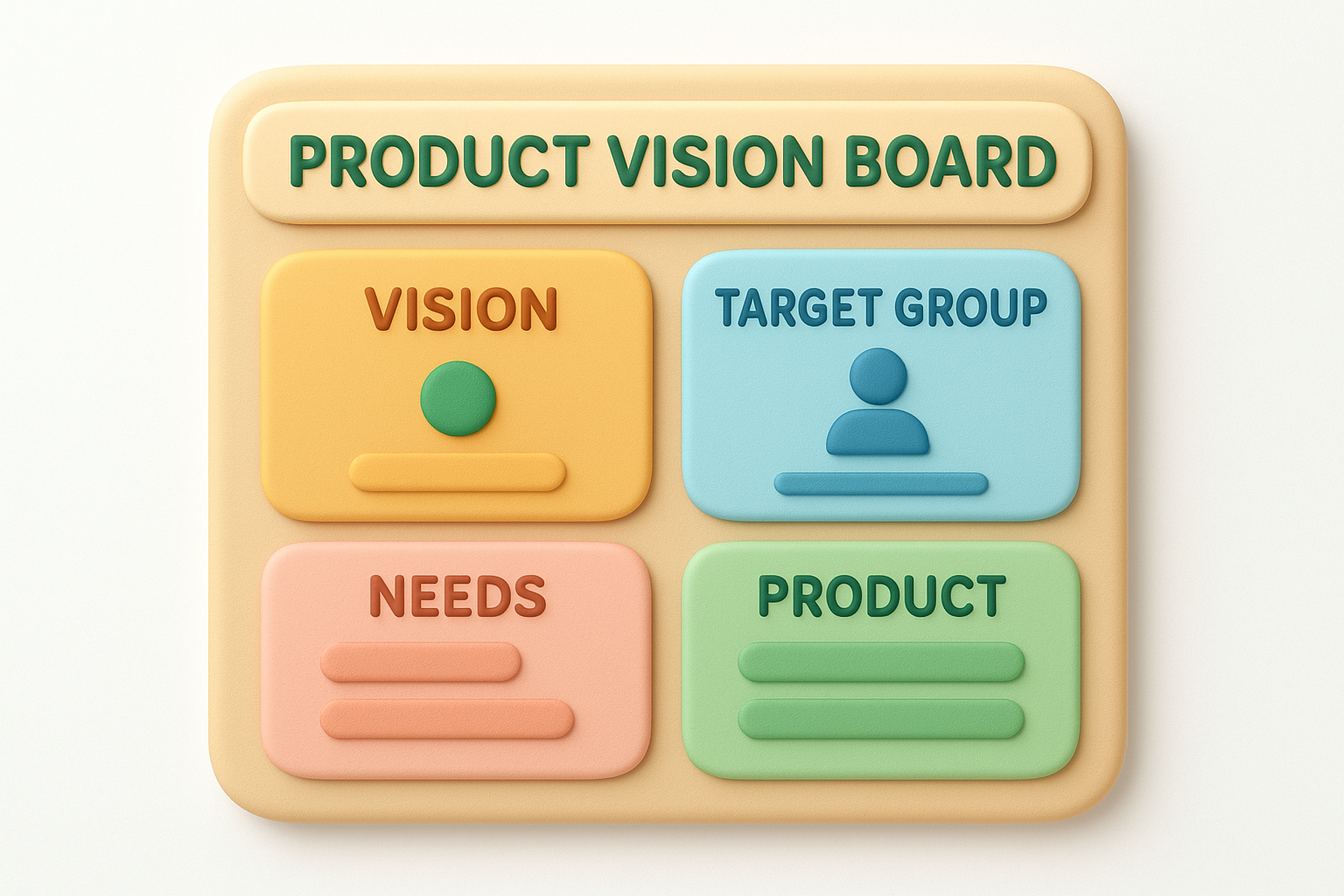
A vision board puts your whole idea on one page. It is the simplest product planning template to start with, because it forces five answers before you build anything.
| Block | Question it answers |
|---|---|
| Vision | What future are we building toward? |
| Target group | Who is this for? |
| Needs | Which problem do they have? |
| Product | What key features solve it? |
| Goals | How will we measure success? |
If you can't fill in the target group and needs boxes, you don't have an idea yet.
Use it at the idea stage, before anyone writes specs or estimates effort.
Revisit it when customer interviews contradict an assumption. Update the board itself, not just your notes.
Founders, product managers, and designers get the most from it. Solo founders can finish one in an afternoon.
Skip it once you have paying users. At that point you need real feedback data, not assumptions.
Build it in PowerPoint, Figma, or Word, whichever your team already opens every day.
Test the board with five customer interviews, then rewrite the weakest box before moving on.
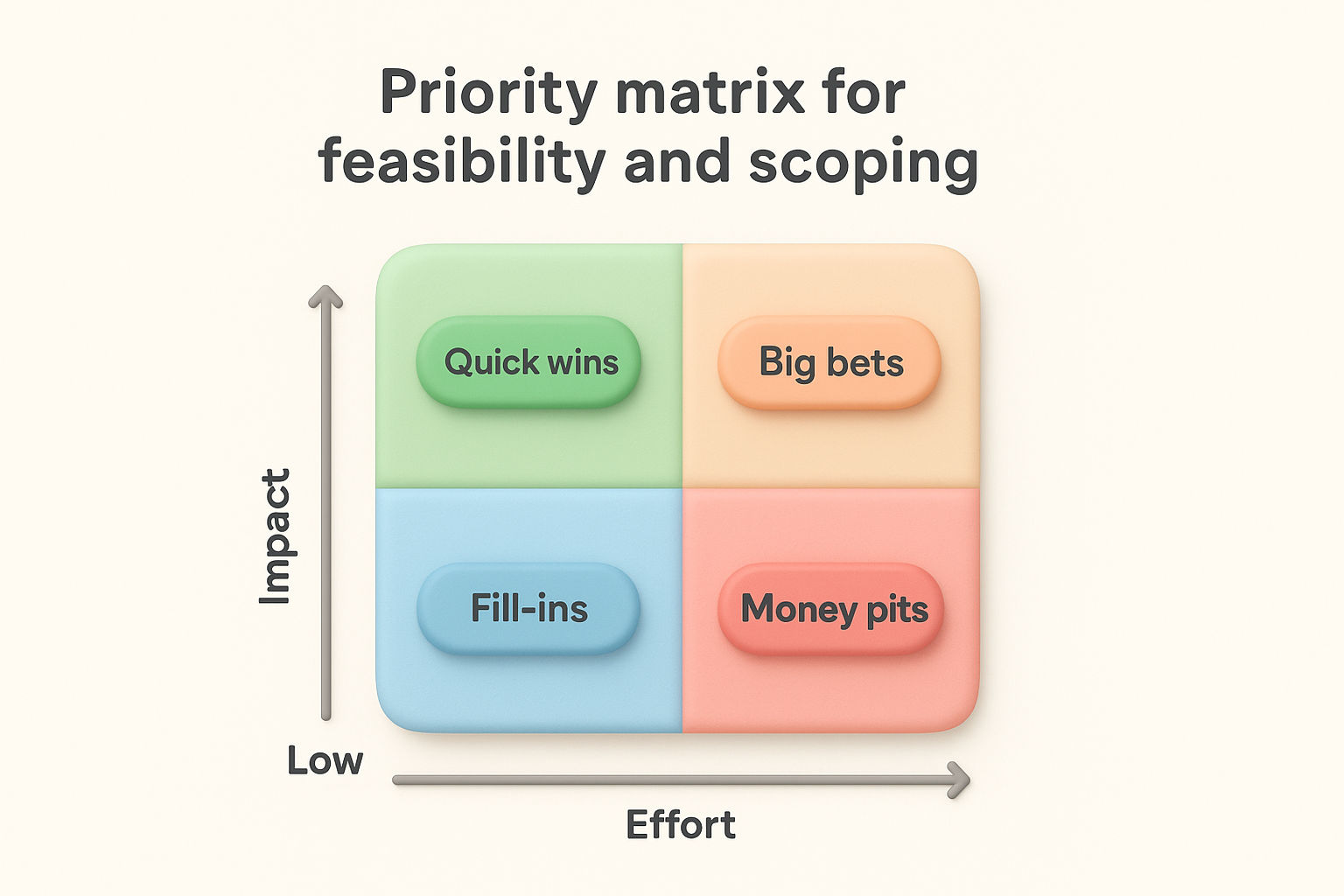
A priority matrix is a two-by-two grid that plots each candidate feature by impact and effort. It turns a messy backlog into four buckets, which makes it the most practical product planning template for scoping an MVP.
| Quadrant | Impact | Effort | Action |
|---|---|---|---|
| Quick wins | High | Low | Build first |
| Big bets | High | High | Plan carefully |
| Fill-ins | Low | Low | Only if time allows |
| Money pits | Low | High | Cut |
Every feature you cut before the build is a sprint you get back.
Use it at the feasibility and scoping stage, after the vision board and before you commit to a roadmap.
Redo it whenever scope creeps or engineering revises an estimate. A stale matrix is worse than none.
Product managers and tech leads get the most from it. Engineers supply the effort scores, and product supplies the impact scores.
Avoid it with hundreds of requests. That many dots makes the grid unreadable, so rank by vote counts instead.
Build it in Excel, Google Sheets, or Figma, then work through these steps:
Score as a group, not alone. Then keep the MVP to quick wins plus one big bet.
A single product roadmap shows one product's timeline on one page, from first build to release. It is the product planning template most teams picture first, and it works in Excel, Google Sheets, PowerPoint, or Airtable.
| Column | What goes in it |
|---|---|
| Theme | The goal for the period |
| Initiative | Features or epics |
| Owner | One named person |
| Timing | Month or quarter |
| Status | Planned, In Progress, Done |
A roadmap shows outcomes and timing, not a promise for every ticket.
Use it for the build and release stage, once your priority matrix has settled what is in scope.
Keep detail to three or four months ahead. Anything further out stays as loose themes, because estimates that far away are guesses.
Product managers use it to align engineering, design, and marketing on one timeline. Executives and sales teams like it too, since it answers "when?" at a glance.
Teams that re-plan every two weeks will find it too rigid. They should jump to the sprint roadmap below.
Swap dates for Now, Next, Later columns if estimates keep slipping. Then share a trimmed version with users so expectations stay realistic.
An agile sprint roadmap ties two-week sprints to the larger goals behind them. It is the product planning template to use once real users are in your product, because it expects plans to change.
| Column | What goes in it |
|---|---|
| Sprint | Number and dates |
| Goal | One outcome per sprint |
| Committed work | Stories from the backlog |
| Learning | What shipped, what users said |
Plan the next sprint in detail and keep everything after it loose.
Use it for shipping and iterating, from the first release onward. Every sprint review feeds the next plan, so post-launch feedback shapes your work directly.
Agile teams of engineers, designers, and a product owner get the most from it. They can re-plan every two weeks without breaking anything.
Skip it if you have fixed contractual deadlines. The single roadmap above fits those better.
Build it in Airtable or Google Sheets with one view per sprint. Then link shipped items back to the original requests, so users see you listened.
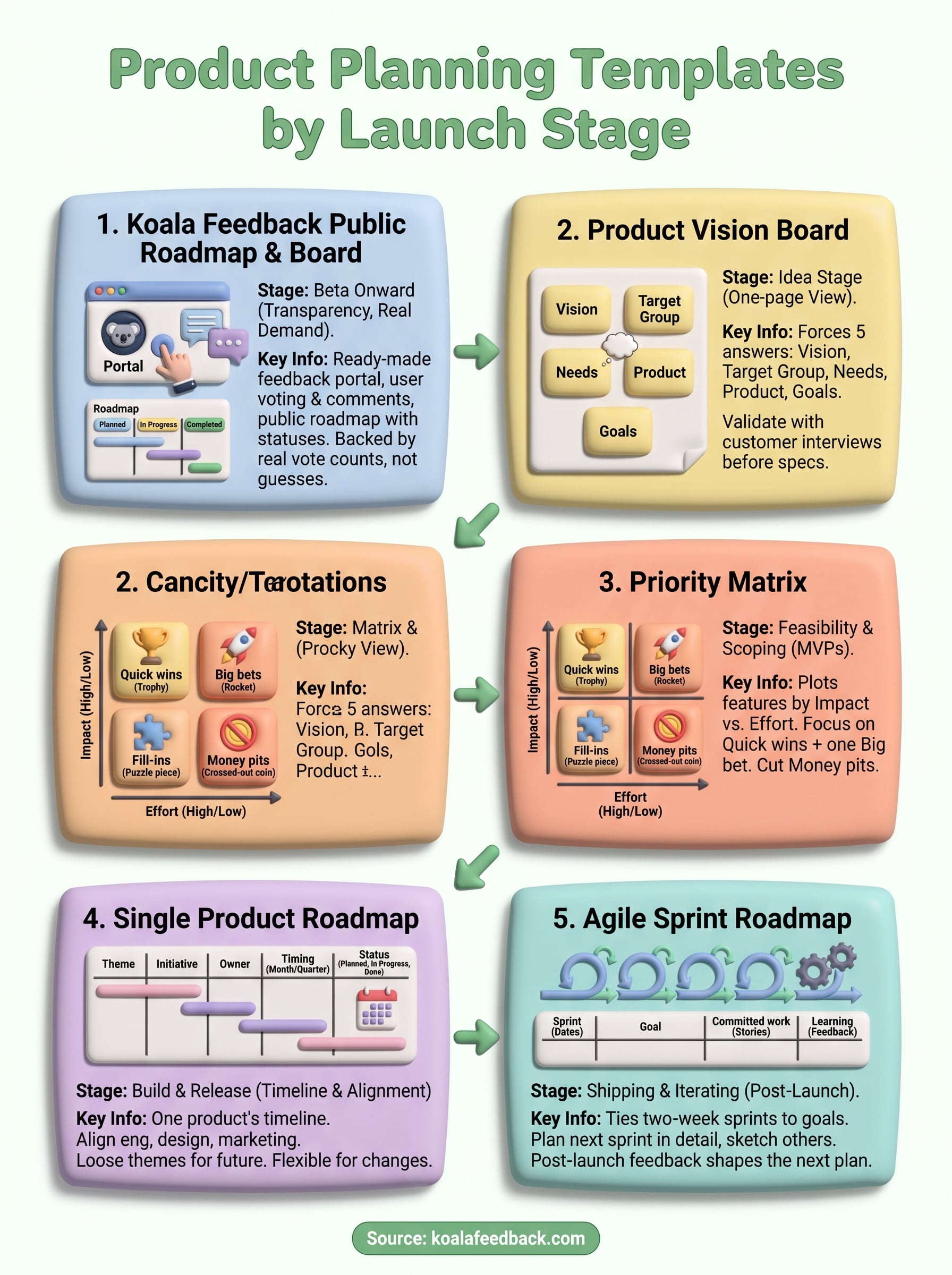
The right product planning template depends on where you are today, not on which one looks best. Use the vision board for a raw idea, the priority matrix for scoping, the single roadmap for build and release, and the sprint roadmap once you ship.
Most teams need only two or three of these, and they work best in sequence. Whatever format you pick, feed it with real user feedback, so every row reflects actual demand instead of opinion. That is what keeps a plan alive past the first month.
Ready to stop guessing? Start collecting and prioritizing feedback with Koala Feedback and turn your next roadmap into a public roadmap your users can see, vote on, and trust.

Start today and have your feedback portal up and running in minutes.

