Pendo Feedback is a product experience platform's built-in tool for capturing and organizing customer feature requests. It gives product teams a structured way to collect input directly from users, then tie that input to account data and usage analytics already living inside Pendo's ecosystem.
If you're evaluating feedback tools, or comparing options like Pendo's offering against alternatives, understanding exactly what it does (and where it falls short) matters. As the team behind Koala Feedback, we spend our days building software in this same space, so we know what to look for and what questions product managers actually ask when choosing a feedback solution.
This article breaks down Pendo Feedback's core features, integrations, pricing structure, and workflow so you can decide whether it fits your team's needs. We'll cover how it works in practice, not just what the marketing page promises, and flag the tradeoffs worth knowing about before you commit.
Pendo Feedback is a module inside the broader Pendo platform that lets product teams collect, organize, and prioritize feature requests directly from users. It is not a standalone tool; it lives within Pendo's larger product experience suite alongside in-app guides, analytics, and session replay. That context matters because it shapes both what the tool does well and where it gets complicated.
Pendo built its name on in-app engagement tools, things like tooltips, banners, and walkthroughs that help users navigate software. Feedback was added later as a way to close the loop between user behavior data and product decisions. The logic is simple: if Pendo already knows who your users are, what they click, and where they drop off, connecting those signals to the feature requests those same users submit creates a richer picture than feedback alone ever could.
The integration between usage data and feedback requests is the primary reason product teams look at Pendo Feedback over a standalone tool.
Within the platform, users get a portal where they can submit ideas, upvote existing requests, and leave comments. On your end, you see each request attached to account and user data, so you can filter submissions by customer segment, revenue tier, or product area. That filtering ability is what separates pendo feedback from simpler collection tools that just drop requests into a list with no additional context.
Pendo Feedback targets mid-market and enterprise product teams that already use, or plan to adopt, the rest of Pendo's platform. If your organization has a dedicated product operations function and a large enough user base to justify the investment, the tool slots into your existing workflow without much friction. You get a centralized place for user input that connects directly to the analytics and engagement tools your team already depends on.
Smaller teams or businesses that only need feedback management will find the full Pendo suite heavier than their needs require. The feedback module does not come as a separate purchase, meaning you adopt the entire platform to access it.
Pendo Feedback ships with a specific set of tools designed to move user input from raw submission to prioritized action. Understanding which features you actually get helps you set realistic expectations before your team commits to the platform, since the tool is not a generic survey or ticketing system.
Users access a public or embedded portal where they can submit feature requests, upvote existing ideas, and leave comments. The portal automatically groups similar submissions together, so you end up with cleaner, deduplicated data rather than a sprawling list of near-identical requests. This structure saves your product team significant manual triage time, especially as submission volume grows.

The voting mechanism gives you a quick proxy signal for demand, but it reflects who is most vocal, not necessarily which customers generate the most revenue.
Each request connects to account and user-level data already tracked by the platform. You can filter submissions by customer segment, plan tier, or usage behavior, which means you prioritize based on actual business context rather than raw vote counts. That distinction matters when a high-value enterprise account submits a request that only a small number of users upvoted.
The tool includes a status-based roadmap view that you can share directly with customers. You mark items as planned, in progress, or complete, and users who voted on a request receive automatic status notifications. This closes the feedback loop without requiring your team to send manual updates.
The pendo feedback workflow follows a straightforward path from the moment a user types a request to the point where your team acts on it. Understanding the full sequence helps you anticipate how your team's time gets spent and where manual steps still exist.
Users submit requests through the feedback portal, either embedded in your product or accessed through a standalone link. As submissions come in, the platform groups similar ideas together automatically, reducing the pile of near-identical requests you'd otherwise need to sort by hand. Each submission pulls in account-level metadata from Pendo's existing data layer, so you see who submitted the request, what plan they're on, and how actively they use your product.
Connecting submissions to usage data gives you a more complete picture of each request than vote counts alone ever could.
Once requests arrive in your dashboard, you filter and score them based on criteria like customer segment, revenue contribution, or submission frequency. Your team then moves high-priority items through a status workflow: under review, planned, in progress, or complete. When a status changes, users who engaged with that request receive an automatic notification, which closes the loop without requiring manual outreach on your part.
This sequence keeps the entire feedback lifecycle inside one system, from initial capture through final communication, which reduces the context-switching that slows most product teams down.
Pendo Feedback connects with other tools your team already uses, which reduces the manual work of copying requests into separate systems. The integrations available depend on your Pendo plan tier, but most cover the core categories that product and engineering teams rely on day to day.
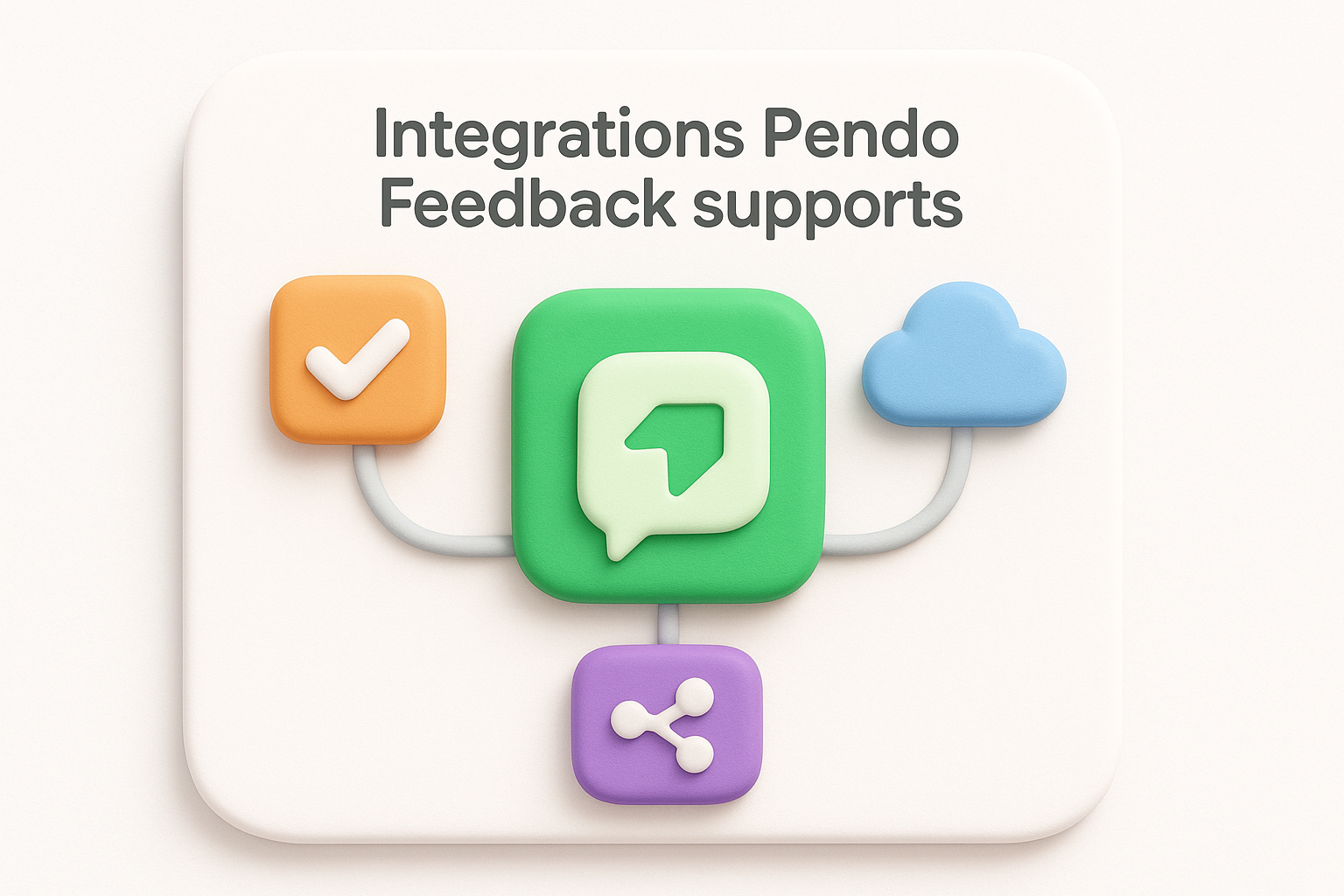
The platform integrates with tools like Jira and Azure DevOps, allowing you to push prioritized feedback items directly into your existing sprint or backlog workflow. When a feature request clears review inside Pendo, your team can create a linked ticket in your project management system without leaving the Pendo interface. That connection keeps feedback tied to the actual work being done, rather than sitting in a separate list your engineers rarely open.
Linking feedback to development tickets closes a gap that often causes product decisions to lose context between the request and the build.
Pendo connects to Salesforce and other CRM platforms, which lets you cross-reference feedback against your customer database. If a request comes from an account flagged as a renewal risk or an upsell target, your product team sees that signal without needing to ask sales. Matching feedback to revenue data shifts prioritization from a gut-feel exercise to a more defensible business decision.
For team alerts, Pendo supports Slack integrations that push notifications when new high-priority requests arrive or when a status changes. Your team stays informed without checking the platform manually, which keeps response times short and avoids requests going unnoticed for weeks.
Pendo Feedback does not come with a public price tag. Pendo uses custom enterprise pricing across its entire platform, which means you need to contact their sales team to get a number. That alone signals who this product is built for: organizations large enough to justify a procurement conversation rather than a credit card sign-up.
Because the feedback module bundles with the full Pendo suite, you pay for analytics, in-app guides, session replay, and everything else alongside it. If you only need feedback management, you still take on the cost of the complete platform. For smaller teams or early-stage products, that tradeoff rarely makes financial sense.
The bundled pricing model is the single biggest reason teams with straightforward feedback needs look elsewhere.
Pendo feedback works best for mid-market and enterprise product teams that already run the broader Pendo platform or plan to adopt it fully. If your team manages a large user base, has a dedicated product operations function, and wants usage data tied directly to feature requests, the tool justifies its complexity. Teams that need a simple, affordable way to collect and prioritize feedback without committing to an enterprise contract will find the setup heavier than necessary.
Beyond cost, users frequently note that the interface takes time to learn, especially if your team is new to the Pendo ecosystem. Configuration requires technical resources upfront, and smaller product teams without dedicated ops support can find the initial setup slow to complete.
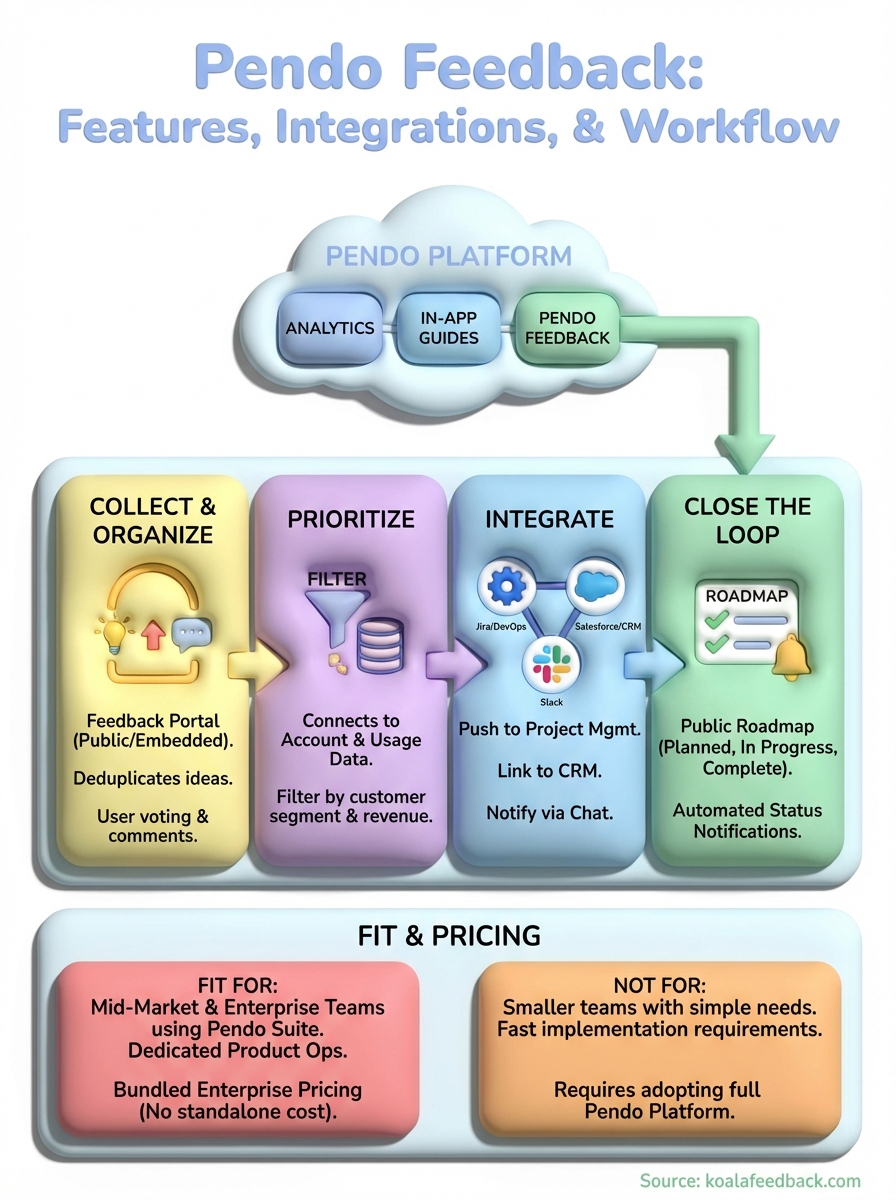
Pendo feedback makes sense if your team already operates inside the Pendo ecosystem and needs usage data tied directly to feature requests. The segmentation, voting portal, and roadmap visibility features are genuinely useful, but they come packaged with enterprise pricing and a platform footprint that goes well beyond feedback management alone.
If your situation is different, whether you run a smaller team, want to move fast, or need a dedicated feedback tool without a lengthy procurement process, a focused alternative will serve you better. Simpler tools let you collect requests, prioritize by votes or customer segment, and close the loop with users without the overhead of adopting an entire product experience suite.
That is exactly the problem Koala Feedback is built to solve. You get a centralized feedback portal, prioritization boards, and a public roadmap your users can follow, all without the complexity or cost of an enterprise contract.

Start today and have your feedback portal up and running in minutes.

