Customer feedback drives product decisions. Without a systematic way to collect and act on what users tell you, you're essentially building in the dark. Salesforce Voice of Customer programs give businesses a structured approach to gathering insights directly from the people who use their products, but setting one up requires the right tools and strategy.
At Koala Feedback, we help teams centralize feedback collection and turn scattered user input into actionable priorities. Whether you're using Salesforce's native capabilities or integrating third-party solutions, the goal remains the same: understand what customers actually want and build accordingly.
This guide breaks down the VoC tools available within the Salesforce ecosystem, walks through setup options, and shows you how to create a feedback loop that actually informs your product roadmap.
Your product roadmap can't survive on assumptions. When you collect feedback through scattered channels without a centralized system, you miss patterns that indicate what customers actually need. Salesforce voice of customer programs solve this problem by bringing all feedback into one platform where your teams can analyze trends, prioritize features, and track outcomes against real user input.
Product and service teams waste hours searching through email threads, support tickets, and random spreadsheets trying to piece together what customers want. A proper VoC setup in Salesforce eliminates this chaos by aggregating feedback from every touchpoint into a single source of truth. You can quickly identify which feature requests come up most often, which pain points affect the largest customer segments, and which improvements will drive the most value.
When feedback lives in one place, your team stops debating opinions and starts acting on evidence.
This centralization also helps you avoid duplicate work. Instead of five people building five different versions of customer request lists, everyone references the same data and contributes to the same conversation.
Speed matters when customers voice concerns or suggest improvements. With Salesforce VoC workflows, you can route feedback automatically to the right team members and set up notification triggers that alert stakeholders when high-value customers submit requests. Service teams can respond faster because they see the full context of a customer's history and previous feedback in one view.
Product teams benefit from shorter feedback loops between releases and user reactions. You ship a feature, collect responses through your VoC system, and determine whether it solved the actual problem within days instead of months. This velocity lets you iterate faster than competitors still relying on quarterly surveys and manual feedback compilation.
Not all feedback qualifies as actionable Voice of Customer data. You need structured inputs that reveal what customers want, what frustrates them, and how they use your product. Salesforce voice of customer systems capture multiple data types across different touchpoints, but the most valuable insights come from direct requests, behavioral patterns, and support interactions that indicate clear problems or opportunities.
Your most explicit VoC data comes from feature requests, survey responses, and community forum posts. These inputs tell you exactly what customers think they need. When a user submits a request through your feedback portal or responds to a satisfaction survey, you get unfiltered opinions about your product's strengths and gaps.
Direct feedback removes guesswork because customers tell you precisely what would improve their experience.
Product ideas submitted through integrated feedback tools, NPS scores from post-interaction surveys, and user-generated content in customer communities all fall into this category. You can track these inputs directly in Salesforce objects and connect them to specific accounts for prioritization.
Case data from Service Cloud provides indirect VoC signals that reveal pain points customers might not explicitly mention. When multiple users contact support about the same issue, that pattern indicates a product gap or usability problem. Support tickets, chat transcripts, and case resolution times all contribute to your VoC dataset by showing where customers struggle.
You have multiple paths for building a salesforce voice of customer system, ranging from native Salesforce features to specialized third-party tools. Your choice depends on your team's technical resources, the complexity of your feedback workflows, and how deeply you need to integrate VoC data with existing Salesforce objects. Most teams combine native capabilities with external solutions to balance functionality and ease of use.
Salesforce provides built-in VoC capabilities through Service Cloud and Experience Cloud. You can create customer communities where users submit ideas, vote on feature requests, and discuss improvements. Chatter enables internal collaboration around feedback, while custom objects let you structure feedback data exactly how your team needs it.
Native tools work well when you already have Salesforce expertise and want complete control over data models.
Case management, surveys through Salesforce Feedback Management, and reporting dashboards all come standard. These tools require configuration and custom development but integrate seamlessly with your existing customer data.
External feedback platforms like Koala Feedback connect to Salesforce through APIs while providing purpose-built interfaces for collecting and prioritizing user input. You get dedicated feedback portals, automatic deduplication, and voting systems without building custom objects from scratch. These tools sync feedback data back to Salesforce so product decisions stay connected to your customer records and revenue data.
Building a functional salesforce voice of customer workflow starts with mapping your current feedback sources and deciding which inputs matter most to your product decisions. You need to establish clear pathways from collection through analysis to action, ensuring feedback reaches the right teams and nothing falls through the cracks.
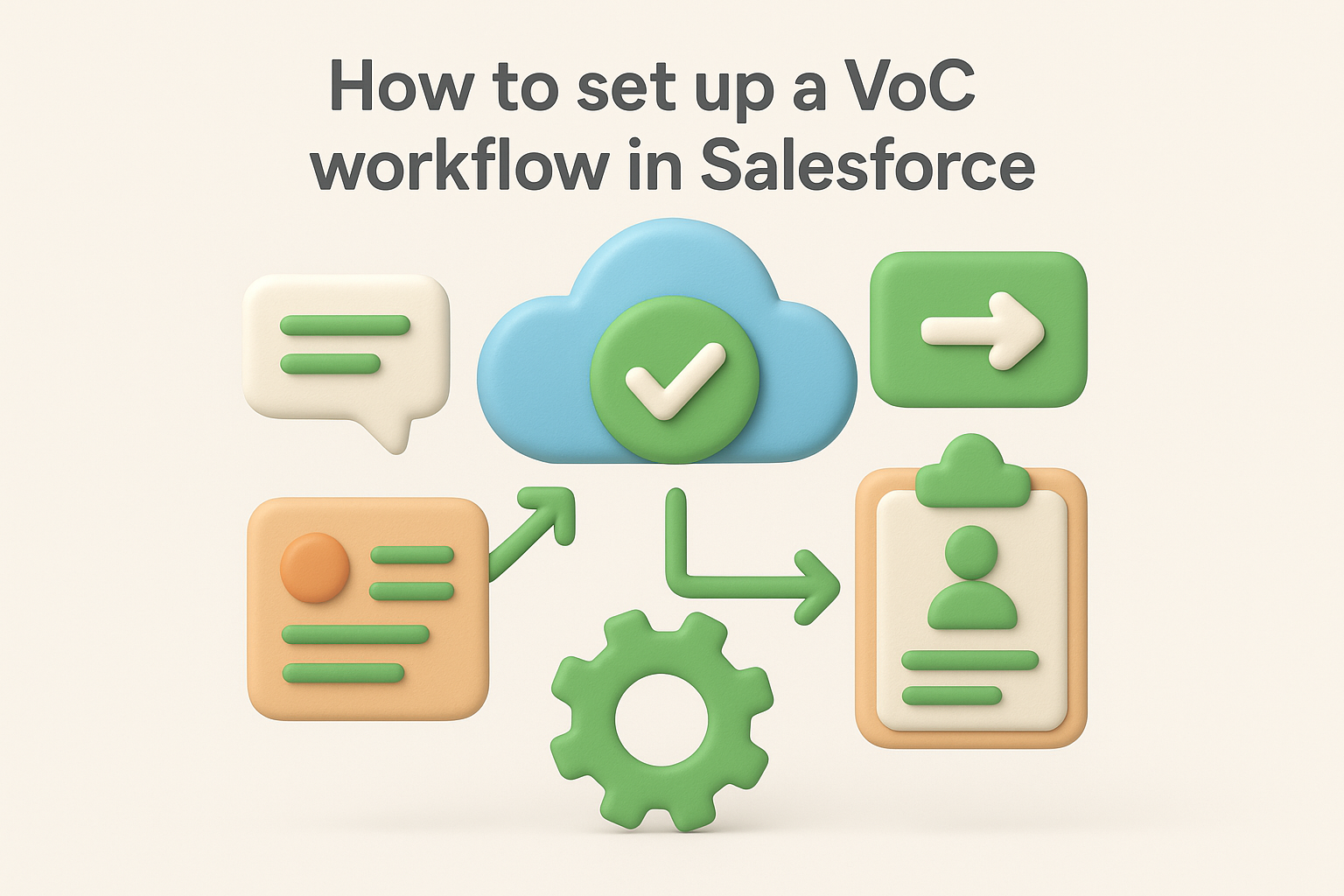
Start by identifying every channel where customers share opinions about your product. Web forms, email responses, support cases, community posts, and direct sales conversations all generate VoC data. Create custom objects or leverage existing ones like Cases and Ideas to capture this information consistently across channels.
Connect these collection points through API integrations or third-party tools that automatically push feedback into Salesforce. Each entry should include the customer account, feedback category, submission date, and priority level so your team can filter and segment effectively.
Set up workflow rules or Process Builder flows that automatically assign feedback to the appropriate team member based on category, customer segment, or urgency level. Product managers should receive feature requests while support leads handle bug reports.
Automatic routing eliminates manual triage and ensures customers get timely responses.
Configure notification triggers that alert stakeholders when high-value accounts submit feedback or when specific keywords appear in submissions.
Most teams launch their salesforce voice of customer programs with enthusiasm but stumble on execution details that undermine the entire system. You collect feedback without acting on it, duplicate efforts across departments, or drown in data you can't prioritize. These mistakes waste resources and damage customer trust when people see their input ignored.
Your customers submit feature requests and hear nothing back. They vote on ideas that disappear into a black hole. This silence kills future engagement because users stop participating when they see no evidence their input matters. You need automated status updates that notify customers when their feedback moves from submitted to planned to shipped.
When customers see their ideas become real features, they transform into advocates who submit even better feedback.
Set up email notifications through Salesforce workflows that trigger when feedback status changes. Share your public roadmap so users track progress without contacting support.
You waste time building features five customers requested while ignoring problems affecting hundreds. Without quantitative scoring that weighs feedback by customer revenue, user count, or strategic value, you prioritize wrong. Create custom fields in Salesforce that calculate impact scores based on account size and feedback frequency to focus on what actually moves metrics.
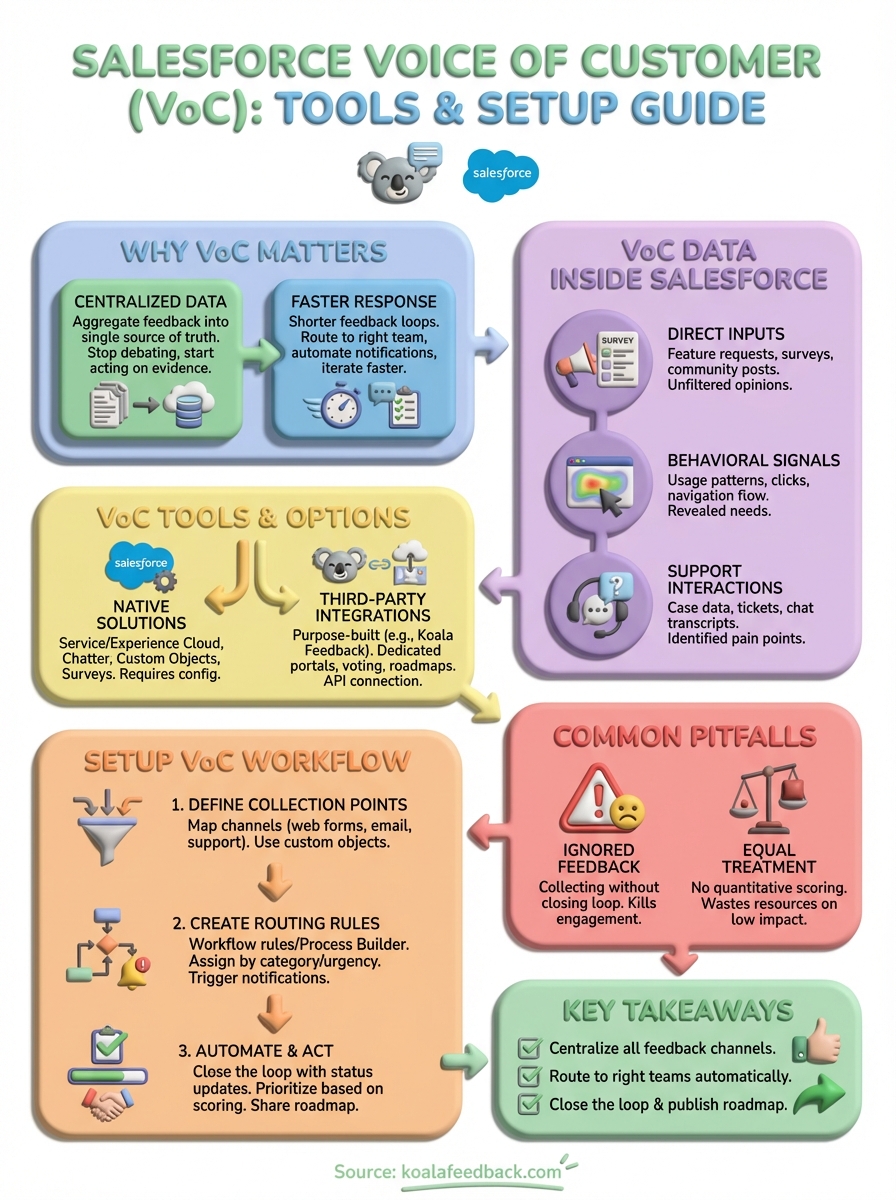
Your salesforce voice of customer program only works when you collect feedback systematically and act on it consistently. Start by connecting your current feedback channels to Salesforce through native tools or third-party integrations that fit your technical capabilities. Set up automated workflows that route submissions to the right teams and notify customers when their ideas move from submitted to planned to shipped. Most importantly, close the feedback loop by sharing regular status updates and publishing your roadmap so users see their input creates real change.
Begin with one feedback collection point and expand from there. Choose categories that match your product structure, create assignment rules for your team members, and establish scoring criteria based on customer value and strategic alignment. Track what percentage of submitted feedback actually influences your roadmap to measure whether your VoC system drives decisions or just collects dust.
If you need a dedicated feedback platform that integrates with Salesforce, Koala Feedback centralizes user input, automatically prioritizes feature requests, and keeps customers informed through public roadmaps.

Start today and have your feedback portal up and running in minutes.

