Collecting feedback from users is one thing. Actually organizing it, prioritizing requests, and turning insights into product decisions? That's where most teams struggle. Canny user feedback tools have become a popular choice for product teams looking to centralize this process, offering features like voting boards, roadmaps, and request tracking in one platform.
Whether you're evaluating Canny for your team or comparing it against alternatives like Koala Feedback, understanding how the tool works matters before you commit. Both platforms aim to solve the same core problem: helping you listen to users, prioritize what to build, and keep everyone informed along the way.
This guide walks you through how Canny handles feedback collection, voting, and prioritization. You'll learn the key features, see how the workflow operates, and get practical tips to make the most of any feedback tool you choose.
Canny user feedback is a platform that consolidates feature requests, bug reports, and general user suggestions into voting boards your team can track and respond to. Users submit ideas through a public portal you customize, vote on existing posts, and comment on discussions. Your team sees everything in a dashboard where you can merge duplicates, assign priorities, and link feedback items to your product roadmap.
The tool replaces scattered feedback from emails, support tickets, Slack messages, and spreadsheets with a single source of truth. Users stop repeating themselves because they can see if someone already suggested their idea. Your product team stops guessing which features matter most because voting data shows you actual demand.
Centralizing feedback removes the guesswork from prioritization and gives users visibility into what you're building.
You'll work with three main areas inside Canny. Boards organize feedback by category like feature requests, bugs, or integrations. Each board has its own voting system where users can upvote posts they care about. The roadmap view shows which items you've marked as planned, in progress, or completed.
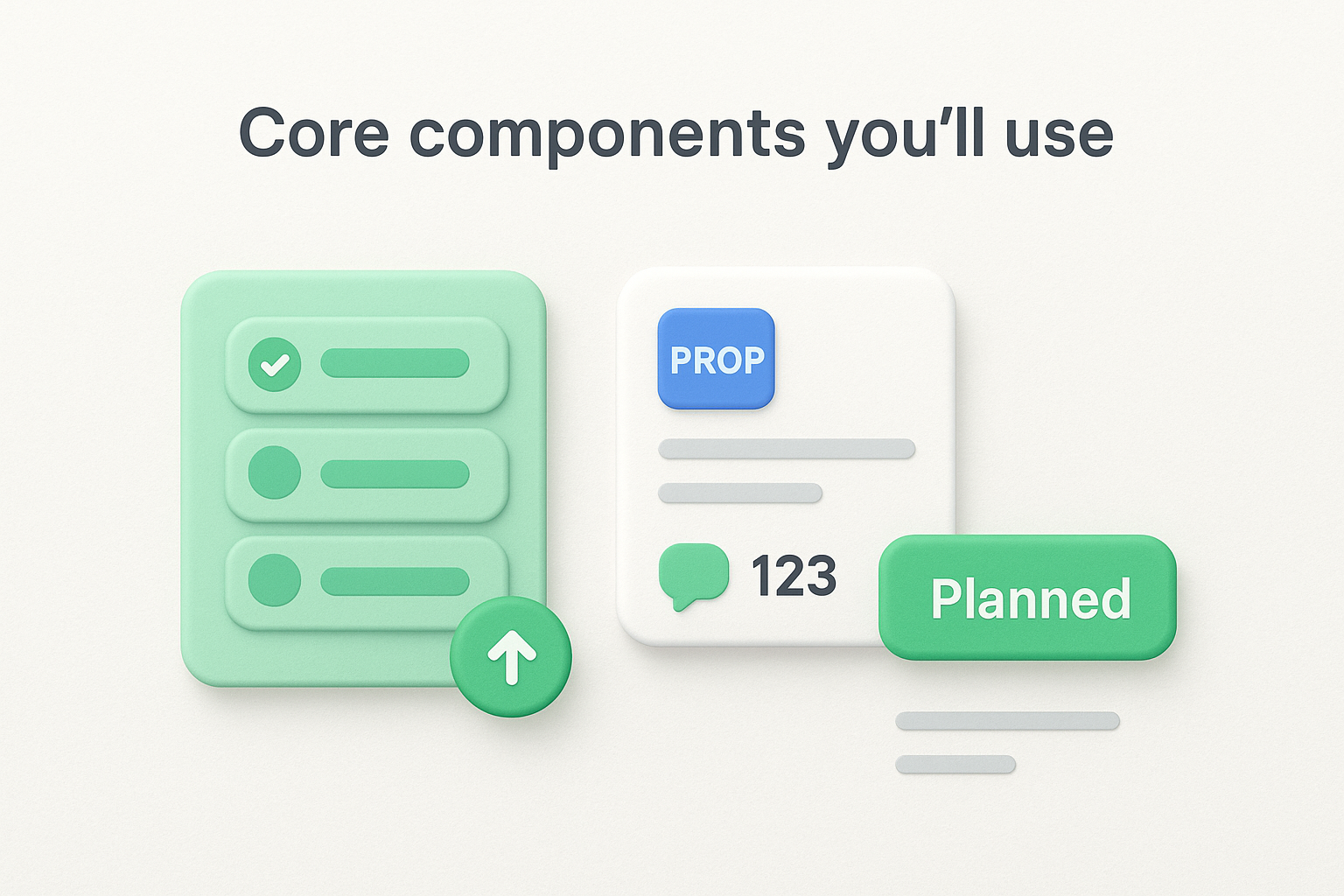
Posts are the individual feedback items users create. Each post includes a title, description, votes count, comments thread, and status labels you control. Your team can merge duplicate posts, change statuses, and add internal notes invisible to users.
You need a Canny account with admin access to configure boards and settings. Set aside time to define your board structure before inviting users. Decide whether you'll use one general board or split feedback into specific categories like mobile, web, or API requests.
Plan your authentication method early. Canny supports public boards anyone can access or private boards requiring user login. If you choose private boards, you'll need to set up single sign-on or create user accounts manually.
Creating your first board in Canny starts with deciding how you'll organize incoming feedback. You access the board creation tool from your admin dashboard by clicking "Create Board" in the left sidebar. Name your board something users will immediately understand like "Feature Requests" rather than internal terms.
Start with one general board if you're testing Canny or have a simple product. Most teams begin with a single "Feature Requests" board and expand into separate boards for bugs or integrations after collecting 50-100 posts.
Configure each board's visibility settings during setup. Public boards let anyone submit without logging in. Private boards require authentication but give you control over who participates.
Your intake form appears when users click "Submit Idea" on your board. The default form includes title and description fields, but you can add custom fields:
Keep your form under five total fields to avoid reducing submission rates. Each added field drops completion by roughly 10-15%.
Simpler forms get more submissions, which means more data for prioritizing your canny user feedback effectively.
Getting users to vote on feedback posts requires active promotion and making the voting process visible. Send email updates highlighting new feature requests that need community input. Include direct links to specific posts where users can vote and comment on ideas relevant to their workflow.
Embed your feedback board link in product notifications and help documentation where users naturally look for answers. When you respond to support tickets, direct users to existing posts that match their request rather than creating duplicates.
Pin high-impact posts to the top of your board during specific campaigns. Add context in the description explaining why votes matter and how you'll use the data. Users vote more when they understand their input influences your product roadmap.
Transparent communication about how you use voting data increases participation and gives you better priority signals for your canny user feedback analysis.
Enable comment moderation in your board settings to review discussions before they appear publicly. This prevents spam and keeps conversations focused on constructive feedback rather than complaints.
Set clear community guidelines at the top of each board. Specify that comments should add context, share use cases, or build on the original idea. Delete off-topic discussions and merge redundant comment threads into the main post to maintain readability.
Your feedback board fills up quickly once users start submitting ideas. You need to review new posts weekly to merge duplicates, apply tags, and organize data before it becomes overwhelming. Raw canny user feedback loses value when posts scatter across similar topics or accumulate without structure.
Start your triage session by sorting posts by creation date to catch duplicates early. Search for keywords that appear in multiple titles like "export," "calendar," or "API" to identify similar requests. Click into suspected duplicates and compare descriptions to confirm they request the same outcome.
Use the merge function in Canny's post menu to combine duplicates into a single post. The system preserves all votes from both posts and combines comment threads. Add a brief note explaining why you merged posts to maintain transparency with users who submitted them.
Create 5-8 core tags that represent your product areas or feature categories. Examples include "mobile-app," "integrations," "reporting," or "permissions." Apply tags consistently so you can filter posts later when analyzing priorities.
Tags transform your feedback collection into analyzable segments you can export and review with your product team.
Add effort tags like "quick-win" or "major-project" after engineering reviews your backlog. These tags help you identify high-value requests you can ship quickly versus features requiring months of development work.
Your tagged and organized canny user feedback becomes actionable when you translate votes and comments into a visible roadmap. You determine which features make the cut by scoring posts against your product strategy and resource availability. The roadmap shows users what you're building and when to expect it.
Score each high-vote post using three criteria: impact on users, alignment with business goals, and development effort. Assign numerical values like 1-5 for each criterion and calculate totals to rank requests objectively.
Create status buckets that match your development cycle. Common statuses include:
Move posts between statuses as work progresses. Users receive automatic notifications when items they voted for change status, keeping them informed without manual updates.
Publishing your roadmap transforms feedback collection into visible accountability that builds user trust.
Access your roadmap settings and choose between public or private visibility. Public roadmaps let anyone see your plans without logging in. Private roadmaps restrict access to authenticated users only.
Enable changelog integration to automatically move completed items into a release history. This creates a searchable archive showing users what you've shipped based on their input.
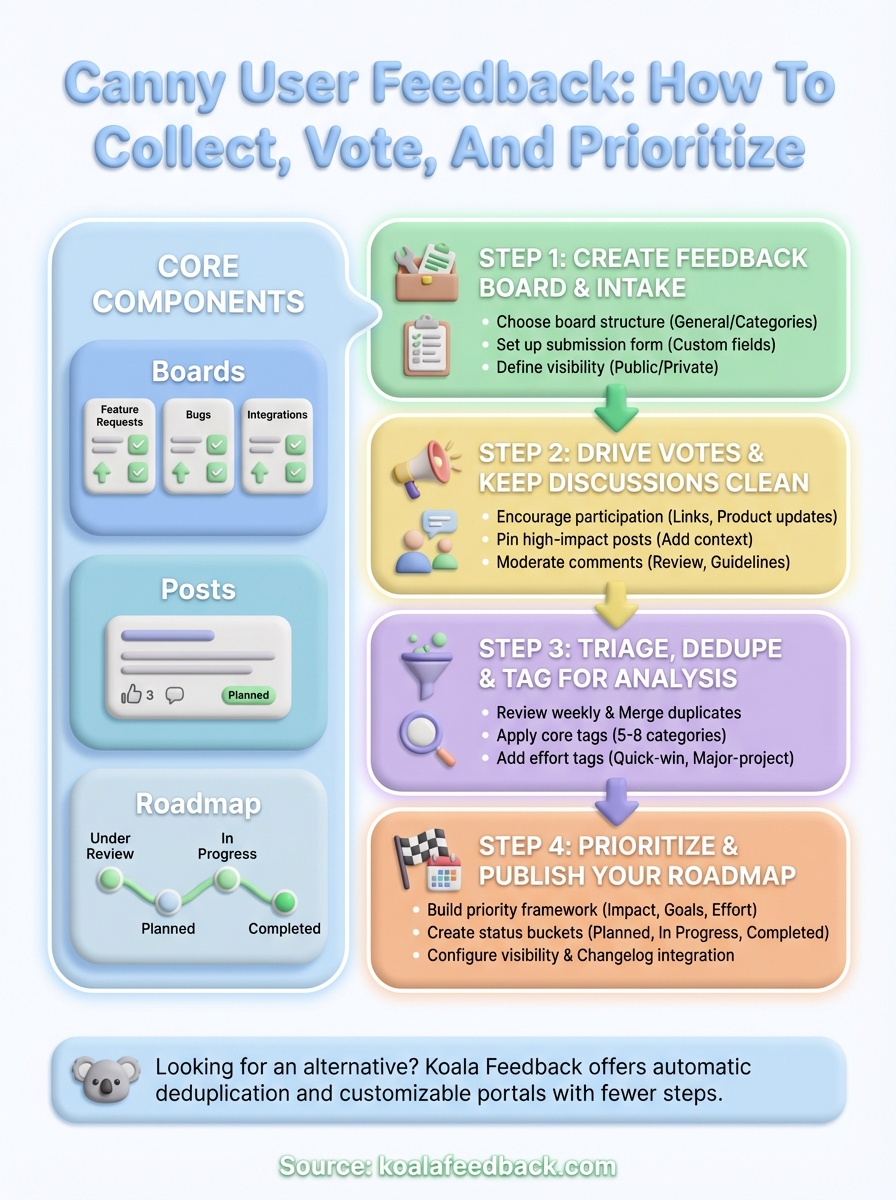
You now understand how to collect, organize, and prioritize canny user feedback through voting boards, tagging systems, and public roadmaps. Your team can move from scattered requests across multiple channels to a centralized feedback hub where users vote, comment, and track progress on features they care about.
The workflow works when you maintain consistency: review new posts weekly, merge duplicates promptly, apply tags systematically, and update roadmap statuses as development progresses. Your feedback system improves with each iteration as you refine your board structure and priority framework based on actual usage patterns.
Looking for an alternative that simplifies this process? Koala Feedback offers automatic deduplication, customizable voting portals, and integrated roadmaps without the complexity. You get the same core features with fewer configuration steps and transparent pricing designed for growing teams. Start collecting actionable feedback today.

Start today and have your feedback portal up and running in minutes.

