The best customer communication tools cover the channels your customers actually use, plug into the systems you already run, and keep every conversation in one place. For product feedback and roadmap updates, Koala Feedback is the pick. For multichannel support, Zendesk, Intercom, and Freshdesk lead. Help Scout suits email-first teams, LiveChat suits website chat, Aircall suits phone, and TextUs suits SMS outreach.
Customers reach you by email, chat, phone, text, and feedback forms, and those messages scatter across inboxes and apps. Replies slow down, context gets lost, and customers repeat themselves. The right customer communication software fixes that, but only if it fits your channels and team size.
This article compares eight tools. Each one gets the same breakdown: how it works, its pros and cons, its pricing, and who it suits. Koala Feedback comes first because it covers the part helpdesks skip, which is telling customers what you are building and why. Prices are published list prices and change often, so confirm them on each vendor's site before you buy.
Koala Feedback is the tool for the conversation that helpdesks skip: what customers want next and what you plan to ship. It gives users a branded place to submit ideas and a public roadmap that shows what happens to them.
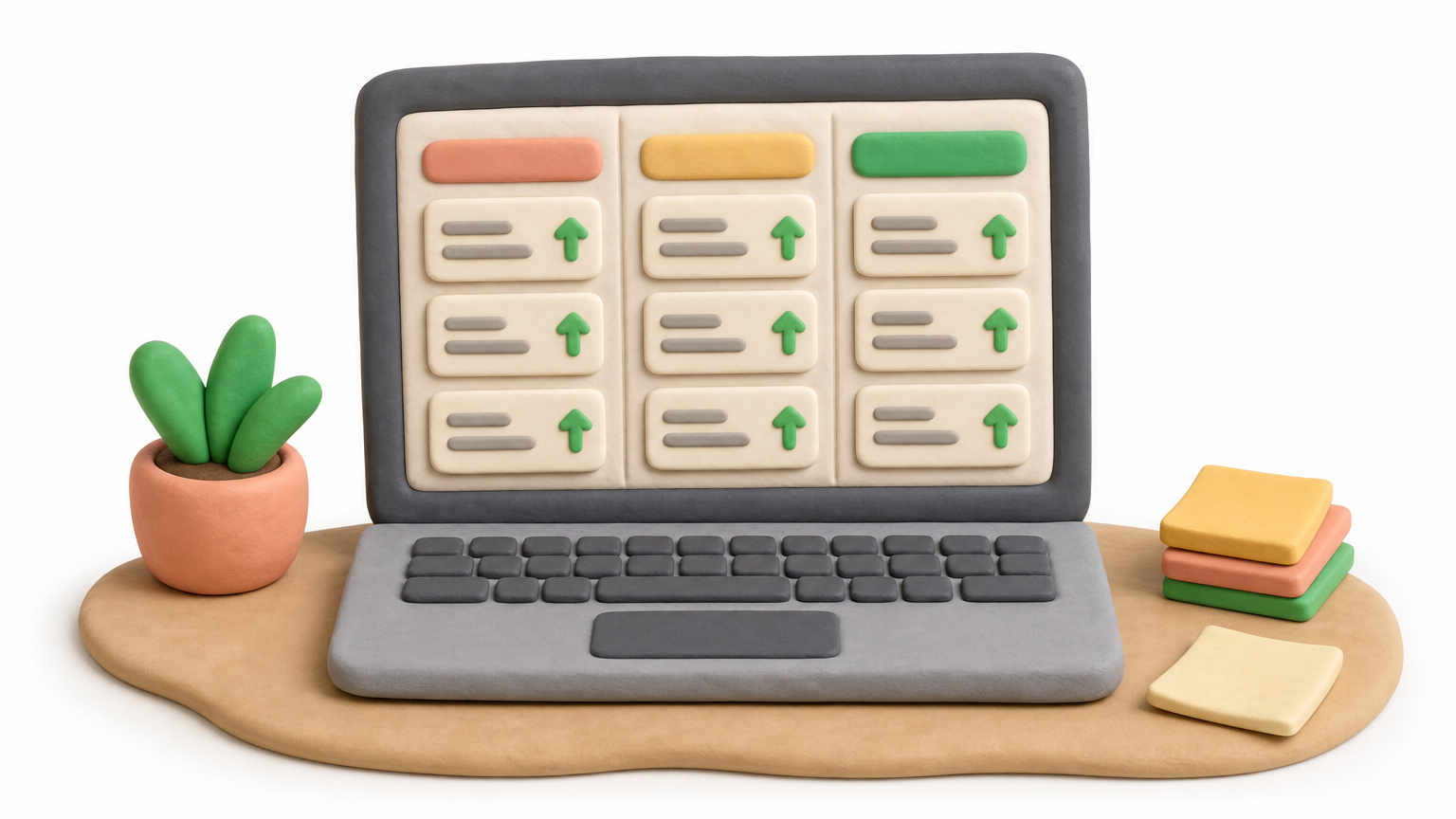
Koala Feedback closes the loop between what customers ask for and what you ship.
Customers submit ideas in a feedback portal that you host on your own domain, with your own colors and logo. Other users vote and comment, so demand becomes visible. Koala automatically deduplicates and categorizes submissions, so you do not read the same request twelve times.
You then sort requests into prioritization boards by product area or feature set. A public roadmap with planned, in progress, and completed statuses shows customers where their request stands. A portal runs in minutes, and a custom domain takes a few minutes more.
Koala is narrow by design. That focus is its strength and its limit.
The Starter plan is free and includes 3 boards, 5 statuses, 1 admin, unlimited users, and 100 active posts. Growth costs $29 per month and adds unlimited boards, custom statuses, file uploads, and unlimited active posts, with 5 admins. Business costs $89 per month and adds unlimited statuses. All plans are billed annually.
It suits product managers, SaaS owners, and development teams who want customer input to shape the roadmap. Pair it with a helpdesk from this list rather than treating it as a replacement.
Zendesk is the most complete customer communication software on this list for support teams that handle email, chat, phone, and social messages at volume. It turns every inbound message into a ticket your team can track.
Zendesk is the safe default when support volume is high and several channels feed one queue.
Messages from email, chat, voice, and messaging apps land in one ticketing system with intelligent routing. A knowledge base lets customers solve common problems themselves, and AI-powered bots handle repetitive questions before a human steps in.
Agents see the full conversation history across channels, so customers do not repeat themselves. Reporting dashboards track response times and team performance, which helps you staff the queue correctly.
Depth is the draw, and complexity is the price.
Entry plans have started around $19 per agent per month, and top tiers run above $100 per agent. Add-ons and AI features cost extra, so price the exact setup you need.
It suits teams of roughly ten or more agents that want one system for every channel. A two-person team will likely find it more than it needs.
Intercom is a customer communication platform that puts chat and AI first. It suits software companies that want to answer customers inside the product and automate the routine questions.
Intercom works best when your customers are already inside your app and expect an instant answer.
The Intercom Messenger sits on your website or inside your app. Fin, its AI agent, trains on your help articles and internal documents, then answers customers around the clock. A visual workflow builder routes harder questions to the right person.
A shared inbox, ticketing, and a help center come in the same product. You can message customers proactively, for example to announce a feature or nudge a new user through setup.
Intercom is polished, and its pricing needs a careful read.
Published pricing has started around $29 per seat per month, with higher tiers above $100. Fin is priced separately from seats, so estimate how many conversations the AI will handle before you commit.
It suits SaaS and product-led companies with a chat-heavy support model. Teams with low chat volume can spend less elsewhere.
Freshdesk is the budget-friendly helpdesk among the best customer communication tools. It gives small and mid-size teams ticketing, automation, and AI help at a lower per-agent price than most rivals.
Freshdesk delivers the helpdesk basics at a price small teams can justify.
Freshdesk centers on a ticket inbox that you can filter and automate. Rules route tickets, escalate overdue ones, and send follow-ups. Agents collaborate through private notes and can split or link tickets when one message holds several problems.
Its AI layer, Freddy, helps agents and answers common questions. Chat runs through the Freshchat module, so email, chat, and tickets share one customer record.
Freshdesk is easy to learn and unspectacular at the top end.
Published plans have ranged from about $15 to $79 per agent per month. Compare the exact tier against the features you need, because automation limits vary by plan.
It suits small support teams that have outgrown a shared mailbox and want a real ticketing system without an enterprise budget.
Help Scout is customer communication software that makes support feel like email, not a ticket queue. It suits small teams that want a shared inbox with a human tone.
Help Scout is the best fit when you want your support team to write like people, not process tickets.
Your team works from a shared inbox where you assign conversations, add tags, and set workflows. Collision detection stops two people from replying to the same customer. A knowledge base handles self-service answers.
Beacon, its chat widget, surfaces knowledge base articles and lets customers message you from your site. Integrations with CRMs display customer details and history next to each message.
Help Scout trades breadth for simplicity.
Help Scout charges per user on tiered plans. Check its current pricing page, since tiers and limits change, and run the free trial with real conversations first.
It suits small to mid-size teams, especially software and service businesses, whose customers mostly write in by email or chat.
LiveChat is a dedicated live chat tool for businesses that want to talk to website visitors in real time. It is among the best customer communication tools for turning a question into a sale or a quick fix.
LiveChat is the quickest way to put a human on your website.
A chat widget on your site lets visitors message your team instantly. LiveChat also connects Messenger, Instagram, and WhatsApp, so replies come into one place. Chat routing, canned responses, and file sharing keep agents fast.
Proactive chat invitations start conversations based on what a visitor is doing, such as lingering on a pricing page. AI reply suggestions and visitor tracking give agents context before they type.
LiveChat does one job well.
Pricing has started at about $20 per seat per month, rising above $59 on higher plans. A five-agent team on the entry plan would pay roughly $100 per month.
It suits ecommerce stores and sales-assisted websites where fast answers lift conversion. Teams that need ticket history should add a helpdesk.
Aircall is a cloud phone system for teams that still solve problems and close deals by voice. It brings calls into the same workflow as your other customer communication tools.
Phone still matters for complex or sensitive issues, and Aircall makes it manageable without a hardware phone system.
Aircall runs over the internet and handles inbound and outbound calls. Interactive voice response and smart call routing send callers to the right person. More than 100 integrations connect calls to your CRM and helpdesk.
Managers watch real-time analytics, and AI features such as call summaries and topic recognition cut note-taking. Voicemail and call recording support coaching and compliance.
Aircall is strong on voice and thin elsewhere.
Published pricing has started around $30 per user per month. Ten agents at that rate come to about $300 per month before add-ons.
It suits sales and support teams whose customers expect to call. If most contact arrives in writing, skip it for now.
TextUs is business texting software for teams that reach customers or candidates by SMS. It is the SMS option among the customer communication tools here, built for two-way conversations rather than blasts.
Text messages get read fast, so SMS suits time-sensitive follow-ups.
Teams text from a shared inbox, a mobile app, or a Chrome extension. Sequences send timed series of messages, and keyword triggers start actions when a customer replies with a set word. Templates and rich media speed up routine replies.
It integrates with CRM and applicant tracking systems so texts are logged with the contact. It also tracks opt-outs and supports 10DLC registration, which US carriers require for business texting.
SMS is powerful and tightly regulated.
The published Pro plan costs $299 per month and includes 5,000 messages and 5 phone numbers. Confirm current plans before you buy.
It suits sales, recruiting, and appointment-driven teams that want personal, high-volume texting. Teams that send only a few texts a week will find it expensive.
Choose by channel first, then by integrations, then by price. Most teams need one core system, either a helpdesk or a chat tool, plus one specialist tool for a channel the core system handles poorly.
Start with where your customers write, not with the feature list.
Look at where your last 100 customer contacts arrived. If most came by email, favor Freshdesk, Help Scout, or Zendesk. If most came through your site, favor LiveChat or Intercom. If calls dominate, add Aircall. If customers keep asking for features, add Koala Feedback.
| Tool | Main channel | Best for | Starting price (list) |
|---|---|---|---|
| Koala Feedback | Feedback portal and roadmap | SaaS product teams | Free, then $29/month billed annually |
| Zendesk | Omnichannel helpdesk | Larger support teams | About $19 per agent/month |
| Intercom | Chat and AI agent | SaaS support | About $29 per seat/month |
| Freshdesk | Email ticketing | Budget-conscious teams | About $15 per agent/month |
| Help Scout | Shared inbox | Small email-first teams | Per user, see vendor |
| LiveChat | Website chat | Ecommerce and sales sites | About $20 per seat/month |
| Aircall | Phone | Calling teams | About $30 per user/month |
| TextUs | SMS | Outreach and recruiting | $299/month (Pro) |
Integrations decide whether a tool saves time or adds a tab. Confirm it connects to your CRM, billing system, and Slack before you commit. Then test the AI features on your own questions, because a bot trained on a thin knowledge base will frustrate customers.
Check security and consent too. Texting needs opt-in consent, and any tool that stores customer data should offer role-based permissions and audit trails. Many vendors offer free trials or limited free plans, so test with real conversations before paying.
Take a SaaS company with five support agents. Freshdesk at its entry price of $15 per agent comes to $75 per month. Add Koala Feedback Growth at $29, and the stack costs $104 per month. Give two agents LiveChat at $20 each, and you reach $144 per month.
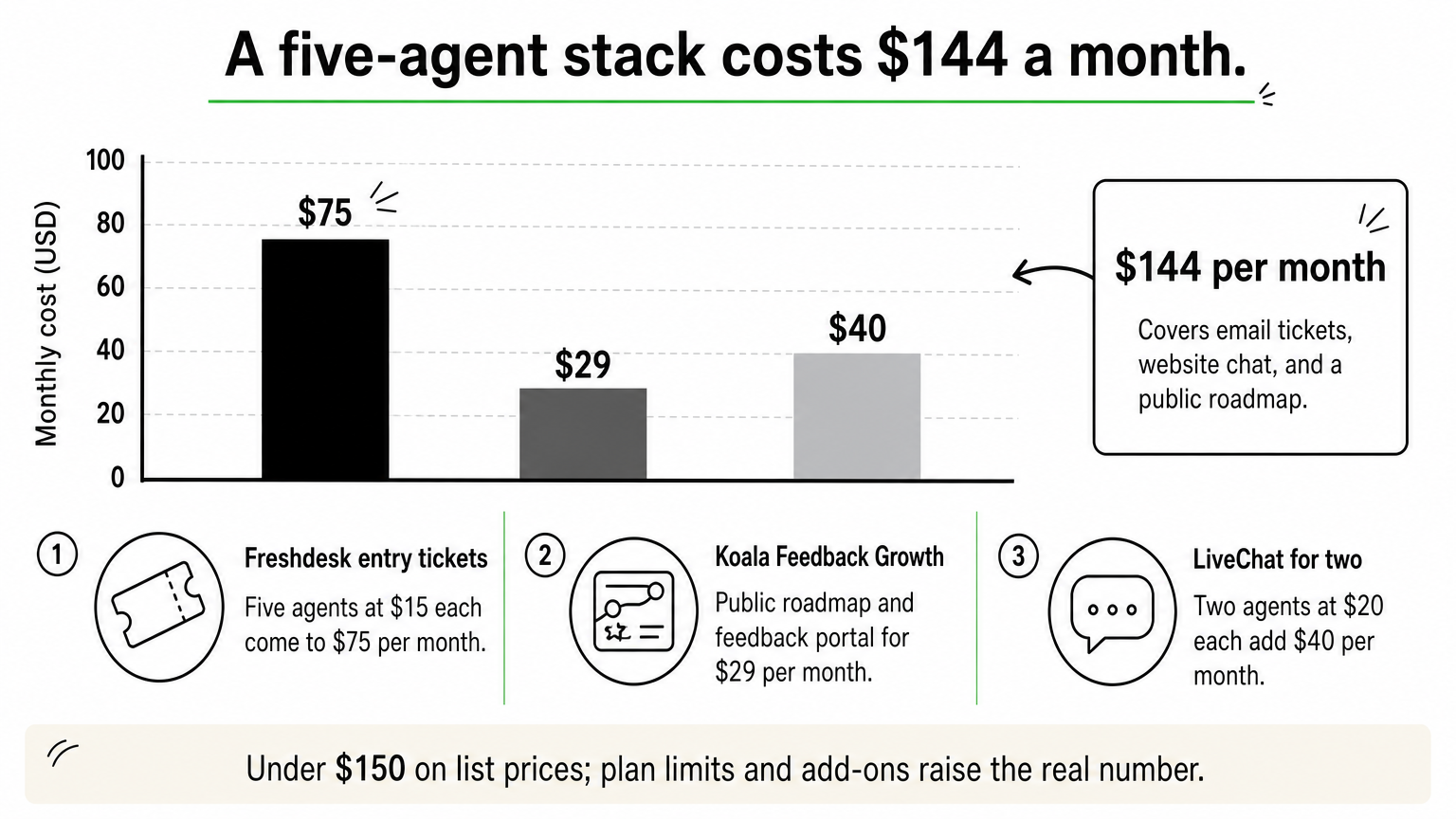
That covers email tickets, website chat, and a public roadmap for under $150 on list prices. Plan limits and add-ons will move the real number, so treat it as a floor.
A communication tool handles the conversation: it sends, receives, routes, and tracks messages. A CRM stores customer records, deal stages, and history. They overlap, but they do different jobs.
Most of the tools above integrate with a CRM so each message is logged against the right contact. Pick the communication tool for how your team talks to customers, and let the CRM hold the record.
The best customer communication tool depends on your channels. Choose a core system for your busiest channel, add a specialist for any gap, and make sure everything feeds the same customer record. Do not buy a suite for features you will not use.
If you build software, do not forget the conversation about what comes next. Start with a free Koala Feedback portal to collect ideas, prioritize them, and show customers your roadmap alongside your support tools.

Start today and have your feedback portal up and running in minutes.